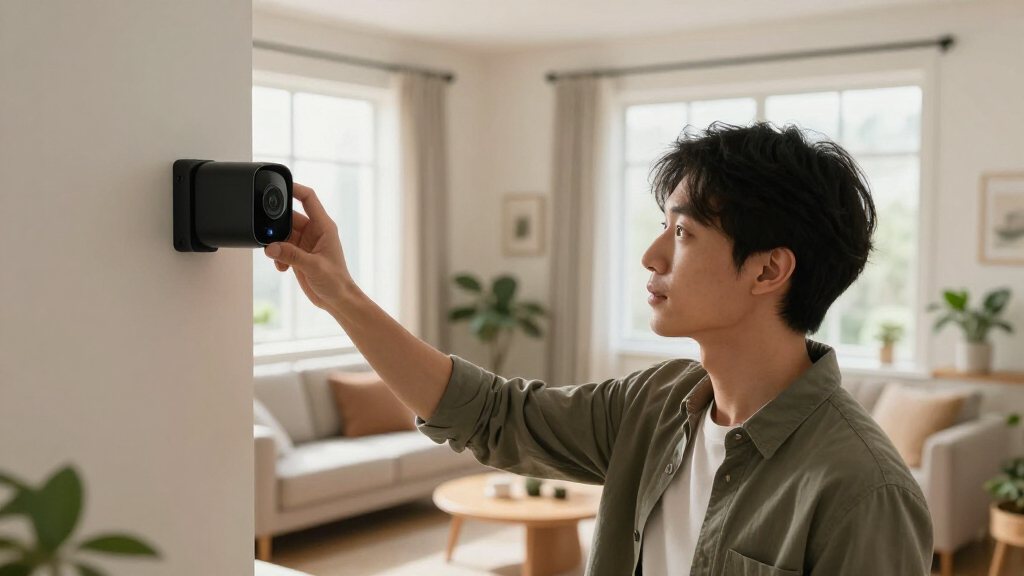
This guide provides clear instructions to install and set up a smart home security system, enabling you to monitor and protect your home remotely. It is designed for beginners with basic DIY skills and covers selecting components, installation, and initial configuration. Completing this task will give you a reliable, customizable security setup that you can control from your smartphone.

Get home appliances delivered free with Prime
- Fast, free delivery on millions of items
- Prime Video, Amazon Music and more included
- Member-only deals all year

Ring Alarm 8-Piece Kit (Newest Model) Home and Business Security System
- ✔ Kit Includes: Base station, keypad, four contact sensors, motion detector, range extender
- ✔ Suitable for: 1-2 bedroom homes
- ✔ Compatibility: Ring app, Alexa

Ring Alarm 5-Piece Kit (Newest Model) Wireless Smart Home Security System
- ✔ Base Station Power: 100-240V 50/60Hz
- ✔ Battery life: Rechargeable 24-hour backup
- ✔ Dimensions: 6.65 in x 6.65 in x 1.46 in

Ring Alarm 14-Piece Kit (Newest Model) – Wireless Smart Home Security System
- ✔ Includes: Base Station, 2 Keypads, 8 Contact Sensors, 2 Motion Detectors, 1 Range Extender
- ✔ Compatibility: Alexa
- ✔ Monitoring: 24/7 Professional Monitoring
Difficulty: Beginner | Time: 2-4 hours
What You’ll Need
Tools & Materials:
- Screwdriver
- Drill (optional)
- Wi-Fi-enabled device (smartphone or tablet)
- Ladder (if necessary)
Knowledge:
- Basic understanding of Wi-Fi networks
- Ability to follow step-by-step instructions
- Familiarity with smartphone app installation
Ensure your Wi-Fi network has a stable connection with sufficient bandwidth. Prepare a clear, accessible location for mounting devices, and read the manufacturer’s instructions for specific compatibility notes.
Ring Alarm 8-Piece Kit (Newest Model) Home and Business Security System
<p>The Ring Alarm 8-Piece Kit stands out for its straightforward setup and comprehensive starter package tailored to 1-2 bedroom homes. It includes essential sensors and a range extender to ensure stable communication across your space. Its compatibility with Alexa and mobile notifications makes remote monitoring simple, but the system’s full potential hinges on a subscription for professional monitoring and some advanced features. Compared to larger kits, it’s less intimidating and more budget-friendly for small households, but it offers limited coverage out of the box.</p>
Pros:
- Easy to install and use with mobile notifications
- Includes all essential sensors for comprehensive security
- Compatible with Alexa for voice control
Cons:
- Professional monitoring and some features require separate subscriptions
- Additional sensors and accessories are sold separately
Best for: Small homes, renters, or those looking for a simple, reliable security upgrade
Not ideal for: Large households needing extensive coverage or homeowners wanting built-in professional monitoring without extra costs
Bottom line: A solid, user-friendly starter kit ideal for small homes, but consider subscription costs for full feature access.
“A solid, user-friendly starter kit ideal for small homes, but consider subscription costs for full feature access.”
Ring Alarm 5-Piece Kit (Newest Model) Wireless Smart Home Security System
<p>The Ring Alarm 5-Piece Kit is tailored for smaller living spaces like apartments and condos. Its compact design makes it unobtrusive, and it’s easy to set up on walls or flat surfaces. The system offers robust control via the mobile app and Alexa, with the added benefit of professional monitoring for emergency response. However, to unlock full features like Alexa integration, a subscription is necessary, and some advanced options are sold separately. Compared to larger kits, it’s less versatile out of the box but excels in simplicity and quick deployment.</p>
Pros:
- Easy to set up and expand with additional sensors
- Mobile app control and Alexa compatibility
- Includes professional monitoring and 24/7 emergency response
Cons:
- Subscription required for professional monitoring and Alexa features
- Some features and integrations sold separately
- Limited regional availability (US and Canada)
Best for: Apartment dwellers or those needing a simple, expandable security solution
Not ideal for: Large homes or users seeking extensive, pre-installed coverage without additional purchases
Bottom line: An excellent choice for apartment residents seeking an easy-to-manage, expandable security system with professional support.
“An excellent choice for apartment residents seeking an easy-to-manage, expandable security system with professional support.”
Ring Alarm 14-Piece Kit (Newest Model) – Wireless Smart Home Security System
<p>The 14-Piece Ring Alarm Kit is designed for bigger homes or households with multiple bedrooms, offering extensive coverage with 8 contact sensors, 2 motion detectors, and two keypads. Its modular design allows for easy expansion and integration with Alexa for voice control. The system provides comprehensive security, with professional monitoring included, but comes at a higher cost and increased complexity. It’s ideal for those who want a fully integrated, scalable security solution, though the subscription costs for full features can add up.</p>
Pros:
- Easy to set up and expand with additional sensors
- Mobile app control for remote management
- Includes professional monitoring for emergency response
- Compatible with Alexa for voice commands
Cons:
- Requires separate subscription for full features
- Higher initial cost and more complex installation
- Additional sensors and accessories are sold separately
Best for: Larger homes, multi-bedroom households, or those wanting extensive security coverage
Not ideal for: Small apartments or users seeking a straightforward, budget-friendly system without the need for many sensors
Bottom line: A comprehensive, scalable security solution perfect for large homes, but consider the higher price and setup effort required.
“A comprehensive, scalable security solution perfect for large homes, but consider the higher price and setup effort required.”
As an Amazon Associate we earn from qualifying purchases.
Before You Start
Verify your Wi-Fi network is working correctly and has a strong signal in the intended installation areas. Have your mobile device ready for app installation and configuration. Clear space around mounting locations to facilitate easy installation.
Step-by-Step Instructions
Step 1: Choose your security system components
Select a smart security kit that includes essential devices such as cameras, door/window sensors, motion detectors, and a central hub. Consider system compatibility with your smartphone and home Wi-Fi network.
Tip:Opt for a system with a dedicated mobile app and cloud storage options for footage. Check reviews for reliability and customer support.
Check: You have identified a compatible, complete security system kit suitable for your home size and needs.
Step 2: Set up your Wi-Fi network
Ensure your Wi-Fi router is functioning properly and that the signal reaches your planned device locations. Update your router firmware if needed.
Tip:Use a Wi-Fi extender if the signal is weak in key areas to prevent connectivity issues with your devices.
Check: Your Wi-Fi network is stable, with strong signal in all intended device locations, confirmed via your device or router management app.
Step 3: Install the security system hub
Place the central hub in a central, accessible location near your Wi-Fi router. Mount it using screws or adhesive strips as directed. Power it on and wait for it to initialize.
Tip:Avoid placing the hub near metal objects or electronic devices that could interfere with connectivity.
Check: The hub powers on and indicates a stable connection to Wi-Fi, typically via a status light or app notification.
Step 4: Connect the devices to the hub
Follow the manufacturer’s instructions to add each device (cameras, sensors, detectors) to the hub via the mobile app. Usually, this involves putting devices into pairing mode and selecting them in the app.
Tip:Keep devices close to the hub during pairing to ensure strong Bluetooth or Wi-Fi signals.
Check: Each device appears as ‘connected’ in the app and shows live status or activity as applicable.
Step 5: Configure the system settings
Open the app and set up your system preferences: create user accounts, set detection zones, and customize alerts. Enable notifications for your mobile device.
Tip:Test each sensor and camera after configuration to confirm alerts and live video feed are working properly.
Check: Receiving alerts on your device, and live feeds or status updates from all installed sensors and cameras.
Step 6: Position and mount cameras and sensors
Mount cameras at entry points and common areas, ensuring clear line of sight. Attach sensors to doors and windows, ensuring they align correctly with the magnets or contact points.
Tip:Use the provided mounting hardware, and test the coverage after installation to confirm proper detection zones.
Check: Cameras provide clear, unobstructed views; sensors are securely mounted and trigger alerts when tested.
Step 7: Test the complete system
Simulate security events: open doors, walk through motion zones, and view camera footage remotely. Confirm all alerts, recordings, and live feeds are functioning correctly.
Tip:Record test videos and check the app for prompt notifications and clear footage.
Check: All tests generate immediate alerts, and system responses are accurate and reliable.
Common Mistakes to Avoid
- Placement of sensors or cameras in obstructed locations — Mount devices in visible, unobstructed areas with clear sightlines and minimal interference.
- Using a weak Wi-Fi signal for device connectivity — Test Wi-Fi strength at installation sites and use extenders if necessary before installing devices.
- Ignoring firmware updates for devices or hub — Check and update firmware through the app before installation for optimal performance and security.
- Not testing the system thoroughly after setup — Perform multiple tests of each device’s alert and recording functions before finalizing installation.
Troubleshooting
Problem: Devices not connecting during setup
Solution: Ensure Wi-Fi is active and strong; restart the hub and devices; reset devices and try pairing again.
Problem: System alerts are delayed or not received
Solution: Check notification settings in the app, verify internet connection, and ensure devices are within Wi-Fi range.
Problem: Cameras show poor video quality
Solution: Clean lens, improve lighting conditions, and verify that the camera is in a stable, unobstructed location.
Problem: False alerts from sensors
Solution: Adjust sensor sensitivity settings in the app and confirm sensors are mounted correctly with proper alignment.
What Success Looks Like
The system is fully operational, with all devices connected, providing real-time alerts, live video feeds, and recorded footage. Testing confirms accurate detection and notification responses across all components.
Next Steps
Regularly update firmware and app software. Periodically test all sensors and cameras. Store recorded footage securely and review recordings periodically. If system performance drops, check Wi-Fi connectivity and device status. Consider expanding the system with additional sensors or cameras as needed for increased coverage.
Frequently Asked Questions
Can I install a smart home security system myself?
Yes, most systems are designed for DIY installation with step-by-step instructions and mobile app setup assistance.
What if my Wi-Fi network is weak in certain areas?
Use Wi-Fi extenders or mesh networks to improve coverage, ensuring all devices stay connected reliably.
Are smart security cameras secure from hacking?
Choose reputable brands, update firmware regularly, use strong passwords, and enable two-factor authentication for added security.
How often should I test or maintain my system?
Test the system monthly, clean camera lenses periodically, and check for firmware updates to maintain optimal performance.
Fall yard work Picks
leaf blowers
As an affiliate, we earn on qualifying purchases.