
To teach your parents about using a robot vacuum, start with simple voice commands like “start cleaning” or “pause,” which make operation easy. Show them how to set up schedules through the app or control panel to automate cleaning routines. Encourage practice and reassure them that help is available. Focus on building their confidence step by step—soon they’ll enjoy a stress-free cleaning experience. Keep going, and you’ll find more helpful tips to make the process even smoother.

Get home appliances delivered free with Prime
- Fast, free delivery on millions of items
- Prime Video, Amazon Music and more included
- Member-only deals all year
Key Takeaways
- Demonstrate simple voice commands like “Start cleaning” or “Return to dock” to build confidence.
- Show how to access and set up cleaning schedules via the app or control panel.
- Practice using the device together, providing positive feedback and patience throughout.
- Emphasize the ease of use and encourage independence with clear instructions and support.
- Explain display notifications and status indicators to help them understand device updates intuitively.
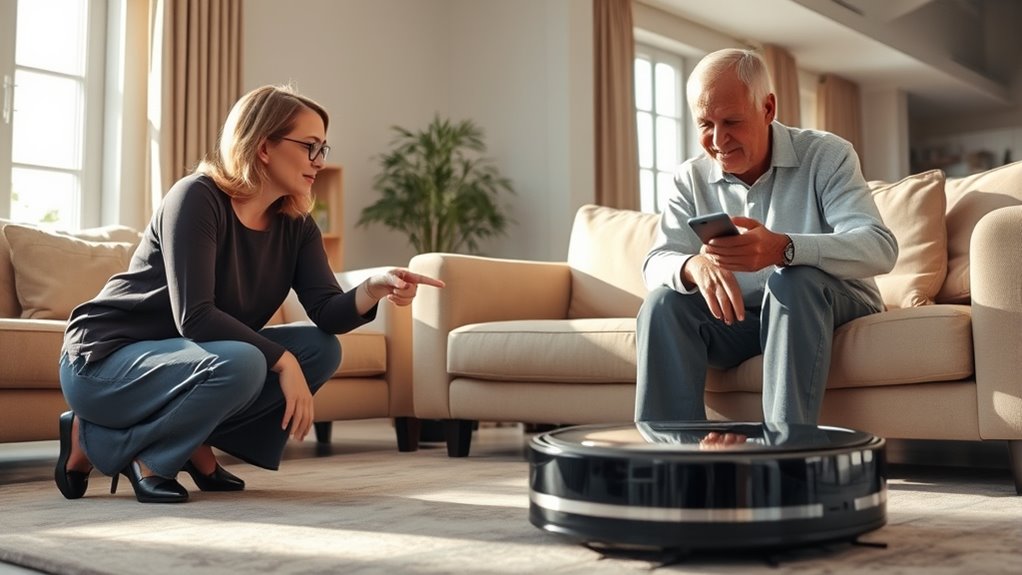
Teaching your parents to use a robot vacuum can feel challenging at first, but with a few simple steps, you can make the process smooth and stress-free. The key is to break down the features into manageable parts and guide them through each one patiently. Start by explaining how voice commands work. Many robot vacuums now come with voice control capabilities, allowing your parents to start, pause, or send the device back to its dock simply by speaking commands. Demonstrate how to activate this feature and give clear, easy-to-remember phrases they can use. Reassure them that voice commands are designed to be intuitive and can make cleaning more convenient, especially if they’re not comfortable steering through complicated apps or buttons.
Teaching your parents to use a robot vacuum involves simple steps and patient guidance for easy learning.
Next, focus on setting up and managing cleaning schedules. Show your parents how to access the app or control panel to create daily or weekly routines. Emphasize that scheduling is a powerful way to keep their home tidy without daily manual intervention. Walk them through choosing specific times for the vacuum to operate, ensuring it fits into their daily routine. Encourage them to set reminders or notes about their cleaning schedule, so they feel confident that the robot will handle chores even when they’re busy or forgetful. Reinforce that these schedules can be easily adjusted later, so they don’t have to worry about making mistakes.
As you guide them through voice commands and schedules, let them practice each step. Offer positive feedback and be patient if they need to repeat instructions. If they’re hesitant about technology, remind them that most features are designed to be simple and user-friendly. You might also want to prepare a quick cheat sheet with common commands and steps for adjusting schedules, which they can refer to later. This helps build their confidence and reduces dependence on your constant assistance.
Throughout the process, keep the tone encouraging and emphasize their growing independence. Highlight how these features make cleaning easier and less of a chore. Once they get comfortable with voice commands and scheduling, you’ll notice their confidence in using the robot vacuum increases. It’s about empowering them to handle the device on their own, knowing they can always ask for help if needed. With patience and clear instructions, your parents will soon be navigating their new robot vacuum with ease, making household chores less stressful and more automated.
Additionally, understanding the contrast ratio of the vacuum’s display or controls can help them better interpret notifications or status updates on the device, further enhancing their comfort and familiarity with the technology.
As an affiliate, we earn on qualifying purchases.
Frequently Asked Questions
How Do I Troubleshoot Common Robot Vacuum Errors?
When troubleshooting common robot vacuum errors, start by checking for connectivity issues. Make sure it’s connected to your Wi-Fi and the app. If it’s not responding, try restarting both your router and the vacuum. For charging problems, verify the charging dock is plugged in and the contacts are clean. If it still won’t charge, reset the vacuum or replace the charging station. These steps help resolve most common errors quickly.
Can the Robot Vacuum Be Scheduled to Clean Automatically?
Yes, your robot vacuum can be scheduled for automatic cleaning. You simply access the scheduling settings through the app or onboard controls, then set specific times for it to start cleaning. This way, you don’t have to remember to turn it on manually. Once scheduled, it will automatically clean your floors at your preferred times, making maintenance easier and keeping your home tidy without extra effort.
What Safety Features Are Included in Modern Robot Vacuums?
Like a watchful guardian, modern robot vacuums prioritize your safety with sensor safety, detecting obstacles and drop-offs to prevent accidents. They also feature an emergency stop button, acting as a quick exit in case of trouble. These safety features keep your home secure, allowing you to trust your robot to clean efficiently without worry. With these safeguards, you can relax knowing your device is designed to protect both your family and your belongings.
How Do I Update the Robot Vacuum’s Software or Firmware?
To update your robot vacuum’s software or firmware, first open the companion app on your smartphone. Look for a ‘Software Update’ or ‘Firmware Upgrade’ option in the settings menu. Tap it to check for the latest updates. If an update is available, follow the prompts to download and install the software update or firmware upgrade. Keep your vacuum connected to Wi-Fi during this process for a smooth update.
What Should I Do if the Robot Vacuum Gets Stuck?
If your robot vacuum gets stuck, imagine it as a tiny explorer caught in a maze. First, pause it and check for navigation issues or obstacles like cords or clutter. Remove these impediments carefully, then restart the device. You might also want to recalibrate its sensors or update the firmware. Regular obstacle removal keeps your vacuum moving smoothly, preventing future snags and ensuring your home stays spotless.
As an affiliate, we earn on qualifying purchases.
Conclusion
Teaching your parents to use a robot vacuum can boost their confidence with tech and make cleaning easier. Did you know that 60% of seniors who try new gadgets report feeling more independent? By guiding them patiently, you help them stay connected and empowered. Remember, a little patience goes a long way, and soon they’ll be happily managing their own cleaning routine. Embrace the process, and everyone benefits from a cleaner, smarter home!
easy-to-use robot vacuum for seniors
As an affiliate, we earn on qualifying purchases.
As an affiliate, we earn on qualifying purchases.
robot vacuum with remote control
As an affiliate, we earn on qualifying purchases.
As an affiliate, we earn on qualifying purchases.
Cold & flu season Picks
humidifiers
As an affiliate, we earn on qualifying purchases.