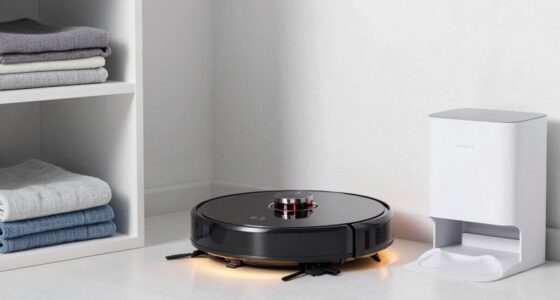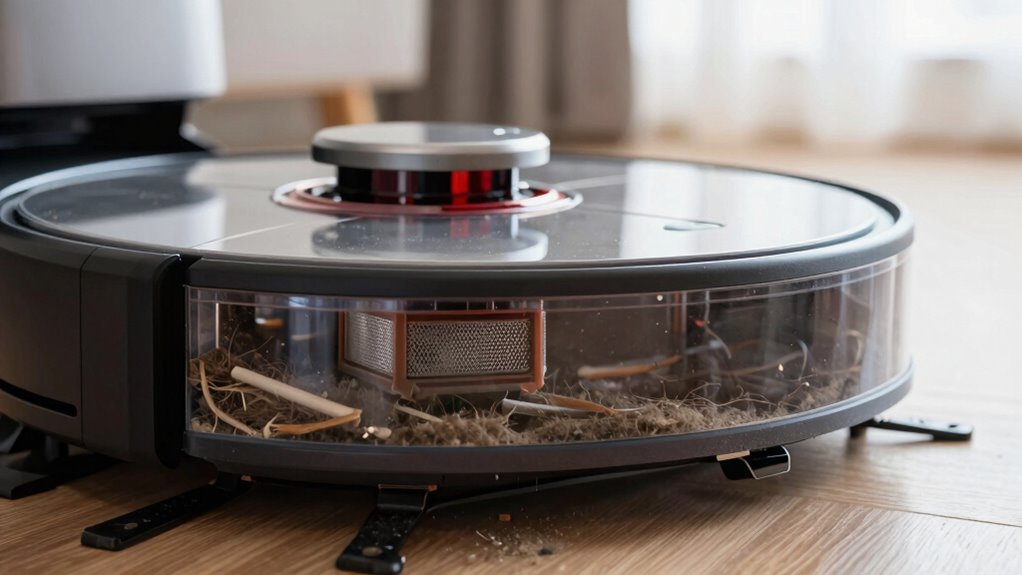
You should empty your robot vacuum’s dustbin after each cleaning session or when it’s about two-thirds full. Regularly emptying it prevents clogs, maintains strong suction, and reduces motor strain, which helps extend your device’s lifespan. If you have pets or heavy foot traffic, you might need to do this more often. Staying ahead of full dustbins ensures peak performance and longevity. Keep going to discover more tips for keeping your vacuum in top shape.
Key Takeaways
- Empty the dustbin after each cleaning session, especially on carpets or pet areas, to maintain suction power.
- Check and empty the dustbin when it’s halfway full to prevent clogs and motor strain.
- For light use on hard floors, empty every few uses or when the indicator signals full.
- In high-traffic or pet households, empty the dustbin after every cleaning cycle.
- Regular maintenance extends device lifespan and ensures optimal cleaning performance.
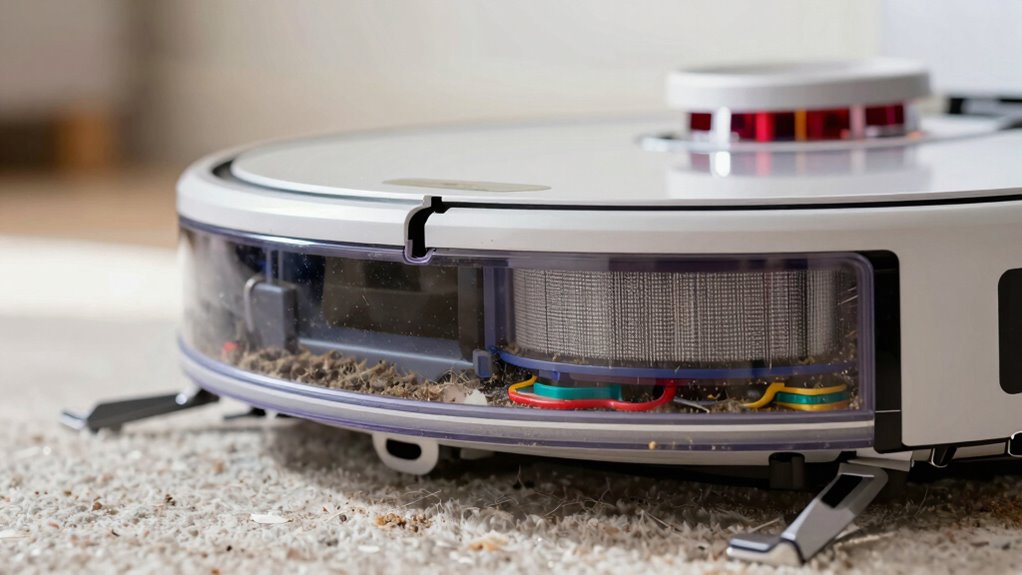
If you want your robot vacuum to perform at its best, knowing how often to empty its dustbin is essential. A full dustbin can hinder suction power, reduce cleaning efficiency, and strain the device’s motor, which may impact its overall lifespan. Regularly checking and emptying the dustbin ensures that your robot operates smoothly and maintains peak cleaning performance. When the dustbin is nearly full, the vacuum struggles to pick up dirt effectively, especially during carpet cleaning, where more debris tends to accumulate. Ignoring this can lead to missed spots, leaving your carpets less clean and requiring more frequent cleanings.
Battery maintenance also plays a role in how often you should empty the dustbin. A cluttered dustbin causes the vacuum to work harder, draining the battery faster and putting extra stress on the motor. When the dustbin is emptied regularly, the vacuum doesn’t have to exert as much effort, extending the battery life and reducing the frequency of charges. This not only saves you time but also prolongs the device’s lifespan. If you notice your robot is draining batteries quickly or stopping mid-clean, it could be due to a full dustbin that’s impeding airflow and motor efficiency. Additionally, a clean dustbin can help prevent clogs and blockages, ensuring the vacuum’s components function properly.
For homes with carpets, you’ll want to be more diligent about emptying the dustbin. Carpet fibers trap more dirt, pet hair, and debris, filling the dustbin faster than hard floors. After each cleaning session, check the dustbin and empty it if it’s halfway full or more. Doing so ensures the vacuum maintains strong suction and prevents the motor from working overtime. If you’re cleaning heavily soiled carpets or pet hair-laden areas, you might need to empty the dustbin more frequently—possibly after every session—to keep performance high. Regular maintenance, including device upkeep, can help prevent clogs and ensure all parts function properly. Proper dustbin capacity management is essential for optimal performance and efficiency.
In general, it’s a good idea to develop a routine based on your household’s cleaning needs. For light use, empty the dustbin every few uses or when the indicator signals it’s full. For homes with pets or heavy foot traffic, check and empty the dustbin after each cleaning cycle. Establishing this habit can also help you identify any potential issues early, such as motor strain or reduced suction, which may be caused by a full dustbin. Proper maintenance of the dustbin and other components can extend the lifespan of your robot vacuum and ensure it continues to operate optimally. Doing so keeps your robot vacuum performing at its best, preserves battery health, and ensures your carpets stay as clean as possible. Keeping the dustbin clear is a simple step that pays off by extending the lifespan of your device and maintaining efficient cleaning results.
As an affiliate, we earn on qualifying purchases.
Frequently Asked Questions
Can I Empty the Dustbin Too Often?
Yes, you can empty the dustbin too often. Doing so helps maintain ideal battery performance and prevents the vacuum from working harder, which can increase noise levels. Regularly emptying the dustbin ensures the vacuum runs efficiently, reducing strain on the motor and preserving battery life. Just be gentle when handling the dustbin to avoid damage, and you’ll keep your robot vacuum functioning smoothly without risking over-cleaning.
Does Emptying the Dustbin Improve Vacuum Performance?
Think of your robot vacuum as a runner: a full dustbin is like carrying extra weight, which slows down performance. Emptying the dustbin regularly boosts vacuum efficiency by preventing clogs and ensuring ideal suction. Proper dustbin maintenance keeps your device running smoothly, much like a well-tuned engine. By staying on top of dustbin cleanup, you help your vacuum perform at its best, making cleaning more effective and less stressful.
Is It Necessary to Clean Filters Regularly?
Yes, you need to clean filters regularly to maintain your robot vacuum’s performance. Filter maintenance prevents clogs and guarantees ideal airflow, which improves cleaning efficiency. When you clean the filters, you also help preserve the dustbin capacity, so it doesn’t fill up too quickly. Regularly checking and cleaning filters, along with emptying the dustbin when necessary, keeps your vacuum running smoothly and prolongs its lifespan.
How Do I Know When the Dustbin Is Full?
You’ll know your dustbin is full when the indicator signals, or you notice the vacuum isn’t cleaning as efficiently. Keep an eye on the dustbin capacity, as it varies by model. Many robot vacuums have alert lights or app notifications to warn you. Regularly check and empty the dustbin before it reaches full capacity to guarantee peak performance and prevent blockages.
Can I Use a Different Container Instead of the Original Dustbin?
Yes, you can use alternative containers, but you must check dustbin compatibility first. Make certain the alternative container fits securely in your robot vacuum and doesn’t interfere with its sensors or brushes. Using an incompatible container might cause malfunctions or reduce cleaning efficiency. Always verify dimensions and mounting options before switching to an alternative container, and consider consulting your vacuum’s manufacturer for guidance on suitable options.
As an affiliate, we earn on qualifying purchases.
Conclusion
So, next time you wonder if your robot vacuum’s dustbin needs emptying, ask yourself—are you giving it the care it deserves? Regularly checking and emptying the bin keeps your device running efficiently and prolongs its lifespan. Remember, a clean dustbin isn’t just about cleanliness; it’s about maintaining peak performance. Don’t you owe it to your smart cleaning partner to keep it in top shape? Stay attentive, and your robot will serve you well for years to come.
robot vacuum dustbin replacement
As an affiliate, we earn on qualifying purchases.
As an affiliate, we earn on qualifying purchases.
As an affiliate, we earn on qualifying purchases.