TL;DR

Get home appliances delivered free with Prime
- Fast, free delivery on millions of items
- Prime Video, Amazon Music and more included
- Member-only deals all year
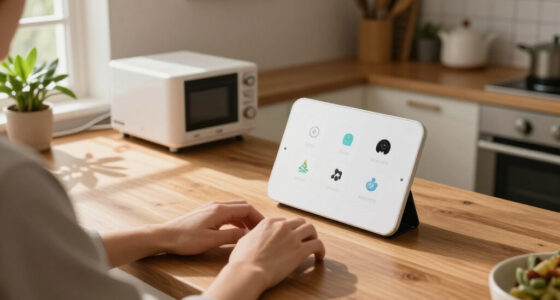
Home Depot’s Hubspace app brings controls for compatible smart-home products from different brands into one place, including lighting, thermostats, outlets, fans, locks and lawn sprinklers. The system was demonstrated at House Beautiful’s Whole Home in Charleston, where app-controlled lights created an interactive display inspired by the sky.
Home Depot’s Hubspace app can bring controls for compatible smart-home products from different brands into a single interface, a capability the retailer demonstrated at House Beautiful’s Whole Home in downtown Charleston, South Carolina. The showcase paired app-connected devices with an interactive lighting display, illustrating how a single system could manage parts of a home that might otherwise require separate controls.
Hubspace is designed to work with compatible products sold at Home Depot, according to House Beautiful’s report. The app supports a range of devices, including lawn sprinklers, indoor outlets, thermostats, lights, ceiling fans, doors and locks. The report also describes a Vacation Mode that simulates occupancy while residents are away.
At the Whole Home event, Home Depot used the app’s lighting controls to create “The Color Canopy,” an interactive display intended to evoke the Charleston sky. The installation formed part of a Home Depot-hosted pop-up that also included demonstrations of connected lights, fans, doors and locks. The product demonstration showed how the app can operate compatible devices; it did not establish that every product in those categories works with Hubspace.
House Beautiful said using the system requires a smartphone, internet access and compatible devices. The source does not provide pricing, a full product-compatibility list, or detailed technical requirements. It presents Hubspace as a way to consolidate device controls, rather than as a new kind of smart-home device itself.
One App for More Home Controls
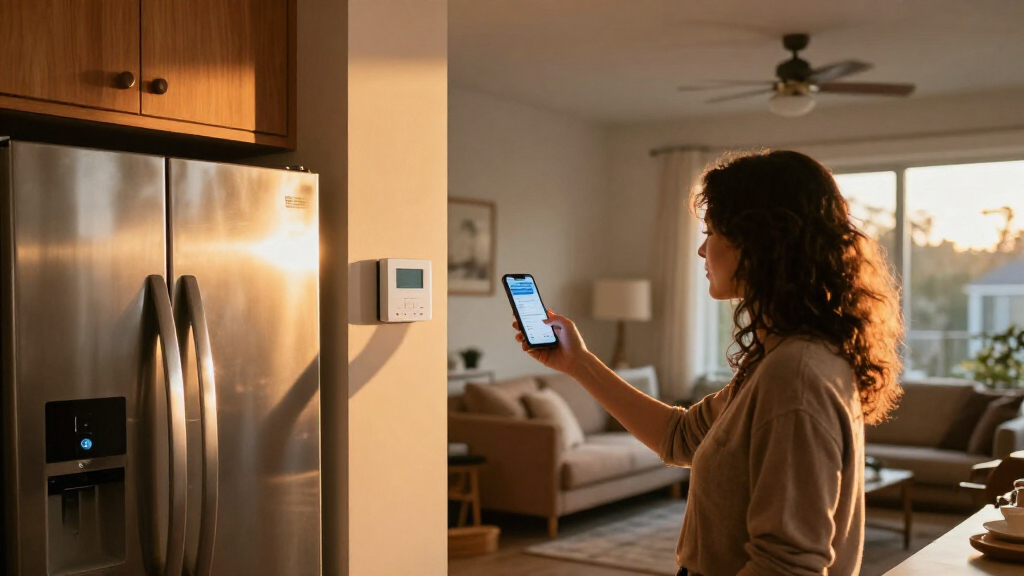
For households with connected devices from different manufacturers, a shared control app may reduce the need to switch between separate apps for everyday tasks. Hubspace’s listed device categories span lighting, climate, security and outdoor watering, giving the system potential relevance beyond a single room or product type.
The practical benefit depends on which devices a homeowner already owns or plans to buy. Since the reported system applies to compatible products sold at Home Depot, the app’s usefulness turns on product availability and compatibility, not simply on how many types of devices it can support. The Charleston display offered a visual example of lighting control, while the broader claim of coordinating a home depends on the devices installed.
Home Depot Hubspace compatible smart light bulbs
As an affiliate, we earn on qualifying purchases.
As an affiliate, we earn on qualifying purchases.
Smart-home products have commonly offered app-based controls for individual functions such as security monitoring, heating and cooling, and lighting. House Beautiful’s report describes Hubspace as an effort to gather controls for a wider mix of products in one app. It characterizes the ability to host controls for products across multiple brands as a feature of the platform, while also tying compatibility to products available through Home Depot.
The Whole Home project gave the retailer a setting to demonstrate that concept. Designers transformed a luxury condo in downtown Charleston, and Home Depot focused on connecting devices within the home. The “Color Canopy” display translated app-controlled dimming and illumination into an installation for visitors, rather than a test of every feature or device category described in the report.
““With Hubspace, if you buy the product at Home Depot, you can control it in the hub.””
— House Beautiful
As an affiliate, we earn on qualifying purchases.
Compatibility and Costs Still Unspecified
The report does not provide a complete list of Hubspace-compatible products, explain how compatibility varies among brands, or state whether additional devices or services are needed. It also gives no pricing details for the app or the products used in the demonstration.
House Beautiful describes the app’s supported categories and Vacation Mode but does not explain the feature’s exact behavior, setup steps, or limitations. The demonstration at Whole Home confirms that Home Depot presented connected controls and interactive lighting; it does not independently establish how the system performs across every home or product configuration.
Hubspace compatible smart thermostat
As an affiliate, we earn on qualifying purchases.
As an affiliate, we earn on qualifying purchases.
Check Product Support Before Buying
Readers interested in using Hubspace will need to check whether specific devices are listed as compatible and what setup requirements apply. The source report offers examples of supported product types but does not include a product-by-product guide or say when further compatibility information will be published.
Home Depot’s Whole Home demonstration provides a public example of the app’s lighting controls and connected-device concept. Further details about supported models, costs and feature limits would help homeowners judge how much of their existing setup can be brought into the app.
Hubspace smart sprinkler controller
As an affiliate, we earn on qualifying purchases.
As an affiliate, we earn on qualifying purchases.
Key Questions
What is Home Depot’s Hubspace?
Hubspace is an app for controlling compatible connected products sold at Home Depot. The reported categories include lights, thermostats, outlets, fans, locks and lawn sprinklers.
Can Hubspace control products from different brands?
House Beautiful reports that the app can host controls for compatible products across a variety of brands. The report does not identify every supported brand or model, so shoppers should check compatibility for each device.
What did Home Depot demonstrate at Whole Home?
Home Depot used Hubspace’s lighting controls to create “The Color Canopy,” an interactive display inspired by the Charleston sky. Its pop-up also demonstrated connected lights, fans, doors and locks.
Does Hubspace include a feature for when someone is away?
The report describes a feature called Vacation Mode that simulates occupancy while residents are away. It does not explain the feature’s precise settings or limitations.
What is needed to use Hubspace?
House Beautiful says users need a smartphone, internet access and compatible devices. The source does not give further technical requirements or pricing information.
Source: rss
Cold & flu season Picks
humidifiers
As an affiliate, we earn on qualifying purchases.