Household robots like robotic vacuums are smart devices that help with chores by steering your home and cleaning automatically. They use sensors to find obstacles and avoid drops, making them safe around children and pets. Regular maintenance, like emptying the dustbin and updating software, keeps them working well. Setting up the device and customizing schedules is simple with the app. If you want to understand how these devices keep your home safe and clean, keep exploring how they work.

Get home appliances delivered free with Prime
- Fast, free delivery on millions of items
- Prime Video, Amazon Music and more included
- Member-only deals all year
Key Takeaways
- Describe household robots as helpful devices that perform chores like cleaning, making daily routines easier.
- Highlight their safety features, such as obstacle sensors, designed to prevent accidents around family members.
- Explain simple setup steps, like scheduling cleaning times via an easy-to-use app or interface.
- Emphasize routine maintenance, like emptying dustbins and wiping sensors, to keep devices functioning safely.
- Reassure that troubleshooting is straightforward, with online support or user manuals available when needed.

As household robotics become more advanced and accessible, non-tech family members can now enjoy the benefits without feeling overwhelmed by complex setups or confusing interfaces. You don’t need to be a tech expert to understand how these devices work or to keep them running smoothly. The key is to keep things simple and focus on the basics, especially when explaining robotics safety and maintenance tips. When you present it as something straightforward and user-friendly, your family members are more likely to embrace these helpful tools.
Start by emphasizing how household robots are designed with safety in mind. Explain that most modern robots have built-in safety features, like sensors that prevent them from bumping into furniture or dropping objects. Reassure them that these devices are tested and safe to use around children and pets, as long as they follow basic guidelines. For example, they should keep the charging dock clear of clutter and avoid blocking sensors. When discussing robotics safety, highlight simple precautions like unplugging the robot during maintenance or cleaning, and avoiding interference with moving parts. These safety tips are usually easy to remember and help prevent accidents or damage. Additionally, understanding how sensor technology can help them grasp how robots detect obstacles and navigate safely, especially when combined with environmental considerations like lighting and layout, can improve their overall understanding.
Household robots include safety features like sensors and testing to ensure safe use around children and pets.
Next, make maintenance tips approachable. Explain that taking care of household robots isn’t complicated. Regularly emptying dustbins or debris compartments keeps the robot functioning efficiently. Wiping sensors and charging contacts with a soft cloth is a quick task that can improve performance. You can also show them how to update the robot’s software through a smartphone app, which usually involves just a few taps. Emphasize that routine maintenance helps extend the lifespan of the device and keeps it operating safely. When they understand that maintenance is about small, manageable steps, they’ll feel more confident in managing their robot.
Use relatable examples to illustrate how these devices fit into daily life. For instance, tell them how a robotic vacuum can save time on chores and how it’s designed to avoid obstacles and drop-offs. Demonstrate how simple it is to set up schedules or customize cleaning zones through an intuitive app, if applicable. Break down the process into easy-to-follow steps and reassure them that they don’t need to understand every technical detail to benefit from this technology.
Finally, remind your family members that most issues can be quickly resolved by consulting the user manual or online support. Encouraging a proactive attitude toward safety and maintenance helps them feel more comfortable and in control. With a little guidance, they’ll see household robotics as helpful, safe tools that make daily life easier, not complicated gadgets. By simplifying explanations and focusing on safety and maintenance, you help non-tech family members enjoy the full advantages of household robotics without feeling overwhelmed.
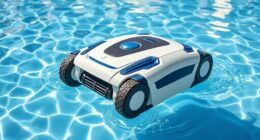
robotic vacuum cleaner with obstacle sensors
As an affiliate, we earn on qualifying purchases.
As an affiliate, we earn on qualifying purchases.
Frequently Asked Questions
How Much Do Household Robots Typically Cost?
Household robots typically cost between $200 and $1,000, depending on their features. You should consider the cost comparison of models with different capabilities and how often you’ll need robot maintenance, which can add to expenses. For basic vacuuming robots, prices are lower, while more advanced assistants with smart home integration tend to be pricier. Always check reviews to find a balance between cost and functionality that suits your needs.
Are Household Robots Safe Around Children and Pets?
Household robots are generally safe around children and pets when you choose models with child safety features and pet interaction sensors. You should supervise their initial use and keep small children or pets away during setup. Regularly check for any malfunctions or loose parts, and make sure the robot has safety protocols to prevent accidents. Properly maintained, these robots can be safe and even helpful around your family.
How Difficult Is It to Set up Household Robots?
Setting up household robots isn’t as intimidating as it seems, but don’t underestimate the process. You’ll need to invest some time in robot maintenance and user training, which can be tricky if you’re unfamiliar with tech. The initial setup might reveal surprises, but once you get the hang of it, operating your robot becomes smoother. Stay patient, follow instructions carefully, and you’ll master it faster than you think.
Do Household Robots Require Internet Connection?
Household robots usually need an internet connection for updates, remote control, and seamless operation. You should regularly perform robot maintenance, like cleaning sensors, to keep it working smoothly. Be aware of privacy concerns, as some robots collect data about your home. Connecting to the internet helps with software updates, but it’s essential to understand how your data is used and to secure your network accordingly.
Can Household Robots Be Customized or Programmed by Users?
They say, “You are what you make.” Many household robots are designed for user programming and customization, so you can tailor their functions to fit your needs. With simple interfaces, you can modify routines, set preferences, or even add new tasks. This hands-on approach gives you control, making your robot truly your own. So yes, household robots often allow for customization and user programming, empowering you to shape your home automation.
smart home robot safety features
As an affiliate, we earn on qualifying purchases.
As an affiliate, we earn on qualifying purchases.
Conclusion
In summary, household robotics are becoming increasingly common, with a recent survey showing that 67% of families now use at least one smart device daily. By understanding how these robots help with chores and simplify your life, you can feel more comfortable embracing this technology. Remember, you don’t need to be a tech expert—just a bit of curiosity and open-mindedness will make integrating these helpful gadgets much easier and more enjoyable for everyone.
As an affiliate, we earn on qualifying purchases.
As an affiliate, we earn on qualifying purchases.
Halloween Picks
halloween
As an affiliate, we earn on qualifying purchases.