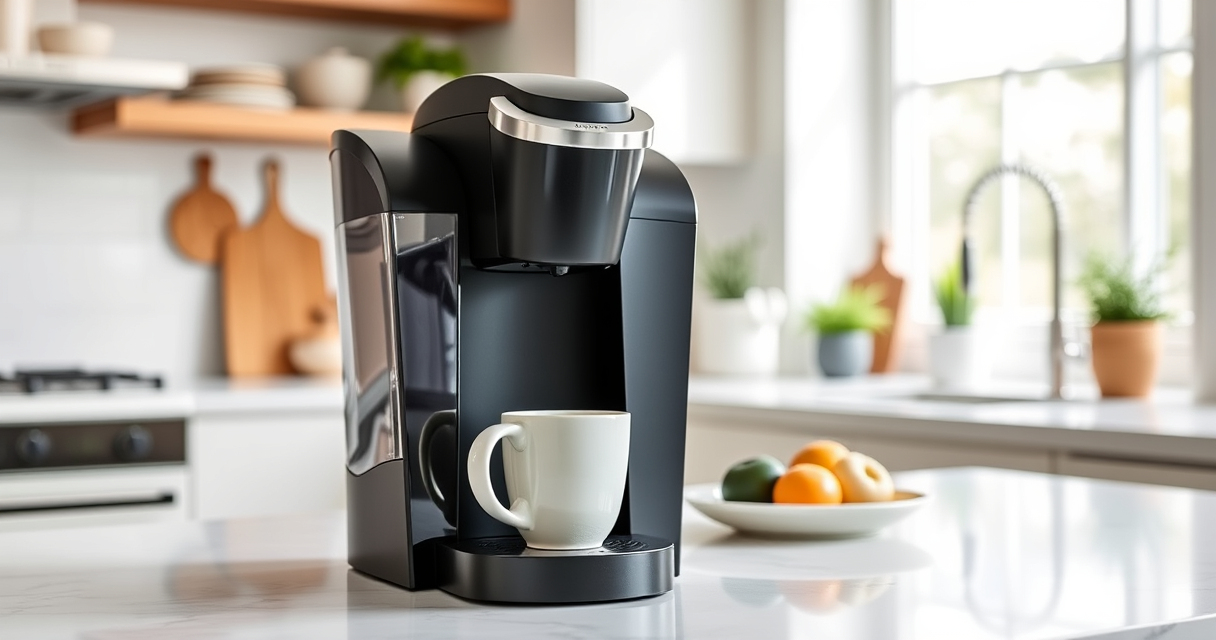

If your Keurig K-Mini coffee maker is brewing coffee with an off-taste, it’s likely due to mineral buildup, residue, or other maintenance issues. Regular cleaning and descaling can restore your coffee’s flavor and ensure your machine operates smoothly.

Get home appliances delivered free with Prime
- Fast, free delivery on millions of items
- Prime Video, Amazon Music and more included
- Member-only deals all year
Follow these practical, safe steps to troubleshoot and fix common causes of bad-tasting coffee from your Keurig K-Mini.
Key Takeaways
| Regular Descaling is Essential | Mineral buildup affects taste; descale every 3 months. |
| Clean the Brew Path | Residue and oils can cause bad flavor and clogging. |
| Use Proper Cleaning Products | Choose recommended descaling and cleaning solutions. |
| Check Water Quality | Filtered or bottled water improves taste and reduces deposits. |
Step 1: Unplug and Empty the Water Reservoir
- Turn off your Keurig K-Mini and unplug it for safety.
- Remove the water reservoir and empty any remaining water.
Step 2: Clean the Water Reservoir and Drip Tray
- Wash the reservoir and drip tray with warm, soapy water.
- Rinse thoroughly to remove any soap residue.
Step 3: Descale the Machine
Fill the water reservoir with a descaling solution recommended for Keurig machines, or a mixture of equal parts water and white vinegar.
Place a large mug on the drip tray, then run a brew cycle without a K-Cup. Repeat until the reservoir is empty, then refill with fresh water and run several cycles to rinse out any remaining descaling solution.
Step 4: Clean the Brew Head and Needle
- Use a paperclip or the cleaning tool to clear any clogs in the needle.
- Open the brew head and gently remove any visible debris or coffee grounds.
Step 5: Use a Reusable Filter and Fresh Water
If you use ground coffee regularly, consider installing a reusable filter like the My K-Cup. Use filtered or bottled water for brewing to minimize mineral build-up and improve flavor.
The Products in This Guide

Keurig K-Mini Single Serve K-Cup Pod Coffee Maker
- ✔ Width: Less than 5 inches
- ✔ Brew Range: 6-12oz
- ✔ Color: Black

My K-Cup® Reusable Coffee Filter
- ✔ Capacity: Single cup
- ✔ Material: Plastic/Mesh
- ✔ Compatibility: Keurig K-Mini
Keurig K-Mini Single Serve K-Cup Pod Coffee Maker
Regular cleaning and descaling with the Keurig K-Mini can dramatically improve taste and extend your machine’s lifespan. Follow the steps carefully for the best results.
Pros:
- Compact size fits small spaces
- Fast and convenient brewing
- Simple maintenance routine
- Removable drip tray for easy cleaning
Cons:
- Requires periodic descaling
- Limited capacity for larger brews
- Not compatible with all accessories
Best for: Small spaces, quick coffee needs, easy maintenance
Not ideal for: Heavy usage or large volume brewing
Bottom line: Regular cleaning keeps your Keurig K-Mini brewing great coffee.
My K-Cup® Reusable Coffee Filter
The My K-Cup® Reusable Coffee Filter allows you to brew your favorite ground coffee with your Keurig K-Mini, offering more control over flavor and strength.
Pros:
- Eco-friendly and cost-effective
- Brews with your preferred ground coffee
- Easy to clean
- Compatible with Keurig K-Mini
Cons:
- Requires regular cleaning
- May need fine-tuning for grind size
- Not suitable for large quantities
Best for: Ground coffee lovers seeking customization
Not ideal for: Those preferring K-Cup pods
Bottom line: Enjoy fresh, ground coffee with your Keurig using this reusable filter.
Frequently Asked Questions
Why does my Keurig taste bad even after cleaning?
Mineral deposits and residue buildup can affect flavor; regular descaling and cleaning help restore taste.
How often should I descale my Keurig K-Mini?
Descale every 3 months or more frequently if you notice scale buildup or taste issues.
Can I use vinegar to descale my Keurig?
Yes, a mixture of equal parts white vinegar and water is effective. Rinse thoroughly afterward.
Is it safe to use a reusable filter?
Absolutely, but ensure it is cleaned regularly to prevent mold or residue buildup.
Keep Your Keurig Tasting Fresh with Proper Maintenance
By following these steps regularly, you can eliminate unpleasant tastes and keep your Keurig K-Mini brewing delicious coffee. Proper cleaning, descaling, and using quality water are key to maintaining optimal flavor and performance.
Affiliate disclosure: As an Amazon Associate we earn from qualifying purchases. Prices and availability are accurate as of the time of publishing.
Fall Picks
fall essentials
As an affiliate, we earn on qualifying purchases.