
Using proper cleaning brushes, cloths, and contact cleaners helps you save time over the long run by preventing dirt and grime buildup that can cause equipment to slow down or break down. Regular, gentle maintenance keeps your devices in top shape, reducing the need for costly repairs and downtime. Proper tools also make cleaning more efficient, preventing damage and ensuring peak performance. Keep going to discover even more ways these habits boost your productivity and save you time.
Key Takeaways
- Proper cleaning tools prevent dirt buildup, reducing the time needed for frequent maintenance and troubleshooting.
- Using the right tools minimizes surface damage, decreasing repair and replacement time over the equipment’s lifespan.
- Regular cleaning maintains equipment efficiency, lowering downtime and speeding up workflow.
- Contact cleaners quickly remove oxidation, preventing connectivity issues that cause delays.
- Consistent upkeep with appropriate tools extends device longevity, reducing long-term replacement and repair efforts.
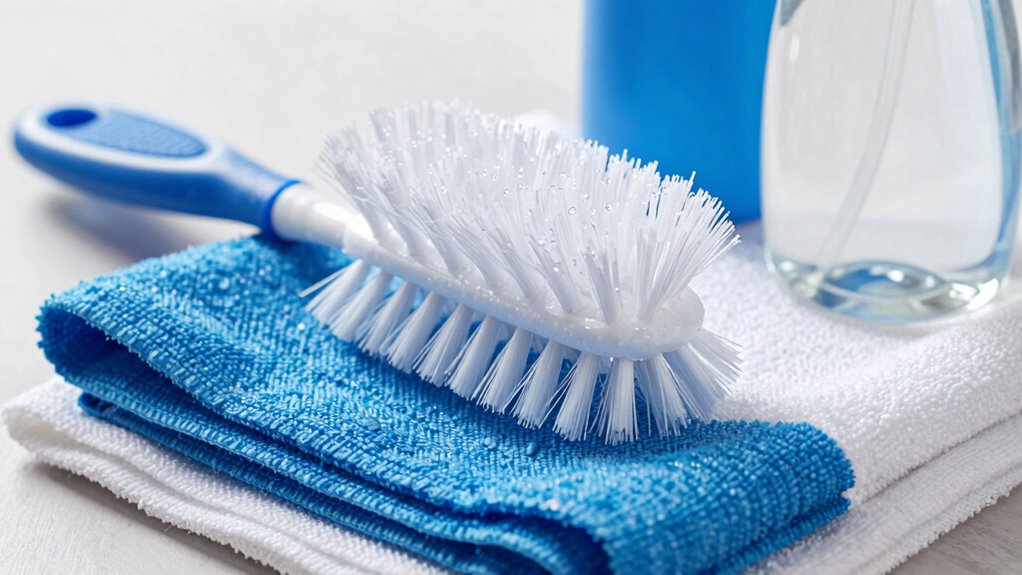
Keeping your electronic devices and delicate surfaces clean is vital for maintaining their performance and longevity. When you regularly use cleaning brushes, cloths, and contact cleaners, you’re investing in effective surface upkeep that pays off over time. These tools aren’t just for quick fixes—they’re crucial for preventing dirt, dust, and grime buildup that can impair your equipment’s function. Proper surface maintenance guarantees your devices stay in top shape, reducing the need for costly repairs or replacements. By incorporating quality brushes, soft cloths, and specialized contact cleaners into your routine, you actively extend the lifespan of your equipment, saving you both time and money in the long run.
Using the right cleaning tools makes a significant difference. Soft brushes are gentle but effective at loosening debris from tiny crevices and delicate parts, preventing scratches that could compromise surfaces. When you regularly brush away dust and particles, you avoid the accumulation that can lead to overheating or electrical issues. Cloths, especially microfiber ones, are designed to pick up dirt without scratching sensitive screens or surfaces. They’re perfect for wiping away smudges, fingerprints, and residual grime quickly and efficiently. Contact cleaners, on the other hand, are formulated to remove oxidation and corrosion from electrical contacts and connectors. When you use them properly, they help maintain peak conductivity and prevent connectivity issues, which can otherwise cause frustrating malfunctions. Regular cleaning also helps maintain color accuracy, which is essential for optimal visual performance.
Prioritizing surface maintenance by using these cleaning tools also streamlines your workflow. When equipment is clean and well-maintained, it works more efficiently. You won’t need to spend extra time troubleshooting or dealing with unexpected failures. Instead, you can focus on your tasks, confident that your tools will perform reliably. Consistent cleaning with the appropriate brushes, cloths, and contact cleaners reduces the likelihood of dirt-induced damage, meaning less frequent replacements and repairs. This preventative approach ultimately saves you time that would otherwise be spent fixing preventable problems. Additionally, understanding proper cleaning techniques and using the right tools can help prevent damage caused by dust and grime**, enhancing the overall longevity of your devices. Proper cleaning methods should also consider the manufacturer guidelines** to avoid voiding warranties or causing damage.
In addition, good cleaning habits foster better hygiene. Dust and grime can harbor bacteria or allergens that affect your environment. Regularly maintaining your surfaces with the right cleaning products ensures a cleaner, healthier workspace. Plus, when your equipment looks and functions like new, it boosts your productivity and confidence. By investing a few minutes into surface maintenance, you’re making a smart choice that enhances the equipment’s longevity, minimizes downtime, and keeps your workspace efficient and safe.

MagicFiber Microfiber Cleaning Cloth, Glasses Cleaner, Eyeglass Wipes, 6pk
Glasses cleaner – Sourced from the highest quality microfiber that absorbs and removes dust, oil, smudges, fingerprints, dirt,…
As an affiliate, we earn on qualifying purchases.
As an affiliate, we earn on qualifying purchases.
Frequently Asked Questions
How Often Should Cleaning Tools Be Replaced?
You should replace cleaning tools based on their cleaning frequency and tool lifespan. Generally, cleaning brushes and cloths should be replaced every few months if used regularly, especially when they show signs of wear or buildup. Contact cleaners, on the other hand, have a longer lifespan but should be replaced when they lose effectiveness. Regularly inspecting your tools guarantees peak cleaning performance and prevents potential contamination.
Are There Eco-Friendly Cleaning Brush Options Available?
Think of eco-friendly cleaning brushes as a wise gardener planting seeds for the future. You can find options made from sustainable materials like bamboo, recycled plastics, and natural fibers. These brushes reduce environmental impact and last longer when maintained properly. Choosing sustainable options helps protect our planet while keeping your space clean. So, yes, plenty of eco-friendly brushes are available, making it easy to clean conscientiously without sacrificing effectiveness.
Can Contact Cleaners Damage Sensitive Electronic Parts?
Contact cleaners can damage sensitive electronic parts if they’re not used carefully. You need to take into account electronic safety and chemical compatibility before application. Some cleaners contain harsh chemicals that might corrode or degrade delicate components, so always check the label and ensure the product is safe for electronics. Using the right cleaner preserves your device’s longevity and prevents costly repairs, saving you time and effort in the long run.
What’s the Best Way to Store Cleaning Brushes?
To keep your cleaning brushes in top shape, store them upright with bristles facing up in a dedicated container or brush holder. Use clear storage solutions to easily see your brushes and stay organized. Organization tips include labeling compartments and keeping brushes away from dust and moisture. Proper storage prevents damage, maintains cleanliness, and makes your cleaning process quicker, saving you time in the long run.
Do Microfiber Cloths Require Special Washing Instructions?
Microfiber cloths do require special washing instructions to maintain their effectiveness. For microfiber maintenance, avoid fabric softeners and bleach, as they can damage the fibers. Use warm water and a gentle detergent, and wash them separately from other fabrics to prevent lint transfer. Follow these washing guidelines, and you’ll keep your microfiber cloths in top shape, ensuring they clean effectively and last longer, saving you time and money over the long run.

WD-40 Specialist Contact Cleaner Spray, 11 oz.
WD-40 Specialist Contact Cleaner is ideal for removing oil, dirt, flux residue, and condensation from sensitive electrical equipment….
As an affiliate, we earn on qualifying purchases.
As an affiliate, we earn on qualifying purchases.
Conclusion
By investing in quality cleaning brushes, cloths, and contact cleaners, you’re not just tidying up—you’re saving time and effort in the long run. Think of it as planting seeds that grow into effortless maintenance, turning your cleaning routine into a smooth, rhythmic dance. When you choose the right tools, you create a cycle of efficiency that keeps your space sparkling and your day hassle-free. Clean smarter, not harder—your future self will thank you.
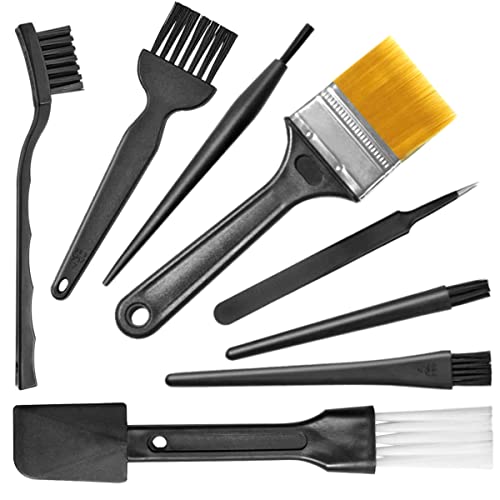
Small Portable Nylon Anti Static Brushes Electronics Computer Keyboard Laptop Cleaning Brush Kit (Black, Set of 8)
Wide variety of brushes, different bristles hardness & sizes for different tasks all the time.
As an affiliate, we earn on qualifying purchases.
As an affiliate, we earn on qualifying purchases.
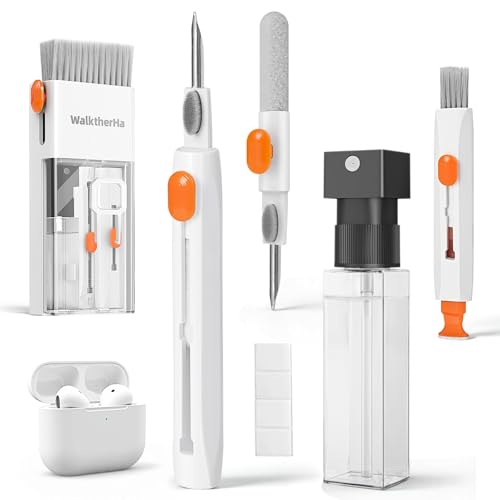
20-in-1 for AirPod Cleaner Kit Pro 4 3 2 1 – Multifunction Cleaning Tool for Headphones Earbuds Phone Laptop Keyboard Screen – Metal Tip, Soft Brush, Flocking Sponge, 15ml Spray, Cloth, Putty
Professional & Powerful: Say goodbye to dirt, grime, and earwax with our 20-in-1 AirPod Cleaner Kit. The metal…
As an affiliate, we earn on qualifying purchases.
As an affiliate, we earn on qualifying purchases.