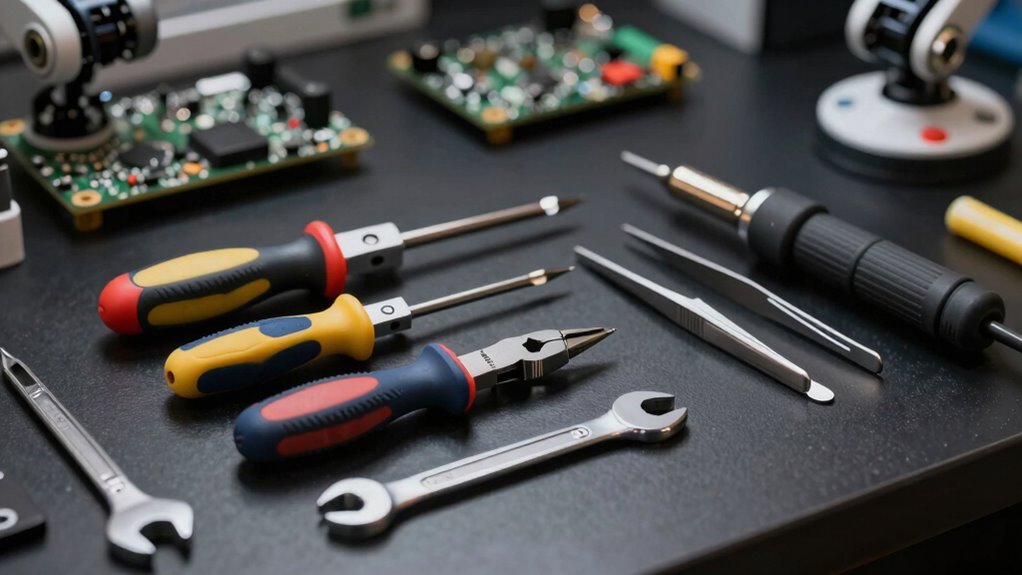

To keep your robot in top shape, you’ll want a basic screwdriver set with different sizes, a precision screwdriver for tiny parts, and tweezers for dust and delicate adjustments. Small pliers help handle tiny components, while a soft brush and compressed air keep sensors and vents clean. A multimeter is key for electrical checks, and having spare parts nearby speeds up repairs. If you explore further, you’ll discover even more tools to simplify robot maintenance and troubleshooting.

Get home appliances delivered free with Prime
- Fast, free delivery on millions of items
- Prime Video, Amazon Music and more included
- Member-only deals all year
Key Takeaways
- A basic screwdriver set with Phillips and flathead bits for routine repairs and adjustments.
- Precision screwdrivers for handling small, delicate robot components.
- Small tweezers and needle-nose pliers to manipulate tiny parts and connectors.
- Cleaning tools like soft brushes and microfiber cloths to maintain sensors and surfaces.
- A multimeter for electrical troubleshooting and diagnosing wiring issues.
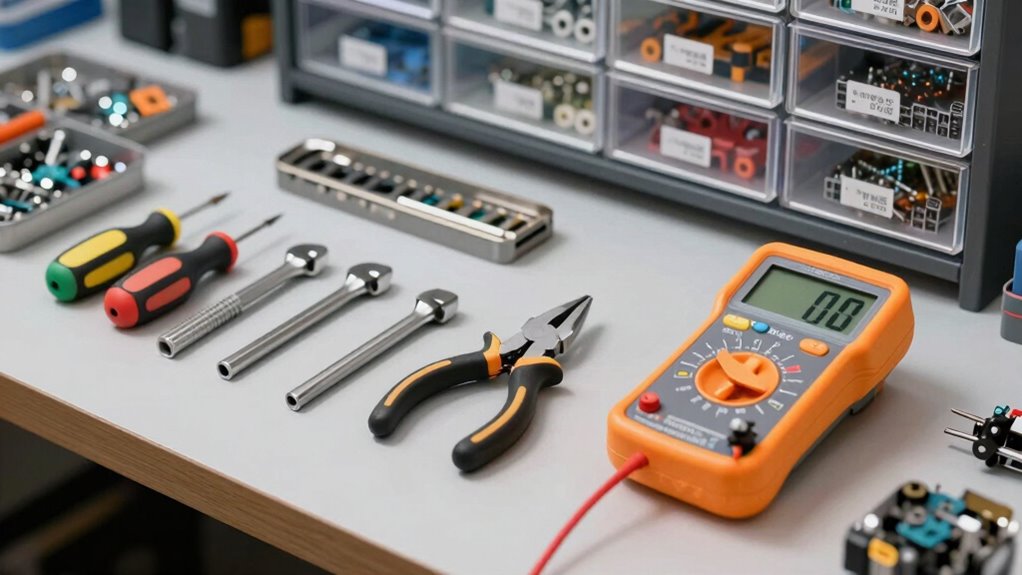
Owning a robot can make daily tasks more convenient, but it also means you should be prepared for maintenance and troubleshooting. Small tools are essential to keep your robot functioning smoothly and to address minor issues before they become major problems. Having a few key tools at home ensures you’re ready for routine robot maintenance and troubleshooting essentials whenever needed.
First, a basic screwdriver set is a must. Robots often have screws holding their covers and internal parts in place, so having Phillips and flathead screwdrivers of various sizes makes it easier to access internal components for cleaning, adjustments, or repairs. A precision screwdriver set is particularly useful because many robot parts are small and delicate. Keeping this set handy helps you perform quick fixes and routine maintenance without waiting for professional help. Proper maintenance can extend the lifespan of your robot significantly.
A versatile screwdriver set is essential for accessing robot components and performing quick repairs efficiently.
Next, a small pair of tweezers can be invaluable. They allow you to remove dust, debris, or small objects stuck in tight spaces, especially in sensors or vents. Tweezers also help when repositioning tiny connectors or parts during repairs. Adding a pair of needle-nose pliers to your toolkit can assist in gripping and manipulating small components or wires that need to be adjusted or replaced. These tools make troubleshooting essentials manageable, reducing the risk of damage caused by improper handling.
A soft brush or compressed air can also be a game-changer for robot maintenance. Dust accumulation can interfere with sensors and motors, so regularly cleaning your robot helps keep it in top shape. Compressed air, in particular, enables you to blow out dust from hard-to-reach areas without risking damage. A microfiber cloth is also handy for wiping down external surfaces, keeping your robot looking clean and functioning optimally. Regular cleaning and dust removal are crucial for maintaining optimal performance. Additionally, understanding the importance of preventive care helps prolong the life of your robot and reduce repair needs.
Additionally, having a multimeter at home is invaluable for troubleshooting electrical issues. It allows you to test voltage, continuity, and connections, helping you identify faulty wiring or power supply problems quickly. This tool is especially useful if your robot exhibits irregular behavior or if you suspect an electrical malfunction. It saves you time and money by diagnosing problems early before they escalate. Proper electrical troubleshooting can prevent more costly repairs later.
Furthermore, understanding the importance of small tools in robot maintenance can help you better appreciate their role in preventing larger problems and ensuring longevity. Keeping some spare fuses, connectors, and small replacement parts specific to your robot model is also advisable. These small items are often overlooked but can save you from extended downtime if a component fails. Having these essentials on hand means you won’t need to scramble for parts when trouble strikes, enabling you to perform quick repairs and get your robot back in action faster.
With these tools in your home, you’re better equipped to handle routine robot maintenance and troubleshoot common issues efficiently. Being prepared with the right tools empowers you to keep your robot running smoothly, ensuring it continues to make your life easier every day.
precision screwdriver set for electronics
As an affiliate, we earn on qualifying purchases.
As an affiliate, we earn on qualifying purchases.
Frequently Asked Questions
How Often Should I Perform Maintenance on My Robot?
You should perform maintenance on your robot cleaning device at least once a month, or more often if it’s used heavily. Regular maintenance scheduling helps keep it running efficiently and prevents breakdowns. Check brushes, filters, and sensors regularly, and clean or replace parts as needed. Keeping up with these small tasks ensures your robot remains effective, prolongs its lifespan, and maintains ideal cleaning performance.
Are Specific Tools Needed for Different Robot Brands?
Think of your robot as a trusted companion—you’ll need the right tools to keep it in tip-top shape. Yes, brand-specific accessories are often necessary because compatibility considerations guarantee your tools fit perfectly and function smoothly. Different robot brands may require specialized screwdrivers or cleaning brushes, so check your manufacturer’s recommendations. This way, you avoid mishaps and keep your robotic partner running like a well-oiled machine.
Can I Repair My Robot Without Professional Help?
Yes, you can often repair your robot yourself if you have an emergency kit and spare parts. Basic repairs, like replacing a battery or fixing a loose wire, are usually manageable with the right tools. However, for complex issues, it’s safer to seek professional help. Always consult your robot’s manual first, and keep emergency kits handy to troubleshoot common problems without risking further damage.
What Safety Precautions Should I Take When Repairing Robots?
When repairing robots, prioritize robot safety by unplugging the device first to prevent accidental activation. Use insulated tools to avoid electrical shocks, and wear safety gloves and goggles for added protection. Make certain the workspace is clean and well-lit to avoid mishaps. Follow manufacturer instructions carefully, and if you’re unsure about repair safety, consult a professional. Taking these precautions minimizes risks and keeps your repair process safe and effective.
How Do I Troubleshoot Common Robot Malfunctions?
Ever wonder why your robot isn’t performing right? Start troubleshooting by checking for sensor issues—dust or misalignment often cause errors. If the robot moves sluggishly or stops unexpectedly, consider a battery replacement. Reset connections and run diagnostic tests to identify glitches. Regularly inspecting sensors and keeping your battery charged guarantees smooth operation. Are you proactive in maintaining your robot’s health? Proper troubleshooting keeps your robot running at its best.
As an affiliate, we earn on qualifying purchases.
Conclusion
Just as a knight keeps her sword sharp for any unexpected battle, having these small tools ready guarantees your robot’s kingdom runs smoothly. With a simple screwdriver or a spare battery, you’re prepared to face minor glitches before they become major chaos. Think of yourself as the captain of a ship, steering through calm and storm alike—your toolkit is your compass, guiding your robot’s journey smoothly through every tide. Stay prepared, and your robotic companion will serve faithfully for years to come.
compressed air duster for electronics
As an affiliate, we earn on qualifying purchases.
As an affiliate, we earn on qualifying purchases.
digital multimeter for troubleshooting
As an affiliate, we earn on qualifying purchases.
As an affiliate, we earn on qualifying purchases.
Fall yard work Picks
leaf blowers
As an affiliate, we earn on qualifying purchases.