If your pool robot stops climbing properly, start by inspecting and cleaning its brushes, wheels, and contact points to remove dirt, algae, or debris that could hinder movement. Check the weight distribution and confirm everything’s balanced as per the manufacturer’s guidelines. Verify the power source and recharge or replace the battery if needed. If issues persist, consult the user manual or contact support to explore more advanced troubleshooting steps that can get your robot back to its best performance.

Get home appliances delivered free — and shop member deals
- Fast, free delivery on millions of items
- Access to Prime Big Deal Days deals on October 6–7
- Prime Video, Amazon Music and more included
Key Takeaways
- Inspect and clean brushes, wheels, and contact points to ensure unobstructed movement and proper traction.
- Verify and adjust weight distribution and balance for optimal climbing support.
- Check wheels, tracks, and contact surfaces for damage or debris, replacing or cleaning as needed.
- Fully recharge or replace the battery to maintain consistent power for climbing.
- Consult the user manual or contact support if issues persist after troubleshooting.
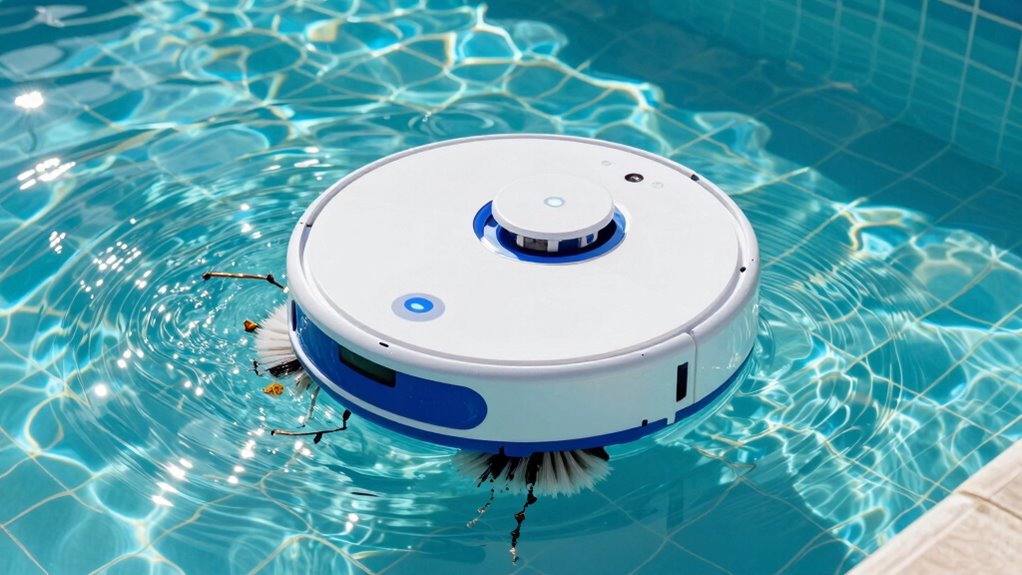
If your pool robot suddenly stops climbing the walls or struggles to navigate the pool’s surfaces, it can be frustrating and hinder your cleaning schedule. This issue often points to a problem that can be fixed with some basic troubleshooting. When your robot isn’t climbing properly, it’s a sign to review your pool maintenance routine and identify possible causes. First, check the robot’s brushes and wheels. Over time, debris, algae, or dirt can accumulate, reducing traction and mobility. Clean these parts thoroughly, ensuring there’s no build-up that could impede movement. Sometimes, brushing off or rinsing the brushes and wheels with water is enough to restore proper function.
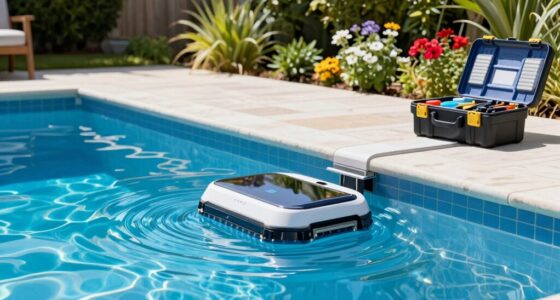
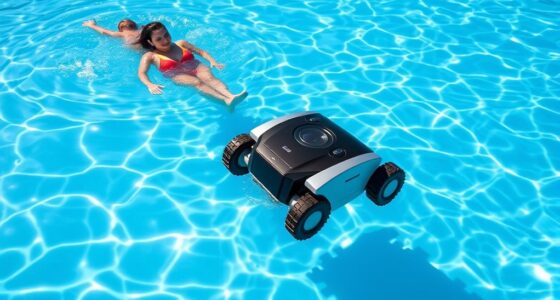
If your pool robot struggles to climb, check and clean its brushes and wheels for better traction.
Next, examine the robot’s suction or filter system. A clogged filter can limit the robot’s ability to generate the necessary grip or suction to climb walls. Remove the filter and clean it according to the manufacturer’s instructions. Clearing out any debris or blockages allows the robot to operate more efficiently. Also, inspect the robot’s weight and balance. Some models have adjustable mechanisms or weights that help with climbing. If these are misaligned or have shifted, reposition or reset them to the recommended settings.
Another common cause relates to the robot’s wheels or tracks. Worn-out or damaged wheels can hinder performance. Look for signs of cracking, slipping, or uneven wear. Replacing worn wheels or tracks can make a significant difference in your robot’s ability to climb. Also, verify that the robot’s surface contacts are clean. Dirt or algae on the wheels or tracks can reduce grip. Wipe down these contact points with a damp cloth to improve traction.
Battery life and power issues can also affect climbing ability. If the robot’s battery is weak or not holding a charge, it might lack the power needed to climb walls. Recharge the robot fully, and if problems persist, consider replacing the battery. Sometimes, a low battery can cause inconsistent movement. Additionally, understanding electric power generation and how the robot’s motor functions can help troubleshoot unexpected issues. Regularly inspecting robot components can prevent many common problems before they affect performance. Moreover, staying informed about emerging trends in digital publishing can provide insights into the latest advancements in robotic technology and troubleshooting techniques. In some cases, sensor calibration may be necessary to optimize the robot’s climbing function. Proper maintenance and understanding of robot mechanics can greatly extend its lifespan and performance. Finally, consult your user manual or contact customer support if you’ve tried all these steps and your robot still isn’t climbing properly. It might be a mechanical issue or defect requiring professional repair.
As an affiliate, we earn on qualifying purchases.
Frequently Asked Questions
How Often Should I Clean My Pool Robot’s Tracks or Wheels?
You should clean your pool robot’s tracks or wheels weekly to keep it running smoothly. Regular cleaning helps prevent debris buildup that can hinder climbing. While doing so, check the battery for proper maintenance and verify the sensors are properly calibrated. These steps improve performance and extend your robot’s lifespan. Keep the tracks or wheels free of dirt and obstructions, and perform routine checks to maintain peak operation.
Can Low Water Levels Affect My Pool Robot’s Climbing Ability?
Like a knight losing his armor, low water levels can hinder your pool robot’s climbing. When water drops below the recommended level, it affects the water level sensor calibration, causing the robot to misjudge surfaces and stall. Make certain to maintain the proper water level to guarantee the sensor functions correctly. Keep the water at the right height, and your robot will climb smoothly, ready for its next cleaning quest.
Is It Normal for a Pool Robot to Sometimes Slip or Lose Grip?
It’s normal for your pool robot to sometimes slip or lose grip, especially if the surface is dirty or uneven. To improve grip and prevent slipping, check for debris that might cause robot grip issues and clean the tracks or brushes thoroughly. You can also make sure the robot is on a smooth, even surface and consider adjusting its weight distribution. Regular maintenance helps keep it climbing efficiently and reduces slipping.
Should I Replace My Pool Robot’s Brushes Regularly?
Think of your pool robot’s brushes as the brushes of a painter—crucial for a flawless finish. You should replace them regularly to keep cleaning effective. Keep an eye on battery maintenance and programming settings, as worn brushes can hinder performance. Fresh brushes guarantee your robot glides smoothly over the pool surface, tackling dirt with ease. Regular replacements maintain peak cleaning and extend your robot’s lifespan, like a painter renewing their tools for a masterpiece.
How Do I Reset My Pool Robot After a Malfunction?
To reset your pool robot after a malfunction, start by turning it off and removing the battery if possible, which helps with battery maintenance. Check for any debris or obstructions and clear them. Then, reassemble and turn it back on. Confirm your software is up to date, as software updates can fix bugs. If issues persist, perform a factory reset following your model’s instructions, and restart the robot to see if it functions correctly.
As an affiliate, we earn on qualifying purchases.
Conclusion
So, next time your pool robot acts like it’s stuck in a never-ending game of “Chutes and Ladders,” don’t panic. Picture it as a tiny, rebellious robot surfer stuck on a wave of algae, desperately trying to catch the perfect ride but instead just spinning in circles. With a little troubleshooting, you’ll have your aquatic automaton back on its throne, conquering those algae mountains once again—ready to rule the pool like a tiny, tireless king.
As an affiliate, we earn on qualifying purchases.
As an affiliate, we earn on qualifying purchases.
Fall yard work Picks
leaf blowers
As an affiliate, we earn on qualifying purchases.