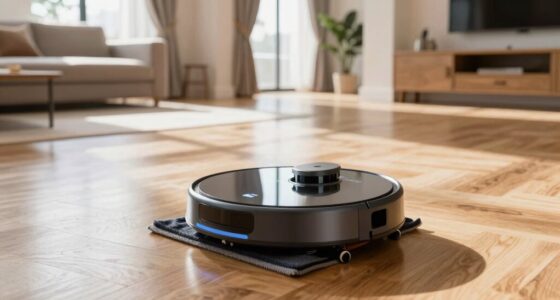
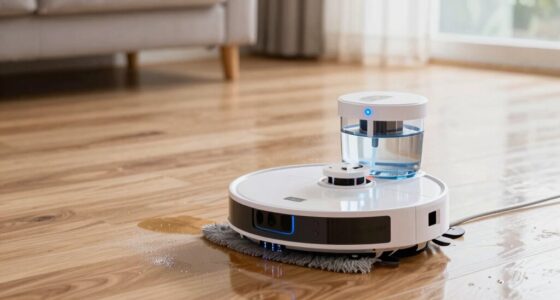
You might be facing poor cleaning because you skipped calibrating your robot mop properly or ignored manufacturer instructions. Avoid leaving clutter or cords in its path, as they can confuse navigation. Make sure the battery is well-maintained and the sensors are clean for better performance. Rushing setup or neglecting regular maintenance can cause it to miss spots or get stuck. Keep these tips in mind, and you’ll find out more ways to optimize your robot mop’s efficiency.

Get home appliances delivered free with Prime
- Fast, free delivery on millions of items
- Prime Video, Amazon Music and more included
- Member-only deals all year
Key Takeaways
- Improper calibration causes inaccurate mapping, leading to missed spots and inefficient cleaning.
- Failing to clear obstacles and clutter blocks the robot’s path, reducing coverage and effectiveness.
- Neglecting sensor cleaning and maintenance impairs navigation and obstacle detection.
- Using the wrong charging routines or neglecting battery care shortens device runtime and lifespan.
- Rushing setup steps or ignoring manufacturer instructions results in poor cleaning performance.

Setting up your robot mop might seem straightforward, but making a few common mistakes can hinder its performance and longevity. One of the biggest errors is neglecting proper battery maintenance. If you don’t charge your device correctly or leave it sitting unused for long periods, the battery’s health can decline quickly. Always follow the manufacturer’s instructions for charging, and try to keep the battery between 20% and 80%. Avoid letting it drain completely or overcharging, as both can reduce the battery’s lifespan. Regularly inspecting the battery and replacing it when needed will guarantee your robot operates at maximum power, minimizing interruptions during cleaning sessions. Additionally, understanding how battery health impacts device longevity can help you better care for your robot mop.
Another essential step often overlooked is navigation calibration. Your robot’s ability to clean effectively depends heavily on its navigation system, which requires proper calibration during setup. If the navigation isn’t calibrated correctly, the mop might miss spots, double back unnecessarily, or bump into furniture repeatedly. Make sure that you place the robot in a central location, away from obstacles, and follow the calibration process as outlined in the user manual. This step helps your device map your space accurately, enabling it to plan efficient routes. Skipping or rushing through navigation calibration leads to poor cleaning coverage and can make the device seem unresponsive or erratic.
Proper navigation calibration ensures your robot maps your space accurately for efficient, thorough cleaning.
Many users also forget to clear the cleaning path of obstacles before starting. Clutter, cords, and small objects can confuse the robot, especially if it hasn’t been calibrated properly. Regularly check the area and remove anything that could block sensors or interfere with navigation. Properly positioning furniture and blocking off sensitive zones can also prevent the robot from getting stuck or causing damage.
Furthermore, don’t ignore regular maintenance like cleaning the brushes, sensors, and wheels. Dirt and hair buildup can impair navigation and cleaning efficiency, forcing the robot to work harder or stop prematurely. When you keep these parts clean, the device maintains better traction and sensor accuracy, which supports good battery practices and calibration.
As an affiliate, we earn on qualifying purchases.
Frequently Asked Questions
How Often Should I Replace My Robot Mop’s Batteries?
You should replace your robot mop’s batteries when they no longer hold a sufficient charge, typically after 1-2 years depending on usage. Regular battery maintenance, like avoiding complete discharges and keeping contacts clean, helps extend the power lifespan. Keep an eye on performance; if your mop struggles to clean or runs out quickly, it’s time for a new battery to guarantee maximum cleaning power and efficiency.
Can I Use Regular Household Cleaning Solutions in My Robot Mop?
You shouldn’t use regular household cleaning solutions in your robot mop because they may not be chemically compatible and could damage the device. Always check the manufacturer’s guidelines for recommended cleaning solutions. Using the right cleaner helps maintain chemical compatibility, ensuring your robot functions properly. Also, consider cleaning frequency; overusing harsh chemicals might require more frequent maintenance. Stick to approved solutions to keep your robot mop in top shape and cleaning effectively.
What’s the Best Way to Clean the Robot Mop’s Sensors?
Did you know that dirty sensors can reduce your robot mop’s efficiency by up to 40%? To clean the sensors, gently wipe them with a soft, lint-free cloth to prevent dust buildup. Regular dust removal and sensor calibration guarantee peak performance. Avoid harsh chemicals, which can damage sensitive parts. Keep the sensors clean and calibrated, and your robot mop will clean more effectively, saving you time and maintaining a spotless home.
How Do I Troubleshoot if My Robot Mop Gets Stuck Frequently?
If your robot mop gets stuck frequently, start by checking for navigation issues, like obstacles or dirty sensors that hinder movement. Make sure the wheels and brushes are clean and free of debris. Also, monitor battery performance; a weak battery can cause erratic navigation or incomplete cleaning. Reset the device if needed, update its firmware, and clear any clutter from its path to improve overall performance.
Is It Necessary to Map My Entire House for Optimal Cleaning?
Mapping your entire house isn’t always necessary for effective cleaning, but it helps your robot mop understand your house layout and define specific cleaning zones. When your robot knows the layout, it can focus on high-traffic areas and avoid obstacles, making cleaning more efficient. If your house has a complex layout or many rooms, mapping guarantees thorough coverage and better performance, saving you time and effort.
robot mop obstacle sensors cleaning
As an affiliate, we earn on qualifying purchases.
As an affiliate, we earn on qualifying purchases.
Conclusion
To guarantee your robot mop cleans effectively, avoid common setup mistakes like improper placement or neglecting regular maintenance. When set up correctly, you can save time and enjoy a spotless home effortlessly. Did you know that 60% of users report better cleaning results after optimizing their robot mop setup? Taking a few extra minutes to get it right makes all the difference, turning your robot into a reliable cleaning partner and keeping your floors consistently sparkling.
As an affiliate, we earn on qualifying purchases.
As an affiliate, we earn on qualifying purchases.
NFL season / tailgating Picks
team gear
As an affiliate, we earn on qualifying purchases.