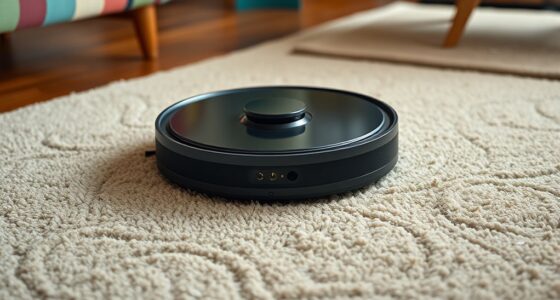

Robot vacuum batteries come mainly in lithium-ion and nickel-metal hydride types, with lithium-ion being more common due to longer life and better efficiency. Their life cycles typically range between 300 and 500 charge cycles, but performance declines over time. To keep your vacuum running smoothly, replace batteries when you notice shorter run times or difficulty holding a charge, and always follow safe handling and recycling practices. Stay tuned to explore how to maximize your battery’s performance and guarantee longevity.

Get home appliances delivered free — and shop member deals
- Fast, free delivery on millions of items
- Access to Prime Big Deal Days deals on October 6–7
- Prime Video, Amazon Music and more included
Key Takeaways
- Explore different battery types used in robot vacuums, such as lithium-ion and nickel-metal hydride, and their advantages.
- Understand the typical battery life cycle, including charging, discharging, and when to consider replacement.
- Recognize signs of diminishing battery performance, like shorter cleaning cycles and difficulty holding a charge.
- Follow proper replacement procedures, selecting compatible batteries and ensuring correct installation for optimal function.
- Adopt safe charging and maintenance habits to extend battery lifespan and ensure efficient, reliable cleaning performance.

Robot vacuum batteries are the heart of your cleaning device, providing the power needed for efficient operation. Without a reliable battery, your robot won’t be able to keep your floors spotless. That’s why understanding how to properly care for and replace your battery is essential. When it comes to charging your robot vacuum, safety should always be a priority. Always use the charger recommended by the manufacturer, and avoid overcharging the battery by unplugging it once fully charged. Overcharging can lead to overheating or even damage the battery, reducing its lifespan. Also, make sure to place your robot on a stable, fire-resistant surface during charging, and never leave it charging unattended for long periods. This minimizes the risk of accidents and ensures safe operation. Proper charging habits not only protect you but also extend the life of your robot vacuum’s battery. Additionally, maintaining optimal charging practices can help preserve the battery’s performance over time.
Once your battery begins to show signs of diminished performance—like shorter cleaning cycles or difficulty holding a charge—it might be time to replace it. When handling old batteries, you should be mindful of battery recycling. Many communities have specific disposal rules for lithium-ion or nickel-metal hydride batteries, so never throw them in regular trash. Instead, take your used batteries to designated recycling centers or authorized electronic waste disposal sites. Recycling batteries helps prevent environmental contamination and allows valuable materials to be recovered. It’s a responsible choice that benefits both the planet and future users of electronic devices.
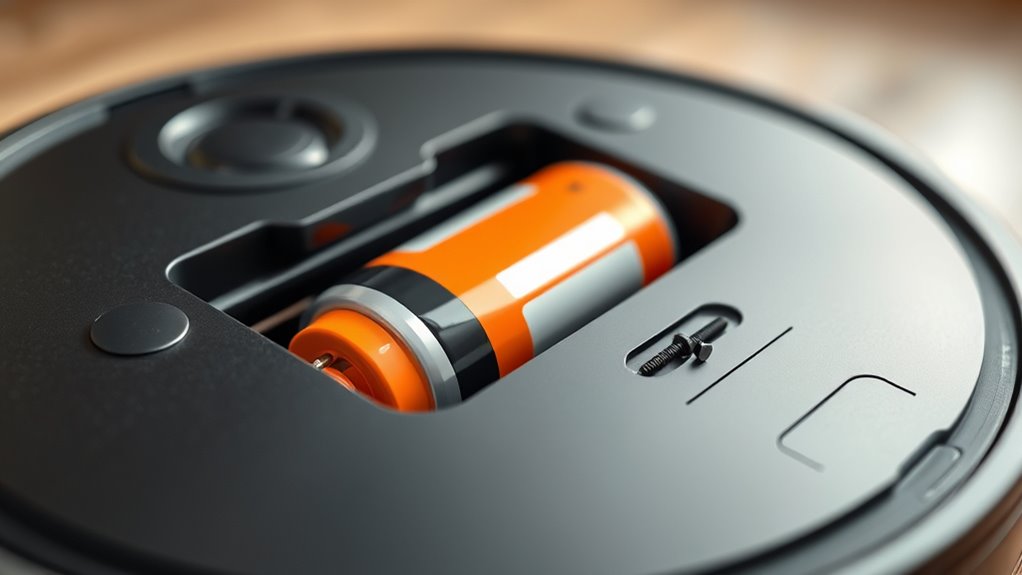
Replacing a robot vacuum battery isn’t complicated, but you should follow the manufacturer’s instructions carefully. Ensure you purchase a compatible replacement that matches your model’s specifications. When installing the new battery, avoid forcing it into place; instead, align it properly and secure it gently. Once installed, fully charge the new battery before using your robot for regular cleaning. Doing so helps calibrate the battery and guarantees ideal performance.
robot vacuum lithium-ion battery replacement
As an affiliate, we earn on qualifying purchases.
As an affiliate, we earn on qualifying purchases.
Frequently Asked Questions
How Do I Know When My Robot Vacuum Battery Needs Replacing?
You’ll know your robot vacuum battery needs replacing when you notice declining battery health, like shorter cleaning cycles or frequent recharging. Keep an eye on charging indicators; if they stay on longer or don’t show full charge, it’s a sign. If your robot struggles to finish cleaning or loses power quickly, it’s time to contemplate a replacement. Regularly monitoring these signs helps maintain ideal performance and extend your vacuum’s lifespan.
Can I Upgrade My Robot Vacuum Battery for Longer Runtime?
Think of your robot vacuum’s battery as a fuel tank — upgrading it can give you longer runtime. You can improve your device’s battery capacity by swapping to a higher-capacity battery compatible with your model. Just make certain your charging methods support the new battery. Before upgrading, check if your vacuum’s manufacturer allows such modifications to avoid voiding warranties or causing damage. This way, your cleaning sessions last longer and remain efficient.
Are Third-Party Batteries Safe for My Robot Vacuum?
Third-party batteries can be safe for your robot vacuum if you verify their compatibility with your model. However, using them might void your warranty and lead to performance issues. Always check the battery compatibility before purchasing and consider whether the cost savings outweigh potential warranty concerns. Choosing original batteries guarantees safety, peak performance, and preserves your warranty coverage, giving you peace of mind during your vacuuming routine.
What Storage Tips Extend My Robot Vacuum Battery’s Lifespan?
To extend your robot vacuum battery’s lifespan, always store it in a cool, dry environment away from direct sunlight. Avoid extreme temperatures that can damage the battery. When not in use, keep the battery partially charged—around 50-60%—and avoid full charges or complete discharges. Proper battery charging habits and ideal storage environments help slow capacity loss, ensuring your vacuum runs efficiently for a longer period.
How Do Temperature Changes Affect Robot Vacuum Battery Performance?
Temperature changes can substantially impact your robot vacuum battery performance because of its battery chemistry. High temperatures can cause overheating, leading to faster battery degradation, while cold temperatures reduce efficiency and runtime. To maintain ideal performance, guarantee proper temperature regulation by avoiding extreme heat or cold environments. Keep your vacuum in a temperature-controlled space and avoid exposing it to direct sunlight or freezing conditions, which helps extend battery life and maintain consistent power.
As an affiliate, we earn on qualifying purchases.
Conclusion
As your robot vacuum hums quietly back to its charging station, imagine it’s recharging its energy, ready to sweep away dust and debris once more. Just like a trusted companion, its battery keeps it moving, but over time, that energy wanes. By understanding its needs and replacing batteries when needed, you guarantee your cleaning partner stays lively and efficient. Keep the sparks alive, and let your home shine with every spotless pass.
compatible robot vacuum batteries
As an affiliate, we earn on qualifying purchases.
As an affiliate, we earn on qualifying purchases.
As an affiliate, we earn on qualifying purchases.
NFL season / tailgating Picks
team gear
As an affiliate, we earn on qualifying purchases.