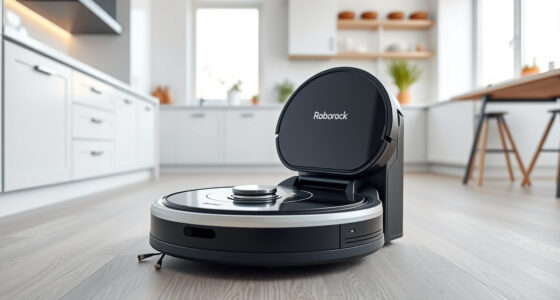
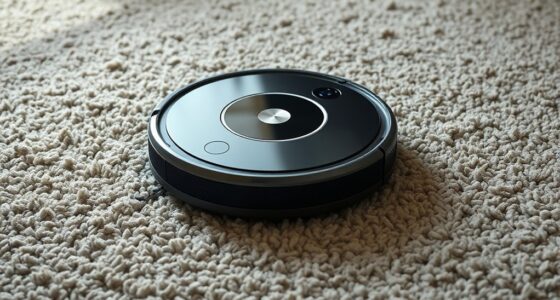
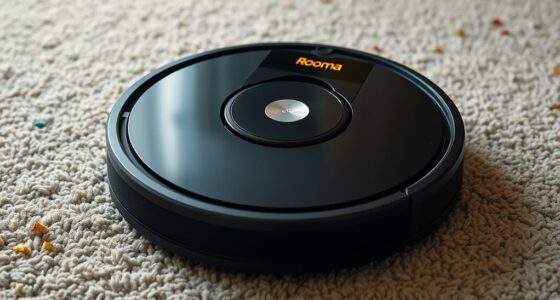
If your robot vacuum keeps getting stuck, start by clearing debris, cords, and small objects in its path, and make certain sensors are dust-free. Check that wheels and brushes are aligned and free of hair or debris. Adjust the environment by removing rugs or furniture that block navigation and use boundary markers or virtual walls. Also, update the software and reset the device if needed. For more quick fixes, you’ll find useful tips that can make a big difference.
Key Takeaways
- Clear the floor of small objects, cords, and clutter to prevent navigation obstacles.
- Regularly clean sensors, wheels, and brushes to maintain obstacle detection and traction.
- Use boundary markers or virtual walls to restrict access to problematic areas.
- Check and adjust wheel alignment, brush tension, and surface conditions for better movement.
- Update firmware, reset the device if needed, and troubleshoot sensor or component issues.

Nispira Magnetic Boundary Tape – Marker Strips for Robotic Vacuums Compatible with Neato Robot Vacuums Boundary Marker Strip Belt (1 Roll)
Creates No-Go Zones – Only compatible with Neato robotic vacuums. Prevents your robot from entering restricted areas such…
As an affiliate, we earn on qualifying purchases.
As an affiliate, we earn on qualifying purchases.
Check and Clear Obstacles in the Vacuum’s Path

Often, the simplest reason a robot vacuum gets stuck is that objects or debris are blocking its path. Check for debris accumulation around the wheels, sensors, and brushes, as these can interfere with proper navigation. Over time, dirt and dust can clog sensor calibration, causing the vacuum to misjudge distances or directions. Clear away any obstacles like cords, small objects, or pet toys that may be in its way. Wipe the sensors gently with a soft cloth to guarantee they’re clean and functioning correctly. Proper sensor calibration is essential for accurate navigation, so make sure the sensors are free of dust and debris. Regularly inspecting and clearing the path helps your vacuum move smoothly and prevents it from getting caught or stuck.

Midukit Vacuum Attachments Accessories for Robot Vacuum Cleaner,Cleaning Brush roll Cleaning Tool Replacement Parts, Part kit Tool for Vacuums Cleaner Replacement Include Vacuum Cleaning Cloth
Midukit vacuum cleaning kit for robot, dyson. Vacuum cleaning tool includes Cleaning Brush, tweezers, screwdriver (Phillips, Slotted), double-end…
As an affiliate, we earn on qualifying purchases.
As an affiliate, we earn on qualifying purchases.
Inspect and Adjust the Wheel and Brush Components

If your robot vacuum keeps getting stuck, it’s a good idea to inspect the wheels and brushes for any issues. Check the wheel alignment to ensure the wheels spin freely and stay straight, preventing wobbling or misdirection. Misaligned wheels can cause the vacuum to get caught on uneven surfaces or obstacles. Next, examine the brush components for proper tension; if the brushes are too loose or too tight, they may not spin correctly or could get tangled. Adjust the brush tension if necessary, making sure it moves smoothly without excessive slack. Clean any debris or hair wrapped around the brushes and wheels, as buildup can hinder movement. Properly aligned wheels and well-tensioned brushes keep your vacuum moving smoothly and reduce chances of getting stuck.

KooingTech Robot Vacuum Universal Wheel, Vacuum Cleaner Roller Wheel
Product Parameters: This robot vacuum universal wheel size: about 5×4.5×4.5cm /2×1.8×1.8 inches; Suitable for Eufy RoboVac 11s/RoboVac 30
As an affiliate, we earn on qualifying purchases.
As an affiliate, we earn on qualifying purchases.
Modify Your Home Environment for Better Navigation

You can help your robot vacuum navigate better by keeping pathways clear and free of clutter. Regularly remove small obstacles that might block its way and consider using boundary markers to restrict its movement in tricky areas. These simple steps make it easier for your vacuum to do its job efficiently.
Clear Pathways Regularly
To guarantee your robot vacuum navigates smoothly, regularly clearing pathways is essential. Keep walkways free of clutter, cords, and small objects that could trap or block its sensors. Using remote scheduling helps you plan cleaning sessions when you’re home to quickly address obstacles. Proper battery management ensures the vacuum has enough power to finish routes without getting stuck mid-clean, so avoid letting the battery run too low. Move furniture or rugs that might hinder navigation, and double-check tight spaces where the vacuum might struggle. Clear pathways not only prevent getting stuck but also improve cleaning efficiency. Regularly tidying your home reduces the chances of surprises that could cause your vacuum to halt unexpectedly, making maintenance quicker and keeping your floors cleaner.
Remove Small Obstacles
Removing small obstacles from your home environment can considerably improve your robot vacuum’s navigation. Small object removal is essential because tiny items like socks, cords, or toys can easily trip up the vacuum’s obstacle detection sensors. Regularly scan your floors for these objects and clear them away to prevent the vacuum from getting stuck. Ensuring a tidy space allows the robot to move smoothly and cover more ground efficiently. Additionally, check if your vacuum’s obstacle detection system is functioning correctly; sometimes, cleaning the sensors can enhance its ability to recognize and avoid small obstacles. By proactively removing small obstacles, you reduce the chances of the vacuum getting stuck and improve its overall cleaning performance.
Use Boundary Markers
Have you considered using boundary markers to enhance your robot vacuum’s navigation? Boundary markers, like virtual walls, help prevent your vacuum from entering trouble spots or getting stuck. By setting up virtual walls, you can create clear boundaries around delicate furniture, cables, or cluttered areas. This simple adjustment guides your vacuum along safe routes, reducing the chances of it becoming trapped.
Some effective boundary marker tips include:
- Placing virtual walls at entrances to restricted rooms
- Using boundary strips to block off specific zones
- Adjusting virtual wall settings for dynamic navigation
These tools make your vacuum smarter, helping it avoid problem areas and improve overall cleaning efficiency. Boundary markers are a quick, tech-savvy way to modify your home environment for better robot vacuum navigation.

iRobot Roomba Authentic Replacement Parts – Dual Mode Virtual Wall Barrier Compatible with Roomba 600 700 800 900 Series, Black – 4636429
1-pack Dual Mode Virtual Wall Barrier gives you greater control over where your robot cleans
As an affiliate, we earn on qualifying purchases.
As an affiliate, we earn on qualifying purchases.
Update the Vacuum’s Software and Reset Its Settings

Start by checking if your vacuum’s firmware needs an update, as manufacturers often release fixes for navigation issues. If an update is available, download and install the latest software version to improve performance. If problems persist, resetting the vacuum to factory settings can often resolve stuck-robot glitches.
Check for Firmware Updates
Updating your robot vacuum’s firmware is a crucial step in fixing it when it gets stuck, as outdated software can cause navigation issues. Firmware updates improve performance and guarantee compatibility with your device. To check for updates, open the app or device settings and look for the firmware or software update section. Keep an eye out for:
- Notifications about available firmware updates
- Compatibility alerts for your model
- Instructions for seamless installation
Regularly updating firmware helps resolve bugs and enhances navigation accuracy. Outdated firmware may cause your vacuum to misinterpret obstacles or get stuck in certain areas. Making sure your device’s software is current minimizes these issues and keeps your vacuum running smoothly. Remember, maintaining software compatibility is key to preventing future problems and optimizing cleaning performance.
Download Latest Software Version
To guarantee your robot vacuum operates smoothly, downloading and installing the latest software version is essential. A software update assures your device has the newest features and bug fixes, reducing issues like getting stuck. Check your vacuum’s app or manufacturer’s website for available firmware upgrades. Follow the instructions to download the latest firmware upgrade onto your device. Once installed, restart your vacuum to apply the updates properly. Keeping your software current can resolve navigation glitches and improve obstacle detection. Regularly updating your vacuum’s software is a simple step to enhance performance and prevent common problems. Don’t skip this step, as it often addresses the root causes of getting stuck and helps your robot operate more efficiently.
Reset to Factory Settings
If your robot vacuum continues to get stuck despite software updates, resetting it to factory settings can often resolve persistent issues. This process resets the device’s calibration and clears any glitches affecting navigation. To do a proper reset, follow the device reset procedures provided by your manufacturer, which typically involve holding specific buttons or using the app. Before resetting, note that you’ll need to reconfigure your preferences afterward. Keep these tips in mind:
- Ensure the vacuum is powered on and charged
- Perform the reset according to your model’s instructions
- Recalibrate the device after resetting for ideal navigation
Resetting to factory settings helps fix software conflicts and recalibrates sensors, often preventing future getting-stuck problems.
Use Boundary Markers or Virtual Walls

Boundary markers and virtual walls are effective tools to prevent your robot vacuum from entering areas where it tends to get stuck. By placing boundary markers or setting up virtual walls, you create clear boundaries that keep your vacuum out of trouble spots, such as cords or cluttered corners. These devices work with your vacuum’s sensors to recognize restricted zones, guiding it away from problem areas. Using boundary markers is simple—you just position physical barriers, like magnetic strips, in front of trouble zones. Virtual walls, on the other hand, use signals to create invisible barriers that the vacuum detects and avoids. Both options help streamline cleaning and reduce the chances of your robot getting stuck in tricky spots, ensuring more efficient and frustration-free operation.
Improve the Vacuum’s Traction With Surface Adjustments

Adjusting the surface beneath your robot vacuum can substantially improve its traction and prevent it from getting stuck. Enhancing tire grip and surface texture is key. Start by clearing debris or loose fibers that may reduce friction. Consider switching to surfaces with better traction, like low-pile carpets or rubber mats. You can also modify the surface texture by placing textured rugs or mats that increase grip, making it easier for your vacuum to navigate smoothly.
- Use rubber-backed rugs to boost tire grip
- Avoid slippery surfaces like glass or polished tile
- Choose textured mats for better traction on smooth floors
Regular Maintenance and Troubleshooting Tips

Regular maintenance is essential to keep your robot vacuum functioning ideally and prevent it from getting stuck. Start by checking your battery maintenance; ensure the battery is charged properly and replace it if it no longer holds a charge. Regularly clean the filter to prevent clogs that can hinder movement and reduce suction. A clean filter improves airflow and helps your vacuum navigate smoothly. Additionally, inspect brushes and wheels for debris that might cause it to get stuck. Keep the cleaning sensors free of dust and dirt, as dirty sensors can mislead the vacuum about obstacles. Performing these routine tasks minimizes malfunctions and extends your vacuum’s lifespan. Consistent upkeep guarantees your device runs efficiently and reduces the chances of getting stuck during cleaning sessions.
Frequently Asked Questions
How Do I Reset My Robot Vacuum to Factory Settings?
To reset your robot vacuum to factory settings, press and hold the reset button usually found on the device or accessible via the app. This performs a factory reset, clearing saved data and preferences. After resetting, check for a software update through the app, as it can improve performance. Follow the manufacturer’s instructions for your specific model to guarantee a successful reset and update process.
What Are Common Software Issues Causing Navigation Problems?
Navigation bugs often cause robot vacuums to get stuck, but updating the firmware can fix these issues. You should regularly check for firmware updates via the app, as manufacturers release patches that improve navigation accuracy. Sometimes, outdated software leads to misinterpreting obstacles or map errors. Keeping your robot’s software current guarantees smoother navigation, reduces bugs, and minimizes chances of getting stuck in corners or under furniture.
Can I Customize the Vacuum’s Cleaning Schedule to Avoid Trouble Spots?
It’s no coincidence that customizing your vacuum’s cleaning schedule can help avoid trouble spots. You can set a custom schedule on your app, programming the vacuum to clean when those problem areas are least accessible. By doing this, you prevent the robot from facing obstacles at inconvenient times, ensuring smoother operation and less frustration. Just adjust your settings, and enjoy a more efficient, hassle-free cleaning routine tailored to your home’s unique layout.
How Do I Troubleshoot if the Vacuum’s Sensors Are Malfunctioning?
If your vacuum’s sensors are malfunctioning, start by cleaning the sensors with a soft, damp cloth to remove dust and debris. Then, perform sensor calibration if your model supports it, following the manufacturer’s instructions. Check obstacle detection by placing objects around the vacuum’s path and observing its response. If issues persist, consider resetting the sensors or updating the vacuum’s software to guarantee accurate obstacle detection and proper functioning.
What Accessories or Upgrades Can Improve My Vacuum’s Performance?
Oh, sure, just toss in some fancy accessories and suddenly your vacuum’s perfect, right? Upgrading with better robot vacuum filters and replacement brushes definitely boosts performance. These upgrades help improve suction and pick up more dirt, making your robot more efficient. Plus, they’re easy to install and worth the small investment for a cleaner home. So, don’t overlook these simple enhancements—they can make a big difference!
Conclusion
By tending to your robot vacuum like a vigilant gardener tending delicate blooms, you keep its path clear and its spirit free to explore. Regular maintenance and a thoughtful environment transform stubborn obstacles into distant memories, allowing your device to dance seamlessly across your floors. With patience and care, you’ll turn frustrating stumbles into a smooth symphony of effortless cleaning—your home’s silent guardian gliding gracefully through every corner, a true partner in your daily harmony.