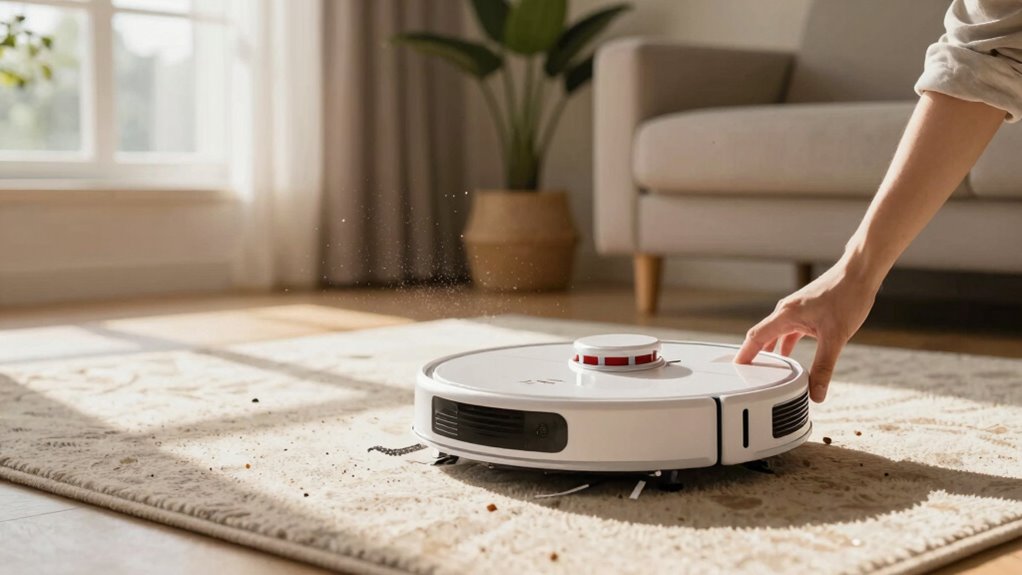
If your robot vacuum keeps missing the same room, start by cleaning the sensors and removing any obstacles or clutter that could confuse it. Re-calibrate the battery and re-map your space using the app or controls. Check for firmware updates to fix navigation bugs. Make certain the environment is tidy and free of potential barriers. Proper maintenance boosts your vacuum’s performance. Keep exploring for more tips to help your device clean efficiently and reliably every time.
Key Takeaways
- Re-map or reset the navigation system to update the vacuum’s understanding of the room.
- Clean sensors gently and remove obstacles to improve obstacle detection accuracy.
- Ensure the battery is properly calibrated for accurate power level assessment.
- Check for firmware updates and install them to fix navigation errors.
- Keep the environment tidy, removing clutter that might confuse the vacuum’s sensors.

Are you frustrated when your robot vacuum isn’t working as it should? If it keeps missing the same room, it can be incredibly annoying, but don’t worry—you can troubleshoot the issue effectively. The first thing to check is whether your vacuum’s battery is properly calibrated. Over time, the battery’s performance can decline, causing the vacuum to misjudge its position or stop prematurely, especially before completing full cleaning cycles. To fix this, fully charge your robot vacuum and then let it run until it completely drains. Repeat this a couple of times to help the battery recalibrate. Proper battery calibration ensures your vacuum accurately assesses its power levels, which can prevent it from skipping certain areas like that problematic room.
Calibrate your robot vacuum’s battery by fully charging and draining it to improve room coverage and navigation.
Next, focus on obstacle removal. Sometimes, small objects or clutter can interfere with your vacuum’s sensors, causing it to avoid or miss a particular room. Carefully inspect the area and remove any obstacles, cords, or loose items that could be confusing the device. Sensors rely on clear pathways to navigate efficiently, so keeping the room tidy reduces the chance of your vacuum getting stuck or failing to detect the room’s boundaries. Also, check the sensors themselves for dust or dirt, and clean them gently with a soft cloth. Dirty sensors can impair obstacle detection, leading to missed areas or repeated visits to the same spots. Additionally, sensor maintenance is crucial for optimal navigation. Regularly cleaning and inspecting the sensors can prevent common issues caused by sensor obstruction or dirt buildup. Ensuring the sensor functions properly can significantly improve your vacuum’s ability to detect and clean all areas.
If your vacuum still keeps missing the same room after these steps, consider re-mapping or resetting its navigation. Many models allow you to update or recalibrate the maps they use to navigate your home. Use the companion app or onboard controls to reinitialize the mapping process, ensuring your vacuum recognizes the room properly. Sometimes, the device’s memory gets confused, especially if furniture has been moved or if there are new obstacles. Re-mapping helps the vacuum understand the layout better, reducing the chances of missing that room.
Finally, check for firmware updates. Manufacturers often release updates that improve navigation and obstacle detection. Installing the latest firmware can fix bugs that cause navigation errors. If all else fails, consult your user manual or contact customer support for device-specific troubleshooting steps. With a little patience, you can get your robot vacuum back on track, ensuring it cleans every room without missing a beat.

Robot Vacuum Cleaning Kit, Cleaning Tool with Brush, Cloth, Hair Cutter
- Complete Cleaning Kit: Includes brushes, tools, and cloths
- Effective Hair Removal: Hooks and cutters for hair in rollers
- Multiple Cleaning Tools: Soft brush, nylon brush, long dust brush
As an affiliate, we earn on qualifying purchases.
As an affiliate, we earn on qualifying purchases.
Frequently Asked Questions
Can Robot Vacuums Be Programmed to Avoid Certain Rooms?
Yes, many robot vacuums can be programmed to avoid certain rooms through manual scheduling or zone setting features. You can set specific areas to be skipped during cleaning, often using the app. Additionally, obstacle avoidance technology helps the vacuum recognize sensitive areas or furniture, preventing it from entering unwanted rooms. Combining manual scheduling with obstacle avoidance guarantees your robot vacuum cleans effectively while avoiding rooms you want to keep off-limits.
How Does Carpet Thickness Affect Robot Vacuum Navigation?
Think of carpet thickness as a maze for your robot vacuum—thicker carpets can challenge its navigation. Dense carpets may hide obstacles, causing sensors to struggle and miss spots. As carpet density increases, the vacuum’s sensors might not detect edges properly, leading to missed areas. To improve performance, make sure your vacuum’s sensors are clean and consider adjusting settings or using a model designed for high-pile carpets.
Do Robot Vacuums Have Sensors to Detect Dirt Levels?
Yes, robot vacuums have sensors to detect dirt levels. These sensors, often called dirt detection sensors, help your vacuum identify heavily soiled areas for extra cleaning. Sensor accuracy varies between models, so some vacuums may be better at pinpointing dirt than others. If your vacuum isn’t effectively detecting dirt, check if the sensors are clean and functioning properly, ensuring peak dirt detection and cleaning performance.
How Often Should I Update My Robot Vacuum’s Firmware?
You should update your robot vacuum’s firmware at least once every three months. Around 80% of users see improved cleaning performance after updates. Firmware updates often include sensor calibration, which helps your vacuum detect obstacles and dirt more accurately. Staying current guarantees your device functions at its best, preventing missed spots and maintaining efficient cleaning. Regular updates keep your robot running smoothly and extend its lifespan.
Can Pet Hair Clog or Damage the Robot Vacuum?
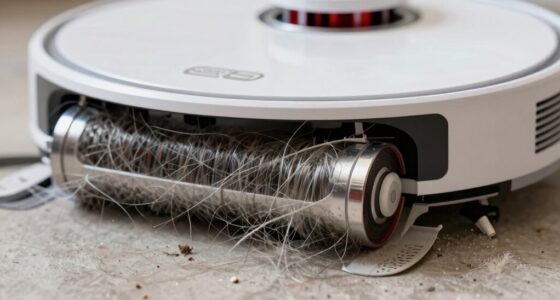
Pet hair can clog your robot vacuum and cause damage if not cleaned regularly. It gets tangled in brushes and filters, reducing suction and potentially damaging motors. To prevent clog damage, you should frequently check and remove pet hair from brushes, filters, and wheels. Using a brush or vacuum attachment helps keep your device running smoothly. Regular maintenance guarantees your robot vacuum continues to clean effectively without suffering from pet hair-related issues.
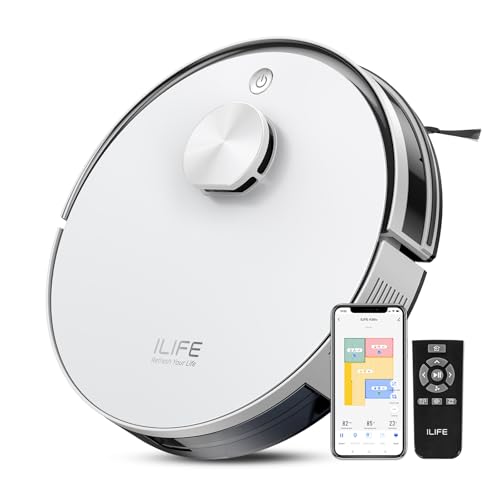
ILIFE A30s Robot Vacuum, 10000Pa Max Suction
- Powerful Suction: Up to 10,000Pa for deep cleaning
- Smart Mapping: LiDAR and SLAM for efficient navigation
- Pet Hair Cleaning: Anti-tangle brush for pet households
As an affiliate, we earn on qualifying purchases.
As an affiliate, we earn on qualifying purchases.
Conclusion
Ultimately, troubleshooting your robot vacuum takes patience and precision. By checking for obstructions, recalibrating sensors, and updating software, you prevent repeated refusals to clean that stubborn space. Remember, routine reviews and resets restore reliability, reducing repeated refusals and restoring thoroughness. With consistent care, your diligent device will diligently do its duty, delivering a dirt-free domain with less hassle and more harmony. Keep calibrating, and your cleaning companion will confidently conquer every corner.

Shark AV2501S AI Ultra Robot Vacuum, with Matrix Clean, Home Mapping, 30-Day Capacity HEPA Bagless Self Empty Base, Perfect for Pet Hair, Wifi, Dark Grey
- Powerful Suction: Cleans all floor types effectively
- Matrix Clean Navigation: Ensures thorough, precise cleaning coverage
- Self-Emptying Base: Holds up to 30 days of debris
As an affiliate, we earn on qualifying purchases.
As an affiliate, we earn on qualifying purchases.
Midukit Vacuum Attachments Accessories for Robot Vacuum Cleaner,Cleaning Brush roll Cleaning Tool Replacement Parts, Part kit Tool for Vacuums Cleaner Replacement Include Vacuum Cleaning Cloth
- Complete Cleaning Kit: Includes brushes, tools, and cloths
- Effective Hair Removal: Hooks and cutters for hair in rollers
- Multiple Cleaning Tools: Soft brush, nylon brush, long dust brush
As an affiliate, we earn on qualifying purchases.
As an affiliate, we earn on qualifying purchases.