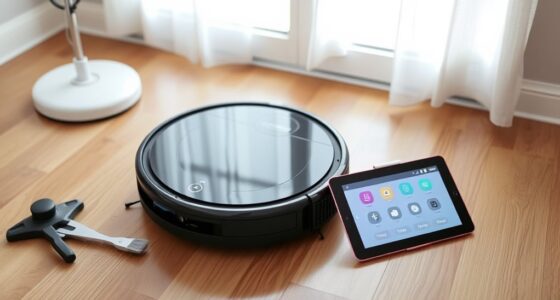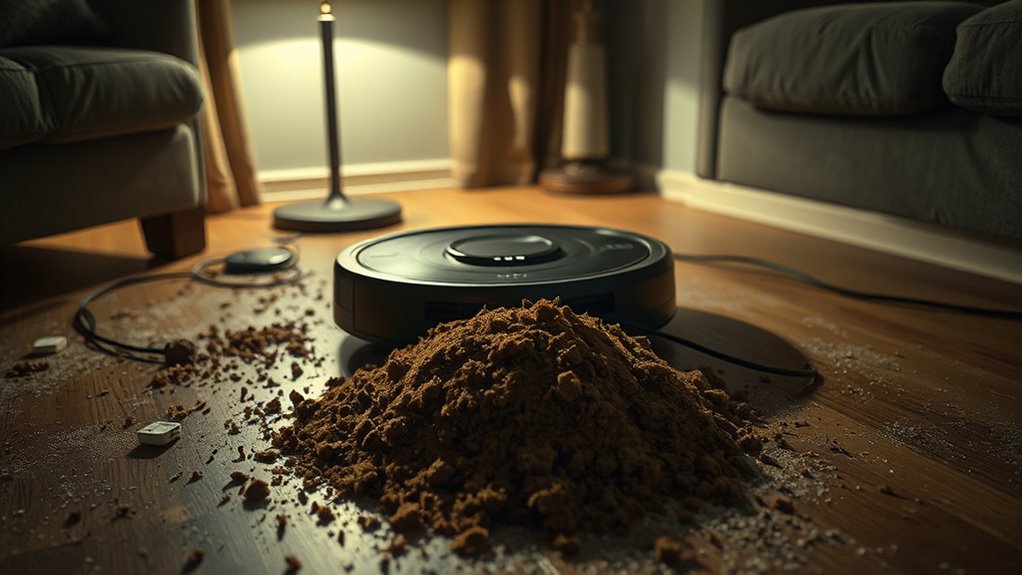

Robot vacuum nightmares like pet poop accidents pose real safety concerns. Pets may have accidents unexpectedly, spreading odors and allergens if not cleaned promptly. Navigational errors can cause collisions or missed spots, especially in cluttered homes. Malfunctions or electrical issues, such as overheating or software glitches, also threaten safety. To prevent these problems, maintain your vacuum regularly, clear obstacles, and use boundary zones. If you keep these tips in mind, you’ll be better prepared to handle common mishaps.

Get home appliances delivered free — and shop member deals
- Fast, free delivery on millions of items
- Access to Prime Big Deal Days deals on October 6–7
- Prime Video, Amazon Music and more included
Key Takeaways
- Pets may have accidents that spread odor and allergens when disrupted by robot vacuum cleaning.
- Robot vacuums can disperse pet waste, requiring immediate cleanup to prevent odor buildup.
- Regular sensor checks and mapping updates improve navigation and reduce collisions with pet belongings.
- Proper maintenance, including sensor cleaning and firmware updates, enhances safety and prevents malfunctions.
- Using boundary strips and training pets can help minimize accidents and interference during cleaning cycles.
As an affiliate, we earn on qualifying purchases.
The Risks of Pet Accidents During Cleaning Cycles

Pet accidents during robotic vacuum cleaning can happen unexpectedly, especially when pets are curious or anxious about the noise and movement. If your pet has an accident, the vacuum might spread pet odor and allergens across your floors, making cleanup more difficult. Instead of containing the mess, the robot can disperse urine or feces, increasing the risk of allergen spread and lingering odors. This not only compromises air quality but can also lead to repeated contamination if not promptly addressed. Your pet might become stressed or confused by the noise and disturbance, worsening the situation. To minimize these risks, you should monitor your pet during cleaning cycles and clean up accidents immediately, preventing odor buildup and the spread of allergens throughout your home.
As an affiliate, we earn on qualifying purchases.
Navigational Errors and Collisions in a Busy Home

Navigational errors and collisions are common challenges when using a robotic vacuum in a busy home. If your device’s sensor calibration isn’t accurate, it might bump into furniture or miss areas entirely. Regularly checking and recalibrating sensors guarantees better navigation. Software updates also play a crucial role; manufacturers often release updates that improve obstacle detection, map accuracy, and collision avoidance. Failing to keep your vacuum’s software current can lead to repeated collisions or missed spots. In a cluttered environment, these issues become more noticeable, causing frustration and potential damage. To minimize problems, clear pathways, maintain sensor cleanliness, and stay up-to-date with firmware releases. Doing so helps your robot navigate smoothly, reducing collisions and ensuring a more thorough clean.
robot vacuum sensor cleaning kit
As an affiliate, we earn on qualifying purchases.
As an affiliate, we earn on qualifying purchases.
Malfunctions and Electrical Safety Concerns

Malfunctions and electrical safety issues can pose serious risks when using a robotic vacuum. One common concern is battery overheating, which can cause the device to overheat, potentially leading to fires or damage to your home. Software glitches are another problem, causing the vacuum to behave unpredictably or stop functioning altogether. These glitches might result in the vacuum running continuously, ignoring obstacles, or failing to dock properly for charging. If you notice strange sounds, smoke, or overheating, it’s vital to turn off the device immediately and unplug it. Regular maintenance and updates can help prevent some issues, but don’t ignore signs of malfunction. Staying vigilant about electrical safety ensures your home remains protected while enjoying the convenience of your robotic vacuum.
As an affiliate, we earn on qualifying purchases.
Tips for Preventing Common Robot Vacuum Mishaps

To prevent common robot vacuum mishaps, proactive maintenance and careful setup are essential. Start by establishing a consistent robot vacuum scheduling that fits your household’s routine, so the device doesn’t run when areas are cluttered or pets are active. Regularly clear debris from brushes and sensors to avoid jams and ensure smooth operation. Implement pet training tips to reduce distractions and prevent pets from interfering with the vacuum. Designate certain zones as off-limits during cleaning times or use boundary strips to keep pets away. Keep cords, small objects, and pet toys out of the vacuum’s path to prevent tangling or damage. These steps help you avoid mishaps, prolong your vacuum’s lifespan, and maintain a safe, efficient cleaning process.
Ensuring Proper Maintenance for Safe Operation

Regular maintenance is essential to keep your robot vacuum operating safely and efficiently. You should regularly check and replace the battery when it shows signs of decreased performance to prevent unexpected shutdowns. Keeping the battery in good condition guarantees your vacuum runs smoothly and extends its lifespan. Additionally, software updates are critical for maintaining safety features and fixing bugs. Make it a habit to update your vacuum’s firmware as soon as new versions are available. Clean the brushes and sensors regularly to prevent blockages and misbehavior. Always follow the manufacturer’s instructions for maintenance tasks. By staying on top of battery replacement and software updates, you reduce the risk of malfunctions that could lead to safety hazards or damage to your home.
Frequently Asked Questions
Can Robot Vacuums Detect Pet Waste Before Cleaning?
Yes, many robot vacuums now feature pet waste detection sensors that help identify pet waste before cleaning. These sensors improve cleaning safety by preventing the vacuum from spreading messes or damaging your device. When pet waste is detected, the vacuum usually pauses or reroutes, ensuring safe and effective cleaning. Investing in models with pet waste detection enhances your cleaning experience and keeps your home tidy without unintended accidents.
What Are Signs of a Robot Vacuum Malfunction?
You notice your robot vacuum acting oddly—suddenly bumping into furniture, missing spots, or spinning in circles. These are signs of sensor malfunction and navigation errors, like a compass gone haywire. It might stop mid-clean, beep unexpectedly, or struggle to map your space. Your device’s erratic movements and inconsistent cleaning patterns signal that it’s malfunctioning, and it’s time to troubleshoot or reset to restore smooth operation.
How Do Robot Vacuums Handle Long Pet Hair?
Robot vacuums often struggle with long pet hair, which can cause vacuum clogging and reduce cleaning efficiency. You might notice the device slowing down or stopping altogether. To prevent this, regularly clean the brush rolls and filters, and consider using a vacuum designed for pet hair. Keeping long pet hair manageable on your floors also helps your robot vacuum work smoothly without clogging or jamming.
Are Robot Vacuums Safe Around Small Children and Pets?
Robot vacuums are generally safe around small children and pets, but you should stay cautious. They can pose robot allergy risks for sensitive individuals and create pet distraction hazards if pets chase or react to them. Always supervise initial use, keep small children and pets away during cleaning, and choose models with safety features like sensors to avoid accidents. Regular maintenance and careful placement help guarantee a safe, worry-free experience.
What Warranty Coverage Exists for Damage Caused by Pets?
Think of your robot vacuum as a brave knight facing a dragon—pets. Most warranties don’t cover pet damage, and exclusions often apply, leaving you to fend for yourself. Some manufacturers offer pet damage insurance or extended warranties that may cover accidents, but always read the fine print. Protect your investment by understanding warranty exclusions and considering additional pet damage coverage to keep your home safe and your mind at ease.
Conclusion
As you watch your robot vacuum glide silently across the floor, imagine it suddenly hitting an obstacle or spreading pet messes instead of cleaning. By staying alert and maintaining your device, you prevent these nightmarish scenarios from turning your home into a chaotic battlefield. Keep an eye on spills, clear obstacles, and give your vacuum the care it needs. With these steps, you’ll keep your home safe, spotless, and free from unexpected cleaning nightmares.
Fall yard work Picks
leaf blowers
As an affiliate, we earn on qualifying purchases.