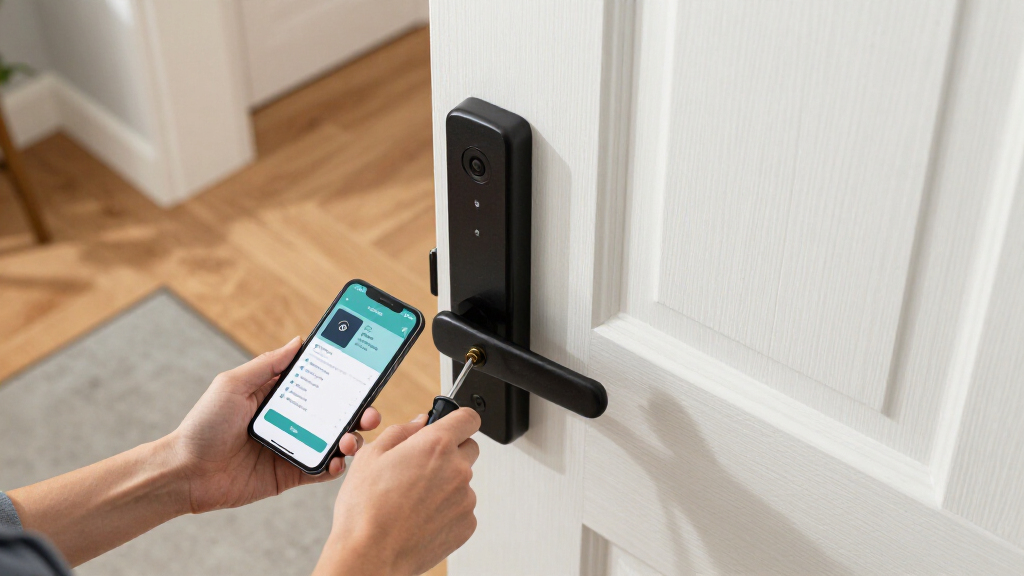
Choosing among smart locks for front doors mostly comes down to one question: do you want a self-contained smart deadbolt, or a full handle-and-lock set that replaces everything on the door? The ULTRALOQ Bolt SE stands out as my best overall pick for pairing fingerprint access with Matter over Thread, which means it works cleanly with Apple Home, Google Home, and Alexa without a separate hub. The Schlage Encode remains the safest bet for buyers who prioritize a lock from a legacy security brand, while the Wyze Lock Bolt v2 is the clear value choice for anyone who wants fingerprint and Wi-Fi convenience without paying premium prices. The main tradeoffs you’ll face in this category are between biometric speed and price, between polished handle sets and simple deadbolt swaps, and between app ecosystems. Read on for the full breakdown of all 15 locks.

Get home appliances delivered free — and shop member deals
- Fast, free delivery on millions of items
- Access to Prime Big Deal Days deals on October 6–7
- Prime Video, Amazon Music and more included
Complete the kit


Key Takeaways
- Matter over Thread (ULTRALOQ Bolt SE) proved to be the biggest differentiator for smart home households, eliminating the proprietary hub requirement that still burdens most Wi-Fi locks in this lineup.
- The four Philips models span the widest quality range of any brand here — the fingerprint deadbolts punch above their price, while the 4200 Series keypad-with-handle models trade biometric speed for a more finished hardware look.
- Veise appears four times in this roundup, and the pattern is clear: its handle-and-lever sets are ideal for full door makeovers, but buyers who only want a deadbolt swap should choose a dedicated deadbolt model instead.
- Keypad-only locks like the TEEHO TE001 and Schlage Encode remain the most reliable in cold weather, where fingerprint sensors on budget models can struggle with dry or wet fingers.
- Full lock-and-handle sets (DESLOC B200, Veise VE06-H, Philips 4200 Series) cost more and take longer to install, but they’re the only way to get a matching front door aesthetic when your existing handle is worn out.
| ULTRALOQ Bolt SE Wi-Fi Smart Deadbolt with Fingerprint Access and Matter over Thread |  | Best Overall | Access methods: Fingerprint, passcode, app, eKey, voice, mechanical key | Fingerprint capacity: Up to 50 | Passcode capacity: Up to 50 | VIEW LATEST PRICE | See Our Full Breakdown |
| Philips Wi-Fi Smart Deadbolt Lock with Fingerprint, Keyless Entry Door Lock |  | Best Value | Connectivity: Built-in 2.4 GHz Wi-Fi, no hub required | Unlock methods: App, passcode, fingerprint, physical key, voice (Alexa/Google) | Passcode capacity: Up to 100 custom passcodes | VIEW LATEST PRICE | See Our Full Breakdown |
| DESLOC B200 Fingerprint Smart Lock with Two Lever Handles |  | Best for Quick Fingerprint Access | Access methods: Fingerprint, PIN, physical key, app, eKey, fob | Fingerprint speed: Under 0.3 seconds | Connectivity: Bluetooth; remote via optional G2 Gateway | VIEW LATEST PRICE | See Our Full Breakdown |
| Veise VE027-K Wi-Fi Smart Deadbolt Lock Set with Two Knobs, Matte Black |  | Best Complete Entry Set | Entry methods: App, fingerprint, IC card, PIN, key, voice, code sharing | Connectivity: 2.4 GHz Wi-Fi | Passcode capacity: Up to 100 | VIEW LATEST PRICE | See Our Full Breakdown |
| Wyze Lock Bolt v2 Fingerprint Smart Lock with Wi-Fi |  | Best for Beginners | Unlock methods: Fingerprint, keypad code, app, physical key | User capacity: Up to 50 fingerprints and codes | Connectivity: Built-in Wi-Fi | VIEW LATEST PRICE | See Our Full Breakdown |
| TEEHO TE001 Keyless Entry Deadbolt with Keypad, Matte Black |  | Best Budget Keypad Pick | Brand: TEEHO | Model: TE001 | Access codes: Up to 20, plus temporary single-use codes | VIEW LATEST PRICE | See Our Full Breakdown |
| Schlage Encode Smart Wi-Fi Deadbolt with Century Trim, Matte Black |  | Best for Remote Monitoring | Connectivity: Built-in Wi-Fi | App: Schlage Home | Voice assistants: Amazon Alexa, Google Home | VIEW LATEST PRICE | See Our Full Breakdown |
| Veise VE017 Fingerprint Smart Door Lock with App Control, Matte Black |  | Best Fingerprint Speed | Model: VE017 | Unlock methods: Fingerprint, app, fob card, code, voice (with G1 Gateway), mechanical key | Fingerprint recognition: Under 0.2 seconds | VIEW LATEST PRICE | See Our Full Breakdown |
| Philips 4200 Series Wi-Fi Keypad Deadbolt with Handle |  | Best Complete Front Door Set | Connectivity: 2.4 GHz Wi-Fi; no hub required | Access methods: PIN codes, fingerprint, app, voice assistant | Fingerprint unlock time: 0.3 seconds | VIEW LATEST PRICE | See Our Full Breakdown |
| Yamiry Smart Door Lock with Fingerprint and Keypad |  | Best Value for Rentals | Model: YR01 | Unlock methods: Fingerprint, Bluetooth app, passcode, key fob, mechanical key, Alexa voice | Wi-Fi remote control: Requires separately sold gateway | VIEW LATEST PRICE | See Our Full Breakdown |
| Veise VE06-H Smart Front Door Lock Handle Set with App Control, Matte Black |  | Best for Busy Households and Rental Managers | Access Methods: App, code, fobs, mechanical key, thumb turn | User Code Capacity: 250+ | Smart Home Compatibility: Alexa, Google Home (requires G2 gateway, sold separately) | VIEW LATEST PRICE | See Our Full Breakdown |
| Veise VE06-L Smart Deadbolt Lock with Two Lever Handles, Matte Black |  | Best for Key-Fob Households | Access Methods: App, web portal, codes, IC cards, e-keys, physical key, Apple Watch | Code Capacity: 250+ codes, 1,000+ IC cards | Auto-Lock Interval: 5–900 seconds | VIEW LATEST PRICE | See Our Full Breakdown |
| Philips 4200 Series Wi-Fi Keypad Door Lock with Handle, Fingerprint Unlock, Satin Nickel |  | Best Fast-Access Fingerprint Pick | Connectivity: 2.4 GHz Wi-Fi; no hub required | Unlock Methods: Fingerprint, PIN code, app, voice assistant | Fingerprint Speed: 0.3 seconds | VIEW LATEST PRICE | See Our Full Breakdown |
| Yale Assure Lock 2 Wi-Fi Smart Deadbolt with Keypad, Black Suede |  | Best Premium Security Pick | Connectivity: 2.4 or 5 GHz Wi-Fi; no hub required | Entry Methods: Keypad, smartphone, Apple Watch, backup key, Auto-Unlock | Access Codes: Unlimited; schedulable and expiring | VIEW LATEST PRICE | See Our Full Breakdown |
| Philips Wi-Fi Smart Lock with Fingerprint Reader and Keypad (DDL-241-BK) |  | Best for Large Families with Many Fingerprints | Unlock Methods: Fingerprint, PIN code, app, voice control, physical key | Fingerprint Capacity: Up to 50 | Passcode Capacity: Up to 100 | VIEW LATEST PRICE | See Our Full Breakdown |
| smart locks for front door | Connectivity |
|---|---|
| ULTRALOQ Bolt SE Wi-Fi Smart D | 2.4 GHz Wi-Fi and Matter over Thread |
| Philips Wi-Fi Smart Deadbolt L | Built-in 2.4 GHz Wi-Fi, no hub required |
| DESLOC B200 Fingerprint Smart | Bluetooth; remote via optional G2 Gateway |
| Veise VE027-K Wi-Fi Smart Dead | 2.4 GHz Wi-Fi |
| Wyze Lock Bolt v2 Fingerprint | Built-in Wi-Fi |
| TEEHO TE001 Keyless Entry Dead | — |
| Schlage Encode Smart Wi-Fi Dea | Built-in Wi-Fi |
| Veise VE017 Fingerprint Smart | — |
| Philips 4200 Series Wi-Fi Keyp | 2.4 GHz Wi-Fi; no hub required |
| Yamiry Smart Door Lock with Fi | — |
| Veise VE06-H Smart Front Door | — |
| Veise VE06-L Smart Deadbolt Lo | Remote access and voice control require G2 gateway (sold separately) |
| Philips 4200 Series Wi-Fi Keyp | 2.4 GHz Wi-Fi; no hub required |
| Yale Assure Lock 2 Wi-Fi Smart | 2.4 or 5 GHz Wi-Fi; no hub required |
| Philips Wi-Fi Smart Lock with | 2.4 GHz Wi-Fi; no hub required |
More Details on Our Top Picks
ULTRALOQ Bolt SE Wi-Fi Smart Deadbolt with Fingerprint Access and Matter over Thread
This option stands out for balancing future-proof smart home support with everyday practicality. The Matter over Thread support is what separates it from the Philips Wi-Fi Deadbolt and the Wyze Lock Bolt v2 — both of which lock you into Alexa or Google ecosystems. With up to 50 fingerprints and 50 passcodes, it also out-capacitys the Veise VE027-K (20 fingerprints), making it better suited to busy households or small businesses. Add an IP65 rating and up to 18 months of stated battery life, and the long-term ownership case is strong. The tradeoff: Thread features only work with a compatible border router hub, so buyers starting from a basic Wi-Fi setup won’t get the full benefit on day one, and the lack of a door sensor means you can’t confirm the door is actually closed.
Pros:- Matter over Thread support works across major ecosystems
- Up to 50 fingerprints and 50 passcodes
- IP65 weather resistance and up to 18 months battery life
- Six access methods including mechanical key backup
Cons:- Matter over Thread requires a separately purchased Thread border router
- 2.4 GHz Wi-Fi only, with no door sensor included
Best for: Smart home enthusiasts and large households who want Matter compatibility and high user capacity
Not ideal for: Buyers with a simple 5 GHz-only router and no Thread hub, since the smartest features stay dormant without extra hardware
- Access methods:Fingerprint, passcode, app, eKey, voice, mechanical key
- Fingerprint capacity:Up to 50
- Passcode capacity:Up to 50
- Connectivity:2.4 GHz Wi-Fi and Matter over Thread
- Battery life:Up to 18 months
- Water resistance:IP65
- Warranty:Lifetime mechanical; 18-month electronic
Our verdict“The most future-ready pick here — grab it if you run (or plan to run) a Matter-enabled smart home and need capacity for lots of users.”
Philips Wi-Fi Smart Deadbolt Lock with Fingerprint, Keyless Entry Door Lock
For straightforward remote control without extra purchases, this model makes the most sense as the value pick. Unlike the DESLOC B200 — which needs a separately sold gateway for remote access — the Philips has built-in Wi-Fi right out of the box, plus an Away Mode the budget keypad-only TEEHO TE001 simply can’t match. Up to 100 passcodes with one-time and scheduled guest options means rental hosts can hand out tailored access without tracking who has which code. The adjustable 10–180 second auto-lock covers forgetful family members. Tradeoffs are real though: batteries ship separately, it only speaks 2.4 GHz Wi-Fi, and there’s no fingerprint capacity near the ULTRALOQ’s 50 if you need lots of biometric users.
Pros:- Built-in Wi-Fi with no hub required for remote control
- Up to 100 custom passcodes including one-time and scheduled codes
- Five unlock methods including fingerprint and voice
- Screwdriver-only DIY install on standard US doors
Cons:- Batteries not included
- 2.4 GHz networks only
- No door sensor for open/closed status
Best for: Airbnb hosts and budget-conscious homeowners who want remote guest codes without buying a hub
Not ideal for: Tech-forward buyers wanting Matter support or fingerprint capacity for a big household
- Connectivity:Built-in 2.4 GHz Wi-Fi, no hub required
- Unlock methods:App, passcode, fingerprint, physical key, voice (Alexa/Google)
- Passcode capacity:Up to 100 custom passcodes
- Auto-lock timer:10 to 180 seconds
- Door thickness:1-3/8″ to 2″
- Batteries:AA alkaline (not included)
Our verdict“The best bang-for-buck choice for guest-heavy households that need remote code management from day one.”
DESLOC B200 Fingerprint Smart Lock with Two Lever Handles
Where this model earns its place is raw entry speed: fingerprint recognition in under 0.3 seconds, faster than the Wyze Lock Bolt v2’s stated 0.5 seconds. Combined with the included lever handle set, it’s a natural fit for anyone with hands full of groceries or mobility limitations who finds knobs and keypads awkward. The anti-peeping PIN feature — typing random digits around your real code — is a thoughtful touch the basic TEEHO TE001 lacks. But be clear-eyed about the tradeoffs: app control runs over Bluetooth within roughly 2 meters of the door, and anything remote requires the separately sold G2 Gateway. Compared with the Philips deadbolt, you give up out-of-the-box Wi-Fi for faster biometrics and the handle convenience.
Pros:- Sub-0.3-second fingerprint recognition
- Anti-peeping code protection and privacy mode
- USB-C emergency power port with low-battery indicator
- Lever handle design suits accessibility needs
Cons:- Bluetooth app control limited to about 2 meters
- Remote and voice control require a separately sold G2 Gateway
- IP54 rating is lower than the IP65 ULTRALOQ and Veise
Best for: Anyone prioritizing instant fingerprint entry and lever-handle convenience, especially seniors or accessibility-focused households
Not ideal for: Owners who want to lock or monitor the door remotely from work or vacation without paying extra for the G2 Gateway
- Access methods:Fingerprint, PIN, physical key, app, eKey, fob
- Fingerprint speed:Under 0.3 seconds
- Connectivity:Bluetooth; remote via optional G2 Gateway
- Battery:4 AA batteries (not included), ~12 months
- Emergency power:USB Type-C
- Water resistance:IP54
- Warranty:24 months
Our verdict“Choose this for the fastest fingerprint experience and lever handles — just accept that true remote control costs extra.”
Veise VE027-K Wi-Fi Smart Deadbolt Lock Set with Two Knobs, Matte Black
Unlike every deadbolt-only option here, the VE027-K ships as a full lock set with two knobs, so you get a matched front-door look instead of pairing a smart deadbolt with an old, clashing handle. Its eight entry methods — including two included IC cards — edge out the Philips and ULTRALOQ in sheer variety, and the cards are genuinely useful for kids or guests who struggle with codes. The 240-day battery life on eight AAs is respectable, though it lags the ULTRALOQ Bolt SE’s 18-month claim and demands twice the batteries of the DESLOC. With an IP65 rating it matches the ULTRALOQ for weather exposure, and the two-year registered warranty beats most of the field. The fingerprint cap of 20 limits larger households.
Pros:- Complete set includes two knobs and two IC cards
- Eight entry methods including card and voice control
- IP65 weatherproof rating
- Up to 100 passcodes with remote management and alerts
Cons:- Requires 8 AA batteries, not included
- 2.4 GHz Wi-Fi only
- Fingerprint capacity limited to 20
Best for: Homeowners doing a full front-door refresh who want a coordinated lock set with card access for kids or guests
Not ideal for: Large families needing more than 20 fingerprints, or anyone annoyed by feeding a lock eight AA batteries
- Entry methods:App, fingerprint, IC card, PIN, key, voice, code sharing
- Connectivity:2.4 GHz Wi-Fi
- Passcode capacity:Up to 100
- Fingerprint capacity:Up to 20
- Battery life:Up to 240 days on 8 AA batteries
- Water resistance:IP65
- Warranty:1 year, extendable to 2 with registration
Our verdict“The pick for a polished, matched entryway with the most ways in — as long as 20 fingerprints covers your household.”
Wyze Lock Bolt v2 Fingerprint Smart Lock with Wi-Fi
This model makes the most sense for a first smart lock because it removes nearly every friction point: batteries are included, Wi-Fi is built in, and the self-learning fingerprint scanner improves recognition over time — a feature none of the other four offer. The BHMA2 durability certification gives first-timers confidence the hardware will hold up, and tamper alarms add security awareness the TEEHO TE001 lacks. Compared with the Philips Wi-Fi Deadbolt, you get half the passcode flexibility but a simpler setup path and a genuine out-of-box experience. The honest tradeoffs: battery life tops out around 8 months, the shortest claim in this group, and the IP53 rating means it’s the least weather-sealed — worth weighing if your door takes driving rain. Remote features also live and die by your Wi-Fi signal.
Pros:- Batteries included — genuinely ready out of the box
- Self-learning fingerprint scanner with ~0.5 second unlock
- Built-in Wi-Fi for remote management with no hub
- BHMA2 durability certification and tamper alarms
Cons:- Shortest battery life of the group at up to 8 months
- IP53 weather resistance is the lowest here
- Remote features depend entirely on Wi-Fi reliability
Best for: First-time smart lock buyers who want a ready-to-go kit with included batteries and no hub shopping
Not ideal for: Exposed storm-facing doors or anyone wanting long battery intervals, given the IP53 rating and 8-month battery life
- Unlock methods:Fingerprint, keypad code, app, physical key
- User capacity:Up to 50 fingerprints and codes
- Connectivity:Built-in Wi-Fi
- Battery life:Up to 8 months (8 AA included)
- Emergency power:USB-C
- Weather resistance:IP53
- Durability:BHMA2 certified
Our verdict“The easiest on-ramp to smart locking — pick it for a sheltered front door and a zero-extra-purchase setup.”
TEEHO TE001 Keyless Entry Deadbolt with Keypad, Matte Black
This option stands out for buyers who want code-based entry without an app, a hub, or Wi-Fi setup. The TEEHO keeps things deliberately simple: 20 programmable codes plus single-use guest PINs cover the essentials, and the 10–99 second auto-lock timer handles the classic “did I lock the door?” worry. Compared with the Schlage Encode, there’s no remote control, no voice assistants, and no lock history — but there’s also nothing to configure beyond the keypad itself, and the battery is rated to last up to a full year versus roughly six months on the Schlage. The tradeoff is real, though: no connectivity means no alerts and no way to let someone in while away. Note the 54 mm door-hole requirement and that batteries ship separately.
Pros:- Up to 20 user codes plus single-use guest PINs for rentals and visitors
- Configurable auto-lock from 10 to 99 seconds for hands-off security
- IP54 weather resistance suited to exposed front doors
- Backup keys and a two-year warranty included
Cons:- No app, Wi-Fi, or remote access of any kind
- Requires a 54 mm door hole — 38 mm doors are incompatible
- Four AA batteries not included
Best for: Budget-conscious homeowners or landlords who need reliable multi-code entry for a front door and don’t care about app control
Not ideal for: Anyone who wants to grant access remotely or receive entry alerts — this lock has no connectivity at all
- Brand:TEEHO
- Model:TE001
- Access codes:Up to 20, plus temporary single-use codes
- Auto-lock delay:10–99 seconds; off by default
- Power:4 AA batteries (not included)
- Weather resistance:IP54
- Door hole:54 mm (2-1/8 in)
- Warranty:2 years
Our verdict“A straightforward keypad deadbolt that covers the basics well, as long as you never need to open the door from your phone.”
Schlage Encode Smart Wi-Fi Deadbolt with Century Trim, Matte Black
Schlage’s built-in Wi-Fi means this deadbolt talks to your phone and Alexa or Google Home with no extra hub — something the Yamiry and Veise VE017 both require add-on gateways to achieve. The payoff is genuine: create up to 100 access codes from anywhere, check lock status, and review entry history, which makes this pick especially strong for short-term rental hosts managing guest turnover. The built-in alarm adds a deterrent layer that most keypad-only rivals skip. Battery life is the honest compromise — roughly six months versus up to a year on the TEEHO — because constant Wi-Fi drains power. And since remote features depend entirely on the Schlage Home app, buyers who prefer a lock with zero app dependency should look at offline options instead.
Pros:- Up to 100 access codes managed remotely via the Schlage Home app
- Works with Alexa and Google Home without a hub
- Built-in alarm and encrypted connection
- Batteries are included in the box
Cons:- Around six months of battery life due to always-on Wi-Fi
- Remote features stop working without Wi-Fi or the app
- No fingerprint reader, unlike the Veise VE017 or Philips 4200
Best for: Rental hosts and homeowners who want to manage up to 100 codes remotely and monitor who comes and goes
Not ideal for: Buyers avoiding app-and-Wi-Fi dependence — if your router is far from the front door or you dislike cloud features, this adds complexity
- Connectivity:Built-in Wi-Fi
- App:Schlage Home
- Voice assistants:Amazon Alexa, Google Home
- Access codes:Up to 100
- Door thickness:1-3/8 to 1-3/4 in
- Power:Four AA batteries, included
- Battery life:Up to six months with typical use
- Finish:Matte Black, Century trim
Our verdict“The most complete remote-management package in this group, ideal if controlling the front door from anywhere is your top priority.”
Veise VE017 Fingerprint Smart Door Lock with App Control, Matte Black
Where the Schlage Encode leans on codes, the Veise VE017 leads with a sub-0.2-second fingerprint reader — faster than the 0.3-second claim on the Philips 4200 Series, and genuinely convenient when your hands are full of groceries. Six access methods (fingerprint, app, keypad, fob, voice, key) mean every household member has a fallback, and the anti-peeping PIN feature — typing random digits before your real code — is a security detail most keypad locks skip. Compared with the Yamiry, security is more mature here: AES-128 encrypted local storage, intrusion alerts, and temporary lockouts. The catch is the classic one — Alexa, Google voice, and true remote access all require the separately sold G1 Gateway, so the out-of-box experience is Bluetooth-range only until you spend more.
Pros:- Fingerprint unlock in under 0.2 seconds with stated 99.99% accuracy
- Six access methods including fob, keypad, and anti-peeping PIN
- AES-128 encrypted local storage with intrusion alerts and access logs
- IP55 water resistance and USB-C emergency power port
Cons:- Remote access and voice control require a separately sold G1 Gateway
- Batteries not included
- Only a one-year warranty unless extended via registration
Best for: Tech-comfortable homeowners who want instant fingerprint entry and detailed access logs for a main entrance
Not ideal for: Buyers wanting full remote control out of the box — the gateway is an extra purchase, and batteries aren’t included
- Model:VE017
- Unlock methods:Fingerprint, app, fob card, code, voice (with G1 Gateway), mechanical key
- Fingerprint recognition:Under 0.2 seconds
- Battery:4 AA alkaline (not included)
- Battery life:About 12 months
- Emergency power:USB-C port
- Water resistance:IP55
- Warranty:1 year, extendable by 1 with registration
Our verdict“The fastest way in on this list — best for people who value biometric entry and can accept an add-on purchase for full connectivity.”
Philips 4200 Series Wi-Fi Keypad Deadbolt with Handle
This pick makes the most sense for buyers replacing the whole entry hardware, not just the deadbolt — the matching handle set is included, which the Schlage Encode and Veise VE017 don’t offer. That matters visually: a matte-black smart deadbolt next to an old brass handle looks mismatched. Functionally it sits between rivals nicely: built-in 2.4 GHz Wi-Fi with no hub (unlike the Yamiry), fingerprint entry at 0.3 seconds, and a configurable auto-lock timer up to 180 seconds. The limitations are placement-specific — the lock should sit within about 33 feet of your router, and left-opening doors need a reset procedure during setup. Compared with the fingerprint-first Veise, this model balances biometric speed with a more complete hardware package rather than maximum access flexibility.
Pros:- Matching handle set included for a coordinated entry look
- Direct 2.4 GHz Wi-Fi with no hub required
- Fingerprint unlock in 0.3 seconds plus multiple PIN code types
- Remote control and access-history monitoring via the Philips Home Access app
Cons:- Should be within 33 ft of the router for reliable Wi-Fi
- Batteries not included and auto-lock must be enabled manually
- Left-opening doors require an extra setup reset
Best for: Homeowners doing a full front-door refresh who want a coordinated deadbolt-and-handle set with Wi-Fi and fingerprint entry
Not ideal for: Houses where the front door is far from the router — the 33 ft Wi-Fi range guideline is a real constraint
- Connectivity:2.4 GHz Wi-Fi; no hub required
- Access methods:PIN codes, fingerprint, app, voice assistant
- Fingerprint unlock time:0.3 seconds
- Auto-lock timer:0–180 seconds; off by default
- Battery life:Up to 6 months
- Door thickness:1⅜–1¾ inches (38–50 mm)
- Included hardware:Matching handle set
Our verdict“The easiest way to get a matched, fully connected front-door set in one purchase — if your router is close enough.”
Yamiry Smart Door Lock with Fingerprint and Keypad
This model is better suited to landlords and Airbnb hosts on a budget than to gadget lovers. The core rental workflow is all here: temporary and permanent app codes, one-time passcodes for cleaners or guests, unlock history, and a reversible handle that fits left- or right-hand doors — a flexibility advantage over the Philips 4200 Series, which needs a reset for left-opening doors. Installation claims around 10 minutes with no drilling. The tradeoff versus the Schlage Encode is connectivity economics: remote locking and Alexa voice access require a separately sold Wi-Fi gateway, so the true connected cost is higher than the sticker suggests. And with two key fobs plus two mechanical keys in the box, it skews toward physical-access households rather than smartphone-first ones — the Veise VE017 offers stronger security features like encrypted storage and anti-peeping PINs.
Pros:- Temporary, permanent, and one-time passcodes through the app
- Reversible handle fits both left- and right-handed doors
- Two fobs and two mechanical keys included as fallbacks
- Quick installation with no additional drilling
Cons:- Remote control requires a separately sold Wi-Fi gateway
- Limited to standard American wooden doors
- No encrypted local storage or anti-peeping PIN like the Veise VE017
Best for: Rental property owners who need cheap, flexible guest codes and don’t need remote control on day one
Not ideal for: Smart-home enthusiasts wanting built-in Wi-Fi and voice control — the gateway add-on pushes the cost up
- Model:YR01
- Unlock methods:Fingerprint, Bluetooth app, passcode, key fob, mechanical key, Alexa voice
- Wi-Fi remote control:Requires separately sold gateway
- Installation time:About 10 minutes
- Handle:Reversible for left- or right-handed doors
- Included components:Exterior/interior assemblies, 2 key fobs, 2 mechanical keys, adjustable latch
Our verdict“A low-friction way to manage rental access with flexible codes — just budget for the gateway if you want remote features.”
Veise VE06-H Smart Front Door Lock Handle Set with App Control, Matte Black
Where the Veise VE06-L leans on IC cards, the VE06-H is built around code volume: it handles 250+ user codes with one-time, scheduled, and recurring options, which is exactly what a landlord or a household with rotating guests needs. This pick makes the most sense for anyone managing access for many people at once, since you can hand a cleaner a recurring Tuesday code and a contractor a code that expires Friday. The anti-peeping keypad lets you pad real codes with random digits, a small touch that meaningfully reduces shoulder-surfing risk at a front door.
The tradeoff is familiar Veise territory: Alexa and Google Home require the separately sold G2 gateway, so voice control isn’t out of the box the way it is with the Yale Assure Lock 2. Compared with the Yale, you also trade Grade 2 certification for a lower price tier, and the three pre-drilled hole requirement means measuring your door before ordering isn’t optional.
Pros:- 250+ user codes with one-time, scheduled, and recurring options
- Five access methods including app, fobs, keypad, key, and thumb turn
- Anti-peeping touchscreen keypad with privacy mode
- Lifetime US-based customer support
Cons:- Alexa and Google Home require the separately sold Veise G2 gateway
- Needs three pre-drilled holes with specific spacing — door compatibility must be verified first
Best for: Landlords, Airbnb hosts, and large households juggling dozens of unique access codes on a schedule
Not ideal for: Buyers who want voice assistant control without buying extra hardware — the gateway is a separate purchase
- Access Methods:App, code, fobs, mechanical key, thumb turn
- User Code Capacity:250+
- Smart Home Compatibility:Alexa, Google Home (requires G2 gateway, sold separately)
- Door Thickness:1-3/8″ to 2″
- Included Components:Handleset, lever, latch, strike, 2 keys, 2 fobs, mounting hardware
- Warranty:1 year, extendable to 2 with registration; lifetime US support
Our verdict“This is the pick if you’re managing lots of people’s comings and goings and need granular, scheduled code control on a budget hardware ecosystem.”
Veise VE06-L Smart Deadbolt Lock with Two Lever Handles, Matte Black
The VE06-L stands out for IC card and fob access at scale — it stores 1,000+ cards alongside 250+ codes, which is far more credential capacity than the Philips 4200 Series offers. That makes it better suited to families where tapping a card beats punching in a code, especially with kids or older relatives who struggle with keypads. The web portal management is another differentiator from most keypad-only rivals: you can administer access from a desktop rather than living entirely in a phone app.
Its encrypted local data storage and IP54 weather resistance are solid for an exposed front door, and the two included lever handles give the entry a finished look. But the same caveat as the Veise VE06-H applies: remote access and voice control need the separately sold G2 gateway, and the BHMA Grade 3 rating sits a notch below the Yale Assure Lock 2’s Grade 2. If security certification is your priority, the Yale wins; if credential flexibility is, this does.
Pros:- 1,000+ IC card capacity plus 250+ codes and e-keys
- Web portal management in addition to the app
- Encrypted local data storage and IP54 weather resistance
- Includes two lever handles, two keys, and two IC cards
Cons:- Remote access and voice control require the separately sold G2 gateway
- Warranty extension requires product registration
- Grade 3 certification is a step below premium picks like the Yale Assure Lock 2
Best for: Families and small businesses that prefer tap-to-enter cards or fobs over codes, especially with kids or elderly members
Not ideal for: Buyers who want remote control and voice assistant features included — both require buying the G2 gateway
- Access Methods:App, web portal, codes, IC cards, e-keys, physical key, Apple Watch
- Code Capacity:250+ codes, 1,000+ IC cards
- Auto-Lock Interval:5–900 seconds
- Weather Resistance:IP54
- Security Certification:BHMA/ANSI Grade 3
- Door Thickness:1-3/8 to 2 in (35–50 mm)
- Connectivity:Remote access and voice control require G2 gateway (sold separately)
- Warranty:1 year, extendable to 2 with registration
Our verdict“Choose this if tap-in card access for a big family matters more to you than built-in Wi-Fi or a higher security grade.”
Philips 4200 Series Wi-Fi Keypad Door Lock with Handle, Fingerprint Unlock, Satin Nickel
Compared with the Veise VE06-H, this Philips model’s advantage is simplicity: it connects directly to 2.4 GHz Wi-Fi with no hub and no gateway, so remote locking, access history, and Alexa or Google voice control work from day one. That out-of-the-box connectivity is something neither Veise in this roundup can match without an extra purchase. The 0.3-second fingerprint reader is the headline feature — for anyone who carries groceries or wrangles kids at the front door, a near-instant thumb press beats fumbling for a phone app or a keypad code.
The matching satin nickel handle set gives the entry a coordinated, built-in look rather than a retrofit feel. The tradeoffs are real, though: it runs on eight AA batteries that aren’t included, so factor that into setup day, and the 1-3/8 to 1-3/4 inch door thickness limit is narrower than the Philips DDL-241-BK, which accommodates doors up to 2 inches. Thicker or older front doors may simply not fit.
Pros:- Direct 2.4 GHz Wi-Fi connection — no hub or gateway required
- 0.3-second fingerprint unlock with flexible PIN code types
- Remote access and history monitoring via the Philips Home Access app
- Includes a matching handle set for a finished look
Cons:- Requires eight AA alkaline batteries, not included
- Limited to doors 1-3/8 to 1-3/4 inches thick
Best for: Homeowners who want instant fingerprint entry plus true remote control without buying any hub or gateway
Not ideal for: Homes with doors thicker than 1-3/4 inches or anyone unwilling to stock eight AA batteries
- Connectivity:2.4 GHz Wi-Fi; no hub required
- Unlock Methods:Fingerprint, PIN code, app, voice assistant
- Fingerprint Speed:0.3 seconds
- Auto-Lock Delay:0–180 seconds
- Door Thickness:1-3/8 to 1-3/4 inches (38–50 mm)
- Power:8 AA alkaline batteries (not included)
- Finish:Satin nickel
Our verdict“If you want the fastest possible daily entry with genuine no-extra-hardware Wi-Fi, this is the fingerprint pick to beat.”
Yale Assure Lock 2 Wi-Fi Smart Deadbolt with Keypad, Black Suede
The Yale Assure Lock 2 is the build-quality benchmark of this batch. Its BHMA Grade 2 certification outclasses the Grade 3 rating on the Veise VE06-L, and the -22°F to 140°F operating range means it won’t sulk through a Midwest winter the way cheaper locks can. Unlike both Veise options, it connects to 2.4 or 5 GHz Wi-Fi with no hub at all, and features like DoorSense — which tells you whether the door is actually closed, not just the bolt thrown — and hands-free Auto-Unlock as you approach are genuinely useful, not gimmicks.
The compromise is fit and flexibility. It handles doors 1-3/4 to 2-1/4 inches thick with a 2-1/8 inch bore and 4-inch deadbolt-to-knob spacing, so it’s pickier about installation than the Philips 4200 Series, and there’s no fingerprint reader if biometric entry is what you’re after. App control is also limited to the US and Canada, a real drawback for anyone outside those markets.
Pros:- BHMA Grade 2 certification with a -22°F to 140°F temperature range
- Direct 2.4 or 5 GHz Wi-Fi with no hub or bridge
- DoorSense open/closed detection plus Auto-Unlock and Auto-Lock
- Unlimited scheduled and expiring access codes
Cons:- App control restricted to the US and Canada
- Requires specific door dimensions (2-1/8 in bore, 4 in spacing)
- No fingerprint option unlike the Philips picks
Best for: Homeowners prioritizing certified build quality, real door-status sensing, and polished app features over biometric entry
Not ideal for: International buyers or anyone whose door doesn’t match the specific bore and spacing requirements
- Connectivity:2.4 or 5 GHz Wi-Fi; no hub required
- Entry Methods:Keypad, smartphone, Apple Watch, backup key, Auto-Unlock
- Access Codes:Unlimited; schedulable and expiring
- Security Certification:BHMA Grade 2
- Operating Temperature:-22°F to 140°F
- Door Thickness:1-3/4 to 2-1/4 inches
- Required Bore Hole:2-1/8 inches
- App Availability:Yale Access app; US and Canada only
Our verdict“This is the choice when long-term durability and certification matter more than having a fingerprint reader on the keypad.”
Philips Wi-Fi Smart Lock with Fingerprint Reader and Keypad (DDL-241-BK)
This model is the crowd-pleaser of the Philips lineup here: it stores up to 50 fingerprints and 100 passcodes, which dwarfs the typical 10–20 fingerprint capacity of mainstream locks and makes it better suited to extended families, multi-generational homes, or small offices than the nearly identical Philips 4200 Series handle set. Like that model, it connects to 2.4 GHz Wi-Fi with no hub, so remote access, notifications, and an activity log all work immediately — a clear step up from the gateway-dependent Veise options.
Its five entry methods, including a physical key backup, cover nearly every scenario, and the wider 1-3/8 to 2 inch door compatibility gives it an edge over the 4200 Series for thicker doors. The costs are modest but real: eight AA batteries are not included, and there’s no 5 GHz support, so homes with congested 2.4 GHz networks may see connectivity hiccups the Yale Assure Lock 2 — with its dual-band Wi-Fi — avoids.
Pros:- Up to 50 fingerprints and 100 passcodes
- Five entry methods including fingerprint, app, voice, and physical key
- Direct 2.4 GHz Wi-Fi with no hub required
- Fits doors up to 2 inches thick, left- or right-handed
Cons:- Eight AA alkaline batteries sold separately
- 2.4 GHz only — no 5 GHz support
Best for: Big households or small offices that need dozens of fingerprints and codes registered on one lock
Not ideal for: Homes with crowded 2.4 GHz networks or buyers who don’t want to supply eight AA batteries
- Unlock Methods:Fingerprint, PIN code, app, voice control, physical key
- Fingerprint Capacity:Up to 50
- Passcode Capacity:Up to 100
- Connectivity:2.4 GHz Wi-Fi; no hub required
- Voice Assistants:Alexa and Google
- Auto-Lock Delay:10–180 seconds
- Door Compatibility:Standard doors 1-3/8–2 inches thick; left- or right-handed
- Power:8 AA alkaline batteries (not included)
Our verdict“Pick this when you need lots of registered users and hub-free Wi-Fi on a standard door, and don’t mind supplying the batteries.”
How We Picked
I evaluated each lock against the criteria that actually shape day-to-day satisfaction with smart locks for front doors: unlocking speed and reliability (fingerprint, keypad, and app), connectivity options and whether a hub is required, build quality of the deadbolt and exterior hardware, install difficulty for a standard residential door, battery life and backup entry methods, and overall value relative to what competing models at the same feature level offer. Smart home compatibility mattered too — a lock that speaks Matter or works natively with major assistants ranked higher than one locked behind a single-brand app, because front door locks outlive most smart home ecosystems people adopt.
The ranking order reflects a simple philosophy: a front door lock is a security device first and a gadget second. Models with proven deadbolt mechanics, ANSI/BHMA-grade hardware, and multiple backup entry methods placed ahead of feature-rich locks with weaker physical construction. Within tiers, I favored locks that solve the complete problem — access for kids, guests, rentals, and cold mornings — over those that excel at only one thing.
Factors to Consider When Choosing Smart Locks For Front Doors
Before settling on a specific model, it helps to understand the bigger decisions that shape whether a smart lock will still feel smart two years from now. These are the factors I weighed most heavily, and the ones buyers most often get wrong.Deadbolt Swap vs. Full Handle Set
The most common mistake is buying the wrong type of hardware for the door. A deadbolt-only lock replaces just the deadbolt above your existing handle or knob — it’s a 20-minute job and the cheapest path to keyless entry. A full handle set (like the DESLOC B200 or Veise VE06-H) replaces everything, which matters if your current handle is tarnished, mismatched, or you want a unified matte black look. The catch: handle sets demand more precise alignment, often need new bore holes, and cost noticeably more. If your existing handle is in good shape, skip the handle sets — the money is better spent on a better deadbolt.
Fingerprint vs. Keypad vs. App-Only
Fingerprint readers are the fastest way in — typically under a second with a finger already enrolled — but they’re also the most variable feature across brands. Budget readers can fail on cold, dry, or wet fingers, which is why I still recommend keypad locks as the reliability baseline for climates with harsh winters. App-only unlocking sounds convenient but is genuinely frustrating with groceries in hand, so treat app control as a management tool (guest codes, activity logs), not your primary entry method. The best models offer all three, plus a physical key backup for emergencies and dead batteries.
Connectivity: Wi-Fi, Zigbee, and Matter
Every lock in this roundup offers some form of remote access, but how it gets there matters for cost and longevity. Built-in Wi-Fi works with your router directly but drains batteries faster. Hub-based systems add expense but are more stable. Matter over Thread, which the ULTRALOQ Bolt SE supports, is the emerging standard — it works across Apple, Google, and Alexa simultaneously and doesn’t depend on a lock maker staying in business. If you already run a smart home, check compatibility before anything else; a great lock in the wrong ecosystem is a constant annoyance.
Security Grade and Physical Build
A smart lock is only as good as the deadbolt behind the electronics. Look for ANSI/BHMA certification — Schlage in particular has a long reputation here — and solid metal construction rather than plastic exterior panels that crack or fade. Anti-peep keypads (scrambling digits so observers can’t guess your code from wear patterns) and tamper alarms are worth having. Also verify the backset and door thickness compatibility before buying; most locks fit standard 2-3/8 inch and 2-3/4 inch backsets, but thicker doors and unusual mortises need adapter kits that not every brand includes.
Who Actually Uses the Door
Match the lock to your household, not to spec sheets. For rentals and Airbnbs, auto-locking and remote code management matter most — the Yale Assure Lock 2 and Schlage Encode excel here. For families with kids, fingerprint enrollment beats codes kids share with friends. For aging parents, larger keypad buttons and a physical key override are kinder than a fast-but-finicky fingerprint sensor. And if you have frequent guests, prioritize the number of unique codes a lock supports; some budget models cap you at 20 while others handle 100 or more.
Battery Life and Failure Modes
Every lock here runs on batteries, and they all die at the worst moment if neglected. Expect 4 to 6 months on AA batteries for Wi-Fi models and up to a year for less connected ones. What separates good designs from bad is what happens when power runs low: audible low-battery warnings, a 9V terminal or USB-C port for emergency power, and a physical key cylinder are all meaningful safety nets. Cheaper locks that omit the key backup entirely leave you drilling the door if electronics fail — a tradeoff I’d only accept on a secondary entrance, never a front door.
Frequently Asked Questions
Do smart locks for front doors work if the Wi-Fi goes out?
Yes — every lock in this roundup fails safe on this point. Wi-Fi only powers remote features like unlocking from away, notifications, and code management; the fingerprint reader, keypad, and physical key all work locally with no internet connection at all. This is also why I’d never buy an app-only lock with no keypad or sensor on it. The real scenario to plan for isn’t Wi-Fi loss but dead batteries, which is why models with key backups and emergency power terminals rank higher in my ordering.
Are fingerprint smart locks reliable in winter or with wet hands?
It depends heavily on the sensor quality, and this is where price differences show up. Premium sensors like those on the ULTRALOQ Bolt SE and Philips fingerprint deadbolts read cold, dry fingers reasonably well, while budget readers can take several attempts or fail outright. Wet fingers after rain are a challenge for nearly every optical sensor, which is why I recommend fingerprint locks that also include a keypad — every model in this lineup does, so you’re never locked into one entry method. If you live somewhere with brutal winters, lean toward the Schlage Encode or Yale Assure Lock 2, where the keypad is the primary interface and temperature doesn’t matter.
Can I install a smart lock myself, or do I need a locksmith?
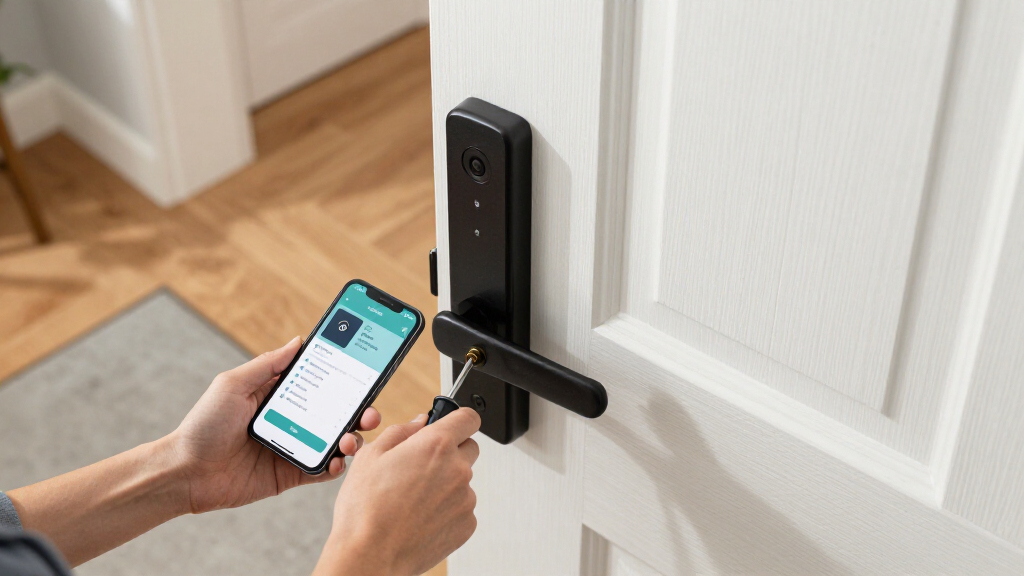
Most deadbolt-swap models are genuine DIY jobs — if you can use a screwdriver and your door has a standard bore hole, expect 20 to 40 minutes with no drilling. The handle sets are a different story: the DESLOC B200, Veise VE06-H, and Philips 4200 Series with handles require aligning two components, and doors with worn or misaligned strike plates can turn an afternoon project into a weekend one. Before buying, measure your backset (the distance from the door edge to the center of the bore) and door thickness. If either is non-standard, a locksmith visit is money well spent.
Is a full handle set worth the extra cost over a deadbolt-only smart lock?
Only if your existing handle needs replacing anyway. A matching handle set gives the front door a finished, cohesive look and lets you retire old tarnished hardware — but functionally, the deadbolt does all the security work, and a lever or knob adds nothing but aesthetics. The handle sets in this roundup (Veise VE06-H, DESLOC B200, Philips 4200 Series) cost roughly 30 to 60 percent more than comparable deadbolt-only models from the same brands. My rule: if the handle is fine, buy the better deadbolt; if the whole door hardware looks dated, a set like the Veise VE06-H makes sense.
Which smart locks work best with Apple HomeKit or a Matter setup?
The ULTRALOQ Bolt SE is the standout because it supports Matter over Thread natively, meaning it connects to Apple Home, Google Home, and Alexa through a Thread border router with no separate hub and no dependence on ULTRALOQ’s own app long-term. Most other Wi-Fi locks here — the Wyze, Philips, TEEHO, and DESLOC models — work through their manufacturer apps and offer Alexa and Google voice control, but Apple HomeKit support is rare at these prices. The Yale Assure Lock 2 offers module-based upgrade paths, which is a good middle ground if you might change ecosystems later. If Apple Home is your hub of record, let that drive your shortlist before comparing anything else.
Conclusion
For best overall, the ULTRALOQ Bolt SE earns the top spot: fingerprint speed, Matter over Thread compatibility, and no hub requirement make it the most future-proof front door lock in this lineup. For best value, the Wyze Lock Bolt v2 delivers fingerprint and Wi-Fi access at a price that undercuts most rivals while giving up little in daily use. The Schlage Encode is my best premium pick for security-first buyers — legacy brand pedigree and proven deadbolt hardware justify the spend for anyone who views this as a security purchase first. For beginners and first-time smart lock owners, the TEEHO TE001 is the gentlest entry point: a simple keypad deadbolt with no fingerprints to enroll and no ecosystem to learn. And for specific needs: choose the DESLOC B200 or Veise VE06-H if you want a complete handle-set makeover, the Yale Assure Lock 2 for rental property code management, and the Philips fingerprint deadbolt if you want biometric speed in a polished, app-connected package. Whatever you pick, prioritize the physical lock quality and backup entry methods over app gimmicks — the front door deserves the boring stuff done right.
Fall Picks
fall essentials
As an affiliate, we earn on qualifying purchases.