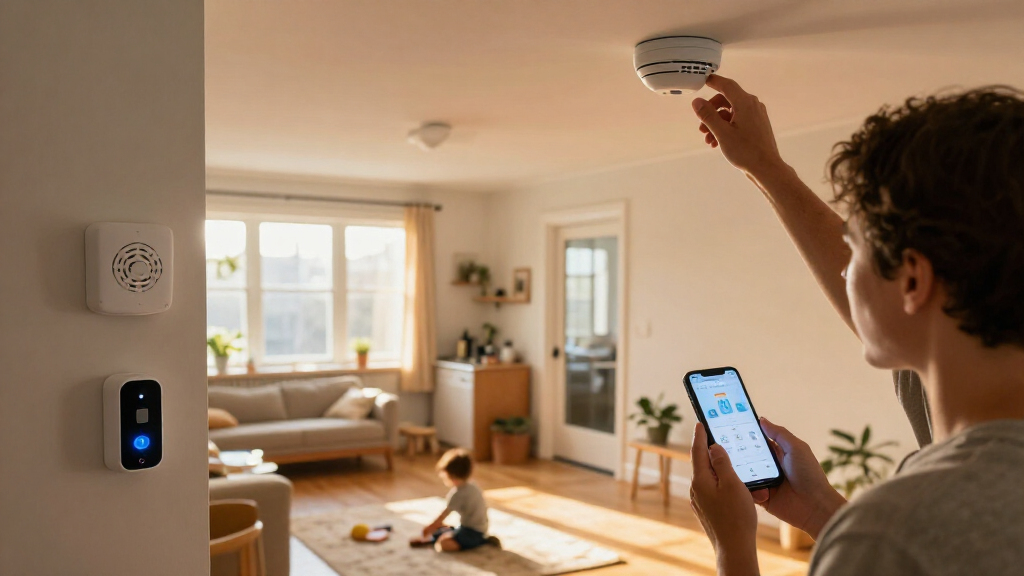

This checklist is for homeowners and renters choosing devices for everyday home safety. The six picks cover smoke and carbon monoxide detection, leak alerts, entry monitoring, door access, and indoor camera coverage.

Get home appliances delivered free with Prime
- Fast, free delivery on millions of items
- Prime Video, Amazon Music and more included
- Member-only deals all year
Each section focuses on one device slot and the product named for it. The advice is organized around fit and compatibility: where the device will go, how it connects, and what to confirm before choosing.
Use the checklist to compare each pick with your home’s existing wiring, network, doors, and monitoring needs. Before buying, check the product details for installation requirements, supported features, and whether the included components match the coverage you want.
Smart smoke detector
A smoke detector belongs in a safety checklist because its basic role is to alert occupants to smoke. The listed pick, the X-Sense SC01-W Interconnected Smoke and Carbon Monoxide Detector Combo, combines smoke and carbon monoxide detection in one named device. Before choosing a combo, decide whether you want both functions at the same locations or prefer separate devices for different areas. Check the product information for how interconnection works and which devices can join the system.
A common buying mistake is assuming that a product labeled smart will work with a preferred app, hub, or household system. Confirm the supported connectivity and alert options directly in the product details. Also check the power arrangement and installation instructions; do not assume a device replaces existing alarms or satisfies local requirements. For placement, follow the manufacturer’s guidance and applicable local safety guidance, and consider access for testing and maintenance. Placement and upkeep matter alongside the device choice.
Compare the detector’s dimensions and mounting method with the intended location, and verify what is included in the package. If you need several alarms to communicate, confirm the compatible models and any setup steps before purchase. A combo can simplify the device list, but only when its functions, connection method, and installation suit the home.
What to look for:
- Confirm smoke and carbon monoxide detection are both included.
- Check the power source and mounting instructions.
- Verify which devices can interconnect.
- Review supported app, network, or hub requirements.
- Follow placement and maintenance guidance from the manufacturer.
X-Sense SC01-W Interconnected Smoke and Carbon Monoxide Detector Combo, 6-Pack

This six-pack of wireless interconnected alarms detects smoke with photoelectric sensors and carbon monoxide with electrochemical sensors. Each unit has a sealed lithium battery rated for 10 years, and alarms can link with up to 18 units over a range of 820 feet.
Pros:
- Sealed 10-year battery avoids routine battery replacement
- Linked alarms sound together to alert occupants across multiple floors
- Dual sensors detect smoke and carbon monoxide
Cons:
- Does not support Wi-Fi
- Not hardwired
Best for: Households seeking a named smoke and carbon monoxide combo
Not ideal for: Homes needing separate placement or a different connection setup
Bottom line: Confirm its power, interconnection, and placement requirements before choosing this combo.
Smart carbon monoxide detector
Carbon monoxide detection is a distinct checklist slot because households may want to assess its placement and coverage separately from smoke detection. The named pick is the Siterlink Hardwired Smoke and Carbon Monoxide Detector, 6-Pack, which identifies both detection types and a hardwired format. The six-pack designation is a prompt to check the package contents and plan where each unit would be installed, rather than assume that every location needs the same device.
The key fit question is the existing electrical setup. “Hardwired” makes compatibility with the home’s wiring and installation requirements especially important. Review the product instructions and consult a qualified installer when needed; do not assume the units can directly replace devices already in place. Check whether backup power is included and how the detectors communicate, since those details are not established by the product name. Wiring compatibility should be confirmed before planning a multi-unit installation.
A common mistake is choosing a pack based only on unit count. Map the intended locations, compare them with manufacturer placement guidance and local requirements, and verify that the package supports the coverage plan. Check dimensions, mounting, test and maintenance steps, and any compatibility limits. The product name also includes smoke detection, so decide whether that combination suits the locations where these units will go.
What to look for:
- Verify the home’s wiring matches the hardwired requirement.
- Check package contents and plan locations for all units.
- Confirm backup power details in the product documentation.
- Review communication or interconnection compatibility.
- Follow installation, placement, and testing instructions.
Siterlink Hardwired Smoke and Carbon Monoxide Detector, 6-Pack

This hardwired smoke and carbon monoxide alarm set includes six units with sealed 10-year batteries and bilingual English and French voice alerts. The alarms interconnect so that when one detects smoke or carbon monoxide, all connected alarms sound; photoelectric sensing is designed to reduce cooking-related false alarms.
Pros:
- Combines smoke and carbon monoxide detection
- Interconnected alarms sound together
- Sealed 10-year battery reduces replacement upkeep
- Bilingual voice alerts in English and French
Cons:
- Hardwired installation may require existing wiring
- Cooking can still trigger alarms despite false-alarm reduction design
Best for: Homes planning compatible hardwired detector locations
Not ideal for: Installations without matching wiring or suitable placement
Bottom line: Confirm wiring, backup power, and placement details before planning around the six-pack.
Smart water leak sensor
Leak sensors can help monitor areas where an unnoticed water leak would be a concern. The pick here is the YoLink Water Leak Sensor Kit with Hub, 6 Sensors. Its name specifies a hub and six sensors, so start by listing the places you want to monitor and checking whether the included count fits that plan. Consider areas near water sources or appliances, then use the manufacturer’s placement instructions to determine suitable locations.
A frequent mistake is treating sensors as useful without confirming how they communicate with the hub or how alerts reach the household. Check the required app, network connection, hub setup, and alert configuration in the product details. The name does not establish the communication range, notification method, or compatibility with other smart home systems, so verify those before buying. Hub placement and connectivity can affect whether the planned arrangement works as expected.
Check sensor dimensions and whether the intended floor or surface is suitable according to the instructions. Confirm the power source, maintenance needs, and what the kit includes. If you want to place sensors across multiple floors or far apart rooms, verify the supported range rather than assuming the hub will cover every location. A simple location map helps avoid buying a kit that does not match the home’s layout or alert preferences.
What to look for:
- Confirm the kit includes the hub and six sensors.
- Verify hub connectivity, app needs, and alert options.
- Check supported range for planned sensor locations.
- Review power and maintenance requirements.
- Match sensor placement to manufacturer guidance.
YoLink Water Leak Sensor Kit with Hub, 6 Sensors

This plug-and-play kit includes one hub and six leak sensors for monitoring areas such as sinks, water heaters, laundry rooms, and sump areas. Long-range LoRa connectivity supports app, email, and text alerts, while local sensor-to-device control can trigger compatible sirens or shutoff valves during internet outages.
Pros:
- Includes six sensors and a hub for broad coverage
- Long-range connectivity for areas where Wi-Fi struggles
- Can trigger compatible devices locally during internet outages
- Supports app, email, and text alerts
Cons:
- Sensors have no built-in siren
- Audible or spoken alerts require a compatible siren or SpeakerHub
Best for: Households planning several leak-monitoring locations
Not ideal for: Setups that cannot accommodate the hub or its connectivity needs
Bottom line: Map sensor locations and verify hub range and alert setup before purchasing.
Video doorbell
A video doorbell is the entryway-focused pick in this checklist. The named model, Tapo D260 4K Smart Video Doorbell, identifies video capture and a smart doorbell format. Before choosing it, consider the actual door area, the view you need, and how visitors approach the entry. Review the product specifications for the field of view, mounting options, and any requirements that could affect the view at your doorway.
One common mistake is assuming the doorbell will fit existing wiring or a preferred chime and app. Check whether the product supports the home’s current wiring, chime arrangement, and network, and review setup instructions before removing an existing unit. The product name alone does not establish power options, storage, subscription requirements, or smart home integrations, so verify each feature that matters to you. Doorway compatibility includes both installation and the view from the chosen mounting position.
Measure the available mounting space and check whether the doorframe or nearby wall could obstruct the camera. Consider lighting and the household’s notification preferences, then confirm these are supported in the official details. Review what is included in the box and whether additional components are needed for your setup. For renters, check mounting rules and whether the installation can be reversed. A well-matched doorbell should suit both the entry and the home’s connectivity.
What to look for:
- Check wiring, power, and chime compatibility.
- Review field of view and mounting dimensions.
- Verify network, app, and smart home support.
- Confirm storage and subscription details that apply.
- Check included parts and mounting permissions.
Tapo D260 4K Smart Video Doorbell

The Tapo D260 captures 4K video with a 180° diagonal field of view, radar motion detection, and AI recognition for people, pets, vehicles, and packages. It supports battery-powered or hardwired installation, two-way audio, color night vision, and local microSD storage up to 512 GB.
Pros:
- Sharp 4K video with a wide field of view
- Battery or hardwired installation options
- AI activity detection and radar help reduce irrelevant alerts
- Local microSD storage is available without a subscription
Cons:
- microSD card is sold separately
- 24/7 recording requires hardwired installation
- Facial recognition is unavailable in Illinois and Texas
Best for: Households seeking a smart video doorbell for the main entry
Not ideal for: Doorways with incompatible wiring or limited mounting space
Bottom line: Verify power, chime, network, and mounting fit against the product specifications.
Smart door lock
A smart lock affects both daily access and the physical fit of a door, so compatibility deserves careful attention. The pick is the eufy Security Video Smart Lock E40 with Facial Recognition. Its name combines a smart lock, video, and facial recognition, but the product details should clarify which features are included, how they are configured, and what conditions they require.
Start by identifying the lock type already installed and measuring the door, backset, thickness, and available clearance. Compare those measurements with the manufacturer’s requirements. A common mistake is assuming a smart lock fits any door or works with an existing deadbolt without modification. Also verify the required power source, network or hub setup, app support, and backup access method. Physical fit and fallback access are central checks before changing a primary entry lock.
Consider who will use the lock and whether the listed recognition feature suits the household’s preferences. Review how user access is managed, what video functions are available, and which privacy or account settings can be configured; confirm these points in the official documentation rather than inferring them from the name. Check installation steps and whether the door needs to be aligned or adjusted for smooth operation. If the door or lock is unusual, confirm fit with the manufacturer or installer before purchase.
What to look for:
- Measure door thickness, backset, and lock clearance.
- Confirm lock type and installation compatibility.
- Verify power, connectivity, and backup entry method.
- Review how recognition, video, and user access work.
- Check privacy settings and installation requirements.
eufy Security Video Smart Lock E40 with Facial Recognition

This smart deadbolt combines facial recognition, a 2K camera, a video doorbell, and a keypad for keyless entry and visitor monitoring. It includes 32GB of local storage, supports Matter and major smart home platforms, and has rechargeable and backup batteries.
Pros:
- Facial recognition offers convenient keyless entry
- Combines a lock, video doorbell, and 2K camera
- 32GB local storage with no monthly subscription required
- Rechargeable battery is rated for up to 6 months
Cons:
- Not compatible with mortise locks or some non-standard deadbolts
- Camera streams are not supported through Matter
Best for: Households seeking a connected lock with video features
Not ideal for: Doors that do not match its installation requirements
Bottom line: Measure the door and verify power, access fallback, and feature requirements before buying.
Indoor security camera
An indoor camera can provide a view of selected interior spaces, making coverage planning the first step in this checklist slot. The pick is the Anona 4K UHD Indoor Security Camera, 4-Pack. The product name identifies indoor cameras and a four-pack, so decide which rooms or areas you want to cover and whether four units are appropriate for that layout.
A common mistake is choosing cameras by resolution alone without checking field of view, mounting, connectivity, and how footage is handled. Review the product details for app and network requirements, storage options, recording controls, and any account or subscription conditions. The product name does not establish whether the cameras pan, tilt, or support particular alerts, so verify the functions you care about. Coverage and privacy settings should guide where each camera goes.
Check camera dimensions, power needs, mounting options, and the distance to available outlets or network coverage. Think through room layout and obstructions, then confirm viewing angles in the specifications. For privacy, identify spaces where recording is appropriate and review controls for disabling or limiting capture. Also check whether the four units need individual setup and whether they can be managed together. Matching the pack to the home means considering both coverage and the effort of installation and ongoing use.
What to look for:
- Plan locations and confirm the four-unit count suits them.
- Review field of view, mounting, and camera dimensions.
- Verify network, app, and footage storage requirements.
- Check power needs and outlet access.
- Review recording controls and privacy settings.
Anona 4K UHD Indoor Security Camera, 4-Pack

This four-camera indoor security system records in 4K UHD and offers 8× digital zoom, 360° pan, 110° tilt, and motion auto-tracking. AI detection can alert you to people, pets, and baby crying; cameras also support two-way audio, dual-band Wi-Fi 6, and local microSD or encrypted cloud storage.
Pros:
- 4K video with 8× zoom
- Pan, tilt, and auto-tracking help cover a room
- Detects people, pets, and baby crying
- Offers local and cloud storage options
Cons:
- MicroSD card is not included
- Video frame rate is 15 fps
Best for: Households planning coverage across several indoor areas
Not ideal for: Homes without suitable power or network coverage at target locations
Bottom line: Plan camera positions and verify connectivity, storage, and privacy controls before setup.
Use a budget-first buying order by starting with the safety functions and locations your household needs, then compare the required wiring, connectivity, and installation effort. Check package contents and any ongoing service requirements in the product details so the full setup fits your plan. Coverage and compatibility are practical priorities when deciding what to buy first.
Work through one device slot at a time, verify each manufacturer’s instructions, and choose placements that suit your home and routines. A careful checklist makes it easier to spot missing requirements before installation. Thoughtful planning can help you build a setup that feels manageable and useful.