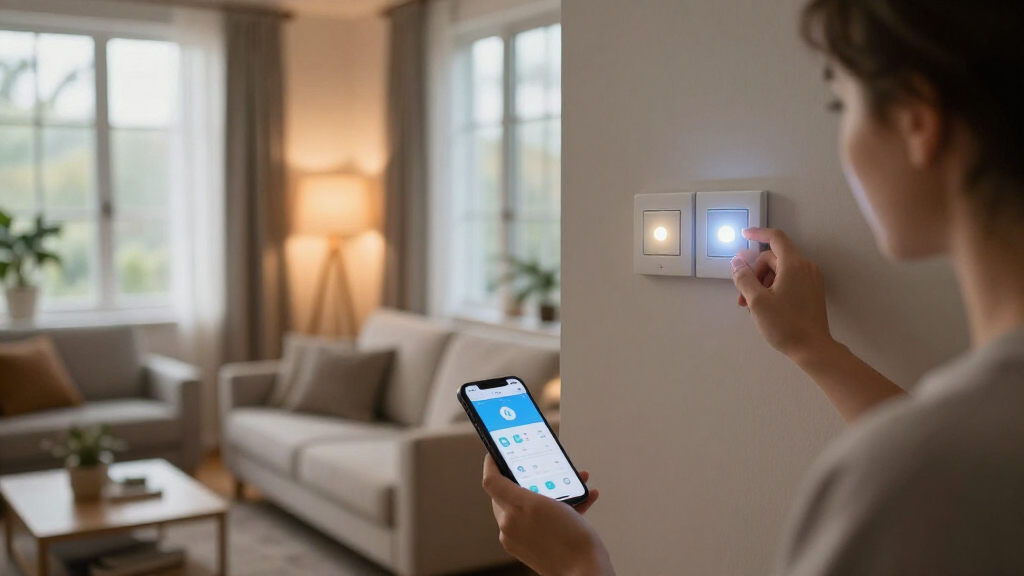

Smart home lighting systems range from full ecosystem kits like the Philips Hue Smart Light Starter Kit to budget-friendly multi-packs that get 80% of the way there for a third of the price. My top overall pick is the Philips Hue Starter Kit with Bridge, because the included hub unlocks the most reliable automations, widest accessory ecosystem, and best color consistency available. If you want maximum impact per dollar, the Govee RGBIC Smart Ceiling Light and OREiN Matter Smart Bulbs deliver scene lighting and Matter compatibility without a subscription or hub. The core tradeoff in this category is ecosystem depth versus simplicity: hub-based systems cost more upfront but scale cleanly to 50+ lights, while Wi-Fi bulbs are cheap and easy but can clog your network and rely on cloud connections. Keep reading for the full ranked breakdown, including which budget picks actually rival the premium options.

Get home appliances delivered free with Prime
- Fast, free delivery on millions of items
- Prime Video, Amazon Music and more included
- Member-only deals all year
Complete the kit


Key Takeaways
- The Philips Hue Starter Kit won best overall because its dedicated Bridge is the only option here that reliably supports advanced automations, away-from-home scenes, and stable performance as your system grows past 10 bulbs.
- Matter compatibility is now available at budget prices — the OREiN and Cync picks prove you no longer need to buy premium to get a hub-free system that works across Alexa, Google, and Apple Home.
- Light strips diverged sharply on purpose: the Kasa KL400L5 suits clean accent lighting under cabinets and behind TVs, while the Cync strip leans harder into room-decor color effects at a similar price.
- The Tapo daylight bulbs and Hue Essential A19 pack show that white-only smart bulbs cost less, run cooler, and dim more smoothly than color bulbs — color is a feature many buyers pay for and rarely use.
- Budget multi-packs (Linkind 8-pack, DAYBETTER) are the best raw value per bulb, but they skip Matter, which matters if you plan to switch voice assistants or add Apple Home later.
| Govee Smart Ceiling Light, RGBIC 2400LM 2700K-6500K 12 Inch |  | Best Whole-Room Ambiance | Brightness: 2400 lumens | Color Temperature: 2700K-6500K | Wattage: 24 watts | VIEW LATEST PRICE | See Our Full Breakdown |
| Philips Hue Smart Light Starter Kit – Bridge and 4 Color Bulbs |  | Best Premium Ecosystem | Includes: 1 Hue Bridge, 4 A19 bulbs | Bulb Equivalency: 75W per bulb | Base Type: A19 E26 | VIEW LATEST PRICE | See Our Full Breakdown |
| Kasa Smart LED Light Strip, RGB, 16.4ft (KL400L5) |  | Best Value Light Strip | Length: 16.4 ft | Colors: RGB multicolor | Control: App, Alexa, Google Assistant | VIEW LATEST PRICE | See Our Full Breakdown |
| OREiN Matter Smart Light Bulb, A19 RGBTW, 4 Pack |  | Best Hub-Free Color Bulbs | Color Modes: RGBTW, 16 million colors | Color Temperature: 1800K-6500K | Brightness: 60W equivalent | VIEW LATEST PRICE | See Our Full Breakdown |
| Cync GE Smart LED Strip Light, Color Changing, 16 Feet |  | Best Strip for Warm-to-Cool Whites | Length: 16 feet | White Color Temperature: 2000K-7000K | Connectivity: Wi-Fi 2.4GHz | VIEW LATEST PRICE | See Our Full Breakdown |
| TP-Link Tapo Smart Light Bulbs, Natural Daylight, Dimmable, 4-Pack |  | Best for Everyday White Lighting | Light Type: LED | Base: E27 | Brightness: 800 lumens (60W equivalent) | VIEW LATEST PRICE | See Our Full Breakdown |
| PureOptics LED Smart Under Cabinet Lighting Kit with Alexa Compatibility |  | Best Task Lighting Pick | Light Bars: 6 bars, 9 inches each | Brightness: 335 lumens per bar | Color Temperature: 3000K / 4000K / 5000K selectable | VIEW LATEST PRICE | See Our Full Breakdown |
| Linkind WiFi Smart Light Bulbs, 16M Color, Dimmable, 8 Pack |  | Best Value Bulk Buy | Light Type: LED A19 | Base: E26 | Brightness: 800 lumens (60W equivalent) | VIEW LATEST PRICE | See Our Full Breakdown |
| Kasa Multicolor Dimmable Wi-Fi Smart Bulb, A19, KL125P4 |  | Best App Experience | Light Type: LED A19 | Base: E26 | Wattage: 9 watts (60W equivalent) | VIEW LATEST PRICE | See Our Full Breakdown |
| Philips Hue Essential Smart LED A19 Bulb, 4-Pack |  | Best Ecosystem Pick | Bulbs Included: 4 (A19) | Compatibility: Alexa, Google Assistant, Apple Home | Colors: Millions of colors plus preset scenes | VIEW LATEST PRICE | See Our Full Breakdown |
| DAYBETTER A19 E26 Smart Light Bulbs, Compatible with Alexa & Google Home |  | Best Budget Color Bulbs | Base: E26 | Wattage: 9W | Brightness: 800 lumens | VIEW LATEST PRICE | See Our Full Breakdown |
| smart home lighting system | Brightness | Color Temperature | Connectivity |
|---|---|---|---|
| Govee Smart Ceiling Light | 2400 lumens | 2700K-6500K | Wi-Fi, Bluetooth, Matter |
| Philips Hue Smart Light Starte | — | — | — |
| Kasa Smart LED Light Strip | — | — | — |
| OREiN Matter Smart Light Bulb | 60W equivalent | 1800K-6500K | 2.4GHz Wi-Fi, Matter |
| Cync GE Smart LED Strip Light | — | — | Wi-Fi 2.4GHz |
| TP-Link Tapo Smart Light Bulbs | 800 lumens (60W equivalent) | 4000K daylight | WiFi 2.4GHz only |
| PureOptics LED Smart Under Cab | 335 lumens per bar | 3000K / 4000K / 5000K selectable | — |
| Linkind WiFi Smart Light Bulbs | 800 lumens (60W equivalent) | — | Bluetooth + WiFi 2.4GHz |
| Kasa Multicolor Dimmable Wi-Fi | — | 2500K–6500K tunable, 16M colors | WiFi 2.4GHz |
| Philips Hue Essential Smart LE | — | — | — |
| DAYBETTER A19 E26 Smart Light | 800 lumens | 2700K to 6500K plus RGB | — |
More Details on Our Top Picks
Govee Smart Ceiling Light, RGBIC 2400LM 2700K-6500K 12 Inch
Govee’s flush-mount ceiling fixture is the only option in this lineup that lights an entire room from a single install. With 2400 lumens of main light plus an RGBIC backlight that washes color across the ceiling, it replaces a dumb ceiling light rather than supplementing one — something no bulb or strip here can claim. Compared with the Philips Hue starter kit, you lose the ecosystem maturity and granular scene library, but you gain segmented color control and circadian scheduling without buying four separate bulbs. The tradeoffs are real: the main light and backlight can’t run simultaneously, external dimmer switches won’t work, and ceiling mounting is a bigger commitment than screwing in a bulb. This pick makes the most sense for renters-free homeowners who want one-and-done room lighting.
Pros:- 2400 lumens from a single fixture replaces a whole room’s overhead lighting
- RGBIC backlight with segmented control creates richer effects than single-zone strips
- Works across Matter, Alexa, Google, and SmartThings
- Circadian lighting automates color temperature shifts throughout the day
Cons:- Main light and backlight cannot operate at the same time
- Incompatible with external dimmer switches and requires ceiling installation
Best for: Homeowners upgrading a bedroom or living room ceiling fixture who want bold color effects without building a multi-bulb system
Not ideal for: Renters or anyone with a dimmer-switch setup — the fixture needs hard ceiling mounting and app-based dimming only
- Brightness:2400 lumens
- Color Temperature:2700K-6500K
- Wattage:24 watts
- Colors:16 million (RGBIC backlight)
- Connectivity:Wi-Fi, Bluetooth, Matter
- Compatible Platforms:Alexa, Google Assistant, Apple HomeKit, SmartThings
- Size:12 inches, flush mount
Our verdict“Buy this if you want dramatic whole-room color from one ceiling install; skip it if you’re renting or prefer incremental bulb-by-bulb upgrades.”
Philips Hue Smart Light Starter Kit – Bridge and 4 Color Bulbs
Philips Hue remains the benchmark smart lighting ecosystems are measured against, and this kit is the on-ramp. The included Hue Bridge unlocks the platform’s full power — reliable away-from-home control, rock-solid scheduling, and the deepest library of dynamic scenes of anything in this roundup. Compared with the OREiN Matter bulbs, which skip the hub entirely, Hue costs noticeably more upfront but delivers a stability and polish that budget brands still chase. The 75W-equivalent color bulbs fit standard E26 fixtures, so you can start with lamps and expand to every room later. The honest tradeoff: this is the most expensive way to get four color bulbs, and the Bridge needs a wired router port. If you value a system you’ll grow into rather than out of, that premium buys long-term sanity.
Pros:- Most mature ecosystem with the widest scene and accessory ecosystem
- Bridge enables dependable remote control and advanced automations
- Works with Alexa, Google Assistant, and Apple HomeKit equally well
- Four-bulb kit provides an easy expansion path room by room
Cons:- Highest price per bulb in this roundup
- Bridge requires a free Ethernet port on your router
Best for: Smart home enthusiasts building a long-term, expandable lighting system across the whole house
Not ideal for: Budget-conscious buyers or casual users who just want a couple of color bulbs — the bridge cost is wasted on small setups
- Includes:1 Hue Bridge, 4 A19 bulbs
- Bulb Equivalency:75W per bulb
- Base Type:A19 E26
- Compatibility:Alexa, Google Assistant, Apple HomeKit
- Control:App, voice, presets, dynamic effects
- Hub Required:Included Bridge
Our verdict“This is the pick for buyers who want a lighting platform for the next five years, not just a gadget for one lamp.”
Kasa Smart LED Light Strip, RGB, 16.4ft (KL400L5)
This Kasa strip hits the sweet spot between price and polish. It undercuts the Cync GE strip on complexity while offering animated effects, grouping with other Kasa devices, and 3M adhesive backing that actually holds. Unlike the Govee ceiling light’s whole-room approach, this is accent lighting — behind a TV, under shelves, along a headboard — and at 16.4 feet it covers most single-wall projects in one piece. Setup is refreshingly direct if you already own Kasa or Tapo gear, since everything lives in one app. The compromises: the strip must be connected in the indicated direction (cut it wrong and dead segments follow), and animated effects are simpler than the multi-zone choreography pricier strips offer. For a first dip into accent lighting without ecosystem lock-in costs, this is the value leader in the strip category here.
Pros:- Strong brightness and color saturation for the price
- Integrates with Kasa smart actions and device grouping
- Cuttable and bendable to fit custom spaces with reliable 3M adhesive
Cons:- Must be connected in a specific direction or it won’t power correctly
- Full automation features limited to the Kasa ecosystem
Best for: First-time accent-lighting buyers, especially those already in the Kasa or TP-Link ecosystem
Not ideal for: Buyers wanting advanced multi-zone color gradients — this strip’s effects are more basic than premium options
- Length:16.4 ft
- Colors:RGB multicolor
- Control:App, Alexa, Google Assistant
- Effects:Animated lighting effects
- Mounting:3M adhesive backing
- Trimming:Cuttable and bendable
Our verdict“The smart choice if you want dependable accent lighting on a budget, particularly alongside other Kasa devices.”
OREiN Matter Smart Light Bulb, A19 RGBTW, 4 Pack
OREiN’s Matter-native bulbs answer the question the Philips Hue kit raises: do you really need a bridge? For most buyers, no. These bulbs connect directly over 2.4GHz Wi-Fi and pair with every major platform simultaneously — Alexa, Google, Apple Home, and SmartThings — which even Hue’s hubless bulbs struggle to match cleanly. The 1800K-6500K white range is wider than most competitors, reaching genuinely candle-warm tones, and a CRI of 90+ means colors in your room look accurate rather than washed out. Compared with the Linkind 8-pack, you get fewer bulbs but better platform flexibility via Matter. The downsides: no 5GHz network support, flickering with legacy dimmer switches, and a setup process that can frustrate first-timers. This option stands out for multi-platform households that refuse to pick one assistant.
Pros:- Matter support means true cross-platform compatibility without a hub
- Wide 1800K-6500K white range with CRI 90+ color accuracy
- Music sync and 16 million colors at a competitive four-pack price
- 25,000-hour rated lifespan
Cons:- 2.4GHz Wi-Fi only — incompatible with 5GHz networks
- Incompatible with traditional dimmer switches, causing flicker
- Setup process can confuse smart home newcomers
Best for: Multi-platform households mixing Alexa, Google, and Apple Home who don’t want a hub or ecosystem commitment
Not ideal for: Homes with older dimmer switches or 5GHz-only networks — expect flickering and connectivity problems
- Color Modes:RGBTW, 16 million colors
- Color Temperature:1800K-6500K
- Brightness:60W equivalent
- Wattage:9W per bulb
- Connectivity:2.4GHz Wi-Fi, Matter
- Compatibility:Alexa, Google Home, Apple Home, SmartThings
- Lifespan:25,000 hours
- CRI:90+
Our verdict“The best hub-free color bulb pick if your household runs more than one voice assistant.”
Cync GE Smart LED Strip Light, Color Changing, 16 Feet
Where the Kasa KL400L5 focuses on saturated RGB color, the Cync GE strip quietly outclasses it on the white side: a 2000K-7000K range that spans candlelight to daylight, wider than nearly anything else in this roundup. That matters if the strip will double as task or ambient white lighting behind a desk or kitchen counter, not just decoration. No hub is needed — Wi-Fi direct with Alexa, Google, and Matter support — and scheduling plus out-of-home control come standard in the app. The flexible control options (app, voice, remote, or a physical switch) give it more input variety than the Kasa. Tradeoffs: it’s locked to 2.4GHz Wi-Fi, the app setup has a learning curve, and skipping a hub limits some advanced automation that Hue-style systems handle. This model is better suited to function-plus-decor lighting than pure party effects.
Pros:- Exceptional 2000K-7000K white range for functional lighting
- Four control methods: app, voice, remote, and wall switch
- Hub-free Matter-compatible setup with scheduling and out-of-home control
Cons:- Requires 2.4GHz Wi-Fi for smart features
- App setup can be unintuitive for new users
Best for: Buyers who want a strip that handles everyday white ambient lighting as well as color decoration
Not ideal for: Tinkerers wanting deep multi-zone automation — hubless operation caps the advanced features
- Length:16 feet
- White Color Temperature:2000K-7000K
- Connectivity:Wi-Fi 2.4GHz
- Compatibility:Alexa, Google Home, Matter
- Control:App, voice, remote, switch
- Features:Scheduling, light shows, out-of-home control
Our verdict“Pick this over RGB-first strips if your strip needs to work as everyday white lighting, not just decoration.”
TP-Link Tapo Smart Light Bulbs, Natural Daylight, Dimmable, 4-Pack
Not every room needs a rainbow. This Tapo 4-pack focuses on doing natural daylight lighting exceptionally well, with a CRI above 90 that renders colors more faithfully than the Linkind or Kasa multicolor bulbs — a real difference if you read, cook, or apply makeup under these lights. Compared with the Kasa KL125P4, the Tapo bulbs sacrifice colorchanging entirely, but in exchange you get real-time energy monitoring in the app and the polished Tapo ecosystem that plays nicely with Alexa, Google, and SmartThings. Dimming down to 1% makes them genuinely useful as bedside bulbs. The tradeoff is real: no color means no party scenes, and the E27 base plus 2.4GHz-only WiFi limits where and how you can deploy them.
Pros:- CRI above 90 gives noticeably truer color rendering than most budget smart bulbs
- Real-time energy monitoring helps track actual savings
- Dimming range from 1% to 100% suits both task and bedtime lighting
- Works across Alexa, Google Assistant, and SmartThings without a hub
Cons:- White-only — no color or tunable white options at all
- 2.4GHz WiFi only, which trips up modern mesh router setups
- E27 base limits compatibility with standard US E26 fixtures
Best for: Homeowners who want reliable, dimmable daylight white lighting for kitchens, offices, or reading spaces and don’t care about color effects
Not ideal for: Renters on 5GHz-only mesh networks — these bulbs won’t connect, and anyone wanting color-changing ambiance should look at the Linkind pack instead
- Light Type:LED
- Base:E27
- Brightness:800 lumens (60W equivalent)
- Color Temperature:4000K daylight
- CRI:>90
- Connectivity:WiFi 2.4GHz only
- Bulbs Included:4
- Key Features:Dimmable, scheduling, energy monitoring
Our verdict“The right pick if you want dependable, accurate white light with smart scheduling rather than a light show.”
PureOptics LED Smart Under Cabinet Lighting Kit with Alexa Compatibility
While every other product in this roundup screws into a socket, this kit solves a different problem: countertop and workspace illumination. The six 9-inch bars deliver flicker-free light at three selectable color temperatures (3000K, 4000K, 5000K), so you can match warm evening light or bright prep lighting in the same fixture — something the TP-Link Tapo bulbs can’t touch with their fixed 4000K output. Installation is tool-free, which matters if you’re a renter who can’t rewire anything. The built-in motion sensor is the standout: walk into the kitchen at night and the counters light themselves. The catch is that full smart control assumes an Alexa device in the home — Google users are left out — and the six-bar ceiling caps coverage for longer runs of cabinetry.
Pros:- Three adjustable white temperatures cover cozy to task-bright lighting
- Tool-free installation makes it genuinely renter-friendly
- Motion sensor adds hands-free convenience for nighttime use
- Flicker-free bars with 50,000-hour rated lifespan
Cons:- Requires an Alexa device for full smart functionality
- Six-bar limit may fall short for longer countertop runs
- CRI of 84 is weaker than the Tapo and Linkind bulbs for color accuracy
Best for: Renters and kitchen renovators who want app- and voice-controlled task lighting without drilling or wiring
Not ideal for: Google Home households — the kit leans on Alexa for full functionality — and larger kitchens needing more than six linked bars
- Light Bars:6 bars, 9 inches each
- Brightness:335 lumens per bar
- Color Temperature:3000K / 4000K / 5000K selectable
- CRI:84
- Lifespan:50,000 hours
- Control:Alexa voice, app, motion sensor
- Energy Use:85% less than incandescent
Our verdict“A niche but worthwhile pick when your lighting problem is under-cabinet, not overhead.”
Linkind WiFi Smart Light Bulbs, 16M Color, Dimmable, 8 Pack
Eight color-changing bulbs for the price many competitors charge for four makes this the budget play for whole-home ambiance. Where the Kasa KL125P4 and Philips Hue Essential packs give you four bulbs, Linkind doubles the count while still covering the basics: 16 million colors, 1800K–6500K tunable white, and a music sync mode that neither Kasa nor the Tapo bulbs offer. The tradeoffs are predictable at this price. Setup can be fiddlier than Kasa’s famously smooth onboarding, and music sync requires microphone permissions — a privacy ask some buyers won’t accept. Wi-Fi is 2.4GHz only, same as nearly everything else here, but Linkind’s app is less polished when you’re managing eight bulbs across multiple rooms at once.
Pros:- Eight-bulb count offers the best per-bulb value in this lineup
- Music sync creates dynamic effects without extra hardware
- Wide 1800K–6500K white range beats the fixed-temperature Tapo bulbs
- Grouping and scheduling support multi-room setups
Cons:- Music sync requires microphone permissions on your phone
- Initial setup and app experience are clunkier than Kasa’s
- 2.4GHz-only WiFi with no Matter support limits future-proofing
Best for: Budget-minded buyers outfitting multiple rooms with color lighting at once — dorms, apartments, first smart homes
Not ideal for: Privacy-sensitive users who won’t grant microphone access, or anyone wanting the most reliable app experience
- Light Type:LED A19
- Base:E26
- Brightness:800 lumens (60W equivalent)
- Colors:16 million colors, 1800K–6500K white
- CRI:90
- Connectivity:Bluetooth + WiFi 2.4GHz
- Bulbs Included:8
- Rated Life:25,000 hours
Our verdict“The most color bulbs per dollar here — accept some app friction and privacy tradeoffs to get it.”
Kasa Multicolor Dimmable Wi-Fi Smart Bulb, A19, KL125P4
What separates the KL125P4 from the cheaper Linkind 8-pack isn’t raw features — both do 16 million colors — it’s execution. Kasa’s app is among the most reliable and intuitive in the budget smart lighting category, with routines that actually fire on schedule and grouping that behaves predictably. The 2500K–6500K tunable white range extends warmer than Linkind’s, which matters for evening wind-down lighting. Add energy monitoring — something Linkind skips — and this becomes the smarter long-term buy despite the higher per-bulb cost. Against the Philips Hue Essential bulbs, Kasa needs no hub at all, though it gives up Hue’s ecosystem depth and Apple Home support. Note the reported occasional app connectivity hiccups, and the E26-only base.
Pros:- Kasa app is more reliable and easier to learn than Linkind’s or most budget rivals
- Built-in energy monitoring tracks real consumption
- 2500K–6500K white range goes warmer than competing budget bulbs
- No hub needed — works directly over WiFi with Alexa and Google
Cons:- Higher cost per bulb than the Linkind 8-pack
- Some users report intermittent app connectivity issues
- 2.4GHz WiFi only and no Apple HomeKit support
Best for: Buyers who prioritize a smooth, dependable app with scheduling and energy tracking over the lowest per-bulb price
Not ideal for: Apple Home users — there’s no HomeKit support, making the Hue Essential bulbs the better fit
- Light Type:LED A19
- Base:E26
- Wattage:9 watts (60W equivalent)
- Color Temperature:2500K–6500K tunable, 16M colors
- Connectivity:WiFi 2.4GHz
- Key Features:Dimmable, scheduling, energy monitoring, auto white
- Operating Range:5°F to 104°F, 10–90% RH
Our verdict“The safest mid-price pick if dependable software matters more than squeezing out maximum bulbs per dollar.”
Philips Hue Essential Smart LED A19 Bulb, 4-Pack
This is the bulbs-only on-ramp to the Philips Hue ecosystem, and that’s the entire reason to buy it. The Hue app’s preset scenes, reliability, and third-party integrations remain the benchmark that Kasa and Linkind are measured against, and — uniquely in this lineup — these bulbs support Apple Home alongside Alexa and Google. The catch: without the Hue Bridge, you’re getting a fraction of the experience, with limited features and no away-from-home control via the full app. Compared with the Hue Starter Kit elsewhere in this roundup, this 4-pack makes sense only if you already own a Bridge or plan to add one. The 2%–100% dimming range is class-leading for low-light scenes, but paying Hue prices while still needing extra hardware is a tradeoff budget buyers should weigh honestly.
Pros:- The most mature app, scenes, and third-party integrations in smart lighting
- Only bulbs in this lineup supporting Apple Home alongside Alexa and Google
- 2%–100% dimming range enables true low-light evening scenes
- Expansion path into the broader Hue accessory ecosystem
Cons:- Requires a separately purchased Hue Bridge for full functionality
- Premium pricing well above Kasa and Linkind per bulb
- Color options are limited without additional Bridge-based setup
Best for: Buyers already invested in a Hue setup, or Apple Home users who want premium scenes and the deepest integration library
Not ideal for: First-time smart lighting buyers on a budget — without a Bridge the feature set doesn’t justify the premium over Kasa or Linkind
- Bulbs Included:4 (A19)
- Compatibility:Alexa, Google Assistant, Apple Home
- Colors:Millions of colors plus preset scenes
- Dimming Range:2% to 100%
- Control:Hue app and voice control
- Hub Requirement:Hue Bridge needed for full features
Our verdict“Buy these if the Hue ecosystem is the destination — skip them if you’re not willing to add a Bridge.”
DAYBETTER A19 E26 Smart Light Bulbs, Compatible with Alexa & Google Home
DAYBETTER’s A19 bulbs are the entry point of this roundup, and that’s exactly their appeal: full RGB color, tunable white from 2700K to 6500K, scheduling, and music sync at a price that undercuts the Philips Hue Essential 4-Pack by a wide margin. Compared with the Kasa KL125P4, you give up Kasa’s more polished app ecosystem and slightly better reliability, but you gain music synchronization — a feature Kasa omits entirely. Compared with the OREiN Matter bulb, you lose Matter support, so HomeKit users should skip this one, but Alexa and Google Home households will find setup quick over 2.4GHz Wi-Fi and Bluetooth.
The tradeoffs are real: 2.4GHz-only connectivity will frustrate owners of modern mesh routers, and the DayBetter app locks you out of third-party platforms like Tuya and Smartlife. Physical dimmer switches are also off the table — a common budget-bulb limitation that can confuse first-time buyers.
Pros:- Very low cost per bulb makes whole-room color lighting affordable
- RGB plus tunable white (2700K-6500K) covers both ambiance and everyday tasks
- Music sync and scene presets add party-friendly features usually reserved for pricier kits
- Quick setup with Bluetooth-assisted pairing in the DayBetter app
Cons:- 2.4GHz-only Wi-Fi causes setup headaches on modern mesh networks
- Locked to the DayBetter app — no Tuya, Smartlife, or Matter compatibility
- Cannot be paired with physical dimmer switches, risking flicker or damage
Best for: Budget-conscious renters and students who want color-changing, voice-controlled bulbs in multiple rooms without paying premium prices
Not ideal for: Apple HomeKit users or households running 5GHz-only networks — this bulb supports neither Matter nor 5GHz Wi-Fi
- Base:E26
- Wattage:9W
- Brightness:800 lumens
- Color Temperature:2700K to 6500K plus RGB
- Wi-Fi Band:2.4GHz only
- Compatibility:Alexa, Google Home
- App:DayBetter App
- Control Options:Voice, App, Schedules, Scenes, Music Sync
Our verdict“Buy these if you want the cheapest way to add color and voice control to Alexa or Google Home, and skip them if you care about Matter, HomeKit, or 5GHz networks.”
How We Picked
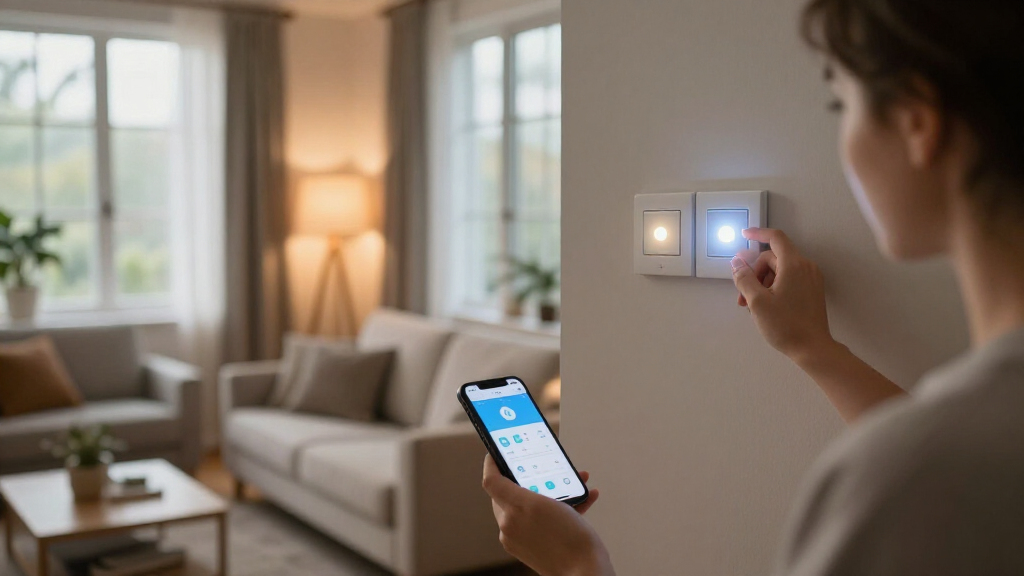
I evaluated each product as part of a whole-home lighting system, not as an isolated gadget. That meant judging ecosystem compatibility (Alexa, Google Home, Apple Home, and Matter), whether a hub or bridge is required, and how well each option scales from a single bulb to a multi-room setup. Reliability factors carried heavy weight: connection stability, cloud dependence, and how each product behaves when Wi-Fi drops. I also compared color quality, brightness output, dimming range, and how consistently bulbs in the same set match each other.
Price-per-fixture value separated the mid-tier from the budget picks, while setup friction determined the beginner-friendly rankings — a starter kit with a bridge that just works beats cheaper bulbs requiring app troubleshooting. Products are ordered to reflect a progression from full-featured ecosystems down to budget multi-packs, so the reader can stop reading at whichever tier matches their budget and ambition.
Factors to Consider When Choosing Smart Home Lighting Systems
Choosing a smart lighting system is less about individual bulbs and more about committing to an architecture. These are the factors that actually change how satisfied you’ll be two years from now.Hub vs. Hub-Free: The Decision That Shapes Everything
The single biggest fork in the road is whether your system uses a dedicated bridge. Hub-based systems like Philips Hue use the Zigbee protocol, which offloads bulb communication from your Wi-Fi router and keeps working through network outages and internet drops. Hub-free systems connect directly to your 2.4GHz Wi-Fi, which saves $50-60 upfront but means every bulb competes for bandwidth — fine for five lights, sluggish at thirty. A common mistake is buying cheap Wi-Fi bulbs for a whole-home project and then rebuilding with a hub a year later, spending more in total than the starter kit would have cost. My rule of thumb: under eight lights, go hub-free; over eight, budget for a bridge.
Matter Compatibility and Avoiding Ecosystem Lock-In
Matter is the interoperability standard that lets one bulb work natively with Alexa, Google Home, and Apple Home without cloud servers in between. Buying Matter-certified products (like the OREiN bulbs or Cync strip) protects you if you switch voice assistants or your favorite brand shuts down its cloud — something that has stranded buyers before. The mistake to avoid is assuming “works with Alexa” means Matter; many older bulbs use brand-specific cloud integrations that can degrade or disappear. If you already own Apple devices, Matter support is nearly mandatory, since HomeKit-certified options are otherwise rare and expensive. If you’re firmly committed to one assistant and plan to stay, this matters far less and budget picks become more attractive.
Color vs. White-Only: Where the Money Actually Goes
Color-changing bulbs typically cost 50-100% more than tunable white bulbs, yet most homeowners use color mode for a week and then settle into white and warm scenes. Paying for color makes sense in living rooms, home theaters, and behind TV areas; it’s wasted in closets, hallways, and bedrooms where tunable white covers 95% of real needs. Another overlooked distinction is RGBIC versus plain RGB in strips and ceiling fixtures — RGBIC lets multiple colors display on one strip simultaneously, which is what creates the gradient effects people actually associate with premium lighting. Check the white color range too: a 2700K-6500K span covers candlelight to daylight, while cheaper bulbs that stop at 4000K leave rooms feeling sterile with no warm option.
Brightness, Lumens, and Fixtures Per Room
Buyers frequently fixate on wattage equivalency, but lumens are what determine whether a room is actually usable. A 60W-equivalent bulb at 800 lumens works for a lamp; a ceiling fixture lighting a 12×14 room needs 1,600+ lumens or multiple bulbs, which is why the 2,400-lumen Govee ceiling light stands apart for main-room use. Also check dimming floor — a bulb that only dims to 30% can’t do the low, warm nighttime scenes that make smart lighting feel luxurious. And measure your light strip runs before buying: a 16.4-foot strip that falls four feet short of your TV wall means buying extensions or accepting a gap, and not all brands offer affordable extensions.
Scenes, Automations, and How You’ll Actually Use the System
The long-term satisfaction of smart lighting comes from automations — sunrise wake-up routines, motion-triggered hallway lights, “movie time” scenes that dim and warm every room at once. Before buying, check whether a product supports scheduling, geofencing (lights off when you leave), and third-party integrations like IFTTT or routines in your assistant’s app. Hub-based ecosystems generally offer the deepest automation options, while budget bulbs often limit you to basic schedules. A practical mistake is buying lights from three different brands and ending up with three separate apps that can’t coordinate scenes. Even within budget constraints, sticking to one brand per home makes the system feel unified rather than fragmented.
Cost-per-Bulb Math and When to Pay More
Smart lighting pricing is deceptive: an 8-pack of Linkind bulbs costs about the same per room as a single premium bulb, but the premium bulb will dim more smoothly, render color more accurately, and likely last through an ecosystem change. Calculate your realistic total project cost — 15 bulbs at $8 each versus 15 bulbs at $25 each is a $255 difference, which is exactly the price of a Hue starter kit with a bridge. Pay more when the light is central to daily life (main living spaces, bedrooms with wake-up routines); save on utility spaces. Watch for starter-kit bundles, which typically throw in the hub at a steep discount versus buying components separately, and remember that smart bulbs left in always-on sockets burn through their rated lifespan faster if you flip the wall switch off frequently.
Frequently Asked Questions
Do I need the Philips Hue Bridge, or can I use Hue bulbs without it?
Hue bulbs technically connect via Bluetooth without the bridge, but that limits you to about 10 bulbs, a 30-foot control range, no away-from-home control, and no advanced automations. The Bridge is what converts Hue from convenient bulbs into a genuine whole-home system — it enables schedules, geofencing, scenes across multiple rooms, and access to Hue’s motion sensors and dimmer accessories. If you’re starting with the 4-bulb starter kit, the bridge is already included, which is why that bundle is the entry point I recommend. Skipping the bridge only makes sense for a single lamp or small apartment setup where you don’t plan to expand.
Are cheap smart bulbs like DAYBETTER and Linkind safe to put on my Wi-Fi network?
Reputable budget brands that are UL-listed and work through Alexa and Google’s official integrations are generally fine for home use, but there are real caveats. Many rely on brand-owned cloud servers to process voice commands, which means slower response times and a dependency on that company staying in business. They also connect individually to your router, so a dozen bulbs add a dozen Wi-Fi clients — older routers can slow noticeably under that load. If security and longevity are priorities, Matter-certified options like OREiN keep traffic local, or stepping up to a Zigbee-based system removes the Wi-Fi burden entirely. For a handful of bulbs in a secondary space, the budget route is a reasonable tradeoff.
Is Matter worth prioritizing if I already use Alexa or Google Home?
If you’re happy with your current assistant and don’t see yourself switching, Matter’s benefit is modest — your existing integrations will keep working either way. Matter becomes valuable as insurance: it lets you move to Apple Home, replace a discontinued hub, or control lights locally without cloud round-trips. Matter devices also tend to respond faster because commands can stay on your network rather than routing through a brand’s servers. Given that Matter-certified bulbs like the OREiN 4-pack now cost roughly the same as non-Matter budget bulbs, there’s little reason to buy the older standard at this point. The exception is deep-sale pricing on legacy products, where the savings can justify the compromise.
What’s the best starting point — bulbs, a light strip, or a ceiling fixture?
Start with whichever room frustrates you daily, because that’s where you’ll actually notice the improvement and build the habit of using the system. For most people that’s the living room or bedroom, where a 4-pack of smart bulbs covers lamps and fixtures for immediate scene lighting. Light strips are the best “wow per dollar” addition — behind a TV or under kitchen cabinets delivers dramatic effect with zero electrical work. A smart ceiling fixture like the Govee makes sense when you’re replacing dated lighting anyway or want a statement piece in a game room. The mistake to avoid is buying one of everything at once; start with one room, learn your automation habits, then scale with the same ecosystem.
Can I mix brands in one smart lighting setup, or should I stick to one?
You can absolutely mix brands — Alexa and Google Home routines can control bulbs from different manufacturers in a single command or scene. The friction appears in the details: color calibration varies between brands, so a “warm white” scene may look slightly different on each, and you’ll juggle multiple apps for firmware updates and fine-tuning. Matter reduces this problem considerably since devices share a common control standard, which is one reason I lean toward Matter products for mixed setups. My practical advice is to pick one primary brand per function — one for bulbs, one for strips — rather than shopping by best price each time. The Philips Hue ecosystem earns its premium precisely because everything coordinates natively, but a disciplined mixed setup can get close for much less.
Conclusion
The right pick depends entirely on your ambition level. For best overall, the Philips Hue Smart Light Starter Kit remains the system to beat — the included Bridge makes it the only option here that scales gracefully into a whole-home lighting platform. For best value, the Linkind 8-pack and DAYBETTER bulbs deliver functional smart lighting at the lowest cost per fixture, while the Tapo 4-pack is the smart buy if you want excellent white-light quality without paying for color. Beginners should start with the OREiN Matter bulbs — hub-free, future-proof, and forgiving if you change assistants later.
For specific needs: the Govee RGBIC Ceiling Light is the standout statement piece for game rooms and bedrooms, the Kasa KL400L5 strip handles clean accent lighting, the Cync strip wins for bold room-decor color, and the PureOptics under-cabinet kit solves the kitchen workspace problem no bulb can. If you simply want premium white bulbs without a hub, the Hue Essential A19 4-pack bridges that gap. Whatever you choose, buy for the system you’ll have in two years, not the room you’re lighting this weekend.