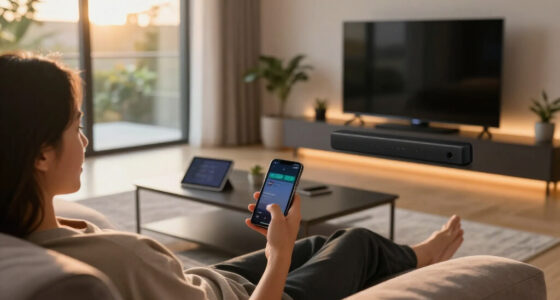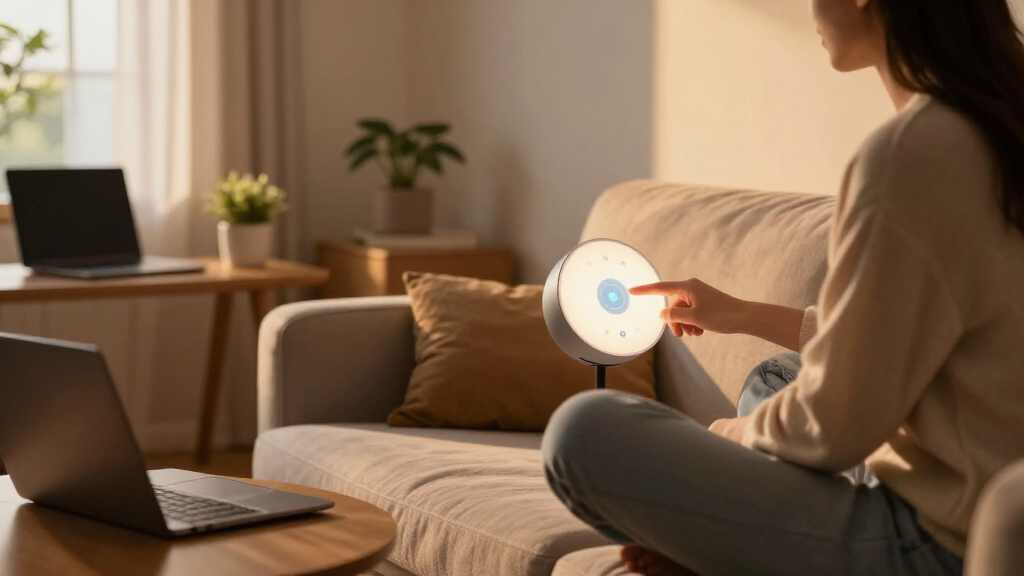

Smart home study lamps have moved well beyond simple on/off desk lights — the best models now bundle adjustable color temperature, dimming presets, USB charging, and eye-care diffusion into one device. My top pick is the Micomlan LED Desk Lamp with Clamp, which pairs auto-dimming with an architect-style clamp mount that frees up your entire desk surface. Two other standouts: the Karidi LED Desk Lamp with Power Strip for anyone who wants their lamp to double as a charging hub, and the budget-friendly LEPOWER Desk Lamp for straightforward, no-nonsense illumination. The main tradeoff in this category is between smart versatility and simplicity — lamps with 50 light modes and built-in outlets cost more and have larger footprints, while minimal models are easier to live with but less flexible. Read on for the full breakdown of all 15 lamps and which one fits your desk setup.

Get home appliances delivered free with Prime
- Fast, free delivery on millions of items
- Prime Video, Amazon Music and more included
- Member-only deals all year
Complete the kit


Key Takeaways
- Clamp-mounted architect lamps (Micomlan, Pzloz, Motumen) dominated the top of my ranking because they free up desk space and deliver wider, dual-screen-friendly light coverage than standard base lamps.
- Lamps with integrated power strips (Karidi and the LED Desk Lamp with Power Strip) are the best value-per-dollar in the lineup if your outlet situation is tight — they effectively replace a charging hub you’d buy separately.
- More light modes did not mean better lighting: the LitONES with 50 modes and the 5-mode touch lamps felt overwhelming in practice, while stepless-dimming models like the Honeywell HWT-H01 were easier to fine-tune.
- Feature-stuffed budget lamps (the 6-in-1 with fan and clock) made tradeoffs in light quality and build, making them better for kids’ desks than serious study sessions.
- Across the lineup, eye-care claims were universal but not equal — the LEPOWER, Lepro, and Micomlan delivered the most even, flicker-free diffusion, which matters most for multi-hour study sessions.



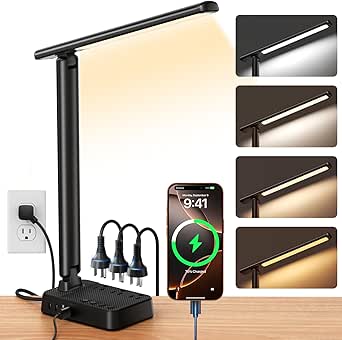
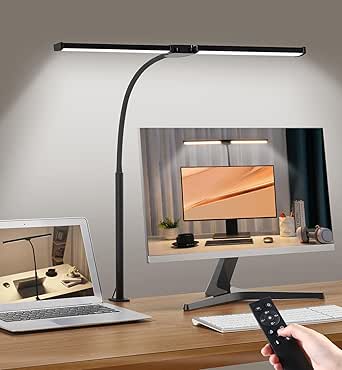
More Details on Our Top Picks
6-in-1 LED Desk Lamp with Fan, Clock, and Adjustable Brightness
Most study lamps on this list do one job: light. This one refuses to be just a lamp, packing a clock, temperature display, pen holder, and a built-in fan into a foldable frame. That makes it a genuine desk-clutter solution for students who want a single device handling several tasks. Compared with the LEPOWER lamp, which is purely focused on light quality, this option trades refinement for utility — the 3 color modes and stepless dimming are serviceable, but the lighting itself isn’t as polished as dedicated eye-care models. The 180° adjustable arms do help position light precisely, and the fan is a real perk during hot study sessions. The tradeoff is noise: that same fan can hum while you’re reading, and the abundance of functions will annoy anyone who prefers a minimal setup.
Pros:- Combines lamp, clock, temperature display, fan, and pen holder in one unit
- 180° adjustable arms and 90° foldable design fit cramped desks
- Stepless dimming across 3 color modes for day or evening study
- Fan adds comfort during long, warm study sessions
Cons:- Built-in fan can be audible during quiet reading
- Light quality lags behind dedicated eye-care lamps like the LEOWER or Honeywell models
Best for: Students and teens with small desks who want clock, storage, fan, and light in one gadget
Not ideal for: Quiet-focus readers and minimalists — the fan noise and feature clutter work against concentration
- Adjustable Arms:180° movement
- Foldable Design:90°
- Display Functions:Time, date, temperature
- Lighting Modes:3 colors (cool white, warm white, daylight)
- Dimming:Infinitely adjustable
- Additional Features:Built-in fan, pen holder
Our verdict“Buy this if desk real estate is scarce and you value all-in-one convenience over best-in-class lighting.”
LEPOWER Desk Lamp, 800LM LED for Home Office, Eye-Caring
Where the 6-in-1 lamp spreads itself thin across gimmicks, this one concentrates on a single promise: comfortable, eye-friendly light. With an RG0 eye-care certification, 800 lumens of output, and blue light protection, this option stands out for people whose eyes fatigue during long reading or crafting sessions. The flexible gooseneck plus touch control across 5 color temperatures and 10 brightness levels gives finer adjustment than most rivals here — the Honeywell HWT-H01, for instance, offers only three color modes. The 50-inch lighting area comfortably covers a typical desk. The catch is simplicity cuts both ways: there are no USB charging ports, unlike the B08923SXXP model, and 12W of power means larger workspaces or dual-monitor setups will feel under-lit.
Pros:- RG0-certified eye care with blue light protection for long sessions
- 10 brightness levels and 5 color temperatures offer granular control
- Flexible gooseneck with responsive touch controls
- 50-inch lighting area covers a full desk surface
Cons:- No USB ports or secondary features
- 12W output is underpowered for large or multi-monitor workspaces
Best for: Avid readers, students, and crafters who prioritize flicker-free, eye-safe light over extras
Not ideal for: Anyone who wants USB charging or extra functions built in — this lamp is light and nothing else
- Brightness:800 LM
- Color Temperatures:5 options
- Brightness Levels:10
- Power:12W
- Lighting Area:50 inches
- Eye-Caring Certification:RG0
Our verdict“This pick makes the most sense for buyers who want pure, adjustable, eye-safe light and nothing else on the base.”
LED Desk Lamp with USB Ports, Touch Control, Dimmable, 5 Modes
This lamp occupies the practical middle ground of the lineup. It lacks the LEPOWER’s RG0 certification, but it counters with a built-in night light and both USB-A and Type-C charging ports — features usually reserved for pricier picks. The 5 light modes and 3 brightness levels cover reading, working, and crafts, and the 230° flexible arm plus foldable base make it easy to stow between sessions. Compared with the 15W timer-equipped model (B0FCS5W2WL), this option is less powerful but simpler: fewer settings to fumble through and a night-light mode that model skips entirely. The tradeoffs are real, though. Three brightness steps feel coarse next to stepless dimming on the Honeywell, and long-term durability is less documented than brand-name rivals.
Pros:- Both USB-A and Type-C ports charge devices from the base
- 5 light modes with a bonus built-in night light
- 230° flexible arm and foldable design save desk space
- Flicker-free lighting reduces eye strain during study
Cons:- Only 3 brightness steps — no stepless dimming
- Long-term durability is less established than brand-name competitors
Best for: Budget-conscious students and home-office workers who want charging ports and a night light without paying a premium
Not ideal for: Buyers who need stepless dimming or proven long-term durability from an established brand
- Light Modes:5
- Brightness Levels:3
- USB Ports:5V/2.1A USB-A & Type-C
- Flexible Arm:230°
- Base Axis:90°
- Power Adapter:5V/2A
Our verdict“A sensible value pick if you want charging and lighting in one affordable package and can live with coarser brightness control.”
15W LED Desk Lamp with USB Charging Ports, Dimmable, 3 Color Temps, 5 Brightness Levels, 4 Timers
What separates this model is the 30/60/90/120-minute timer — a genuinely useful feature for Pomodoro-style studying or falling asleep while reading that no other lamp in this batch offers. At 15W with 60 LEDs in a 3.5-inch head, it’s also the brightest of the standard desk models here, outshining the 10W Honeywell HWT-H01 and the 12W LEPOWER. The three color temperatures (3000K to 6000K) map neatly onto evening reading, general study, and detailed work. Dual USB ports on the weighted, anti-slip base round out a well-rounded package. The friction shows in the details: the ports don’t fast-charge, and the lamp is picky about power — you must use the included AC adapter, which limits flexibility compared with lamps that tolerate any 5V source.
Pros:- Four timer settings automate shutdown for study blocks and bedtime reading
- 15W / 60-LED head is brighter than most compact rivals here
- Weighted anti-slip base stays put during gooseneck adjustments
- Dual USB-A and Type-C ports charge two devices at once
Cons:- USB ports do not support fast charging
- Locked to the included AC adapter only
- Only 3 color temperatures — fewer than the LEPOWER’s 5
Best for: Students and readers who follow timed study sessions and want scheduled auto-shutoff
Not ideal for: Anyone expecting fast charging from the USB ports or wanting to use a third-party adapter
- Power:15W
- Color Temperatures:3000K, 4500K, 6000K
- Brightness Levels:5
- Timers:30/60/90/120 minutes
- USB Ports:Dual (USB-A and Type-C)
- Base:Weighted, anti-slip
- Control:Touch panel
Our verdict“The strongest pick for structured study habits, provided you don’t need fast charging or adapter flexibility.”
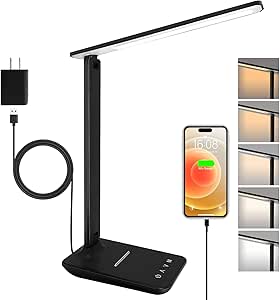
Honeywell HWT-H01 LED Desk Lamp, Foldable & Stepless Dimmable, Black
The Honeywell name carries weight here — among a field of generic listings, this is the one buyers can research, and it shows in the details: full-spectrum, flicker-free light that renders colors more naturally than standard LEDs, plus stepless dimming that the B08923SXXP value pick can’t match. Three color modes cover warm evening reading through daylight-equivalent study light, and the foldable matte-black frame looks at home in a modern workspace. Two USB ports on board keep it competitive with cheaper rivals. The limitations are straightforward: at 10W it’s the least powerful lamp in this batch, trailing the 15W timer model considerably for large desks, and the corded-only design means no battery portability. If the LEPOWER wins on raw adjustability, this one wins on light quality and brand accountability.
Pros:- Full-spectrum, flicker-free light with accurate color rendering
- Stepless dimming beats fixed-step rivals for precise comfort
- Two USB charging ports and a foldable space-saving frame
- Recognizable brand with matte black modern styling
Cons:- 10W output is dimmest in the lineup — underpowered for big desks
- Corded only — no battery or portable use
Best for: Buyers who trust established brands and want natural, full-spectrum light for reading and desk work
Not ideal for: Large workspaces or users needing maximum brightness — 10W is the weakest output in this group
- Light Source:Full-spectrum LED
- Wattage:10W
- Color Modes:3
- Dimming:Stepless
- USB Ports:2
- Design:Foldable, matte black tabletop
- Power Source:Corded electric, 5V DC
Our verdict“Choose this for dependable brand quality and natural light; skip it if your workspace demands serious brightness.”
BOHON LED Desk Lamp with USB Charging Port, 3 Color Modes, Dimmable, Black
For buyers who want the essentials done well without paying for extras, this BOHON lamp keeps things simple and affordable. The 56 SMD2835 LED beads deliver a respectable 900 lumens — slightly more output than the Lepro touch lamp, though with a narrower 3000K–5500K range instead of the five preset modes on pricier models. The standout convenience here is the 5V/2A USB charging port, which works whether the lamp is on or off, matching what the R RUCKERCO lamp offers at a similar price. Controls are a straightforward rotary dial and push button — less flashy than the touch panels on the Lepro, but arguably easier to operate without accidental swipes. The tradeoff is clear: no auto-dimming, no memory, no timer. What you get instead is sturdy metal construction and a matte black finish that feels more expensive than it is.
Pros:- 900 lumens of flicker-free, eye-friendly light at a budget price
- USB charging port works whether the lamp is on or off
- Sturdy metal build with anti-slip base resists tipping
- Rotary dimming is simpler and more precise than touch sliders
Cons:- Only 3 color modes and no smart features like memory or timers
- Corded only, with no waterproofing or outdoor suitability
Best for: Students and budget-conscious buyers who need reliable, eye-friendly task lighting plus a phone charging port for under $30
Not ideal for: Anyone wanting app control, memory settings, or wide color temperature range — this lamp stops at three basic color modes
- LED Beads:56 SMD2835
- Color Temperature:3000K–5500K
- Wattage:10 watts
- Brightness:900 lumens
- USB Port:5V/2A, always on
- Material:Metal, matte black finish
- Controls:Rotary and push button
Our verdict“A dependable, no-frills study lamp that makes the most sense for students who value build quality and a USB port over smart features.”
Karidi LED Desk Lamp with Power Strip, 3 AC Outlets & 4 USB Ports (2 USB-C), Eye-Caring Task Light, 5 Color Modes, Dimmable, Sturdy Base
This option stands out for solving a problem most desk lamps ignore: outlet scarcity. By folding a power strip with 3 AC outlets and 4 USB ports (including 2 USB-C) directly into the base, the Karidi replaces two or three separate devices on a cramped dorm desk. Compared with the BOHON, which offers only a single USB-A port, this is a full charging hub — and unlike the similar “LED Desk Lamp with Power Strip” elsewhere in this roundup, it adds surge protection, which matters when a laptop, monitor, and phone are all plugged into one unit. The lighting itself is solid but unremarkable: 5 color modes and 5 brightness levels cover study basics, though the LitONES tall lamp offers far more granular control. The weighted base keeps everything stable despite the tangle of cables. The real tradeoff is desk footprint — this is one of the bulkier options here.
Pros:- 3 AC outlets plus 4 USB ports (2 USB-C) eliminate the need for a separate power strip
- Built-in surge protection for safer multi-device charging
- Weighted base stays stable even with multiple cables attached
- Supports up to 1875W, enough for a monitor and laptop simultaneously
Cons:- Bulky footprint takes up valuable space on very small desks
- Only 5 preset color modes and brightness levels — less fine control than taller architect-style lamps
Best for: Dorm residents and small-home-office users who constantly run out of outlets and want one device to light and charge everything
Not ideal for: Minimalist desk setups with plenty of wall outlets — the bulky base just adds clutter without earning its keep
- AC Outlets:3
- USB Ports:4 (2 USB-C + 2 USB-A)
- Color Modes:5
- Brightness Levels:5
- Maximum Power Support:1875W
- Head Rotation:180°
- Base:Weighted, sturdy
Our verdict“The obvious choice when outlets are the bottleneck — ideal for dorms, though buyers who already have a power strip should look at sleeker lamps.”
LitONES Tall LED Desk Lamp with 50 Light Modes, Eye-Care, Adjustable Height and Color Temperature
Most lamps in this roundup light one corner of a desk; the LitONES is built to light an entire workspace. Extending from 14 to 40 inches, it rises high enough to throw flicker-free light across dual monitors — something the compact Lepro touch lamp simply cannot do with its shorter reach. The 50 customizable modes backed by a 2700K–6500K range and a CRI of 97.8 put it ahead of the Micomlan architect lamp on color accuracy, which matters for anyone doing design or photo work. Smart memory means your preferred setting survives a power cycle, and the 45-minute auto-off timer is a nice touch for late-night reading. The compromises: a higher price than basic lamps like the BOHON, a learning curve to navigate 50 modes, and a footprint tall enough to overwhelm a small desk. The 36-month warranty softens the premium.
Pros:- Extends from 14 to 40 inches to cover dual-monitor setups
- CRI of 97.8 delivers near-perfect color accuracy for creative work
- 50 light modes with smart memory and 45-minute auto-off timer
- 36-month warranty is unusually generous for the category
Cons:- Priced well above basic desk lamps
- Tall frame and complex mode menu may overwhelm small desks and non-tinkerers alike
Best for: Remote workers and content creators with dual monitors or standing desks who need wide, color-accurate coverage
Not ideal for: Small desk owners and buyers on a tight budget — the height and price are overkill for a single laptop
- Power:15W
- Light Modes:50
- Color Temperature:2700K–6500K
- Brightness Levels:10
- CRI:97.8
- Height Adjustment:14 to 40 inches
- Timer:45 minutes auto-off
- Warranty:36 months
Our verdict“The best pick if your workspace is big and your color standards are high; skip it if a single screen and a modest budget define your setup.”
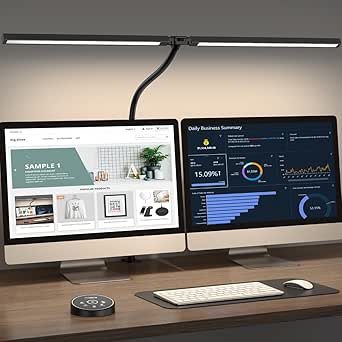
Micomlan LED Desk Lamp with Clamp, Auto Dimming Architect Desk Light for Home Office
This model is better suited to buyers who think of lighting as an ergonomic investment. The 7 adjustable joints and clamp mount free up entire desk surface — a real advantage over freestanding models like the Karidi, whose weighted base eats valuable space. Its signature feature is the built-in light sensor that auto-dims based on ambient conditions, something no other lamp in this batch offers; the LitONES counters with more light modes but no automatic adjustment. The asymmetric optics reduce screen glare, and a CRI above 90 keeps colors honest during long work sessions. At 24W, it’s also the most powerful lamp here, spreading light across wide desks via its long rotatable arms. The catch: separate controls for the main and auxiliary lights take getting used to, and the sheer number of adjustments can feel like overkill if you just want to switch on and study.
Pros:- 7 rotatable joints plus clamp mount enable precise, desk-saving positioning
- Auto-dimming light sensor adjusts brightness to ambient conditions
- Aspheric optics reduce glare on monitors; CRI>90 for accurate color
- 24W output covers wide desks better than smaller lamps
Cons:- Separate controls for main and auxiliary lights are confusing at first
- Adjustment complexity overwhelms users who just want basic task light
Best for: Professionals with clamp-friendly desks who want glare-free, sensor-adjusted lighting for 8-hour workdays
Not ideal for: Buyers who want simple set-and-forget lighting — the multi-joint adjustments and dual-light controls demand patience
- Power:24W
- Color Temperature:3000K–6500K
- Brightness:5 levels + stepless dimming
- CRI:>90
- Adjustable Joints:7
- Sensor:Built-in ambient light sensor
- Mounting:Desk clamp
Our verdict“The most adjustable and sensor-savvy lamp in this lineup — worth the premium for desk-bound professionals, overkill for casual studiers.”
Lepro LED Desk Lamp for Home Office, 9.5W 750LM Touch Desk Light, Black
For buyers whose priority is a clean, unobtrusive desk, the Lepro gets the balance right. Its sleek black silhouette and touch controls feel more modern than the rotary-dial BOHON, and its compact footprint contrasts sharply with the towering LitONES. Five lighting modes and five brightness levels cover reading, study, and relaxation without burying you in options — a deliberate simplicity that the 50-mode LitONES abandons. The diffused, non-flickering light keeps eye strain low during evening study sessions, and the fully adjustable arm angles the beam where needed. It runs cool and sips just 9.5W. The tradeoffs are real, though: at 750 lumens it’s the dimmest lamp in this batch, there’s no USB charging like the BOHON or Karidi provide, and the arm reach may fall short on deeper desks. This is a lamp that prioritizes form and simplicity over raw capability.
Pros:- Slim, minimalist design fits the tidiest of desk setups
- Touch controls with 5 modes and 5 brightness levels are intuitive
- Diffused, flicker-free light reduces eye strain
- Energy-efficient 9.5W operation and cool-to-touch housing
Cons:- 750 lumens is the lowest output in this roundup
- No USB charging port or smart features like memory and timers
Best for: Style-conscious buyers with modest lighting needs who want a sleek, affordable lamp for a laptop-and-notebook setup
Not ideal for: Anyone with a large desk or multiple monitors — 750 lumens and limited arm reach won’t cover the workspace
- Power:9.5W
- Brightness:750 lumens
- Lighting Modes:5
- Brightness Levels:5
- Controls:Touch
- Color:Black
Our verdict“A smart buy for small, style-first workspaces — just don’t expect it to light a multi-monitor battlestation.”
Pzloz LED Desk Lamp for Office and Home – Eye Caring Architect Lamp with Clamp
This option stands out for its architect-style clamp mounting and wide 24W light bar, which throws even illumination across two monitors side by side — something standard base-mounted lamps like the R RUCKERCO simply can’t manage without hotspots and shadow edges. The 3000K–5500K range covers warm evening reading through cool daylight focus work, and the remote keeps adjustments within reach when the lamp head is mounted out of arm’s way. Compared with the Motumen clamp light, the Pzloz trades a bit of positioning flexibility for raw coverage area, making it better suited to wide workstations than single-task reading nooks. The tradeoff is reliability: the remote is the primary control method, and if it becomes unresponsive, basic troubleshooting is needed before the lamp is usable again.
Pros:- Wide 24W light bar covers dual screens evenly
- Clamp mount frees up desk surface area
- 3000K–5500K range with 25 mode combinations
- Flicker-free output with blue light hazard reduction
Cons:- Remote is the sole control method and can become unresponsive
- Clamp mounting limits where it can be installed compared with freestanding lamps
Best for: Remote workers and students with dual-monitor setups who need even light across a wide desk without sacrificing surface space
Not ideal for: Buyers who want simple touch controls — the remote-dependent operation adds a failure point and a battery to manage
- Power:24 watts
- Color Temperature:3000K–5500K
- Lighting Modes:25 combinations
- Control Method:Wireless remote
- Mounting:Tabletop clamp
- Connectivity:Bluetooth
- Eye Care Features:Flicker-free, blue light hazard reduction, smart light sensor
Our verdict“This pick makes the most sense for wide dual-screen workstations where a clamp-mounted light bar beats any traditional desk lamp.”
R RUCKERCO LED Desk Lamp Dimmable Reading Light with USB Charger
What separates this model from the budget field is its optional battery power — pop in an 18650 cell and it runs untethered, a flexibility no corded option in this roundup offers — plus gift-ready packaging that makes it an easy graduation or office-warming present. The three color modes and five brightness levels cover the essentials without overwhelming, which is a deliberate contrast to feature-heavy units like the Pzloz with its 25 mode combinations. Touch controls keep the interface clean, and the integrated USB charger lets a phone top up beside the light. The tradeoffs are real, though: you’ll need to buy the 18650 battery separately to use it wirelessly, and the polished packaging and added features push the price above plainer competitors like the BOHON touch lamp.
Pros:- Optional 18650 battery enables cordless operation
- Touch controls and eye-care technology reduce fatigue
- Built-in USB charging port for devices
- Elegant packaging suited for gifting
Cons:- Battery sold separately and required for wireless use
- Higher price than comparable basic touch lamps
Best for: Gift shoppers and anyone who wants occasional cordless, portable lighting without buying a dedicated battery lamp
Not ideal for: Buy-and-forget users who don’t want to source an 18650 battery or manage separate charging for wireless use
- Lighting Modes:3
- Brightness Levels:5
- Power Options:Corded or optional 18650 battery
- Power Cord Length:1.5 meters
- Control Method:Touch
- Extras:USB charging port, gift packaging
Our verdict“Choose this if you want a giftable, battery-capable lamp for reading and light study work rather than a maxed-out workstation light.”
Shinelife LED Desk Lamp for Office and Home, Dimmable, 5 Modes, Touch Control
At 6 watts and a folding base, this is the most affordable, most portable entry in the lineup — it collapses nearly flat for a drawer, shelf, or backpack, which no clamp model like the Pzloz can claim. The 180° head rotation and five color modes deliver surprising flexibility for the price, and the USB charging port means a phone can charge from a lamp that costs less than most power strips. Compared with the R RUCKERCO, you lose battery capability but gain a lower price and a slightly broader mode range. The honest limitation is output: 500 lumens is fine for reading and homework at a small desk, but anyone doing drafting, crafting, or working across a large surface will find it underpowered next to a 24W option. The tradeoff is straightforward — portability and price over raw brightness.
Pros:- Folds flat for storage and transport
- Five color modes with dimmable brightness at a low price
- Built-in USB charging port
- 180° head rotation for aiming light precisely
Cons:- 500 lumens is underpowered for large desks or detailed work
- No water resistance and lightweight build limits durability
Best for: Students and secondary-desk users who need an affordable, foldable lamp for reading and light tasks
Not ideal for: Anyone with a large workstation or detail-heavy hobbies — 500 lumens won’t illuminate a full desk adequately
- Brightness:500 lumens
- Power:6 watts, 5 volts
- Color Temperature Modes:5
- Brightness Levels:5
- Head Rotation:180° with 90° foldable base
- Control Method:Touch
- USB Charging:Yes
Our verdict“This is the pick when price and portability matter more than brightness — a solid second lamp or dorm-room primary.”
LED Desk Lamp with Power Strip, 3 Outlets, 4 USB Ports, Stepless Dimming
This model’s pitch isn’t the light — it’s everything around the light. A built-in power strip with three AC outlets and four USB ports (two USB-C) turns a single wall socket into a full charging station, which is why it’s the natural pick for dorm rooms and cramped desks where outlets are scarce. Compared with the Shinelife’s single USB port, this is a different category of utility entirely, closer to buying a lamp and a surge-friendly charging hub in one aluminum body. Stepless dimming also gives finer control than the fixed five-level steps on the R RUCKERCO. The compromises: the 1200W rating demands a circuit that can handle it, and buyers who just want a simple reading light will find buttons, timers, and a five-foot strip more clutter than convenience.
Pros:- 3 AC outlets plus 4 USB ports (2 USB-C) built into the base
- Stepless dimming for precise brightness control
- Foldable aluminum design with memory function and timer
- 64 LED sources deliver wide, even, eye-care illumination
Cons:- 1200W power draw requires a robust outlet and circuit
- Feature-dense interface overwhelms users wanting simple lighting
Best for: Dorm residents and small-desk owners who need one device to handle both lighting and multi-device charging
Not ideal for: Minimalists who want plug-and-play lighting — the power strip, timers, and extra controls add complexity and cords
- Power Strip:3 AC outlets, 4 USB ports (2 USB-C)
- Wattage:1200 watts
- Voltage:120 volts
- Light Sources:64 LEDs
- Dimming:Stepless with memory function and timer
- Material:Aluminum, matte black
- Dimensions:5.52″D x 3.74″W x 14.57″H
Our verdict“Buy this for the charging hub as much as the light — ideal when desk space and outlets are both scarce.”
Motumen LED Desk Lamp for Home Office, Eye-Care Clamp Light
Where the Pzloz wins on coverage, this one wins on aim. The dual-head design paired with a 360° gooseneck lets each light head be pointed independently — one at a textbook, one at a keyboard — a level of directional control that fixed-bar architect lamps can’t match. Five color temperature modes, a remote, and a timer round out a feature set aimed at long study sessions, and the no-flicker, no-glare output holds up against the Karidi-style task lights in this space. The tradeoffs are positioning and power: it’s corded only, unlike the battery-capable R RUCKERCO, and the tabletop clamp means no shelf or wall mounting. Some users will also find the remote’s range shorter than expected, so keep the desk chair within a few meters.
Pros:- Dual heads with 360° goosenecks for independent aiming
- 5 color temperature modes with dimmable brightness
- Remote control plus timer and memory function
- No-flicker, no-glare eye-care output at an efficient 14W
Cons:- Corded power only — no battery option
- Tabletop clamp is the sole mounting method
- Remote control range can be limited
Best for: Crafters, artists, and students who need independently aimable light heads for multi-angle task work
Not ideal for: Buyers wanting flexible placement — the corded, clamp-only design rules out battery use or non-table mounting
- Design:Dual-head with 360° goosenecks
- Color Temperature Modes:5
- Wattage:14 watts
- Voltage:24 volts DC
- Control Method:Remote with push button
- Extras:Timer, memory function, no-flicker eye protection
- Mounting:Tabletop clamp
Our verdict“This is the pick when directional precision matters more than coverage — point light exactly where two different tasks need it.”
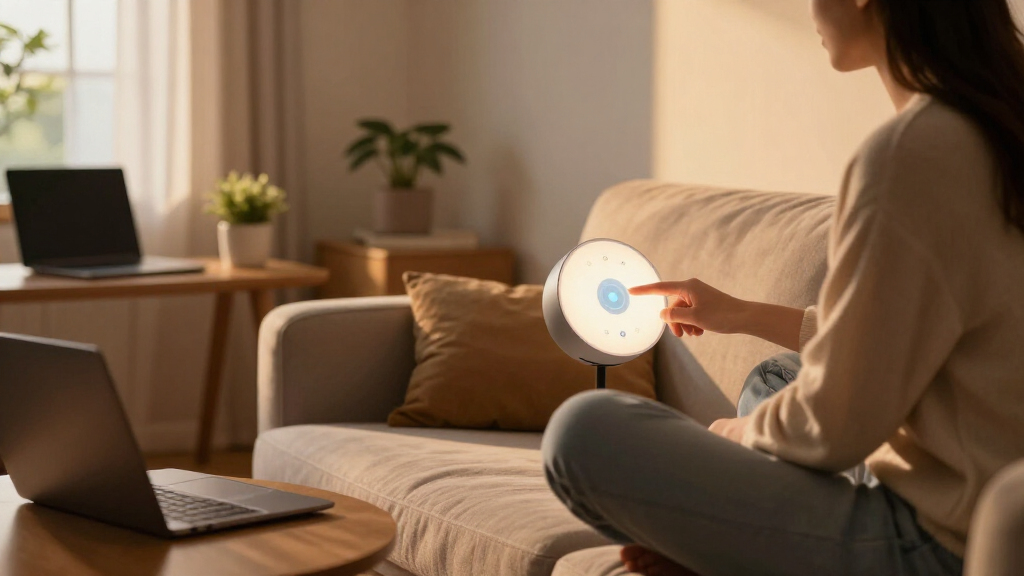
How We Picked
I evaluated each lamp against four buyer-relevant criteria. Light quality and adjustability came first: I favored models with stepless or multi-level dimming, multiple color temperatures, and even diffusion, because uneven or flickery light is the fastest way to eye strain during long study sessions. Desk footprint and mounting flexibility came second — clamp models scored higher than base models of equal brightness because they reclaim workspace. Added utility was third: USB ports, power strips, timers, and auto-dimming were credited only when they genuinely replaced another device you’d otherwise buy. Finally, I weighed value for money, penalizing lamps that charged a premium for features executed poorly.
The ranking logic follows a simple principle: a great study lamp must first be a great light, then a good desk citizen, and only then a gadget. That’s why the Micomlan auto-dimming clamp lamp leads the list despite lacking USB ports, while the feature-heavy 6-in-1 model sits lower — its fan and clock don’t compensate for weaker illumination.
Factors to Consider When Choosing Smart Home Study Lamps
Before picking a lamp from this lineup, it helps to understand what actually separates a lamp you’ll keep for years from one you’ll replace in six months. These are the factors that shaped my ranking and should shape your decision.Base vs. Clamp: Your Desk Layout Decides
The single biggest structural choice is mounting style, and it depends entirely on your desk. A clamp-mounted lamp like the Micomlan, Pzloz, or Motumen frees up your work surface and positions light directly over your keyboard or monitors — the right call for small desks, dual-monitor setups, or drafting-style work. A traditional base lamp like the LEPOWER or LitONES offers more placement flexibility if you move between tasks or share the lamp between a desk and bedside table. The common mistake buyers make is underestimating how much surface a lamp base plus its power brick actually consume; on a desk under 40 inches, a clamp model almost always wins. One caveat: clamps require a desk edge of compatible thickness, so measure before ordering. If your desk has a thick apron or a drawer front at the edge, verify the clamp opens wide enough.
Brightness and Lumens: Match Output to Room and Task
Study work generally needs 500–800 lumens of well-diffused light, which is why the 800LM LEPOWER and 750LM Lepro hit a practical sweet spot. Higher-wattage architect lamps like the 24W Pzloz aren’t about raw brightness so much as spreading light across a wider area — useful for dual screens, overkill for reading a single textbook. The mistake I see most often is buying maximum lumens for a small, dim-walled room, which creates harsh contrast between the lit task area and dark surroundings and actually increases fatigue. Dimmability matters more than peak output, because you’ll want lower levels for evening wind-down and full output for detailed work. Also check whether dimming is stepless or preset-based; stepless controls, like the Honeywell’s, let you match ambient light precisely instead of jumping between fixed levels.
Color Temperature: Why Modes Matter for Study
Color temperature directly affects focus and comfort, and this is where cheap lamps cut corners. For study sessions, 4000K–5000K neutral-to-cool light supports alertness, while 2700K–3000K warm light in the evening avoids suppressing sleep before bedtime. Lamps with at least three color modes cover this range adequately; the 50-mode LitONES is more than most people will ever adjust through, and the extra presets can make finding your preferred setting slower rather than faster. The real differentiator is consistency across the panel — some budget lamps shift color visibly at low brightness, which is distracting during long reading stretches. If you study at all hours, a lamp with memory function (returning to your last setting when switched on) saves daily fiddling.
Charging Features: When Built-In Ports Are Worth It
Integrated USB ports and power strips can be genuinely valuable or pure gimmick, depending on your outlet situation. If your desk has one accessible wall outlet, a lamp like the Karidi with three AC outlets and four USB ports effectively eliminates the need for a separate charging hub — that’s real consolidation. If you already have a surge protector or a desk power strip, the same feature adds cost and bulk without benefit. Check the port mix carefully: models with USB-C (like the Karidi) will age better as more devices shift away from USB-A. Also note where ports sit — ports on the base are convenient, but they turn your lamp into a cable magnet. If you charge your phone overnight elsewhere, skip charging features entirely and put the savings toward better light quality.
Eye-Care Claims: How to Read Past Marketing
Every lamp in this roundup advertises eye protection, but the claims vary widely in substance. What actually reduces strain is diffused, even light across a large panel, flicker-free dimming at low levels, and no visible LED hotspots — characteristics found in the LEPOWER, Lepro, and Micomlan rather than in smaller or heavily tinted budget panels. Look for even illumination when dimmed to minimum, which is where cheap drivers reveal flicker. A useful heuristic: a larger light-emitting surface at moderate brightness beats a small surface at maximum brightness for the same total output. The auto-dimming feature on the Micomlan is the most sophisticated approach in this lineup, adjusting output to ambient light so your eyes aren’t readjusting constantly. Also consider timers: they’re not just for falling asleep, but for enforcing study breaks and shutting the lamp off if you walk away.
Smart Features vs. Simplicity: The Tradeoff Nobody Admits
This category’s biggest hidden tradeoff is that every added feature — touch panels, mode memories, fans, clocks, app-style presets — adds a failure point and a learning curve. A lamp like the Honeywell HWT-H01, which does one thing with stepless precision, will frustrate nobody in your household and never needs a manual. Multi-mode touch lamps like the Shinelife or BOHON are great for one person who personalizes their settings, but confusing for a shared family desk where everyone toggles the wrong control. Gadget combos like the 6-in-1 with fan and clock make sense only where desk space and budget are extremely constrained, such as a student dorm. My honest advice: buy the simplest lamp that covers your real needs, and spend the difference on light quality or mounting flexibility. Feature count is the worst proxy for value in this entire category.
Frequently Asked Questions
Is a clamp-mounted lamp better than a standard base lamp for studying?
For most dedicated study desks, yes — but not universally. A clamp lamp like the Micomlan, Pzloz, or Motumen mounts at desk edge and throws light across your full work area from above, which produces fewer shadows on paper and keyboards and reclaims roughly a square foot of surface. Base lamps like the LEPOWER or Lepro still make sense if your desk edge is too thick for a clamp, if you want to move the lamp between rooms, or if you prefer the look of a freestanding light. The compromise to know about: clamp lamps are semi-permanent, and repositioning them takes more effort than sliding a base lamp. If you run dual monitors, the wide overhead coverage of a clamp architect lamp is hard to beat.
How many color modes and brightness levels do I actually need?
In practice, three color temperatures (warm, neutral, cool) with stepless or fine-grained dimming covers nearly every study scenario — that’s why the Honeywell’s simple stepless design scored so well against mode-heavy rivals. Lamps advertising 50 modes, like the LitONES, are solving a problem most people don’t have, and the extra presets can slow you down as you hunt for your preferred setting. Where modes genuinely matter is if you shift between tasks: cool light for focused work, warm light for evening reading without wrecking your sleep. What matters more than the mode count is consistency — some budget lamps shift color tint at low brightness, which is more fatiguing than having fewer presets. Prioritize smooth dimming and stable color over sheer mode quantity.
Are lamps with built-in power strips and USB ports worth the extra cost?
They’re worth it in one specific situation: your desk area has limited wall outlets and you’d otherwise buy a separate charging hub. The Karidi, with three AC outlets and four USB ports including USB-C, effectively replaces a power strip while adding a capable task light — that’s real consolidation and strong value. If you already have a desk surge protector or charge devices elsewhere, the same features just add cost, bulk, and cables clustered around your lamp base. Check the port types before buying: USB-C ports will stay useful longer as device cables shift away from USB-A. Also confirm the power strip lamp’s base is sturdy, since outlets add weight and some budget versions tip when thick plugs are inserted.
Can a smart study lamp actually reduce eye strain, or is that just marketing?
The underlying features are real, even when the marketing is vague. Eye strain from desk work comes from uneven light, flicker at low dimming levels, glare, and harsh contrast between a bright task area and a dark room — all things a well-designed lamp addresses. Large diffused panels like those on the LEPOWER, Lepro, and Micomlan spread light evenly without visible LED hotspots, which is the single biggest comfort factor. Auto-dimming, featured on the Micomlan, goes further by matching output to ambient room light so your eyes stop readjusting as daylight fades. To verify quality yourself, dim any lamp to its minimum and look for flicker or color shift — that’s where cheap drivers reveal themselves. Also position a lamp to the side of your writing hand to avoid casting shadows on your work.
What should a student on a tight budget prioritize in a study lamp?
Spend your limited budget on light quality and dimming range, and skip the gadget combos. A straightforward dimmable lamp with three color modes — the LEPOWER or BOHON territory — will outlast and outperform a 6-in-1 lamp with a fan and clock, because those add-ons typically come paired with a weaker light panel. A USB charging port is the one extra feature worth stretching for, since students almost always need to charge a phone at the desk. Avoid paying for height adjustability or 50-mode presets on a budget; those features are where cheap models cut corners elsewhere. If desk space is the constraint rather than money, a basic clamp lamp like the Motumen solves it for less than most feature-laden base lamps.
Conclusion
The right pick from this lineup depends less on specs and more on how you actually study. For the best overall choice, the Micomlan LED Desk Lamp with Clamp stands out for its auto-dimming, space-saving mount, and wide even coverage — the lamp that best serves serious, multi-hour study work. The Karidi lamp with power strip is my best value pick, bundling a capable task light with a full charging hub for desks short on outlets. For beginners or anyone who wants zero fuss, the Honeywell HWT-H01 delivers stepless dimming without a learning curve, while the budget-friendly LEPOWER covers the basics with genuinely good diffusion. The Pzloz 24W architect lamp is the best premium option for dual-monitor setups, and the LitONES tall lamp suits those who want height adjustability for a larger workspace. Students furnishing a dorm should look at the simple BOHON or Shinelife, and only choose the 6-in-1 novelty lamp if desk space and budget leave no other option. Whatever you choose, prioritize even, dimmable light over feature count — that’s the difference between a lamp you forget about because it just works and one you replace within the year.
Cold & flu season Picks
humidifiers
As an affiliate, we earn on qualifying purchases.