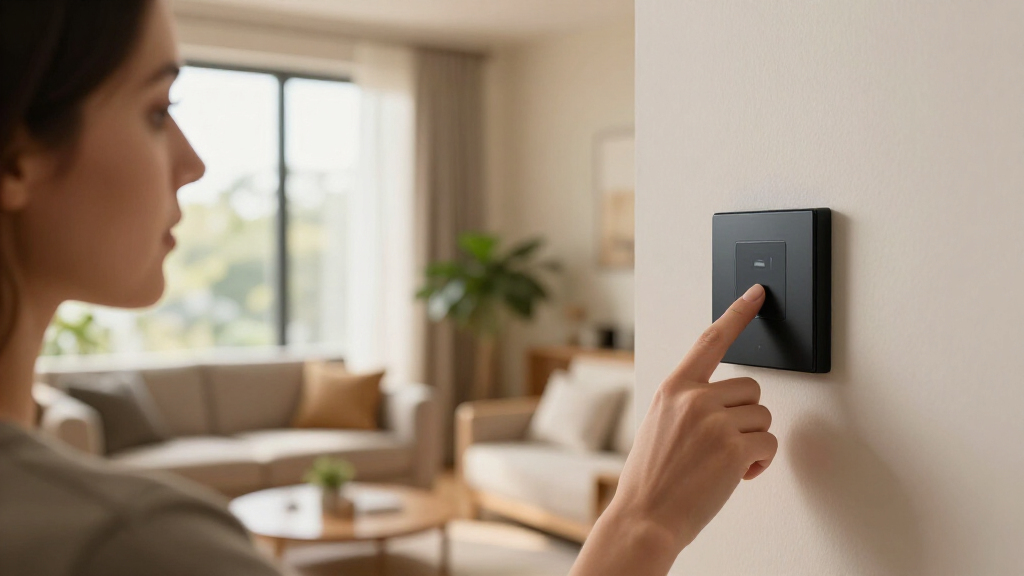
Wireless smart home light switches let you control room lighting from your phone, voice assistant, or a schedule — but the category splits into two very different paths: Wi-Fi switches that replace your existing wall switch, and retrofit kits that add wireless control without touching your wiring. After comparing nine popular options, the TP-Link Tapo Matter Smart Light Switch 2-Pack earns the top spot for its Matter compatibility, which frees you from being locked into a single ecosystem, plus a two-pack price that undercuts most name-brand rivals. The Kasa HS200 remains the safest pick for Alexa and Google households thanks to rock-solid scheduling, while the SURAIELEC Wireless Light Switch Kit is the easiest path to wireless lighting when neutral wires or electrical know-how are missing. The main tradeoff you’ll face is between hub-free convenience and long-term reliability: cheap Wi-Fi switches can drop off your network, and premium models like Leviton’s Decora cost more per switch. Keep reading for the full breakdown, including which models are worth buying in multi-packs and which to skip.

Get home appliances delivered free — and shop member deals
- Fast, free delivery on millions of items
- Access to Prime Big Deal Days deals on October 6–7
- Prime Video, Amazon Music and more included
Complete the kit


Key Takeaways
- Matter compatibility (TP-Link Tapo) was the single biggest differentiator in this roundup because it future-proofs switches across Alexa, Google Home, and Apple Home — a genuine rarity at this price tier.
- Four of the nine switches require a neutral wire, so checking your switch box before buying matters more than any feature comparison; the two receiver kits (SURAIELEC and the Decorator Rocker kit) are the only true no-wiring options.
- Multi-packs dominated on value: the GHome 4-pack and Tapo 2-pack cut per-switch cost dramatically compared with single-unit purchases like the Leviton D315S.
- The Kasa HS200 and Kasa single-pole switch deliver nearly identical core performance; paying twice for the same internals only makes sense if one format fits your wall plate setup better.
- The amazon.com/dp/B0FCZRXH8Z?tag=autohomebots-20&ascsubtag=dc-1075194″ target=”_blank” rel=”nofollow sponsored noopener”>Philips Hue switch is the odd one out — it’s a wireless remote for an existing smart lighting system, not a standalone switch, so it only makes sense if you already own Hue bulbs or a Hue bridge.
| Philips Hue Wireless Smart Light Switch Button, White, 1 Pack |  | Best for Hue Ecosystems | Color: White | Pack Size: 1 | Power: Battery powered | VIEW LATEST PRICE | See Our Full Breakdown |
| Amazon Basics Smart Light Switch, Single Pole, Works with Alexa |  | Best Budget Single-Switch Upgrade | Compatibility: Alexa only | Connectivity: Wi-Fi 2.4 GHz | Hub Required: No | VIEW LATEST PRICE | See Our Full Breakdown |
| GHome Smart Switches for Lights, Single Pole WiFi, 4 Pack |  | Best Value for Whole-Room Retrofits | Pack Size: 4 switches | Compatibility: Alexa, Google Assistant | Wi-Fi: 2.4GHz only | VIEW LATEST PRICE | See Our Full Breakdown |
| SURAIELEC Wireless Light Switch Kit with Receiver, 15A RF Remote Control |  | Best for Adding a Switch Without Wiring | Connectivity: RF remote, 100 ft range | Voltage: 125V AC | Switch Type: Rocker, ON-OFF | VIEW LATEST PRICE | See Our Full Breakdown |
| Kasa Smart Light Switch, Single Pole, Requires Neutral Wire | 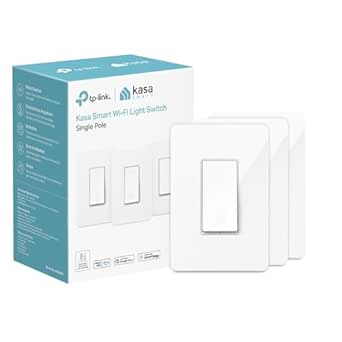 | Best Overall Pick | Connectivity: Wi-Fi | Compatibility: Alexa, Google Assistant | Voltage: 120V | VIEW LATEST PRICE | See Our Full Breakdown |
| Kasa Smart Light Switch, Single Pole, Requires Neutral Wire, HS200 |  | Most Reliable Ecosystem Pick | Compatibility: Requires neutral wire, 2.4 GHz Wi-Fi | Control: App, remote, scheduling, Alexa and Google Assistant voice | Circuit Type: Single pole | VIEW LATEST PRICE | See Our Full Breakdown |
| TP-Link Tapo Matter Smart Light Switch 2-Pack | 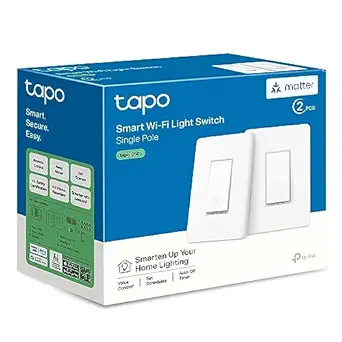 | Best for Multi-Platform Homes | Compatibility: Apple Home, Amazon Alexa, Google Home, Samsung SmartThings | Connectivity: Wi-Fi 2.4 GHz with LAN control | Input Voltage: 100 – 120 VAC, 50/60 Hz | VIEW LATEST PRICE | See Our Full Breakdown |
| Leviton Decora Smart Wi-Fi Switch D315S-1RW, White |  | Best Premium Build | Model: D315S-1RW | Color: White | Connectivity: Wi-Fi, no hub required | VIEW LATEST PRICE | See Our Full Breakdown |
| Wireless Light Switch and Receiver Kit, Decorator Rocker Switch |  | Best No-Wiring Solution | Operation Mode: ON-OFF | Operating Voltage: 125 volts | Max Wattage: 1250 watts | VIEW LATEST PRICE | See Our Full Breakdown |
| wireless smart home light switch | Compatibility | Connectivity | Circuit Type |
|---|---|---|---|
| Philips Hue Wireless Smart Lig | Requires Hue Bridge | — | — |
| Amazon Basics Smart Light Swit | Alexa only | Wi-Fi 2.4 GHz | Single pole |
| GHome Smart Switches for Light | Alexa, Google Assistant | — | — |
| SURAIELEC Wireless Light Switc | — | RF remote, 100 ft range | 3-way capable |
| Kasa Smart Light Switch | Alexa, Google Assistant | Wi-Fi | 1-way (single pole) |
| Kasa Smart Light Switch | Requires neutral wire, 2.4 GHz Wi-Fi | — | Single pole |
| TP-Link Tapo Matter Smart Ligh | Apple Home, Amazon Alexa, Google Home, Samsung SmartThings | Wi-Fi 2.4 GHz with LAN control | — |
| Leviton Decora Smart Wi-Fi Swi | Alexa, Google Assistant, Apple Siri, Matter | Wi-Fi, no hub required | — |
| Wireless Light Switch and Rece | — | — | 2-way |
More Details on Our Top Picks
Philips Hue Wireless Smart Light Switch Button, White, 1 Pack
This option stands out for scene-based control rather than simple on/off switching — a tap can cycle lighting scenes, dim, or toggle rooms, which most wall switches like the Kasa Smart Light Switch can’t replicate without opening an app. Because it’s battery-powered and mounts anywhere with no wiring at all, placement is far more flexible than in-wall options such as the GHome or Kasa switches, both of which require a neutral wire and panel work. The tradeoff is ecosystem lock-in: it requires a Hue Bridge and only controls Hue lighting. Compared with the SURAIELEC RF kit, it offers far richer automation but none of the direct load-switching capability for fans or outdoor fixtures.
Pros:- Controls scenes, dimming, and on/off with simple tap gestures
- No wiring required — mounts anywhere and can be moved freely
- Deep customization through the Hue app for multi-room automation
- Clean, minimal design that blends into most decor
Cons:- Requires a Hue Bridge for full functionality, adding cost if you don’t own one
- Locked to the Hue ecosystem — useless for fans, sockets, or third-party lights
- Battery will eventually need replacement
Best for: Homeowners already invested in Philips Hue lighting who want a portable, mountable physical controller for scenes and dimming
Not ideal for: Buyers without a Hue Bridge or those wanting to control non-Hue devices — this button does nothing outside the Hue ecosystem
- Color:White
- Pack Size:1
- Power:Battery powered
- Compatibility:Requires Hue Bridge
- Features:Wireless, portable, customizable, mountable
- Installation:No wiring — adhesive or screw mounting
Our verdict“A natural buy only if you already run a Hue setup and want the most flexible physical scene controller money can mount on any wall.”
Amazon Basics Smart Light Switch, Single Pole, Works with Alexa
This model makes the most sense for a low-cost, one-room smart lighting upgrade, especially for anyone hesitant about their first in-wall install. The guided installation with video walkthroughs is more hand-holding than the GHome 4-pack provides, and with no hub required, it’s simpler to get running than the Philips Hue button, which needs a Bridge. The real limitation is ecosystem breadth: it works exclusively with Alexa, so Google Assistant households should look at the Kasa or GHome switches instead. It’s also single-pole only, matching the Kasa’s limitation but without Kasa’s broader platform support. Compared with the SURAIELEC kit, you gain scheduling and voice control but lose the ability to place a switch where no wiring exists.
Pros:- Guided installation with video and manual makes DIY setup approachable
- No hub required — connects directly over Wi-Fi
- Supports voice control and scheduling through Alexa
- Standard white design fits existing decor plates
Cons:- Alexa-only compatibility locks out Google Assistant and other platforms
- Single-pole design rules out three-way and multi-location circuits
Best for: Alexa households making their first smart switch upgrade on a budget who only need one or two switches
Not ideal for: Google Home users or homes with multi-way switch circuits — it’s Alexa-only and single-pole only
- Compatibility:Alexa only
- Connectivity:Wi-Fi 2.4 GHz
- Hub Required:No
- Control:Voice and scheduling
- Installation:Guided DIY with video and manual
- Circuit Type:Single pole
Our verdict“A sensible starter switch for Alexa-centric homes that want scheduling and voice control without paying for features they won’t use.”
GHome Smart Switches for Lights, Single Pole WiFi, 4 Pack
This pick wins on sheer coverage per dollar — four switches to outfit an entire room or hallway, where the Amazon Basics switch covers just one gang. Unlike that Alexa-only option, GHome supports both Alexa and Google Assistant, matching the Kasa’s platform flexibility while adding group control for whole-home scenes. The UL and FCC certifications are a meaningful safety marker over unbranded alternatives. The tradeoffs mirror the category’s fine print: a neutral wire is required, and 2.4GHz-only Wi-Fi means owners of mesh networks split across bands will need to double-check their router settings. It also skips the Matter support you’d find in the TP-Link Tapo 2-pack, so future platform flexibility is more limited.
Pros:- Four-switch pack makes whole-room retrofits economical
- Works with both Alexa and Google Assistant
- Group control lets multiple switches act as one scene
- UL and FCC certified for safe, reliable operation
Cons:- Neutral wire required, which older homes often lack
- 2.4GHz-only Wi-Fi can complicate setup on dual-band mesh routers
- Single-pole only — no multi-way circuit support
Best for: DIY-minded homeowners converting multiple rooms at once who want Alexa and Google support without a hub
Not ideal for: Renters or homes without neutral wires in the switch boxes — installation isn’t possible without one
- Pack Size:4 switches
- Compatibility:Alexa, Google Assistant
- Wi-Fi:2.4GHz only
- Dimensions:4.72″ x 2.76″ x 0.34″
- Neutral Wire:Required
- Certification:UL, FCC
Our verdict“The most efficient way to switch an entire room to smart lighting, provided your boxes have neutral wires and your router still broadcasts 2.4GHz.”
SURAIELEC Wireless Light Switch Kit with Receiver, 15A RF Remote Control
This kit solves a problem none of the smart switches here can touch: putting a switch where no wiring exists. Because it pairs an RF remote with a receiver module, it handles lights, fans, and even outdoor fixtures up to 15A — something the Hue button can’t do since it only talks to Hue bulbs. The 100-foot range and multi-switch pairing make it strong for garages, sheds, or stairwells. The honest tradeoff is intelligence: there’s no Wi-Fi, no scheduling, and no voice control, so compared with the Kasa or GHome switches it’s a dumb switch with a wireless location advantage. Also note it still needs a neutral connection at the receiver end, so “no wiring” applies to the switch side only.
Pros:- Installs a working wall switch without running new wiring
- 100-foot RF range with no interference between multiple units
- Handles lights, fans, and sockets up to 15A/1875W
- Works indoors and outdoors
Cons:- No Wi-Fi or smart assistant support — remote control only
- Requires a neutral connection at the receiver module
- Capped at 15A/1875W loads
Best for: Homeowners who need a switch in an unwired spot — sheds, garages, basements, or awkward stairwells — and don’t need app control
Not ideal for: Smart-home enthusiasts wanting scheduling, scenes, or voice control — RF-only means zero app or assistant integration
- Connectivity:RF remote, 100 ft range
- Voltage:125V AC
- Switch Type:Rocker, ON-OFF
- Circuit Type:3-way capable
- Mounting:Wall mount, no wiring at switch
- Compatible Devices:Lights, sockets, fans
Our verdict“The right tool when the goal is a switch where wiring can’t go, not when the goal is smart automation.”
Kasa Smart Light Switch, Single Pole, Requires Neutral Wire
This model earns the top spot for balancing reliability, ease of setup, and platform flexibility in a single package. The Kasa app is among the most polished for guided installation, and its long track record of stable Wi-Fi performance gives it an edge over the Amazon Basics switch, which matches its feature set but only on Alexa. It supports both Alexa and Google Assistant, plus scheduling and timers that work dependably offline of voice platforms. Compared with the GHome 4-pack, you give up multi-switch value for a more mature app experience and steadier connectivity. The constraints are familiar: a neutral wire is mandatory, it’s single-pole only, and the styling is plain next to options like the Leviton Decora. It also lacks the Matter future-proofing of the TP-Link Tapo.
Pros:- Excellent app-guided installation that beginners can follow confidently
- Works with both Alexa and Google Assistant
- Reliable scheduling, timers, and away modes
- Mature, well-supported app ecosystem
Cons:- Neutral wire required, excluding many older homes
- Limited to 120V single-pole circuits
- Plain design and no Matter support compared with newer rivals
Best for: Buyers who want one dependable, well-supported smart switch with broad assistant compatibility and a proven app
Not ideal for: Homes without neutral wires or anyone outfitting several rooms on a budget — the GHome 4-pack covers more ground for less
- Connectivity:Wi-Fi
- Compatibility:Alexa, Google Assistant
- Voltage:120V
- Wattage:600W
- Circuit Type:1-way (single pole)
- Neutral Wire:Required
- Control:App, voice, scheduling
Our verdict“The safest default choice in smart switches — dependable, flexible, and easy to live with, as long as your switch box has a neutral wire.”
Kasa Smart Light Switch, Single Pole, Requires Neutral Wire, HS200
The Kasa HS200 stands out for doing the basics better than almost anything else in this lineup. Its app-guided installation walks even first-time installers through wiring step by step, and the companion app is more polished than what GHome offers in its 4-pack, with dependable scheduling and away modes that actually run on time. Compared with the TP-Link Tapo S505, the HS200 skips Matter certification, so Apple Home users are left out — but Alexa and Google households get rock-solid performance at a lower complexity level. The tradeoff is narrow scope: single-pole only, neutral wire required, and 2.4 GHz Wi-Fi only, so older homes and tri-band router setups may hit friction. This pick makes the most sense for buyers who prioritize a mature app and long firmware support over cross-platform flexibility.
Pros:- Best-in-class app with reliable scheduling and away modes
- Step-by-step guided installation lowers the DIY barrier
- UL certified with a long track record of firmware support
- Voice control via Alexa and Google Assistant works flawlessly
Cons:- Single-pole only — no 3-way circuit support
- 2.4 GHz Wi-Fi requirement can complicate modern mesh networks
Best for: Alexa or Google households that want a proven, low-fuss smart switch with a polished app
Not ideal for: Apple Home users or homes without neutral wires in the switch box
- Compatibility:Requires neutral wire, 2.4 GHz Wi-Fi
- Control:App, remote, scheduling, Alexa and Google Assistant voice
- Circuit Type:Single pole
- Dimensions:4.13 x 1.71 x 1.74 inches
- System Requirements:Android 5.0+, iOS 10+
- Certification:UL certified
Our verdict“If you live in the Alexa or Google ecosystem and want a switch that just works for years, this is the safest bet in the roundup.”
TP-Link Tapo Matter Smart Light Switch 2-Pack
Matter certification is what separates the Tapo S505 from every other Wi-Fi switch here. Unlike the Kasa HS200, which locks you into Alexa or Google, this switch works natively with Apple Home, Alexa, Google Home, and SmartThings — a real advantage for mixed-device households or anyone worried about platform lock-in down the road. The LAN control feature means lights still respond locally when the internet drops, something most budget switches can’t claim. The 2-pack pricing also undercuts buying two Leviton Decora units. Tradeoffs exist: it still needs a neutral wire and 2.4 GHz Wi-Fi, and its 3-way variant requires a companion switch, adding cost. Compared with the Leviton D315S, the Tapo gives up the premium Decora aesthetic but gains broader platform reach and multi-admin support for families.
Pros:- Matter support across Apple Home, Alexa, Google Home, and SmartThings
- LAN control keeps switches working during internet outages
- Multi-admin access lets the whole household manage lights
- Two switches per box lowers per-switch cost
Cons:- Neutral wire and 2.4 GHz Wi-Fi are both mandatory
- 3-way circuit setups require purchasing companion switches
Best for: Households mixing Apple, Google, and Alexa devices who want one switch that talks to all of them
Not ideal for: Renters or buyers without a neutral wire, since installation is non-negotiable on that front
- Compatibility:Apple Home, Amazon Alexa, Google Home, Samsung SmartThings
- Connectivity:Wi-Fi 2.4 GHz with LAN control
- Input Voltage:100 – 120 VAC, 50/60 Hz
- Wiring:Neutral wire required
- Certification:UL Certified
- Package:2-Pack
Our verdict“For multi-platform smart homes, this is the most future-proof switch in the lineup and the smartest two-room starting point.”
Leviton Decora Smart Wi-Fi Switch D315S-1RW, White
The Leviton Decora D315S is the pick when build quality and brand pedigree matter more than saving a few dollars. Its Decora rocker design matches high-end wall plates and looks intentional in renovated spaces, where the Amazon Basics switch reads more utilitarian. Unlike the Tapo S505, Leviton includes Siri support without leaning entirely on Matter, and the LED locator light is a genuinely useful touch for finding switches in dark hallways. The My Leviton app is capable but less beginner-friendly than Kasa’s, and setup can frustrate first-time smart home buyers. It’s also capped at 15A, so heavy loads are off the table, and the neutral wire requirement rules out older wiring. This model is better suited to buyers upgrading a finished home piecemeal rather than outfitting a whole house on a budget.
Pros:- Premium Decora styling blends with designer wall plates
- Works with Alexa, Google Assistant, and Siri
- LED locator light aids visibility in dark rooms
- No hub required with direct Wi-Fi connection
Cons:- My Leviton app has a steeper learning curve than Kasa or Tapo
- 15A load cap limits use with high-draw fixtures
Best for: Homeowners mid-renovation who want a premium-looking switch that matches Decora wall plates
Not ideal for: Budget whole-house projects — the per-switch cost adds up fast compared to multi-packs
- Model:D315S-1RW
- Color:White
- Connectivity:Wi-Fi, no hub required
- Load Capacity:15A
- Neutral Wire Required:Yes
- Compatibility:Alexa, Google Assistant, Apple Siri, Matter
- Control Type:On/Off with scheduling and remote access
- Special Features:LED locator light
Our verdict“Buy it for a visible, finished space where aesthetics and Siri support justify the premium; skip it for bulk installs.”
Wireless Light Switch and Receiver Kit, Decorator Rocker Switch
This kit solves a completely different problem than the Kasa HS200 or Tapo S505: it adds or relocates a switch without touching your home’s wiring at all. The self-powered rocker pairs with a receiver at the fixture, and the 200-foot RF range plus magnetic mounting means you can stick it on a wall, carry it bedside, or move it later — renters and owners of older homes without neutral wires will appreciate what no other switch here offers. The catch is that it isn’t truly “smart”: there’s no app, no scheduling, no voice control, and limited smart home integration, putting it closer to the SURAIELEC RF kit than to any Wi-Fi switch. It’s also ON-OFF only with a 1250-watt cap. Compared with SURAIELEC, the magnetic detachable design and expandability give it an edge in flexibility.
Pros:- Installs in minutes with zero rewiring or electrician costs
- Magnetic, detachable switch works wall-mounted or handheld
- 200-foot RF range penetrates walls reliably
- Expandable to control multiple lights, fans, and lamps
Cons:- No app, scheduling, or voice control — not a true smart home device
- 1250-watt maximum limits use with high-draw appliances
Best for: Renters and owners of older homes who need a switch where no wiring exists
Not ideal for: Smart home enthusiasts who want app control, scheduling, or voice commands
- Operation Mode:ON-OFF
- Operating Voltage:125 volts
- Max Wattage:1250 watts
- Connectivity Protocol:RF wireless
- Remote Range:Up to 200 feet
- Circuit Type:2-way
- Mounting Type:Wall mount, magnetic detachable
- Switch Type:Decorator rocker
Our verdict“If your goal is a switch where no switch exists — not home automation — this kit wins on simplicity where Wi-Fi switches can’t compete.”
How We Picked
I evaluated each switch against the criteria that actually determine long-term satisfaction: installation difficulty (neutral wire requirement, wiring complexity, app-guided setup), ecosystem compatibility (Alexa, Google Home, Apple Home, Matter support), connection reliability (2.4 GHz vs. 5 GHz support, hub requirements, brand track record), and value per switch when bought in multi-packs. Because this roundup spans both true smart switches and wireless receiver kits, I also weighed whether each product genuinely delivers on the promise of wireless lighting control without hidden prerequisites.
Ranking favored products that combine broad compatibility with dependable connectivity — which is why the Matter-certified Tapo switch leads and the proven Kasa HS200 follows closely. Value picks had to match name-brand reliability, not just undercut on price. Premium models like the Leviton Decora had to justify their cost with build quality or features the budget options lack, and niche products like the Philips Hue remote were judged only within their intended ecosystem rather than penalized for what they’re not designed to do.
| wireless smart home light switch | Compatibility | Connectivity |
|---|---|---|
| Philips Hue Wireless Smart Lig | Requires Hue Bridge | — |
| Amazon Basics Smart Light Swit | Alexa only | Wi-Fi 2.4 GHz |
| GHome Smart Switches for Light | Alexa, Google Assistant | — |
| SURAIELEC Wireless Light Switc | — | RF remote, 100 ft range |
| Kasa Smart Light Switch | Alexa, Google Assistant | Wi-Fi |
| Kasa Smart Light Switch | Requires neutral wire, 2.4 GHz Wi-Fi | — |
| TP-Link Tapo Matter Smart Ligh | Apple Home, Amazon Alexa, Google Home, Samsung SmartThings | Wi-Fi 2.4 GHz with LAN control |
| Leviton Decora Smart Wi-Fi Swi | Alexa, Google Assistant, Apple Siri, Matter | Wi-Fi, no hub required |
| Wireless Light Switch and Rece | — | — |
Factors to Consider When Choosing Wireless Smart Home Light Switches
Choosing between wireless smart home light switches comes down to your wiring, your voice assistant, and how much you’re willing to spend per room. These are the factors that most often make or break the purchase.Neutral Wire: The Dealbreaker Hiding in Your Wall
Most hardwired smart switches — including both Kasa models, the Tapo, and the Leviton — require a neutral wire in the switch box to power their radios. Homes built before the mid-1980s often lack one, and buyers discover this only after pulling the switch off the wall. Check before you buy: unscrew the faceplate and look for a white wire bundled in the back of the box. If there’s no neutral, your realistic options are no-hub receiver kits like the SURAIELEC or the Decorator Rocker kit, which wire at the fixture or plug in and communicate with a battery-powered remote. Some buyers hire an electrician to run a neutral, but that cost can exceed the price of the switch itself. Alternatively, look for switches explicitly labeled ‘no neutral required,’ though they’re a shrinking share of the market.
Wi-Fi vs. Hub vs. RF: Picking the Right Connection Type
Wi-Fi switches (Amazon Basics, GHome, Kasa, Tapo, Leviton) connect directly to your router with no extra hardware — convenient, but each switch adds load to your network, and 2.4 GHz-only models can struggle in large homes or crowded wireless environments. Hub-based systems like Philips Hue route everything through a bridge, which costs more upfront but tends to be more stable and extends range. RF receiver kits skip your network entirely, so they can’t drop offline — but they also can’t be controlled by voice assistants or schedules. A common mistake is filling a whole house with budget Wi-Fi switches and then fighting connectivity issues; if you’re automating more than five or six switches, spreading devices across a hub or adding a mesh node near the switch cluster pays off. Match the connection type to your home size and your tolerance for troubleshooting.
Ecosystem and Matter Support
A switch locked to a single ecosystem becomes a liability if you switch voice assistants or add a second platform later. Matter-certified switches like the Tapo work across Alexa, Google Home, and Apple Home simultaneously, which is why ecosystem flexibility ranked so heavily in this comparison. Alexa-first buyers are well served by nearly everything here, but Apple Home users have far fewer options — Matter models are practically the only path. Also check whether the companion app supports scheduling, sunrise/sunset triggers, and away modes, because app quality varies more between brands than hardware does. TP-Link’s Kasa and Tapo apps are consistently strong; some budget brands ship apps riddled with ads or requiring account sign-ups that add friction for a simple light switch.
Single Pole vs. Three-Way Circuits
Every switch in this roundup is labeled single pole, meaning it controls one light from one location. If a hallway or staircase has switches at both ends, that’s a three-way circuit, and installing a single-pole smart switch into it either won’t work or will disable the second switch. You’ll need a smart switch explicitly rated for three-way use, often paired with a companion switch or add-on accessory from the same brand. Buyers routinely order multi-packs without auditing their circuits first, then discover half their switches are three-way. Before buying in bulk, walk your home and note which switches share a circuit — it changes both the product you need and the quantity.
Amperage Rating and Load Types
Most smart switches are rated 15A, which covers standard lighting, but load ratings matter if you’re switching fans, motors, or higher-wattage fixture banks. The SURAIELEC kit’s 15A receiver handles fans and heavier loads comfortably, while some compact Wi-Fi switches derate their capacity when enclosed in a crowded box. LED users should also check for a minimum load requirement — switches designed for incandescent loads can flicker or misbehave with low-wattage LED arrays. This is a place where cheap switches quietly cut corners: the specs may match name brands on paper, but thermal performance inside a packed wall box differs. If a switch will share a multi-gang plate with other smart switches, expect heat buildup and favor metal-faced or well-vented models like the Leviton Decora.
When to Pay More (and When Not To)
Premium switches justify their price through build quality, better radios, and longer firmware support — the Leviton Decora is a case study in paying for a switch that will still get updates in five years. But for a rental, a garage, or rooms you rarely automate, budget multi-packs like the GHome 4-pack deliver 90% of the everyday functionality. The middle ground — single Kasa or Tapo units — is where most buyers land, balancing reliability and cost per switch. A useful rule: buy one premium switch for your highest-traffic room, test the app and voice integration for a few weeks, then scale with whatever brand won you over. That approach avoids the classic mistake of outfitting an entire house with a brand whose app you end up disliking.
Frequently Asked Questions
Do wireless smart light switches work if my Wi-Fi goes down?
Yes, with an important caveat: hardwired smart switches like the Kasa, Tapo, and Leviton models continue to function as regular physical switches when the internet drops — you just lose app, voice, and schedule control until connectivity returns. Locally scheduled routines on some models, particularly Tapo and Kasa devices with local control enabled, can keep running without cloud access. RF receiver kits like the SURAIELEC are immune to Wi-Fi outages entirely since the remote talks directly to the receiver. What none of them will do during an outage is respond to voice commands, because every assistant-dependent feature routes through the cloud. If reliability during outages is a priority, look for models with local control support rather than cloud-only operation.
Can I install a smart switch myself, or do I need an electrician?
Most single-pole smart switches are a reasonable DIY project if you can turn off the breaker, identify the line and load wires, and connect a neutral. Models with app-guided installation — the Kasa HS200 and Tapo are standouts here — walk you through wire placement step by step, and typically take 20 to 30 minutes per switch. The situations that call for an electrician are three-way circuits, switch boxes without a neutral wire, aluminum wiring in older homes, or any box where you can’t confidently identify what each wire does. Remember that even a ‘wireless’ smart switch still connects to your home’s electrical system; ‘wireless’ refers to the control signal, not the installation. If you feel any hesitation at the breaker panel, the service call is cheaper than the repair.
Is a smart switch better than a smart bulb?
It depends on what you want the light to do. A smart switch keeps your existing bulbs, lets anyone use the wall switch normally, and controls every bulb in the fixture at once — ideal for rooms with multiple recessed lights or ceiling fixtures. Smart bulbs win when you want color changing, dimming without a dimmer circuit, or control of individual bulbs in a lamp. A hybrid approach works too: the Philips Hue switch in this roundup is designed exactly for households running Hue bulbs and wanting a physical wall control back. The biggest argument for switches is that guests and family members can’t accidentally ‘break’ your automation by flipping a dumb switch and cutting power to a smart bulb. For whole-room lighting, switches are usually the more robust choice; for accent and mood lighting, bulbs offer more flexibility.
What does Matter actually get me on a light switch?
Matter is a shared standard that lets one switch work natively with Alexa, Google Home, and Apple Home at the same time, without the manufacturer maintaining separate integrations for each. Practically, that means the Tapo switch in this lineup won’t be stranded if you switch phone platforms or add a second ecosystem at home — a real risk with off-brand Wi-Fi switches tied to proprietary apps. Matter devices also tend to support local control, so on/off commands don’t have to round-trip through a cloud server, which speeds up response times. The tradeoff is that Matter setup currently requires a compatible hub or smart home controller, and the standard is still maturing, so some advanced features in a brand’s own app may not carry over to third-party platforms. If you’re invested in one ecosystem and happy there, Matter matters less — but as future-proofing, it’s the strongest insurance in this category.
Are multi-pack switches the same quality as single units?
For the name brands in this roundup, yes — the GHome 4-pack and Tapo 2-pack contain identical hardware to their single-unit counterparts, just at a lower per-switch cost. The savings are real and multi-packs are usually the smarter buy once you’ve confirmed a brand works in your home. What differs is margin for error: if one unit in a four-pack is defective or you misjudge your neutral-wiring situation, you’re stuck with spares. That’s why testing with a single unit first is the safer play for a brand you’ve never used. Also verify the pack matches your circuit type — a 4-pack of single-pole switches is poor value if two of your target circuits turn out to be three-way. Buy in bulk only after one unit has earned your trust.
Conclusion
The right wireless smart home light switch depends less on specs and more on your wiring and ecosystem. For best overall, the TP-Link Tapo Matter 2-Pack is the pick I’d point most buyers toward — Matter compatibility, reliable performance, and a sensible two-unit bundle. The Kasa HS200 takes best value for Alexa and Google households, matching the Tapo on dependability at a proven, familiar price point. Best premium goes to the Leviton Decora D315S, whose build quality and refinement justify the premium for your most visible, highest-traffic switches. Best for beginners is the Amazon Basics Smart Light Switch, which keeps installation simple and skips hub requirements entirely. For specific needs: the GHome 4-pack is the budget play for outfitting multiple rooms, the SURAIELEC and Decorator Rocker kits solve the no-neutral-wire problem without an electrician, and the Philips Hue switch belongs only in existing Hue households. Check your wall box first, pick one switch to test, and scale from there.
NFL season / tailgating Picks
team gear
As an affiliate, we earn on qualifying purchases.