
TL;DR
Smart coffee makers use apps, Wi-Fi, or voice assistants to schedule brewing, adjust settings, and sometimes send maintenance alerts. These features can make your morning routine easier, but connectivity alone does not improve coffee flavor: the brewing method, fresh beans, grind, water, and machine upkeep matter more. Before buying, check local controls, offline behavior, exact voice commands, privacy practices, and support.
A coffee maker can have a phone app and still make a disappointing cup. Smart coffee makers can schedule a brew, save settings, or send a cleaning reminder, but Wi-Fi cannot rescue stale beans or water that tastes like a swimming pool.

Get home appliances delivered free with Prime
- Fast, free delivery on millions of items
- Prime Video, Amazon Music and more included
- Member-only deals all year
This guide shows you what connected controls actually do, where they help, and what can go wrong when an app or internet connection becomes part of your morning. You’ll also get a practical buying checklist for comparing brewing styles, voice controls, privacy, and long-term support.
Think of smart features as a helpful kitchen timer: they can make a good routine easier to repeat, but they don’t choose your coffee or make the drink for you. Once you know which tasks you want to hand off, it’s much easier to decide whether the added cost makes sense.
A smart coffee maker is defined by connected controls or software, not by whether it makes drip coffee, espresso, or another style.
Check the exact model’s scheduling requirements and voice commands; some features require a local button press or a prepared brew.
Connectivity can help you repeat settings, but beans, grind, water, temperature, and brewing method shape the flavor.
Find out whether physical controls still work without Wi-Fi or cloud services, and review app privacy and support details.
Pay extra for features you expect to use regularly, such as a morning schedule, saved profiles, or useful maintenance reminders.
What Smart Coffee Makers Can Do Before Your First Sip
Smart coffee makers connect a brewer to an app, home network, or voice assistant so you can schedule, control, or monitor some parts of brewing. Features vary by model: one might let you set a morning timer, while another saves recipes and sends a descaling reminder. “Smart” describes the controls and software, not a particular coffee style.
That range matters when you compare product pages. A connected drip machine may schedule a full pot, while a pod brewer might let you start a single cup from its app. Some espresso machines offer guided drink settings or saved profiles. The word “smart” on the box doesn’t tell you which of those jobs the device can actually do.
Picture a weekday morning when you leave the kitchen at 7:20 and want coffee ready for a 7:35 meeting. A schedule can help, provided you filled the reservoir and added grounds the night before. That’s convenient planning, not a magic machine that knows what you forgot.
Start by matching features to your own routine. If you make one predictable pot each morning, a dependable schedule could be useful. If you enjoy trying different beans and recipes, saved settings and adjustable strength may matter more.
Products Worth Considering

Bose TV Speaker (2nd Gen) Compact Soundbar

Dyson V8 Cyclone Cordless Vacuum

Ring Wired Doorbell Pro (2021 Release), Satin Nickel
As an affiliate, we earn on qualifying purchases.
Which Features Make Your Morning Easier to Schedule?
Scheduling and remote control help you start brewing at a chosen time or check a brew’s status from your phone, while voice commands can offer a hands-free shortcut. These features make coffee easier to schedule when your routine is predictable. Their limits matter, though: some brewers require a local button press or other preparation before remote start will work.
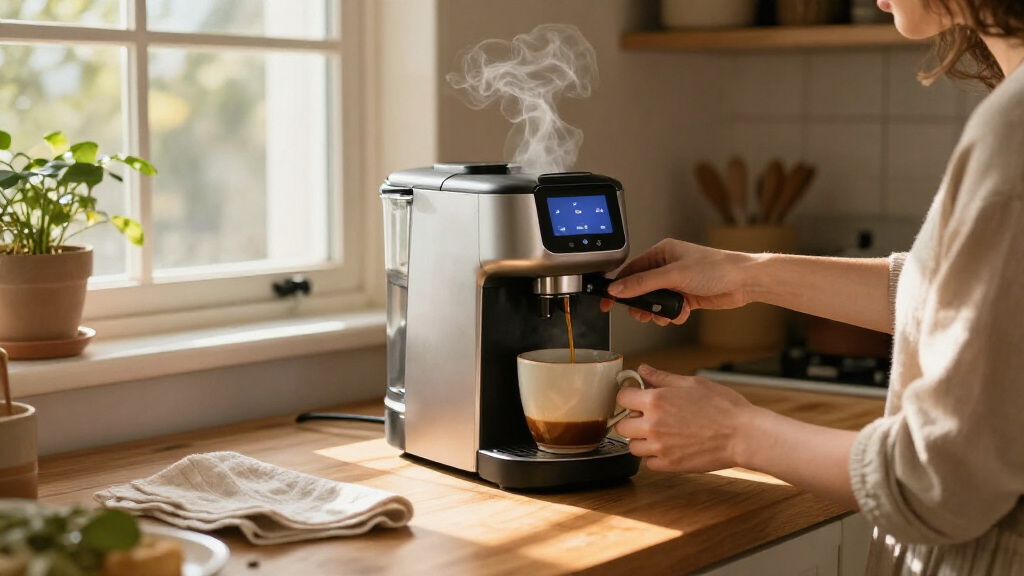
Imagine you set up a drip brewer before bed: water in the tank, grounds in the basket, and a 6:45 start time in the app. You wake to the warm, roasty smell of coffee instead of a beep from your phone. Now imagine you forgot to switch the machine on. A safety requirement or a missing local step may mean the app can’t start it remotely.
Voice assistant support also varies by model. “Works with Alexa” or Google Assistant doesn’t guarantee that you can set every temperature, cup size, or recipe by voice. A command may only start a prepared brew or report basic status. Check the manufacturer’s list of supported commands for the exact model you’re considering.
Before you buy, ask whether a feature saves a real step in your day. An app that can reliably schedule tomorrow’s pot may be useful; a voice command you use once for novelty may not justify a higher price. Look for the function, the setup it requires, and what happens when your phone or Wi-Fi is unavailable.
Choose the Brew Style That Suits Your Cup
Your brewing method shapes the cup more than its internet connection does. Smart controls appear on drip coffee makers, pod brewers, espresso machines, and specialty brewers, but each style makes different drinks and asks different things of you. Choose the method you want first; then see whether the connected features improve that experience.
| Brewer style | What it’s good for | Smart feature to check |
|---|---|---|
| Drip | A pot for breakfast or guests | Reliable scheduling and capacity |
| Pod | A quick single serving | Remote start and pod availability |
| Espresso | Concentrated drinks and milk recipes | Saved profiles and guided controls |
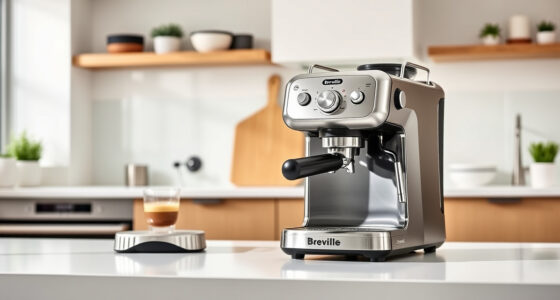
| Specialty brewer | More control over a particular style | Useful recipe adjustments |
For example, a household that pours three mugs before work may care more about a full carafe and a repeatable timer than about espresso profiles. A person who makes one cappuccino after lunch may value saved drink settings instead. Like choosing between a bicycle and a car, choosing the right tool comes before choosing a convenient accessory.
Flavor still depends on the ingredients and process: fresh beans, grind size, water quality, temperature, and brewing method. A saved recipe can help you repeat a cup you like, but it can’t turn old grounds into fragrant coffee. Pick the cup you want, then compare how much control the app really adds.
Use Saved Settings to Repeat a Better-Tasting Cup
App customization helps you repeat a preferred recipe by storing or adjusting settings such as brew strength, temperature, and cup size. It can make brewing easier to personalize, especially when more than one person uses the machine. But the app is a tool for control, not a guarantee that every setting will improve flavor.
Suppose you like a 10-ounce cup brewed at medium strength, while your partner prefers a larger, bolder mug. A brewer with multiple saved profiles could spare you both from changing the settings every morning. On another model, one shared profile may mean one of you keeps tapping through menus.
Try a simple, repeatable comparison when your machine allows it. Keep the same beans and water, then change just one setting, such as strength or cup size. If you change the grind, water, dose, and temperature together, you won’t know which adjustment changed the taste.
- Pick a starting recipe: use the same beans, dose, and water for each test.
- Change one control: adjust strength, temperature, or serving size, if your brewer supports it.
- Taste and save: note which cup you prefer, then save that profile when the app allows.
This process turns customization into a small kitchen experiment rather than a string of random taps. A profile is most useful when you can explain what it does and reproduce the cup it makes. If you rarely change your recipe, straightforward physical controls may work just as well.
Check the App, Wi-Fi, and Support Before You Buy
App dependence affects convenience and the machine’s useful life. A connected brewer may need a stable Wi-Fi connection or an active cloud service for scheduling, remote commands, or saved features. Many machines still brew from their physical controls, but offline behavior differs. Check how the exact model works when the internet goes down and whether its basic controls remain available.
Picture the router restarting during a storm. If you can still press a button and brew a pot, the outage may be a minor annoyance. If a favorite recipe or remote function lives only in an app, you may lose that convenience until service returns. Ask whether the machine can keep working if the manufacturer changes or discontinues its online service.
Also check software support, warranty, and replacement parts. A brewer can outlast several phones, and a useful machine should not depend on an app that no longer installs on your device. Look for clear information about support, filters, carafes, pods, and parts you might need to replace.
Privacy deserves a quick look too. The app could collect account, device, or usage data. Read the manufacturer’s privacy policy and app permissions before connecting it; a coffee schedule might reveal when a home is usually empty. If that tradeoff feels uncomfortable, choose a model with local controls and limit app permissions where possible.
Keep Cleaning and Safety Part of the Routine
Connected reminders can help you maintain a coffee maker, but they don’t replace cleaning, descaling, or the manufacturer’s safety instructions. Some models send water-filter notices or descaling alerts; their timing and usefulness vary. You still need to empty grounds, clean removable parts, and follow the recommended care steps for your brewer.
For example, if your machine reminds you to descale after months of hard-water use, that alert could prompt you before mineral buildup affects performance. But a reminder can’t tell you whether you used the right descaling product or rinsed the tank properly. Follow the manual, especially if your brewer has a specific cleaning cycle.
Auto shutoff and remote-start safeguards also differ. Treat a connected appliance like any other countertop machine: prepare it correctly, keep the area clear, and follow its instructions. A phone command does not make an unattended hot appliance risk-free. If the model requires a local step before it can brew, respect that requirement rather than trying to work around it.
These small habits are easy to overlook on a rushed morning. A paper filter in the wrong position, an empty water tank, or a neglected drip tray can spoil the brew or create a mess. Let reminders support the routine, then use your eyes and the manual to finish the job.
Decide Whether the Extra Cost Pays You Back
A smart coffee maker is worth the extra cost when you’ll use its connected features often enough to value the time or control they add. Scheduling can suit a household with a steady morning routine; saved recipes can help people who share a machine; maintenance alerts may be useful if you tend to forget descaling. If those tasks rarely bother you, a simpler brewer may be the better value.
Think about a household that makes a pot at 6:30 every weekday. If scheduling saves five minutes of morning setup, that’s a small but repeated convenience. Compare it with a person who makes coffee at changing times and likes selecting settings at the machine. For them, an app may add setup and troubleshooting without solving a regular problem.
Before you buy, walk through this short list:
- Brewing style: Does it make the kind of coffee you actually drink?
- Daily task: Which app or voice feature will you use each week?
- Compatibility: Does the exact model support your phone or voice assistant, and which commands work?
- Fallback: Can you brew locally if Wi-Fi or cloud services fail?
- Long-term costs: Are there subscriptions, unusual filters, pods, or hard-to-find replacement parts?
- Privacy and care: Are the app permissions clear, and can you manage the cleaning the machine requires?
Product lineups and integrations change, so check the manufacturer’s current documentation for the exact model before purchasing. A helpful feature list should say which controls work on the machine, which require an app, and whether any need a subscription. Buy the routine you want to live with, not the word “smart.”
Frequently Asked Questions
Can I start a smart coffee maker while I’m away?
Sometimes. Remote brewing depends on the model, app setup, and any safety steps the manufacturer requires. Check whether you must prepare the machine or press a local button before leaving.
Do smart coffee makers work with Alexa or Google Assistant?
Some models support voice assistants, but the available commands vary. Confirm the exact model’s compatibility and check whether voice can start brewing, adjust settings, or only report basic status.
Will the brewer still work if my Wi-Fi goes down?
Offline brewing depends on the machine. Some retain physical controls for basic brewing, while app scheduling, remote access, or cloud features may stop working. Read the product details to see what remains available without internet.
Does a connected coffee maker make better-tasting coffee?
Connectivity alone does not improve flavor. Fresh beans, grind size, water quality, temperature, and brewing method matter more. Saved settings can help you repeat a recipe you already enjoy.
Are smart coffee makers hard to set up and maintain?
Setup often involves installing an app and connecting the brewer to Wi-Fi. Cleaning and descaling still follow the manufacturer’s instructions, though a reminder can help you remember when care is due.
Can multiple people save their own coffee settings?
Some brewers offer saved profiles or recipes, while others use shared settings. Check the app and machine documentation for the exact model if separate preferences matter in your household.
Should I pay more for a smart coffee maker?
Pay extra when you’ll use the features regularly. Scheduling, remote control, saved recipes, or useful reminders may suit your routine. If you mostly press brew at the machine, a simpler model may give you better value.
Conclusion
Choose your brewing style first, then pay for connected controls only when they solve a task you actually face. A timer that reliably starts your weekday pot can be worth it; a fragile app feature you never touch is just another screen to manage.
Check the exact model’s offline controls, safety steps, and support before buying. The best smart brewer is the one that leaves you with a dependable cup and a little more time to enjoy its warm aroma.