TL;DR

Get home appliances delivered free with Prime
- Fast, free delivery on millions of items
- Prime Video, Amazon Music and more included
- Member-only deals all year
A smart thermostat controls a home’s heating and cooling and connects to your network so you can adjust temperatures, set schedules, and use supported automations. It can help you manage energy use, but savings depend on your home, equipment, local energy costs, weather, and habits. Check compatibility, wiring, privacy, and total cost before you buy.
Your thermostat may be warming an empty house at 3 p.m. while the living room feels chilly at dinner. A smart thermostat can help you change that routine from your phone, set a schedule, or use supported sensors and automations to respond to how you use your home.
These devices connect to a home network and manage a heating and cooling system. Many offer remote access, energy reports, voice controls, or occupancy features, but the feature list alone cannot tell you whether one will work with your furnace, boiler, or heat pump.
This guide explains what they do, how to check compatibility, which controls can make daily life easier, and what to weigh before installing one. You’ll also see why possible energy savings depend on your settings and household, and how to make a more confident choice without mistaking a smart display for a guaranteed lower bill.
Confirm your exact HVAC equipment and wiring with the thermostat maker’s compatibility tool before buying.
A C-wire may be needed for power, but requirements vary by model; some support an adapter.
Room sensors can help a compatible thermostat prioritize a selected room, but do not create separate heating zones.
Schedules may help reduce heating or cooling in an empty home, but savings depend on the home, weather, equipment, energy prices, and habits.
Check privacy, offline controls, total cost, and current local utility offers alongside smart-home compatibility.
What a Smart Thermostat Can Do for Your Home
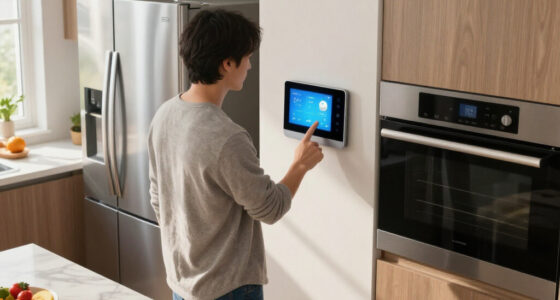
A smart thermostat controls a home’s heating and cooling system and connects to your home network, usually through Wi-Fi. Depending on the model, you can use the thermostat itself, an app, a web interface, or a voice assistant to change the temperature. It works like a wall-mounted control panel with a phone line to your home.
That connection can make small daily changes easier. Say you leave for work at 8 a.m. and return at 6 p.m.; instead of heating an empty home to your evening comfort setting all day, you can schedule a setback and have the system return to your preferred temperature later. The practical benefit is less effort: you can adjust a plan when your day changes instead of letting a rigid schedule run. Some models use occupancy signals or temperature patterns to adjust their schedules, while others stick to the times you choose. Automatic adjustments can reduce routine fiddling, but they may also make unexpected changes that feel uncomfortable if the device misreads your household’s habits.
Many devices also show energy-use reports or suggest schedule changes. These reports can help you notice patterns, such as heating running for long stretches or settings changing frequently. They are not a complete diagnosis or a measure of savings by themselves: the thermostat may not know why a room feels cold, and its reports cannot account for every factor on your bill. Drafty windows, equipment condition, weather, energy prices, and family routines all play a part.
Think of the device as a more flexible steering wheel for your HVAC system. It gives you more ways to set and review controls; it does not, on its own, upgrade your furnace or make every heating system efficient. Its value comes from whether the added control helps you change a routine or solve a comfort problem. Before shopping for smart thermostats for your home, first learn what system you have and what you want to change.
Products Worth Considering

LEVOIT Vital 200S-P Smart Air Purifier for Large Rooms

Arlo Pro Wireless Security Camera, 2K HDR, 6th Generation, 4-Camera Kit

Philips Hue White and Color Ambiance Smart Light Starter Kit with Bridge and 4 A19 Bulbs
As an affiliate, we earn on qualifying purchases.
Check Compatibility Before You Choose a Model
A smart thermostat works only when its supported wiring and controls match your heating and cooling equipment. Check the manufacturer’s compatibility tool for your exact system type, including whether you have a furnace and air conditioner, boiler, heat pump, or multistage equipment. A product’s broad claim that it works with many homes doesn’t confirm that it supports your setup. A mismatch can mean the system fails to heat or cool as expected, or that a feature such as auxiliary heat is not controlled correctly, so compatibility is a functional requirement rather than a minor specification.
Wiring matters, too. Some thermostats need a C-wire to provide steady power; other models work without one or support a separate adapter. For example, a homeowner replacing an old thermostat might find that the wall has several wires but no C-wire. That’s a reason to check the device’s instructions and wiring guide, not to guess based on wire color alone. Wire colors are not a reliable substitute for identifying terminal connections, and choosing a workaround without checking could lead to unreliable power or improper operation.
Heat pumps deserve extra care because they may use reversing-valve controls and auxiliary heat. A thermostat that handles a standard furnace may not support those functions as your system requires. Incorrect configuration can affect comfort and how the system operates, so a compatibility result should account for the equipment’s actual controls, not just its broad category. If your home has multiple stages or equipment you can’t identify, ask an HVAC professional to confirm compatibility before you buy.
Here are the first checks to make:
- Identify the equipment: note whether you have a boiler, furnace, air conditioner, heat pump, or more than one stage. This narrows down which control functions the thermostat must support.
- Check the wiring: compare the wires and terminal labels with the thermostat maker’s instructions. The labels and system configuration matter more than color alone.
- Use the maker’s checker: confirm your exact combination of equipment and wiring, including any listed limitations or required accessories.
- Get help when uncertain: an HVAC professional can assess unfamiliar wiring or controls and help avoid buying a device that cannot operate your system correctly.
A few minutes with the equipment manual may spare you the frustrating click of a thermostat that powers on but can’t control the system correctly. It can also reveal whether an adapter or professional installation belongs in your budget before you order.
Compare Scheduling, Sensors, and Smart-Home Features
Smart thermostats for a home range from app-connected scheduling to systems that combine schedules, remote sensors, and integrations. The most useful choice depends on the problem you want to solve. If you mainly forget to turn down the heat before leaving, a clear schedule and dependable app may matter more than an elaborate automation system. Features add value when they remove a recurring inconvenience; otherwise, they add cost and setup decisions without changing how comfortable or convenient the home feels.
Remote sensors can help when one room runs hotter or colder than the thermostat’s location. For example, you might place a supported sensor in an upstairs bedroom and have the thermostat use that reading in the evening. This can change which room the system prioritizes, but a sensor is not a separate zone: it doesn’t independently command a different temperature in every room. The system still generally heats or cools the home according to one call for heat or cooling, so prioritizing one room may leave another less comfortable. Check how the thermostat selects sensor readings and whether you can choose the room and times yourself.
Smart-home connections also vary by product and feature. Matter is intended to let compatible devices work across participating platforms, but a Matter label doesn’t promise that every thermostat feature works in every ecosystem. Support may differ for voice commands, automations, sensor data, or setup. If a particular integration is the reason you are choosing a model, confirm that exact function with both the thermostat maker and the platform before buying; general compatibility may not include the control you care about.
A quick comparison can help you focus on the details that change daily use:
| Feature | What it can help with | What to check |
|---|---|---|
| Schedules | Changing settings around regular routines | How easy they are to set and edit |
| Remote access | Adjusting the home temperature away from home | App, account, and internet needs |
| Room sensors | Prioritizing a supported room at certain times | Which sensors work and how the readings are used |
| Smart-home support | Linking the thermostat to other compatible devices | Platform and feature support for the exact model |
For instance, someone with a regular weekday commute might favor simple scheduling, while a household with a chilly upstairs bedroom might value sensors. Neither feature is automatically worth paying extra for if you won’t use it. Compare the expected convenience with the added price, setup, and any dependence on accounts or network access.
See When a Smart Thermostat Might Save You Money
A smart thermostat can help lower energy use when it makes it easier to reduce heating or cooling during times your home is empty or your household prefers a different setting. It does not guarantee a cheaper bill: results depend on your home, HVAC equipment, energy prices, weather, temperature settings, and how often you use the available controls. The device can make a schedule easier to follow, but the energy effect comes from the settings and system behavior, not from the network connection itself.
Consider a household that leaves for work and school each morning but keeps the same setting all day. A schedule could lower heating during those hours and return to the evening setting before everyone arrives. For a household where someone stays home most days, that same schedule may be uncomfortable or save little. There is a comfort tradeoff: a larger setback may reduce runtime while the home is empty, but the system then has to bring the home back to the preferred temperature. The value comes from a routine that fits real life, not from a “smart” label.
Use the thermostat’s reports as a guide to patterns, rather than proof that the device has saved a particular amount. A report might show long heating runs on very cold days, but it cannot tell you by itself whether insulation, windows, equipment maintenance, or the set temperature caused them. Reports can help you decide what to investigate next; an energy audit or equipment assessment may help when bills stay high despite schedule changes.
Price the full setup before deciding. Include the thermostat, optional sensors, installation if needed, and any likely change to energy bills. The upfront cost is certain while any savings are uncertain, so compare the price with the features you expect to use rather than assuming the device will pay for itself. Some utilities offer rebates or incentives, but offers depend on where you live and may change over time. If a utility program can adjust your thermostat during high-demand periods, read its terms and check how opt-out choices work; a credit or rebate may come with settings or participation conditions that matter to your household.
The useful question is not whether a smart thermostat always saves money. Ask whether its schedules and controls can change a costly habit in your own home, and whether that likely benefit makes sense against the upfront cost.
Install It Safely and Check What Happens Offline
Many smart thermostats are designed for DIY installation when the existing equipment and wiring are straightforward, but the work depends on your system. Before handling thermostat wiring, turn off power to the heating and cooling equipment and follow the manufacturer’s instructions. If the wiring or equipment is unfamiliar, contact a qualified HVAC professional rather than guessing. The key tradeoff is convenience versus confidence: a simple replacement may be manageable, while an uncertain control setup can make a small installation error affect system operation.
A straightforward replacement may involve labeling wires, mounting the new base, and following the setup steps in the app. But a wire that looks familiar doesn’t prove the system matches your assumptions. In particular, heat pumps, boilers, and multistage systems can have controls that call for careful identification. Keep the wiring information and equipment model handy if you need to ask for help. That information also makes it easier to resolve a setup issue without relying on memory after the old thermostat is removed.
Internet service and privacy deserve a place on your checklist. Remote access, cloud services, location features, or occupancy sensing may need an account or network connection. Ask what information the device collects, which app permissions it requests, how you can control data sharing, and what still works if the internet is down. These details matter because a feature can trade convenience for data access or account dependence; decide whether that trade is acceptable before you rely on it.
Many models retain basic local temperature control when a connection fails, while remote access and some integrations stop working. The details vary, so check the model’s offline behavior before purchase. If you rely on an app to change settings while away, losing that access may matter more than it would for someone who uses the wall controls and a fixed schedule. Also review its display, accessibility, software support, warranty, and whether it remains useful if a service or integration changes. A bright screen and slick app are nice; a thermostat you can still operate during a router outage is more useful.
Use a Short Checklist to Pick the Right Thermostat
The right thermostat is the one that supports your equipment, solves a real household problem, and stays comfortable to use. A family with a heat pump and uneven upstairs temperatures has different needs from a renter with a simple furnace who just wants to change settings from a phone. Start with the home’s needs; let the feature list come second. This order helps prevent a common mismatch: paying for advanced features before confirming the device can control the system or address the problem that prompted the search.
Before buying, work through these steps:
- Write down your system type and check the thermostat maker’s compatibility tool for that exact equipment. This establishes whether the product can perform the basic job.
- Confirm wiring and power needs, including whether the model requires a C-wire or supports an adapter. Include any adapter or wiring work in the expected cost.
- Pick the one or two features you’ll use: perhaps a dependable schedule, remote access, a room sensor, or a particular smart-home connection. Prioritizing a few needs makes it easier to compare meaningful differences rather than long feature lists.
- Check privacy and outages: read what data the app uses and what controls work without internet access. Consider whether the convenience is worth any account, network, or data-sharing requirements.
- Calculate the total cost: include the device, sensors, professional installation, and any current local rebate. Treat incentives and possible savings as uncertain until you confirm eligibility and terms.
This process helps you avoid paying for features that sound impressive but don’t fit your routine. For instance, if you rarely use voice assistants, broad platform integration may matter less than a readable display and simple controls. If you’re considering a utility incentive, confirm the current terms directly with your local utility before including it in your budget.
Product specifications and software support can change, so check the manufacturer’s latest information before ordering. A thermostat is a small purchase compared with a heating system, but it becomes part of your daily comfort. Choose one you can use confidently on an ordinary Tuesday, not just one with a long box of features.
Frequently Asked Questions
Will a smart thermostat work with my heating and cooling system?
It depends on your system type, wiring, and the thermostat’s supported controls. Check the manufacturer’s compatibility tool for your exact furnace, boiler, heat pump, or multistage equipment. Ask an HVAC professional if the wiring or equipment is unfamiliar.
Do smart thermostats really save money?
They can help when schedules or remote controls make it easier to reduce heating or cooling while your home is empty. Savings vary with your equipment, home, weather, energy prices, settings, and household routine, so treat app reports as guidance rather than a promise.
Do I need a C-wire?
Not always. C-wire needs depend on the thermostat and your existing system; some devices work without one or support an adapter. Confirm the requirement in the manufacturer’s compatibility and installation information.
Can I install a smart thermostat myself?
Often, if your system and wiring are straightforward and you can follow the maker’s instructions. Turn off power before handling thermostat wiring. If the system is complex or the wires are unfamiliar, hire a qualified HVAC professional.
Will the thermostat work if my Wi-Fi or internet goes down?
Many models still provide basic local temperature control, but app access, cloud features, or integrations may stop working. Check the specific model’s offline behavior so you know which controls remain available during an outage.
Can one thermostat control different room temperatures?
Some models support remote sensors that help prioritize a selected room at certain times. A sensor doesn’t necessarily control that room independently or create separate heating zones; check how the thermostat uses sensor readings and whether your home has zoned equipment.
Conclusion
Choose a smart thermostat by starting with your HVAC system, then match its controls to a routine you actually want to change. Confirm the wiring, understand the app and privacy requirements, and count the full cost before you buy.
A well-matched thermostat can make comfort easier to manage, one quiet schedule change at a time. Let the house feel right when you need it—and give the empty rooms a rest.