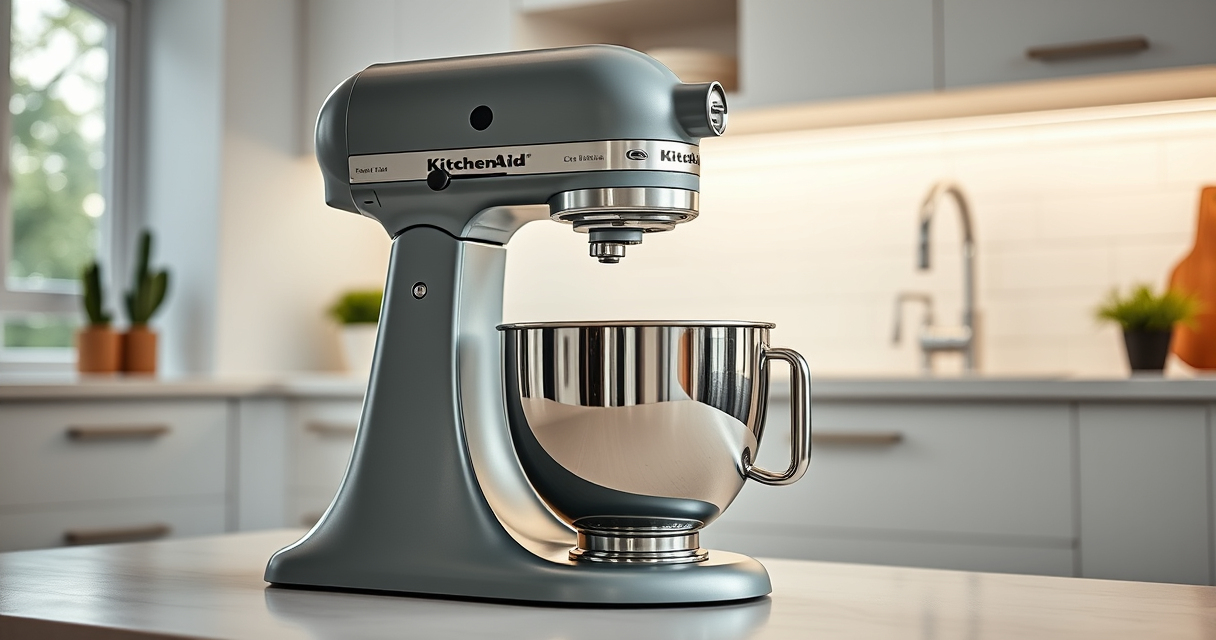

Keeping your KitchenAid Artisan Series 5 Quart Tilt Head Stand Mixer in top condition ensures it performs reliably and lasts for years. Regular maintenance not only extends the lifespan of your mixer but also guarantees optimal mixing results every time. This guide provides practical, safe, and easy-to-follow steps for maintaining, troubleshooting, and caring for your KitchenAid stand mixer.
Whether you’re a new owner or a seasoned user, understanding how to properly maintain your mixer can prevent common issues and save you money on repairs. We’ll cover cleaning, inspecting, troubleshooting, and recommended accessory maintenance for your mixer’s longevity and peak performance.
Key Takeaways
| Regular Cleaning | Clean the mixer after each use to prevent buildup. |
| Inspect Moving Parts | Check the tilt-head latch and attachments regularly. |
| Lubricate When Needed | Use appropriate lubricants to keep moving parts smooth. |
| Troubleshoot Common Issues | Identify and fix performance problems early. |
| Maintain Attachments | Clean and store accessories properly for longevity. |

KitchenAid Artisan, 5-Qt Tilt Head Stand Mixer, KSM150PS, Milkshake
- Durable Metal Construction: Built to last with 59 touchpoints
- 5-Quart Stainless Steel Bowl: Handles small or large batches, dishwasher safe
- Tilt-Head Design: Easy ingredient addition and access to bowl
As an affiliate, we earn on qualifying purchases.
Cleaning Your KitchenAid Stand Mixer
- Unplug the mixer before cleaning to ensure safety.
- Remove the bowl, beater, and any attachments. Wash these parts in warm, soapy water or place the stainless steel bowl in the dishwasher for easy cleaning.
- Wipe down the mixer body with a damp cloth. Avoid abrasive cleaners that could damage the finish.
- Use a soft brush or compressed air to clean around the motor head and ventilation slots, removing dust and debris.
- Dry all parts thoroughly before reassembling to prevent rust and corrosion.

KitchenAid KSMMGA Food Grinder Attachment for All KitchenAid Stand Mixers
- Compatible with KitchenAid Mixers: Connects to all KitchenAid stand mixers
- Versatile grinding plates: Includes fine, medium, and coarse plates
- Sausage stuffer tubes: Comes with two sausage stuffer tubes
As an affiliate, we earn on qualifying purchases.
Inspecting and Maintaining Moving Parts
- Check the tilt-head latch periodically to ensure it locks securely in place.
- Inspect the power cord for frays or damage; replace if necessary.
- Examine the beater and attachment hubs for signs of wear or debris buildup.
- Lubricate the moving parts, such as the tilt-head hinge, with a food-grade lubricant if they feel stiff or squeaky, following manufacturer recommendations.
Troubleshooting Common Problems
If your mixer isn’t functioning properly, consider these steps:
- Mixer not starting: Check the power cord connection, outlet, and circuit breaker.
- Uneven mixing or loud noises: Ensure attachments are properly secured and not worn out.
- Motor overheating: Allow the mixer to cool down before resuming use, and avoid overloading the bowl.
- Perform a reset by unplugging the mixer for a few minutes, then plugging it back in.
Maintaining Attachments and Accessories
Regularly clean your attachments, such as the flat beater, dough hook, and wire whip, with warm soapy water. Dry thoroughly to prevent rust and corrosion. Store them in a dry, organized space for quick access. Following the manufacturer’s cleaning instructions will extend the life of your accessories and ensure smooth operation.
When to Seek Professional Repair
If your mixer exhibits persistent issues like motor failure, persistent overheating, or electrical problems despite troubleshooting, it’s best to consult a professional repair service or contact KitchenAid customer support. Attempting repairs beyond basic maintenance can risk voiding your warranty or causing further damage.
The Products in This Guide

KitchenAid Artisan Series 5 Quart Tilt Head Stand Mixer
- ✔ Dimensions: 14.3 x 8.7 x 14.2 inches
- ✔ Warranty: 1-year limited
- ✔ Price Range: $400-$450

KitchenAid Stand Mixer Attachment
- ✔ Weight: 5 lbs
- ✔ Dimensions: 10 x 8 x 4 inches
- ✔ Color: Metal finish
KitchenAid Artisan Series 5 Quart Tilt Head Stand Mixer
The KitchenAid Artisan Series 5 Quart Tilt Head Stand Mixer is built with durable metal construction and features 59 touchpoints for thorough mixing. Its tilt-head design provides easy access for cleaning and changing attachments, making maintenance straightforward.
Pros:
- Robust metal build for longevity
- Easy tilt-head access for cleaning
- Multiple speed settings for versatility
- Dishwasher-safe bowl and accessories
Cons:
- Can be heavy to lift for some users
- Requires regular cleaning of attachments
- May be noisy at high speeds
Best for: Home bakers and cooking enthusiasts seeking a reliable, versatile mixer.
Not ideal for: Light-duty tasks or for users preferring a compact, lightweight appliance.
Bottom line: A durable, versatile stand mixer that’s easy to maintain for consistent results.
KitchenAid Stand Mixer Attachment
The KitchenAid Metal Food Grinder attachment expands your mixer’s functionality, allowing you to grind meats, vegetables, and more with ease. It’s a practical addition for anyone who loves homemade foods and wants consistent results.
Pros:
- Sturdy metal construction
- Multiple grinding plates and sausage stuffer tubes
- Large food tray for bigger batches
- Easy to clean and store
Cons:
- Requires separate purchase and attachment hub
- Additional cleaning after use
- Additional storage space needed
Best for: Homemade sausages, ground meats, and vegetable grinding enthusiasts.
Not ideal for: Casual users who don’t frequently grind food or prefer simpler attachments.
Bottom line: A versatile accessory that turns your KitchenAid mixer into a complete food processing station.
Frequently Asked Questions
How often should I clean my KitchenAid stand mixer?
Clean your mixer after each use by washing removable parts in warm, soapy water and wiping down the body with a damp cloth. Regular cleaning prevents buildup and keeps the mixer functioning smoothly.
Can I use my KitchenAid tilt-head mixer with all attachments?
Most KitchenAid attachments are compatible with the tilt-head models like the KSM150PS. Always check specific attachment compatibility, but generally, the tilt-head design provides easy access for a wide range of accessories.
What should I do if my mixer is making loud noises?
First, ensure attachments are properly secured. Check for debris or buildup around moving parts. If the noise persists, inspect the motor and gears, and consider lubricating the hinge or seeking professional repair if needed.
Is it safe to lubricate my KitchenAid mixer?
Yes, but only use lubricants recommended by the manufacturer, typically food-grade lubricants. Avoid over-lubricating, and never apply lubricant to electrical components.
How do I troubleshoot my mixer not starting?
Verify the mixer is plugged in and the outlet has power. Check the circuit breaker. If still unresponsive, inspect the power cord and switch. Contact support if the problem persists.
Keeping Your KitchenAid Mixer in Prime Condition
Regular maintenance is key to ensuring your KitchenAid Artisan Stand Mixer remains a reliable kitchen companion. By following simple cleaning, inspection, and troubleshooting routines, you can prevent many common issues and extend the life of your device. Invest a little time now, and enjoy flawless performance for years to come.
Affiliate disclosure: As an Amazon Associate we earn from qualifying purchases. Prices and availability are accurate as of the time of publishing.