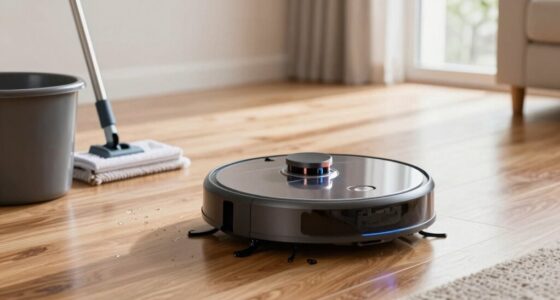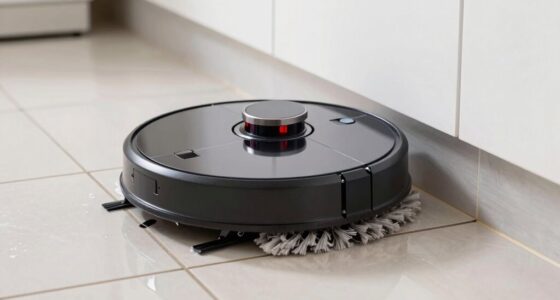
To keep your robot mop performing at its best, regularly charge it before the battery drops below 20-30%, use recommended chargers, and clean contacts to guarantee a strong connection. Keep sensors clean and calibration up-to-date by following manufacturer instructions, especially after impacts or dirt exposure. Maintain a clean environment and avoid dust or humidity to protect sensors. Staying on top of firmware updates and proper maintenance habits can make a big difference in its longevity and cleaning efficiency.

Get home appliances delivered free — and shop member deals
- Fast, free delivery on millions of items
- Access to Prime Big Deal Days deals on October 6–7
- Prime Video, Amazon Music and more included
Key Takeaways
- Regularly clean sensors and charging contacts to ensure accurate navigation and strong connections.
- Perform periodic sensor calibration to prevent navigation errors and improve coverage.
- Keep the environment dust-free and avoid high humidity areas to protect sensors and batteries.
- Use firmware updates that include battery and sensor management improvements.
- Recharge the device before the battery drops below 20-30% to extend battery lifespan.
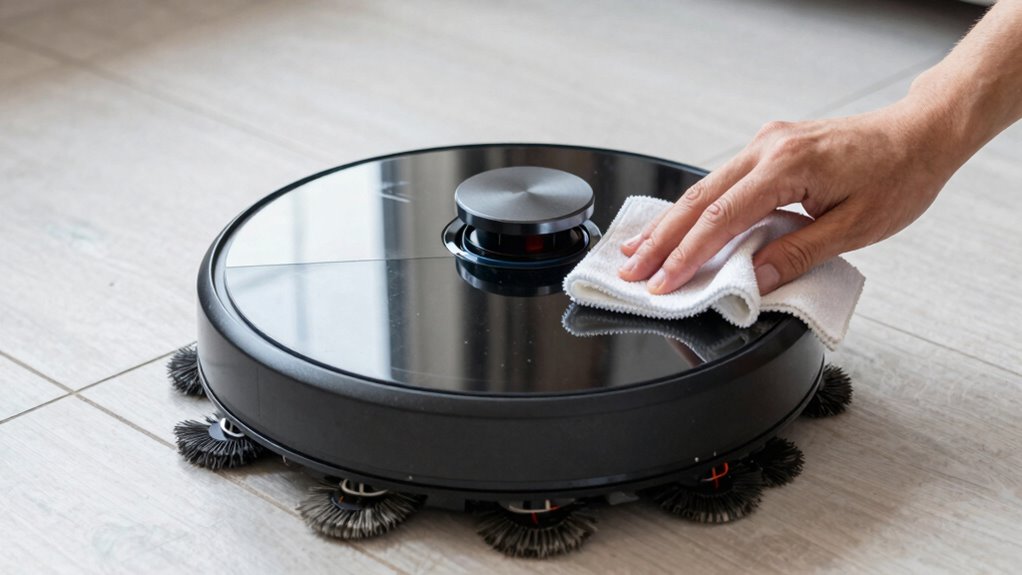
Keeping your robot mop in top condition is crucial for guaranteeing it cleans effectively and lasts longer. One of the most critical aspects of maintenance is paying attention to the battery lifespan. Over time, batteries naturally lose their ability to hold a charge, which reduces your device’s runtime and cleaning efficiency. To maximize battery health, avoid letting it fully drain before recharging. Instead, recharge it when it’s about 20-30% full. Using the recommended charger and avoiding overcharging can also extend your robot mop’s battery life. If you notice a considerable drop in cleaning time, it might be time to replace the battery to maintain peak performance. Regularly cleaning the charging contacts and ensuring they’re free of dust and debris helps maintain a strong connection, preventing charging issues that can prematurely degrade the battery. Proper charger settings and low-voltage cutoff can further protect your battery from damage and prolong its lifespan. Additionally, monitoring battery health periodically can help catch potential issues early before they impact your device’s performance. Incorporating battery management systems that optimize charge cycles can further enhance longevity.
Sensor calibration is another crucial maintenance habit that can make a big difference. Sensors are the eyes and ears of your robot mop, guiding it around obstacles and helping it navigate efficiently. Over time, dust, dirt, or accidental impacts can throw off sensor calibration, causing your device to bump into furniture or miss cleaning spots. To keep sensors functioning accurately, regularly clean them with a soft, dry cloth. Some models allow for easy calibration through the app or settings menu—use this feature periodically to reset the sensors and ensure they’re aligned properly. Proper calibration helps your robot avoid obstacles and prevents it from getting stuck, which can save you time and frustration during cleaning sessions. It also promotes even coverage, so no area gets overlooked. Additionally, air quality considerations such as avoiding high dust or humidity areas can help maintain sensor accuracy and prolong the device’s lifespan. Regular firmware updates can also include improvements to sensor calibration algorithms, ensuring your device stays at peak performance. To support these updates, keeping your device connected to a stable Wi-Fi network is essential.
As an affiliate, we earn on qualifying purchases.
Frequently Asked Questions
How Often Should I Replace the Robot Mop’s Filter?
You should replace your robot mop’s filter every 2 to 3 months, depending on usage and water quality. The filter lifespan varies with how often you clean and how dirty your floors are, so sticking to a regular replacement schedule helps maintain peak performance. Check the manufacturer’s recommendations, but generally, a timely filter change keeps your robot mop running efficiently and prevents clogs or odors.
Can I Use Harsh Chemicals to Clean the Robot Mop?
You shouldn’t use harsh chemicals to clean your robot mop because it can damage its components. Always prioritize chemical safety by sticking to manufacturer-recommended cleaning solutions. Incorporate regular cleaning schedules to keep your mop in top condition, but avoid abrasive or strong cleaners. Instead, use a damp cloth or mild soap. This approach extends your mop’s lifespan and guarantees it functions properly without risking damage from improper cleaning methods.
What’s the Best Way to Prevent the Brushes From Tangling?
Did you know tangled brushes can reduce your robot mop’s efficiency by up to 30%? To prevent this, regularly check and maintain proper brush alignment and guarantee there’s no debris caught around the brushes. Tangle prevention is key—pause the device, remove any hair or fibers, and straighten the brushes. Keeping them aligned and clear will help your robot mop work smoothly and last longer.
How Do I Reset My Robot Mop if It Stops Working?
If your robot mop stops working, start by resetting it. Turn it off and unplug it, then remove the battery if possible. Wait a few minutes before reinserting the battery and turning it back on. Check for software updates, as they can improve battery life and fix bugs. If it still doesn’t work, perform a factory reset following your model’s instructions to restore default settings and troubleshoot issues effectively.
Is It Necessary to Calibrate the Robot Mop Regularly?
Yes, you should calibrate your robot mop regularly to guarantee peak performance. Proper calibration helps extend the battery lifespan and maintains cleaning accuracy. Additionally, keep your robot’s software updated; these updates often include calibration improvements and bug fixes. Regular calibration prevents issues, keeps your device functioning smoothly, and maximizes its lifespan. Set a schedule to check calibration and software updates so your robot mop continues to work effectively.
As an affiliate, we earn on qualifying purchases.
Conclusion
By maintaining your robot mop regularly, you’re extending its lifespan and ensuring it performs at its best. A simple habit like cleaning the brushes weekly can prevent buildup and improve cleaning efficiency. Did you know that neglecting maintenance can reduce your robot’s lifespan by up to 30%? Staying on top of these habits not only saves you money but also guarantees a cleaner home. Keep up with your robot mop’s care routine, and you’ll enjoy spotless floors with less hassle.
As an affiliate, we earn on qualifying purchases.
As an affiliate, we earn on qualifying purchases.
NFL season / tailgating Picks
team gear
As an affiliate, we earn on qualifying purchases.