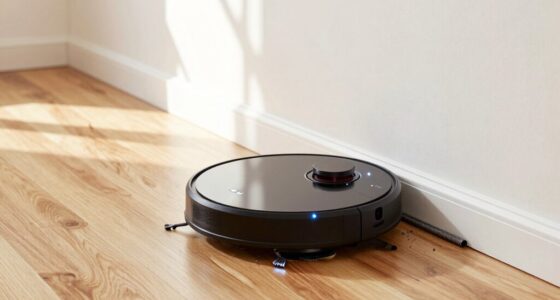
To stop your robot vacuum from avoiding dark rugs, regularly clean the cliff sensors with a soft, damp cloth to remove dirt and dust that can cause misjudgments. Use a gentle brush or compressed air for stubborn debris, and make certain the sensors are free of grime. Also, calibrate your device to improve accuracy. Proper maintenance helps sensors distinguish dark rugs from drops. For more tips on maintaining your vacuum’s sensors, keep exploring these solutions.

Get home appliances delivered free with Prime
- Fast, free delivery on millions of items
- Prime Video, Amazon Music and more included
- Member-only deals all year
Key Takeaways
- Regularly clean cliff sensors with a soft, damp cloth to remove dirt and dust buildup.
- Use compressed air or a soft brush to clear hard-to-reach areas and stubborn debris.
- Recalibrate sensors via the app or device controls to improve dark surface recognition.
- Place light-colored tape or rugs on dark floors to help sensors detect edges accurately.
- Follow manufacturer cleaning guidelines to prevent sensor damage and maintain proper navigation.
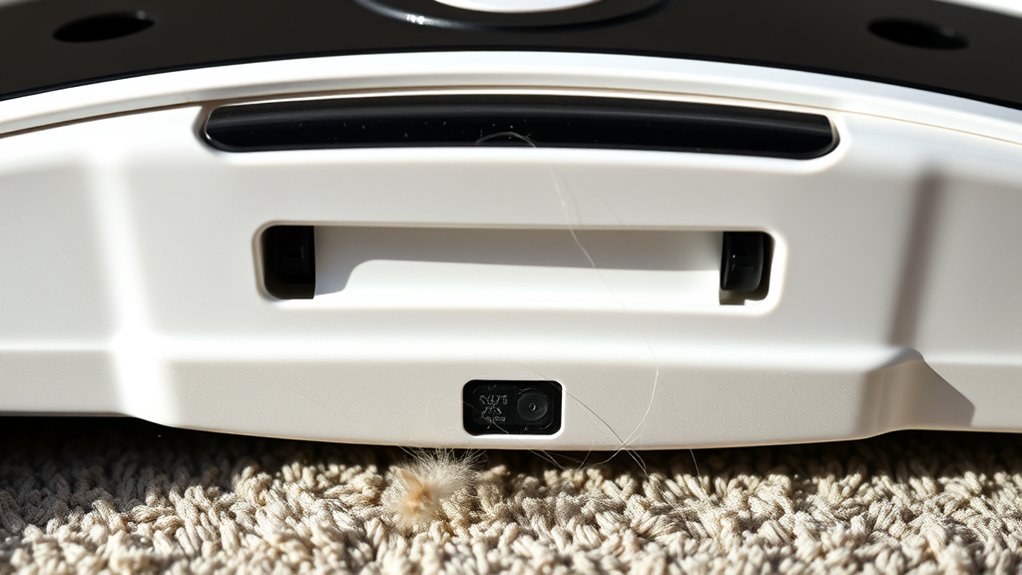
Cliff sensors are crucial for your device’s safety and navigation, but dirt, dust, and debris can impair their performance. When these sensors become dirty, your robot vacuum might misjudge drops or avoid dark rugs, thinking they’re stairs. To prevent this, you need to regularly perform sensor calibration and implement effective dust removal techniques. Proper calibration ensures your device accurately interprets its environment, while keeping sensors clean guarantees they function correctly. Understanding the sensor materials can help you choose the best cleaning approach to preserve their integrity. Start by inspecting your cliff sensors frequently. Dust, pet hair, and grime can settle on the sensor lenses, reducing their ability to detect edges properly. When cleaning, use a soft, lint-free cloth—dampened slightly with water or a gentle cleaning solution—to wipe the sensors gently. Avoid harsh chemicals or abrasive materials, as they can scratch or damage the sensors. For stubborn dirt, a soft-bristled brush or compressed air can help dislodge debris from hard-to-reach areas. These dust removal techniques are simple but effective in maintaining sensor clarity and performance. Sensor calibration plays a crucial role in ensuring your vacuum’s navigation remains accurate. Many robot vacuums have a built-in calibration process, often accessible via the app or device controls. Regular calibration resets the sensors’ sensitivity levels, making sure they correctly interpret the surroundings. If your vacuum starts avoiding dark carpets or misjudging drop-offs, recalibrating the sensors might resolve the issue. Sometimes, cleaning alone isn’t enough; recalibration fine-tunes sensor readings, restoring proper obstacle detection. Besides cleaning and calibration, consider the environment where your vacuum operates. Dark rugs or black flooring can sometimes trick sensors into thinking there’s a drop-off. To mitigate this, try placing a light-colored mat or tape on darker surfaces temporarily during cleaning sessions. This simple step helps your device recognize these areas as safe to traverse. Additionally, check your user manual for specific sensor cleaning instructions or calibration tips tailored to your model.
robot vacuum cliff sensor cleaning kit
As an affiliate, we earn on qualifying purchases.
As an affiliate, we earn on qualifying purchases.
Frequently Asked Questions
Can Cleaning Cliff Sensors Improve Overall Robot Vacuum Performance?
Cleaning your cliff sensors definitely improves your robot vacuum’s performance. Dirt accumulation on the sensors can cause calibration issues, making it struggle with navigation and avoiding dark rugs or stairs. Regularly wiping the sensors guarantees they stay accurate, helping your vacuum navigate smoothly and avoid obstacles. Keep them clean to maintain ideal sensor calibration, which results in better cleaning coverage and fewer mishaps during your robot’s operation.
Are There Specific Cleaning Tools Recommended for Cliff Sensors?
For sensor cleaning, you should use soft, lint-free cloths or microfiber cloths to avoid scratching the sensors. Gentle brushes, like small electronics cleaning brushes, are also helpful for removing dust and debris from tight spots. Avoid harsh tools or liquids, as they can damage the sensors. Regular sensor cleaning with these recommended tools guarantees your robot vacuum detects dark rugs properly, preventing it from avoiding them and improving overall performance.
How Often Should Cliff Sensors Be Checked for Dirt or Debris?
Check your cliff sensors weekly to prevent debris buildup and guarantee proper sensor calibration. Regularly inspecting and cleaning the sensors helps your robot vacuum avoid dark rugs and other obstacles effectively. If you notice missed spots or erratic movements, it’s time for a quick clean. Keeping sensors spotless prevents dirt and dust from disrupting detection, so your vacuum continues to clean confidently and consistently without avoiding dark or tricky surfaces.
Do Different Robot Models Require Different Cleaning Methods?
Different robot models do require different cleaning methods, especially for sensor calibration and debris removal. You should always follow the manufacturer’s instructions, as some sensors might need gentle wiping with a soft cloth, while others may require specific cleaning solutions. Regularly check your vacuum’s sensors, make sure they’re free from dust and debris, and calibrate if needed. This helps prevent issues like avoiding dark rugs and improves overall navigation.
Can Cleaning Cliff Sensors Prevent the Vacuum From Missing Spots?
Cleaning your cliff sensors can indeed prevent your vacuum from missing spots. Imagine a tiny barrier of debris obscuring the sensors, causing calibration errors and making the vacuum avoid areas it should clean. Regular debris removal guarantees your sensors stay clear, maintaining accurate detection. This proactive maintenance boosts coverage, preventing missed spots and ensuring your robot cleans thoroughly, even on dark rugs. Keep sensors clean, and your vacuum’s performance will shine.
robot vacuum sensor calibration tool
As an affiliate, we earn on qualifying purchases.
As an affiliate, we earn on qualifying purchases.
Conclusion
To keep your robot vacuum sailing smoothly, regularly clean those cliff sensors—think of them as the eyes guiding your device. Dirty sensors are like foggy glasses, causing your robot to stumble and avoid dark rugs. By keeping them spotless, you’re clearing the path for flawless navigation. Don’t let grime turn your smart helper into a cautious wanderer; instead, give those sensors a quick wipe and watch your vacuum glide effortlessly, like a dancer on a polished stage.
compressed air for robot vacuum sensors
As an affiliate, we earn on qualifying purchases.
As an affiliate, we earn on qualifying purchases.
soft lint-free cloth for robot vacuum sensors
As an affiliate, we earn on qualifying purchases.
As an affiliate, we earn on qualifying purchases.
Halloween Picks
halloween
As an affiliate, we earn on qualifying purchases.