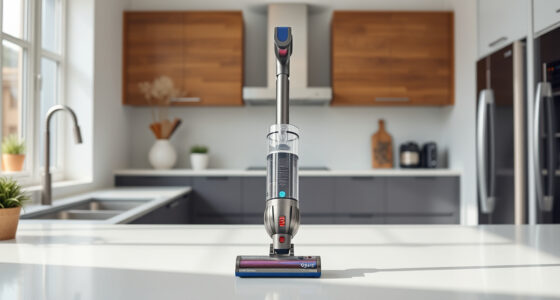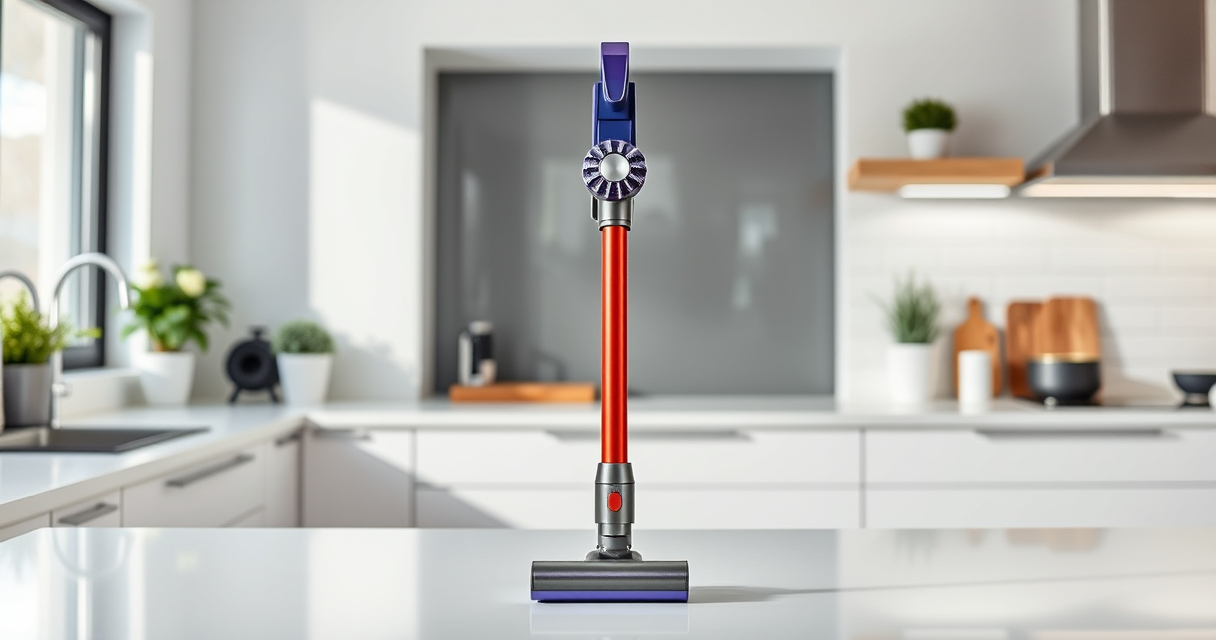
If your Dyson V15 Detect™ Origin cordless vacuum has lost suction, it can be frustrating and hinder your cleaning. This guide provides practical, safe, and effective troubleshooting steps to restore your vacuum’s performance. From checking filters to clearing blockages, follow these detailed instructions to get your Dyson working like new.

Get home appliances delivered free with Prime
- Fast, free delivery on millions of items
- Prime Video, Amazon Music and more included
- Member-only deals all year
Understanding common causes and how to fix them can save you time and money. Always prioritize safety, and ensure your vacuum is unplugged before performing any maintenance or repairs.
Key Takeaways
| Check for blockages | Blocked hoses or nozzles reduce suction; clear obstructions. |
| Inspect and replace filters | Clogged filters diminish airflow; clean or replace filters regularly. |
| Examine the brush bar | Hair or debris tangled around the brush can impede suction. |
| Ensure proper assembly | Incorrectly assembled parts can cause suction loss; reassemble correctly. |
| Test the battery and motor | Weak batteries or faulty motors affect suction; replace or repair as needed. |
Check for Blockages
- Turn off and unplug your Dyson vacuum for safety.
- Inspect the wand, hose, and cleaner head for visible debris or obstructions.
- Remove any debris you find and clear the pathways thoroughly.
- Reassemble and test the vacuum for improved suction.
Clean or Replace Filters
Dirty filters can significantly reduce suction. For the Dyson V15 Detect™ Origin, check the pre-filter and other filters.
- Remove the filters according to the user manual.
- Rinse the filters with cold water until clean. Do not use detergents.
- Let the filters air dry completely, usually 24 hours, before reinstalling.
- Replace filters if they show signs of damage or excessive wear.
Inspect the Brush Bar
- Remove the cleaner head from the vacuum.
- Check the Digital Motorbar or Fluffy Optic cleaner head for tangled hair, string, or debris.
- Use scissors or a brush to carefully remove tangled material.
- Ensure the brush rotates freely before reassembling.
Verify Proper Assembly and Seals
Ensure all parts, including the wand, cleaner head, and attachments, are correctly clicked into place. Check for gaps or loose connections.
- Reassemble the vacuum, following the manual’s instructions.
- Inspect seals and gaskets for damage; replace if necessary.
- Test the vacuum to see if suction improves.
Test Battery and Motor
If all else checks out, consider the battery and motor health. Weak batteries can cause insufficient power.
- Charge the vacuum fully.
- Observe if the LCD screen shows sufficient charge and no error alerts.
- If problems persist, contact Dyson support or consider replacing the battery or motor.
The Products in This Guide

Dyson V15 Detect™ Origin Cordless Vacuum
- ✔ Filter Type: Pre-filter & post-filter
- ✔ Battery Life: Up to 60 mins
- ✔ Weight: 6.8 lbs

LANMU Crevice Tool Vacuum Attachments Compatible
- ✔ Material: Plastic and rubber
- ✔ Length: Extended nozzle
- ✔ Color: Black and red
Dyson V15 Detect™ Origin Cordless Vacuum
The Dyson V15 Detect™ Origin offers powerful suction, intelligent cleaning modes, and real-time particle detection. Its advanced design makes it a top choice for whole-home cleaning, especially when troubleshooting no-suction issues.
Pros:
- Powerful suction with 100% more power
- Intelligent particle detection
- Long 60-minute run time
- Multiple cleaning heads
- LCD screen for real-time info
Cons:
- Higher price point
- Requires filter maintenance
- Can be heavy for some users
Best for: Deep cleaning homes, pet hair removal, detailed floor care
Not ideal for: Light or quick cleans, users on a tight budget
Bottom line: A powerful, intelligent cordless vacuum ideal for deep cleaning needs.
LANMU Crevice Tool Vacuum Attachments Compatible
The LANMU Crevice Tool Vacuum Attachments is compatible with Dyson models, making it easier to clean tight corners, sofa gaps, and car interiors effectively.
Pros:
- Narrow and flexible design
- Easy to maneuver
- Compatible with many Dyson models
- Helps reach tricky spots
Cons:
- May require additional attachments for full cleaning
Best for: Cleaning edges, gaps, and upholstery
Not ideal for: Heavy-duty deep cleaning
Bottom line: A versatile attachment that enhances your Dyson’s cleaning reach.
Frequently Asked Questions
Why does my Dyson vacuum lose suction over time?
Loss of suction often results from clogged filters, blockages in the hose or wand, or tangled debris around the brush bar. Regular maintenance helps prevent this.
How often should I clean the filters?
It’s recommended to rinse filters every 1-3 months, depending on usage, and replace them if they show signs of damage or wear.
Can I fix suction issues myself?
Yes, most common issues like blockages or dirty filters can be fixed at home following safety procedures. For motor or battery problems, contact Dyson support.
What safety precautions should I take?
Always unplug the vacuum before cleaning or replacing parts. Avoid using harsh chemicals on filters and inspect parts for damage before reassembling.
Restore Your Dyson’s Power with Simple Fixes
Dealing with a Dyson cordless vacuum that has no suction can be straightforward if you follow the proper troubleshooting steps. Regular maintenance, like cleaning filters and checking for blockages, often restores optimal performance. Always prioritize safety and consult your user manual or support if problems persist. With these tips, your Dyson will be back to deep-cleaning in no time.
Affiliate disclosure: As an Amazon Associate we earn from qualifying purchases. Prices and availability are accurate as of the time of publishing.
Cold & flu season Picks
humidifiers
As an affiliate, we earn on qualifying purchases.