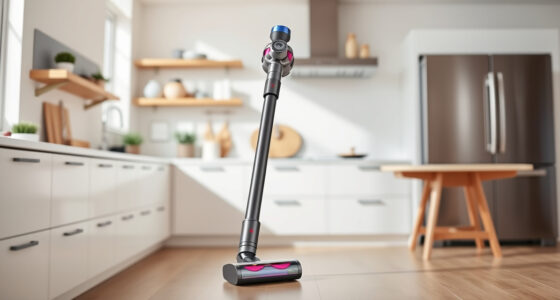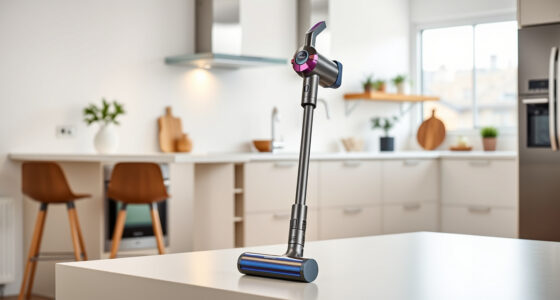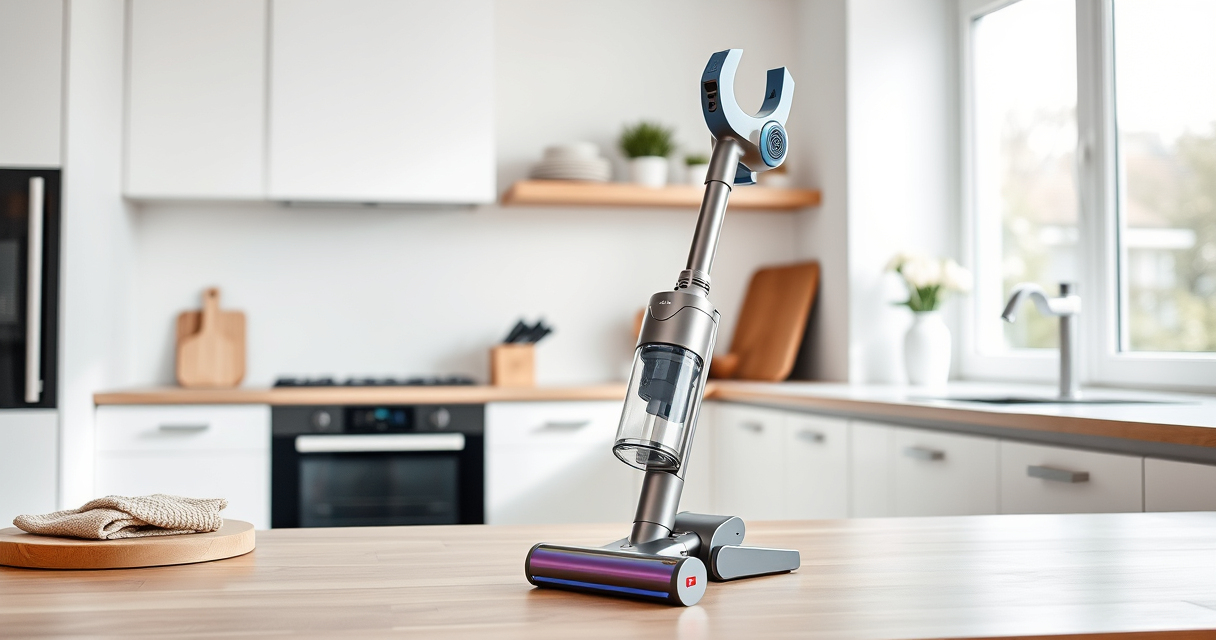
The Dyson V15 Detect™ Origin Cordless Vacuum is a powerful, intelligent cleaning tool designed for whole-home deep cleaning. With its advanced features like laser dust detection and intelligent power adjustment, maintaining optimal performance is key to getting the most out of your investment.

Get home appliances delivered free with Prime
- Fast, free delivery on millions of items
- Prime Video, Amazon Music and more included
- Member-only deals all year
In this guide, you’ll find step-by-step troubleshooting tips, routine maintenance procedures, and expert advice to keep your Dyson V15 in top shape. Whether you’re dealing with reduced suction, battery issues, or filter clogging, these practical tips will help you resolve common problems safely and effectively.
Key Takeaways
| Regular Filter Cleaning | Keeps suction power high and prolongs filter lifespan. |
| Battery Maintenance | Ensures longer run time and optimal performance. |
| Routine Checks | Identify issues early with LCD alerts and visual inspections. |
| Use Compatible Attachments | Enhances cleaning efficiency in hard-to-reach areas. |
Inspect and Clean the Filters
- Remove the pre-filters from the vacuum body as per the user manual.
- Rinse the filters thoroughly under cold water, avoiding soap or detergents.
- Wring out excess water and allow filters to air dry completely, ideally 24 hours, before reinstalling.
- Replace filters if they show signs of wear or damage.
Regular filter cleaning restores suction and maintains peak performance. Filters should be cleaned every 2-3 months depending on usage.
Check the Battery and Charging System
- Ensure the vacuum is properly seated on its charging dock or wall mount.
- Inspect the charging cable and port for damage or debris.
- If charging issues persist, reset the vacuum by unplugging and replugging the charger.
- For prolonged battery health, avoid leaving the vacuum on charge continuously once fully charged.
Battery performance degrades over time; if run time significantly decreases, consider replacing the battery or contacting Dyson support.
Clear Blockages and Debris
- Turn off and unplug your vacuum.
- Check the cleaner heads, wand, and hose for obstructions.
- Remove and clean the cleaner heads, removing tangled hair or debris.
- Use a tool like the LANMU crevice tool to dislodge trapped dirt in narrow passages.
Blocked pathways can reduce suction and cause overheating; routine checks prevent this and extend your vacuum’s lifespan.
Update Firmware and Monitor Alerts
Use the LCD screen to check for maintenance alerts or system updates. If an alert appears, follow on-screen instructions or consult the manual.
Keeping firmware updated ensures your vacuum operates with the latest features and fixes potential bugs.
Replace Worn or Damaged Parts
If your vacuum shows persistent performance issues, consider replacing filters and attachments with genuine Dyson or compatible parts. Refer to the recommended products for compatible filters and tools.
Always turn off the device before replacing parts and dispose of old filters responsibly.
The Products in This Guide

Dyson V15 Detect™ Origin Cordless Vacuum
- ✔ Weight: 6.8 lbs
- ✔ Charge Time: 3.5 hours
- ✔ Battery Type: Lithium-ion

LANMU Crevice Tool Vacuum Attachments Compatible
- ✔ Material: Plastic
- ✔ Length: 12 inches
- ✔ Compatibility: Multiple Dyson models
Dyson V15 Detect™ Origin Cordless Vacuum
<p>The Dyson V15 Detect™ Origin offers exceptional cleaning power with its 100% more suction and intelligent dust detection features. Routine maintenance and troubleshooting are straightforward, keeping your vacuum performing at its best.</p><p>Its advanced features, including real-time particle detection and adaptive power, make it a versatile cleaning companion, especially when properly cared for.</p>
Pros:
- Strong suction power
- Intelligent dust detection
- Long battery life
- Versatile cleaning modes
Cons:
- Filter cleaning required regularly
- Battery replacement may be needed over time
- Higher price point
Best for: Whole-home deep cleaning, pet hair removal, hard floors, carpets
Not ideal for: Heavy-duty industrial cleaning or very large debris
Bottom line: The Dyson V15 Detect™ Origin combines power and intelligence, provided routine care is maintained.
LANMU Crevice Tool Vacuum Attachments Compatible
<p>The LANMU Crevice Tool Vacuum Attachments are compatible with Dyson V15 and other models, enabling detailed cleaning in tight spots and hard-to-reach areas. These attachments are perfect for cleaning corners, upholstery, and car interiors with ease.</p><p>Made with a slender, flexible design, they facilitate thorough debris removal without damaging surfaces.</p>
Pros:
- Narrow nozzle for tight spaces
- Compatible with multiple Dyson models
- Flexible and durable
- Easy to attach and detach
Cons:
- May not fit older Dyson models
- Requires careful handling in narrow spaces
- Limited to smaller debris
Best for: Cleaning corners, upholstery, car interiors
Not ideal for: Heavy debris or large messes
Bottom line: A versatile tool for detailed cleaning, compatible with many Dyson models.
Frequently Asked Questions
How often should I clean the filters on my Dyson V15?
It is recommended to clean the filters every 2-3 months to maintain suction and performance. Regular cleaning prevents clogging and prolongs filter life.
What should I do if my vacuum’s battery no longer holds a charge?
First, ensure the charger and connections are working properly. If the issue persists, the battery may need replacing. Contact Dyson support for compatible replacement batteries.
How can I tell if my filters need replacing?
If filters are visibly damaged or heavily clogged despite cleaning, or if suction performance remains reduced after cleaning, consider replacing them with genuine filters.
Can I use third-party attachments with my Dyson V15?
It is best to use Dyson-approved or compatible attachments like LANMU to ensure proper fit and function. Non-compatible parts may damage your vacuum or void warranty.
What is the best way to prevent clogs in the cleaner head?
Regularly check and clear hair, string, or debris from the cleaner head and wand. Use a crevice tool to dislodge trapped dirt and ensure the pathways are clear.
Keep Your Dyson V15 Detect in Prime Condition
Routine maintenance and troubleshooting are essential to keep your Dyson V15 Detect™ Origin cordless vacuum performing optimally. Regularly cleaning filters, checking for blockages, and updating firmware can prevent many common issues. By following this guide, you can extend the lifespan of your vacuum and enjoy powerful, efficient cleaning every time.
Remember, using compatible attachments and replacing worn parts as needed will help you get the most out of your Dyson, ensuring it remains a reliable cleaning partner for years to come.
Affiliate disclosure: As an Amazon Associate we earn from qualifying purchases. Prices and availability are accurate as of the time of publishing.
NFL season / tailgating Picks
team gear
As an affiliate, we earn on qualifying purchases.