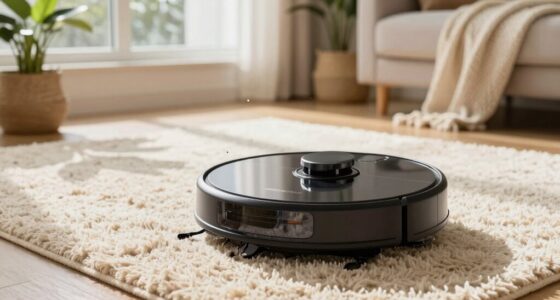
To replace your Roomba battery, turn off the device and remove it from the charging dock. Flip it over and unscrew the panel to access the battery compartment. Disconnect the old battery carefully, then insert the new one, ensuring all connections are secure. Secure the panel back in place, turn on your Roomba, and check that it charges properly. For detailed steps and tips, continue exploring how to perform this simple DIY repair.

Get home appliances delivered free — and shop member deals
- Fast, free delivery on millions of items
- Access to Prime Big Deal Days deals on October 6–7
- Prime Video, Amazon Music and more included
Key Takeaways
- Turn off the Roomba, remove it from the dock, and access the battery compartment with a screwdriver.
- Carefully disconnect the old battery’s power connector and remove it from the compartment.
- Insert the new compatible battery, ensuring the connection points are clean and secure.
- Reassemble the compartment cover and secure it with screws or clips as needed.
- Place Roomba on the charger, turn it on, and verify proper charging and operation.
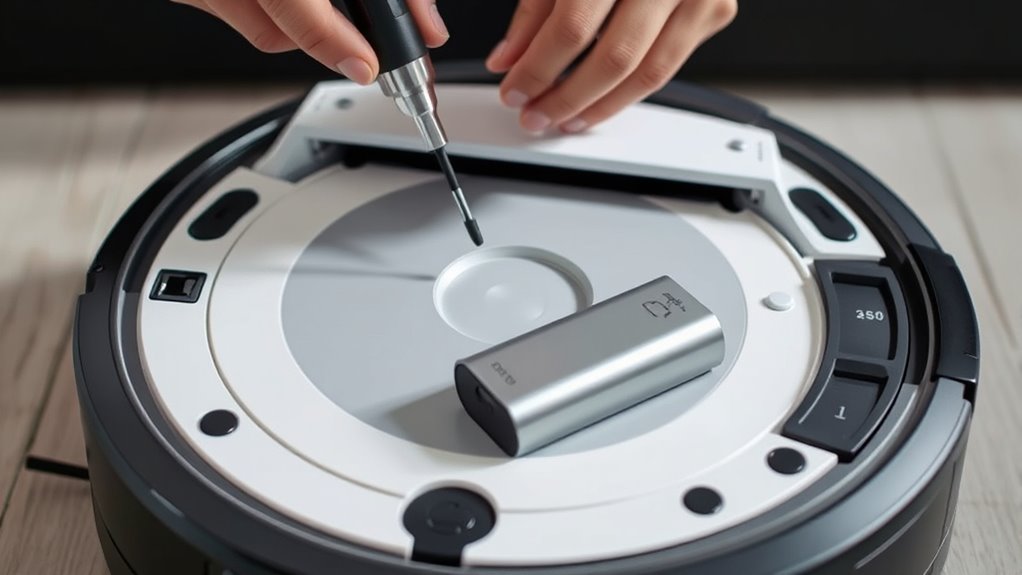
If your Roomba isn’t charging or cleaning as effectively as it used to, replacing the battery might be the solution. Over time, batteries naturally degrade, leading to shorter run times and less reliable performance. Before jumping into a replacement, it’s helpful to understand some basic battery maintenance tips and Roomba troubleshooting techniques. Often, issues attributed to a bad battery can sometimes be resolved through simple cleaning or re-calibration, but if those steps don’t work, a new battery is usually the answer.
To start, turn off your Roomba and remove it from its charging dock. Carefully flip it over to access the battery compartment—most models have a small panel secured with screws or clips. If you’re comfortable with basic tools, gather a screwdriver that fits these screws. When removing the panel, do so gently to avoid damaging the plastic or connectors. As you handle the battery, check for signs of damage like swelling, corrosion, or leaks. These are clear indicators that it’s time for a replacement. If the battery looks fine but your Roomba still struggles to charge or run, try some troubleshooting steps like cleaning the charging contacts or resetting the device. Sometimes, dirt or dust can interfere with proper power transfer, which is why proper battery maintenance is essential. Additionally, understanding the importance of home appliance technology can help prevent future issues.
Once you’ve accessed the battery, disconnect the power connector carefully. Many Roomba batteries snap in place or are secured with small clips, so take your time to avoid breaking any parts. When selecting a replacement, ensure you buy a compatible battery designed specifically for your Roomba model. Using the correct battery guarantees ideal performance and safety. Before installing the new battery, double-check the connection points and ensure they’re clean and free of debris. Proper contact is crucial for reliable charging and operation. Insert the new battery, secure it with any clips or screws, and replace the compartment cover.
After installing the new battery, turn your Roomba back on and place it on the charging dock. Observe whether it begins to charge properly and performs a cleaning cycle without issues. This process not only restores your vacuum’s power but also helps you understand the importance of battery maintenance in prolonging the life of your device. If your Roomba still isn’t performing well after replacing the battery, revisit some Roomba troubleshooting steps—like resetting the robot or updating its firmware. Regularly maintaining the battery and keeping contacts clean can prevent many common issues, saving you time and money in the long run.
As an affiliate, we earn on qualifying purchases.
Frequently Asked Questions
How Long Does a Roomba Battery Typically Last?
Your Roomba battery typically lasts about 1 to 2 years, depending on usage and maintenance. The battery lifespan can vary, so keep an eye on how often your device needs charging or slows down. Usually, you’ll need a battery replacement every 12 to 24 months to guarantee peak performance. Regularly cleaning your Roomba and following proper battery care can extend its battery replacement frequency and keep it running smoothly.
Can I Upgrade to a Higher-Capacity Battery?
Coincidentally, you can upgrade your Roomba to a higher-capacity battery, but it’s essential to evaluate the impact on battery lifespan and compatibility. Not all upgrade options fit seamlessly; some may void warranties or reduce efficiency. Before proceeding, research specific models and consult manufacturer guidelines. Upgrading can extend runtime, but ensure the new battery matches your vacuum’s specifications to avoid potential damage or performance issues.
Is It Safe to Replace the Battery Myself?
Yes, it’s generally safe to replace the battery yourself if you follow proper battery safety guidelines and understand the DIY risks involved. Make sure to use the correct replacement battery and handle it carefully to avoid damage or injury. Disconnect the Roomba from power before starting, and work in a well-ventilated area. If you’re unsure, consulting a professional can help prevent potential hazards and ensure a safe, effective battery replacement.
How Do I Dispose of the Old Battery Properly?
You should recycle your old Roomba battery properly by taking it to a designated battery recycling center. Avoid throwing it in regular trash, as batteries are hazardous waste and can harm the environment. Check local guidelines for recycling options, or visit stores that accept batteries for recycling. Handling hazardous waste responsibly guarantees safety and helps protect the environment from potential chemical leaks or contamination.
Will Replacing the Battery Improve My Roomba’s Performance?
Replacing your Roomba’s battery boosts performance by renewing its power potential. As your battery lifespan wanes, your robot’s cleaning prowess diminishes, so a fresh battery revitalizes runtime and efficiency. Prioritize battery safety by choosing quality replacements and handling with care. This simple switch guarantees your Roomba runs reliably, reducing risks and restoring its cleaning power, making your cleaning routine smoother and more satisfying.
As an affiliate, we earn on qualifying purchases.
Conclusion
Replacing your Roomba battery is a straightforward DIY task that can save you time and money. Imagine Sarah, who replaced her battery and extended her robot’s life by months, avoiding the cost of a new vacuum. With the right tools and a little patience, you can do the same. Just follow the steps carefully, and soon your Roomba will be cleaning like new, proving that a simple upgrade can make a big difference in your smart home experience.
As an affiliate, we earn on qualifying purchases.
As an affiliate, we earn on qualifying purchases.
Fall Picks
fall essentials
As an affiliate, we earn on qualifying purchases.