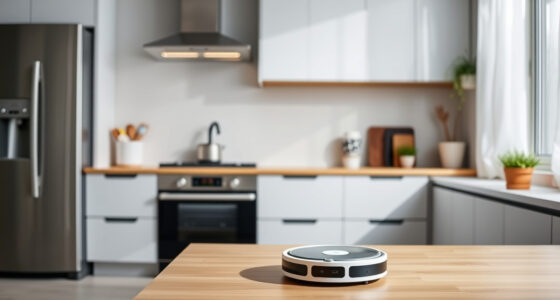
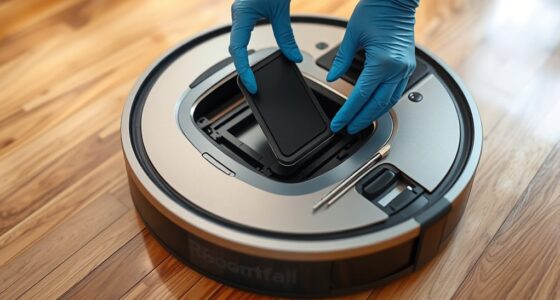
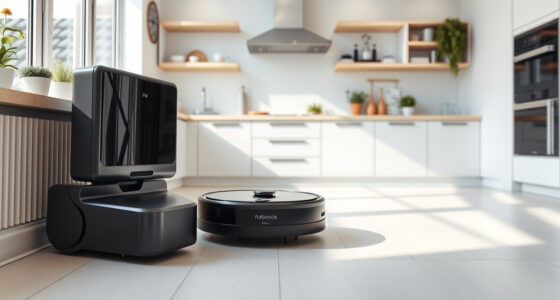
Self-emptying bases work by automatically collecting debris from your robotic vacuum’s bin using a motorized mechanism that transfers dirt into a larger container or bag within the station. This reduces how often you need to empty the vacuum manually, saving time and effort. To keep it working smoothly, regularly empty the station, replace filters, and check for blockages. Continuing will give you essential maintenance tips to guarantee peak performance.

Get home appliances delivered free — and shop member deals
- Fast, free delivery on millions of items
- Access to Prime Big Deal Days deals on October 6–7
- Prime Video, Amazon Music and more included
Key Takeaways
- Self-emptying bases automatically transfer debris from the robot’s bin into a larger container using a motorized mechanism.
- Regularly empty the station’s dirt bag or container to prevent overflows and maintain efficiency.
- Check and clear any blockages or dust buildup in the disposal mechanism to ensure smooth operation.
- Replace filters periodically to maintain proper airflow and dust containment.
- Clean sensors and moving parts routinely to prevent malfunctions and prolong device lifespan.

Have you ever wondered how modern cleaning devices manage to keep your home spotless without constant effort? The secret lies in innovations like the robotic vacuum paired with automatic dirt disposal systems. These devices are designed to make cleaning effortless by handling dirt collection efficiently and then disposing of it without your intervention. When your robotic vacuum finishes cleaning, it automatically returns to its self-emptying base, which acts as a central hub for dirt collection. This feature means you don’t need to empty the vacuum’s bin after every use, saving you time and effort. Instead, the robot simply deposits the debris into a larger bin within the base station, allowing for longer cleaning sessions without interruption.
This process of automatic dirt disposal is a game-changer for busy households or anyone who prefers a more hands-off approach to cleaning. The robotic vacuum’s dirt collection is optimized for maximum efficiency, using sensors and intelligent navigation to reach every corner of your space. Once it’s full or the cleaning cycle ends, it heads back to the self-emptying base. Here, a motorized mechanism vacuums the debris from the robot’s bin and deposits it into a larger bag or container within the station. This setup not only maintains a cleaner home environment but also minimizes the frequency of manual emptying. Many of these bases are designed with user convenience in mind, featuring simple indicators that notify you when the dirt container is full or if there’s an issue. Regular maintenance, including replacing filters and cleaning sensors, is crucial for maintaining device performance and preventing malfunctions. To keep your automatic dirt disposal system functioning smoothly, regular maintenance is essential. Confirm that the station’s larger dirt bag or container is emptied when full, and check for any blockages or dust buildup in the mechanism. Some models have filters that need periodic replacement to maintain maximum airflow and dust containment. It’s also a good idea to clean the sensors and any moving parts to prevent malfunctions. If you notice the robotic vacuum struggling to empty itself or if the dirt collection process becomes inefficient, consult the user manual for troubleshooting tips or contact customer support. Proper maintenance not only prolongs the lifespan of your device but also ensures it continues to operate at peak performance, keeping your home consistently clean with minimal effort on your part.
automatic dirt disposal robotic vacuum station
As an affiliate, we earn on qualifying purchases.
As an affiliate, we earn on qualifying purchases.
Frequently Asked Questions
How Long Can a Self-Emptying Base Hold Debris Before Needing to Be Emptied?
You can usually rely on a self-emptying base to hold debris for about one to two weeks, depending on its dust capacity and your cleaning frequency. If your vacuum has a larger dust capacity, you might go longer between maintenance. However, it’s best to empty the base regularly, especially if you notice reduced suction or the bin is full. Regular maintenance guarantees your vacuum performs at its best.
Are Self-Emptying Bases Compatible With All Robot Vacuum Models?
Not all robot vacuum models are compatible with self-emptying bases. You should check your vacuum’s model compatibility before purchasing, as some units aren’t designed for seamless integration. Be aware of potential integration challenges, like fit or connection issues, which can require extra adapters or adjustments. By verifying compatibility beforehand, you guarantee smooth operation and avoid frustration with your self-emptying base and your robot vacuum.
What Is the Typical Lifespan of a Self-Emptying Dirt Disposal System?
A self-emptying dirt disposal system typically lasts around 2 to 3 years, depending on dustbin capacity and filter lifespan. You should expect the dustbin to need emptying every few weeks and filters to last several months before replacing. Regular maintenance, like cleaning the filter and emptying the dustbin, helps prolong the system’s lifespan. Keep an eye on signs of wear to ensure your vacuum continues performing efficiently.
Can I Manually Empty the Base if It’s Full?
Ever wondered if you can manually empty your robot vacuum’s full base? Yes, you can perform manual emptying when needed. Just follow maintenance tips like turning off the device, carefully removing the bin or canister, and disposing of the dirt properly. This simple step helps guarantee your system stays efficient and prevents clogs. Regular manual emptying keeps your vacuum working smoothly and prolongs its lifespan, so stay attentive to its needs.
How Often Should I Perform Maintenance on the Self-Emptying Base?
You should perform maintenance on your self-emptying base every 1-3 months. Regularly check and replace the filter to guarantee peak performance, and clean out any debris. Don’t forget to maintain the battery by ensuring it’s charged and in good condition. Proper maintenance helps your vacuum function efficiently, reducing the risk of clogs or malfunctions. Stay proactive, and your device will keep cleaning effectively.
self-emptying robot vacuum replacement filters
As an affiliate, we earn on qualifying purchases.
As an affiliate, we earn on qualifying purchases.
Conclusion
With automatic dirt disposal, you’ll save time and keep your home cleaner effortlessly. These smart bases handle the mess so you don’t have to. Did you know that over 60% of robot vacuum users report less daily cleanup? That’s a huge boost to your busy schedule. By understanding how self-emptying bases work and maintaining them properly, you guarantee your device runs smoothly for years to come. Embrace this technology and enjoy a spotless home with less hassle!
robot vacuum sensor cleaning tools
As an affiliate, we earn on qualifying purchases.
As an affiliate, we earn on qualifying purchases.
automatic dirt disposal maintenance kit
As an affiliate, we earn on qualifying purchases.
As an affiliate, we earn on qualifying purchases.
NFL season / tailgating Picks
team gear
As an affiliate, we earn on qualifying purchases.