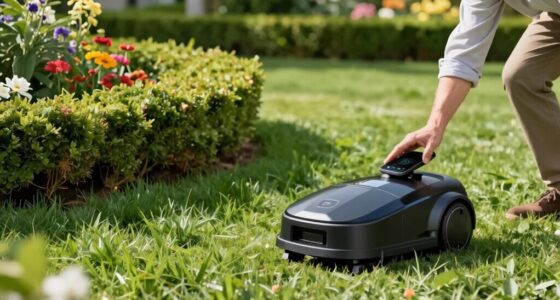

If your robot mower keeps stopping unexpectedly, start by checking the battery health and making certain it’s properly seated, as worn or loose batteries can cause power loss. Clean and recalibrate sensors to prevent false signals or malfunctions, and inspect power cords for damage or loose connections. Environmental factors like weather or power surges can also trigger shutdowns, so verify your mower is protected from moisture and placed on a stable power source. For more detailed solutions, there’s more to explore below.

Get home appliances delivered free with Prime
- Fast, free delivery on millions of items
- Prime Video, Amazon Music and more included
- Member-only deals all year
Key Takeaways
- Check and replace aging or damaged batteries to ensure consistent power supply.
- Clean and recalibrate sensors to prevent false signals or navigation issues.
- Inspect power connections, cords, and grounding to avoid surges or loose wiring.
- Update firmware and perform factory resets to resolve software glitches.
- Ensure the mower is placed in a stable environment, protected from extreme weather and moisture.

If your robot mower keeps shutting down unexpectedly, it can be frustrating and disruptive to your lawn care routine. One common reason for these random shutdowns is battery issues. Over time, the battery can lose its ability to hold a full charge, causing the mower to run out of power suddenly. If your mower’s battery is old or damaged, it might not deliver consistent power, leading to unexpected stops. You should check the battery’s health and consider replacing it if it’s no longer performing well. Also, confirm the battery connections are clean and secure, as loose or corroded contacts can cause power interruptions. Sometimes, the battery might be improperly seated, so double-check that it’s snugly fitted into its compartment.
Battery issues often cause unexpected shutdowns in robot mowers. Check and replace if needed.
Sensor malfunctions are another frequent culprit behind random shutdowns. Your robot mower relies on sensors to navigate and detect obstacles, boundaries, or drops like stairs or ponds. If these sensors are dirty, misaligned, or faulty, they can send incorrect signals or fail to detect certain conditions, prompting the mower to shut down to prevent damage. Regularly inspect and clean the sensors with a soft cloth to remove dirt or debris. If the sensors are damaged or not functioning correctly even after cleaning, you might need to replace them or recalibrate the system, following the manufacturer’s instructions. Sometimes, software glitches can cause sensor errors, so performing a reset or software update might resolve the issue. Additionally, understanding the electronic components involved can help in diagnosing hardware problems more effectively.
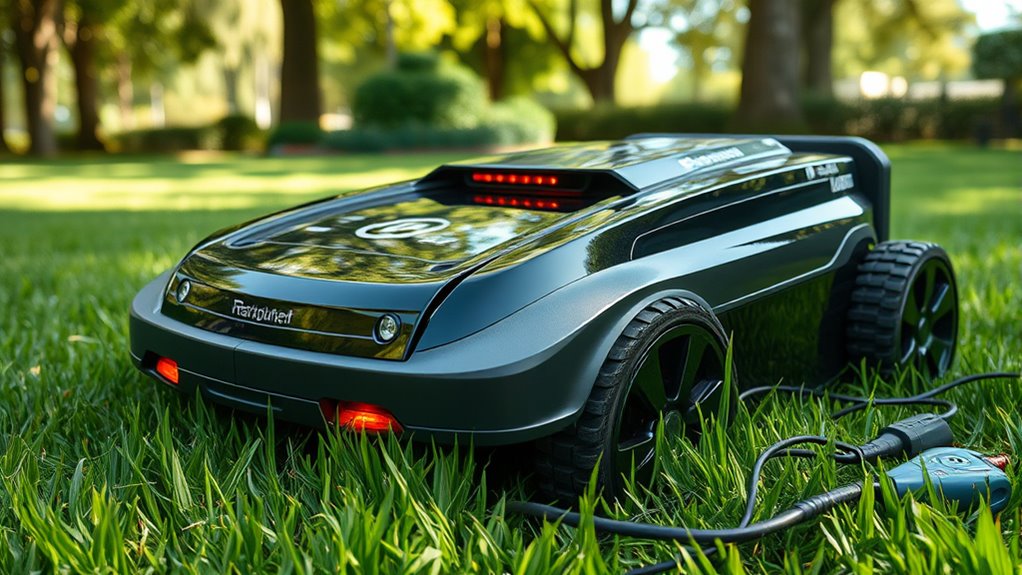
Other factors that contribute to random shutdowns include power surges or interruptions, which can damage internal components or cause system errors. Make sure your charging station and power supply are stable and properly grounded. Check for any loose wires or damaged cords that could cause intermittent power issues. Additionally, environmental factors like extreme heat, cold, or moisture can affect the internal electronics, leading to shutdowns. If you notice the mower shutting down only in certain weather conditions, consider relocating the charging station or protecting the mower better.
Finally, always consult your mower’s manual for troubleshooting specific to your model. Regular maintenance, such as cleaning sensors, inspecting the battery, and updating software, can prevent many issues that cause random shutdowns. If problems persist despite your efforts, contacting customer support or a professional technician might be necessary to diagnose more complex hardware or wiring problems. Taking these steps ensures your mower remains reliable and keeps your lawn looking its best without constant interruptions.
robot lawn mower replacement battery
As an affiliate, we earn on qualifying purchases.
As an affiliate, we earn on qualifying purchases.
Frequently Asked Questions
Can I Use My Robot Mower During Rain?
You shouldn’t use your robot mower during rain, as rain safety is important. Most models lack weather resistance and can get damaged or malfunction if exposed to rain. Waiting for dry weather guarantees your mower operates safely and lasts longer. Check your mower’s specifications; if it’s weather-resistant, it might handle light rain, but generally, it’s best to mow only when the weather is clear to prevent issues.
How Often Should I Replace the Mower Blades?
Imagine your mower blades as the sharp teeth of a predator; dullness dulls its power. You should replace blades every 1 to 3 months, depending on usage and blade sharpness. Regularly check for dullness or damage, and don’t wait too long—sharper blades mean a cleaner cut and a healthier lawn. Following a consistent replacement schedule guarantees your mower stays effective and your yard stays pristine.
Is There a Way to Update the Mower’s Firmware Manually?
Yes, you can manually update your mower’s firmware. First, download the latest firmware update from the manufacturer’s website onto your computer. Then, connect your mower to your computer via a USB cable or use a compatible app that allows manual installation. Follow the on-screen instructions carefully to complete the firmware update. This process helps fix bugs and improves your mower’s performance, reducing unexpected shutdowns.
What Safety Precautions Should I Take During Maintenance?
Did you know that proper safety precautions can reduce maintenance accidents by up to 70%? During maintenance, always wear safety gear like gloves and eye protection. Follow a thorough maintenance checklist to avoid mishaps and guarantee safe handling of blades and electrical components. Disconnect the mower from power before servicing, and keep children and pets away. These steps keep you safe and help your mower run smoothly longer.
Can I Connect My Mower to a Smart Home System?
Yes, you can connect your mower to a smart home system if it supports smart home integration. Check if your mower is compatible with your smart home platform and verify you have compatible devices like smart hubs or voice assistants. Follow the manufacturer’s instructions to link your mower to your system. Once connected, you can control and monitor your mower remotely, making maintenance and operation more convenient.
As an affiliate, we earn on qualifying purchases.
Conclusion
If your robot mower keeps stopping unexpectedly, don’t give up hope. Troubleshooting is like peeling back layers of an onion—sometimes, each small fix reveals the core issue. By checking batteries, sensors, and wiring, you’re steadily clearing the path for smooth operation. Remember, patience is your best tool—think of each fix as a stepping stone across a turbulent stream. With persistence, you’ll soon enjoy a perfectly manicured lawn without the mower’s spontaneous naps.
As an affiliate, we earn on qualifying purchases.
weatherproof charging station for robot mower
As an affiliate, we earn on qualifying purchases.
As an affiliate, we earn on qualifying purchases.
Cold & flu season Picks
humidifiers
As an affiliate, we earn on qualifying purchases.