
During storms, you should unplug your robot mower and its charging station to prevent electrical surges from lightning strikes. Lightning can travel through wiring and power lines, damaging internal electronics or mower components. Simply turning off the mower isn’t enough—unplugging is best. To fully protect your equipment, learn about proper grounding, surge protectors, and safe storage options that can keep your mower safe during unexpected weather.
Key Takeaways
- Unplug your robot mower and charging station to prevent electrical surges during thunderstorms.
- Use outdoor surge protectors and ensure proper grounding for your mower and charging dock.
- Store your mower indoors or in a sheltered area during storms to avoid lightning strikes.
- Regularly inspect and maintain grounding systems and surge protectors for effective protection.
- Consult professionals for proper installation of lightning rods and grounding to enhance safety.
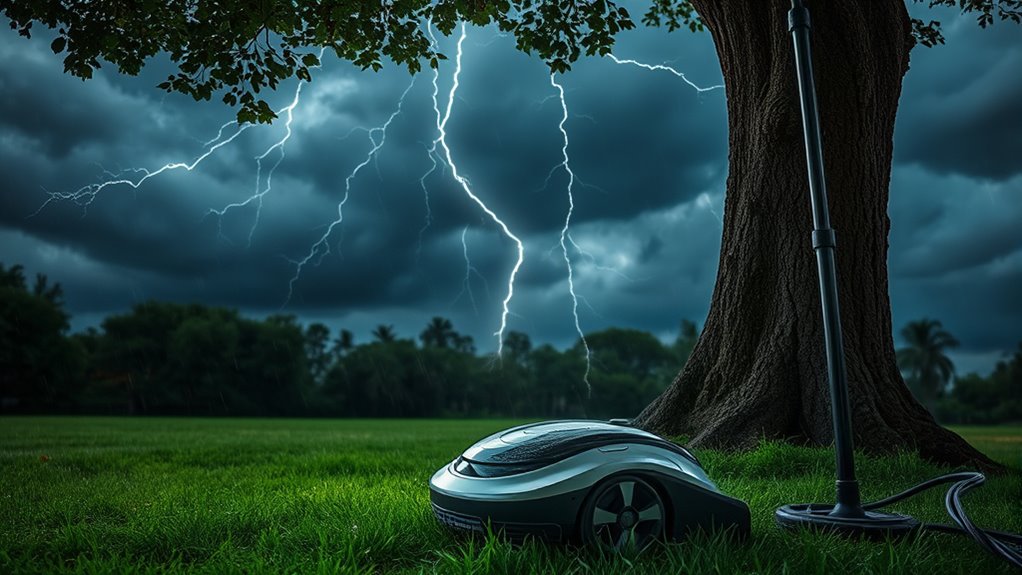
During storms, it’s best to unplug your robot mower and its charging station from the power outlet. Electricity from lightning can travel through wiring and cause power surges, which might fry the internal electronics of your mower. Even if your mower is outside, unplugging the charging station can prevent electrical surges from traveling through the power line and reaching your device. Remember, lightning can strike nearby objects and induce high-voltage surges, so simply turning off the mower isn’t enough—unplugging is the safest option. If you have a charging dock that’s hardwired into your electrical system, consider installing surge protectors designed for outdoor use. These devices can absorb excess voltage and protect your mower from unexpected surges during thunderstorms. Proper grounding involves connecting your mower and its charging station to a grounding system, such as a grounding rod driven into the earth. This provides a safe pathway for excess electrical energy to dissipate into the ground, reducing the risk of damage. Additionally, it’s wise to keep your mower in a secure, sheltered location when storms are forecasted. Moving it to an indoor storage space, if possible, can prevent accidental lightning strikes or electrical surges from damaging the device. Regularly inspect and maintain your grounding techniques and lightning protection systems to ensure they’re functioning properly. This includes checking the grounding rods and connections for corrosion or looseness and replacing them if needed. If you’re unsure about how to install grounding or lightning rods correctly, consult a professional electrician or a lightning protection specialist. Proper installation and maintenance are critical to ensuring your robot mower stays safe during unpredictable weather. Understanding grounding techniques can significantly enhance your outdoor equipment’s safety during thunderstorms.
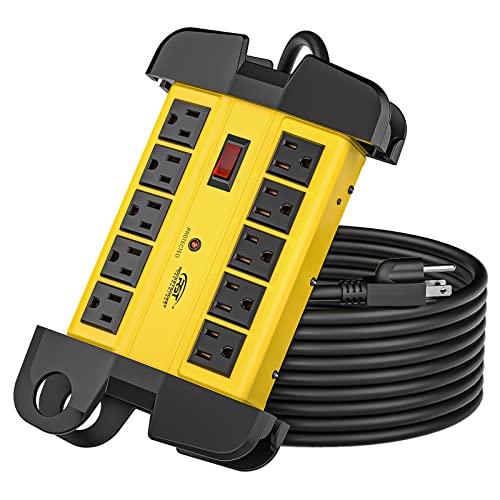
CRST 10-Outlets Heavy Duty Power Strip Metal Surge Protector with 15 Amps, 15-Foot Power Cord 2800 Joules for Garden, Kitchen, Office, School, ETL Listed(3165047) (10-Outlet, Yellow)
–Sturdy, extruded aluminum housing stands and Surge Protection constructed. CRST Industrial Power Strip is perfect for construction site,…
As an affiliate, we earn on qualifying purchases.
As an affiliate, we earn on qualifying purchases.
Frequently Asked Questions
Can Lightning Damage a Robot Mower’s Internal Electronics?
Lightning strikes can definitely cause electronic damage to your robot mower’s internal components. If a lightning strike hits nearby or the power supply, it can send a surge through the wiring, potentially frying sensitive electronics. To protect your mower, you should unplug it during storms and consider installing surge protectors. This way, you minimize the risk of damage and keep your mower functioning properly after lightning strikes.
Is It Necessary to Unplug the Robot Mower During Thunderstorms?
Did you know that thunderstorms can produce lightning with a temperature five times hotter than the sun’s surface? You should unplug your robot mower during thunderstorms to guarantee lightning safety. Surge protection devices can help, but unplugging offers the best defense against power surges that damage electronics. By taking this simple step, you reduce the risk of costly repairs and protect your mower’s internal components from lightning strikes.
What Signs Indicate My Mower Has Been Struck by Lightning?
If your robot mower has been struck by lightning, you might notice signs like sudden power surges or erratic behavior, especially after a solar flare or thunderstorm. It could stop working, display error messages, or refuse to turn on. You may also see physical damage or a burnt smell. These indicators suggest your mower experienced a power surge from lightning, and it’s best to inspect or have it professionally checked.
Are There Long-Term Effects of Lightning Strikes on Robot Mowers?
Lightning’s impact can cause long-term effects on your robot mower, such as internal component damage or corrosion. You might notice reduced performance, erratic operation, or frequent resets over time. Even if the mower seems fine initially, lightning can weaken circuits, leading to future issues. To avoid these long-term effects, it’s best to unplug your mower during storms and regularly inspect it for any signs of damage or corrosion.
How Often Should I Check My Mower for Lightning Damage?
You should check your mower for lightning damage right after a storm, especially if it experienced a direct strike. Keep an eye on battery maintenance and watch for unusual behavior. Regularly update the software to guarantee peak performance. If you notice strange power issues or erratic movements, inspect the wiring and components immediately. Don’t wait—early detection can prevent long-term damage and keep your mower running smoothly.

MOKIKUBA 3 Pcs Grounding Rod with Copper Ground Rod Clamp 4ft Electrical Grounding bar for Electric Fences Satellite Dishes Generator Grounding Earthing
3 Pcs Grounding Rod Kit: 3 pieces of 4 feet long and 3/8 inch diameter grounding rod ,…
As an affiliate, we earn on qualifying purchases.
As an affiliate, we earn on qualifying purchases.
Conclusion
To keep your robot mower safe during storms, unplug it, disconnect it, and move it to a sheltered spot. By unplugging, disconnecting, and storing your mower properly, you reduce the risk of lightning damage. Taking these simple steps helps protect your investment, preserves your mower’s functionality, and ensures peace of mind. So, unplug it, disconnect it, and store it securely—because in storms, prevention is your best protection.

Easecos Robot Lawn Mower Cover Wire Free Automatic Robotic Lawnmower Waterproof Protective Cover UV Protection Cover with Drawstring for Smart Mowing Machine in Outdoor Garden Yard
Premium Material: Made of heavy-duty 600D Oxford fabric with waterproof and anti-UV protection coated layers, durable and tear-resistant,…
As an affiliate, we earn on qualifying purchases.
As an affiliate, we earn on qualifying purchases.
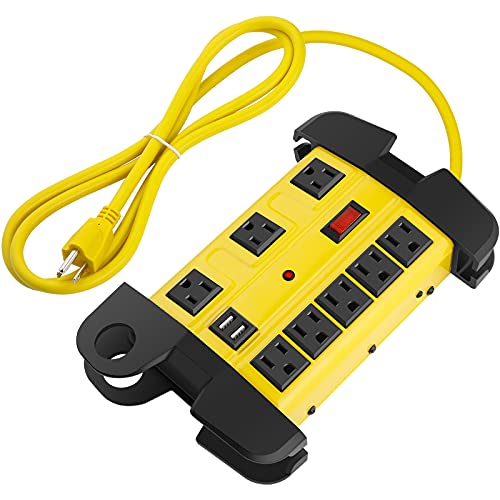
Heavy Duty Power Strip with USB, Workshop 8 Outlet Surge Protector 2700 Joules, Industrial Metal 15Amp Power Strip, 6FT Extension Cord and Wide Spaced. Yellow
Metal industrial power strip with yellow aluminum housing and black outlets, wall mountable and built-in usb ports design,…
As an affiliate, we earn on qualifying purchases.
As an affiliate, we earn on qualifying purchases.