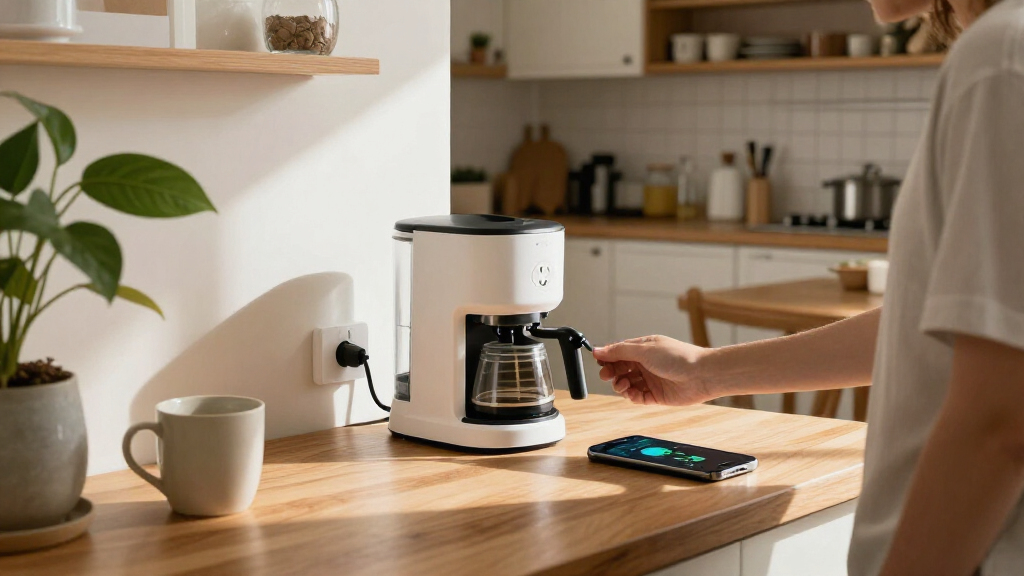
Among these smart plugs with energy monitoring, I rank the Tapo P115 4-Pack best overall for its 15A rating and practical multi-outlet coverage, while the Kasa Matter KP125M stands out for Matter compatibility and Shelly Plug US Gen4 for buyers who want a more advanced single-plug option. The main tradeoffs are ecosystem compatibility, pack size, and how much control you want over energy data. Some picks prioritize straightforward Wi-Fi setup; others make more sense for households already using Matter, Zigbee, or a particular energy platform. Monitoring can help reveal which devices draw power, but it does not make every appliance suitable for a smart plug. Read on for the full breakdown, buying criteria, and recommendations by buyer type.

Get home appliances delivered free with Prime
- Fast, free delivery on millions of items
- Prime Video, Amazon Music and more included
- Member-only deals all year
Complete the kit



Key Takeaways
- Tapo P115 4-Pack earns the overall lead by pairing energy monitoring with 15A capacity and a multi-plug bundle, while the P115 2-Pack suits buyers who need fewer outlets.
- Kasa Matter models are the clearest picks for buyers prioritizing Matter support; compare the KP125MP2 2-Pack with the 4-Pack based on how many outlets need monitoring.
- Protocol choice changes the setup equation: Wi-Fi models are the straightforward route for many homes, while the THIRDREALITY Gen3 is aimed at buyers with a compatible Zigbee setup.
- Pack size is a major point of difference. The AiSeek, Govee, Emporia, and several Tapo and Kasa options bundle multiple plugs, but buyers should match the count to actual monitoring needs rather than outfit every outlet.
- Shelly Plug US Gen4 and Kasa KP115 serve different priorities: Shelly is the specialist single-plug choice, while the KP115 suits shoppers seeking a compact Kasa option without needing a multi-pack.
| AiSeek Smart Plug with Energy Monitoring, 15A, 2.4 GHz Wi-Fi, 4-Pack |  | Best for Budget-Minded Multi-Room Monitoring | Pack size: 4 | Maximum power: 1800 W | Operating voltage: 120 V | VIEW LATEST PRICE | See Our Full Breakdown |
| THIRDREALITY Smart Plug Gen3, 4-Pack |  | Best for Zigbee Smart-Home Setups | Pack count: 4 | Connectivity: Zigbee 3.0 | Operating voltage: 110 V | VIEW LATEST PRICE | See Our Full Breakdown |
| Tapo P115 Smart Wi-Fi Plug with Energy Monitoring, 15A, 2-Pack |  | Best for Straightforward Everyday Monitoring | Model: P115 | Pack size: 2 | Operating voltage: 125 V | VIEW LATEST PRICE | See Our Full Breakdown |
| Govee Smart Plug with Energy Monitoring, Wi-Fi and Bluetooth, 4-Pack |  | Best for Detailed Usage Tracking | Model: H5086 | Pack size: 4 | Operating voltage: 120 V | VIEW LATEST PRICE | See Our Full Breakdown |
| Kasa Matter Smart Plug with Energy Monitoring, KP125MP2, 2-Pack |  | Best for Matter and Local Control | Model: KP125MP2 | Pack size: 2 | Maximum current: 15 A | VIEW LATEST PRICE | See Our Full Breakdown |
| Emporia Energy Monitoring Smart Plugs, 4-Pack |  | Best for Straightforward Four-Device Monitoring | Pack size: 4 plugs | Operating voltage: 120 V | Wattage: 1200 W | VIEW LATEST PRICE | See Our Full Breakdown |
| Kasa Matter Smart Plug with Energy Monitoring, 4-Pack |  | Best for Multi-Platform Matter Homes | Model: KP125MP4 | Pack size: 4 plugs | Maximum current: 15 A | VIEW LATEST PRICE | See Our Full Breakdown |
| Tapo P110M Matter Smart Plug with Energy Monitoring, 4-Pack, 15A |  | Best for Energy Thresholds and Compact Outlets | Pack size: 4 plugs | Wattage: 1800 W | Connectivity: Matter, Wi-Fi | VIEW LATEST PRICE | See Our Full Breakdown |
| Tapo P115 Smart Wi-Fi Plug with Energy Monitoring, 4-Pack, 15A |  | Best for Automated Energy Management | Model: P115 | Pack size: 4 plugs | Maximum wattage: 1800 W | VIEW LATEST PRICE | See Our Full Breakdown |
| Kasa Smart Plug Mini with Energy Monitoring (KP115) |  | Best Single-Plug Starter Pick | Model: KP115 | Connectivity: 2.4 GHz Wi-Fi | Voice assistants: Amazon Alexa, Google Assistant | VIEW LATEST PRICE | See Our Full Breakdown |
| Shelly Plug US Gen4 Smart Plug with Power Monitoring | 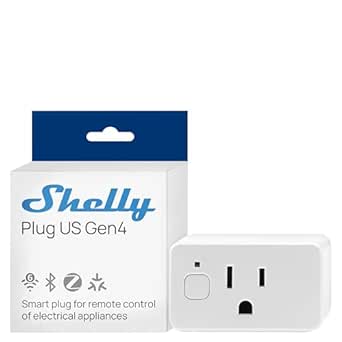 | Best for Smart-Home Flexibility | Outlet count: 1 | Plug type: Type B, 3-pin | Maximum current: 15 A | VIEW LATEST PRICE | See Our Full Breakdown |
| smart plugs with energy monitoring | Connectivity | Operating voltage | Pack size | Warranty |
|---|---|---|---|---|
| AiSeek Smart Plug with Energy | 2.4 GHz Wi-Fi | 120 V | 4 | 2 years |
| THIRDREALITY Smart Plug Gen3 | Zigbee 3.0 | 110 V | — | 1 year |
| Tapo P115 Smart Wi-Fi Plug wit | 2.4 GHz Wi-Fi | 125 V | 2 | — |
| Govee Smart Plug with Energy M | Wi-Fi, Bluetooth | 120 V | 4 | — |
| Kasa Matter Smart Plug with En | Matter, Wi-Fi, SmartThings | 120 V | 2 | 2-year limited |
| Emporia Energy Monitoring Smar | 2.4 GHz Wi-Fi | 120 V | 4 plugs | 1 year |
| Kasa Matter Smart Plug with En | Matter, Wi-Fi, SmartThings | 120 V | 4 plugs | 2-year limited warranty |
| Tapo P110M Matter Smart Plug w | Matter, Wi-Fi | — | 4 plugs | — |
| Tapo P115 Smart Wi-Fi Plug wit | 2.4 GHz Wi-Fi | 110 V AC | 4 plugs | — |
| Kasa Smart Plug Mini with Ener | 2.4 GHz Wi-Fi | 120 V AC | — | 2 years |
| Shelly Plug US Gen4 Smart Plug | Wi-Fi, Matter, Bluetooth, Zigbee | — | — | 3 years |
More Details on Our Top Picks
AiSeek Smart Plug with Energy Monitoring, 15A, 2.4 GHz Wi-Fi, 4-Pack
The AiSeek four-pack suits buyers who want energy tracking across several rooms without adding a hub. It reports real-time power and energy use, while schedules, timers, and group controls make it easier to automate a set of lamps or small appliances together. Its 1,800W limit matches the Tapo P115, but AiSeek supplies four plugs rather than two, making it a better fit when outlet coverage matters more than a richer set of usage statistics.
The tradeoff is a more app-dependent setup: you need SmartLife and a 2.4 GHz Wi-Fi network, and Alexa control goes through the app rather than a direct connection. If you already run a Zigbee system, the THIRDREALITY Gen3 can add mesh coverage, though it requires a hub. AiSeek is the simpler no-hub route, but buyers seeking platform flexibility or detailed historical reporting should compare the Kasa Matter KP125MP2 or Govee H5086 instead.
Pros:- Four plugs provide coverage for multiple appliances at once.
- Tracks connected devices’ real-time power and energy use.
- Schedules, timers, and group controls support coordinated routines.
- No hub is required, and short-circuit and overload protection are included.
Cons:- Requires a 2.4 GHz Wi-Fi connection.
- Alexa control is not direct and requires the SmartLife app.
- App setup is required before use.
Best for: Households that want to monitor and schedule several everyday appliances across rooms using a no-hub Wi-Fi setup.
Not ideal for: Smart-home users who want direct Alexa integration, need 5 GHz Wi-Fi support, or prefer to avoid setting up the SmartLife app.
- Pack size:4
- Maximum power:1800 W
- Operating voltage:120 V
- Connectivity:2.4 GHz Wi-Fi
- Energy monitoring:Real-time power and energy tracking
- Compatibility:Alexa, Google Assistant, SmartLife app, Tuya app
- Dimensions:1.4 x 2.8 x 2 inches
- Warranty:2 years
Our verdict“Choose AiSeek if you want four no-hub plugs for basic real-time monitoring and automation, and are comfortable managing them through SmartLife.”
THIRDREALITY Smart Plug Gen3, 4-Pack
For buyers who already have a compatible hub, the THIRDREALITY Gen3 combines real-time power monitoring with a job that Wi-Fi plugs cannot do: it can extend a Zigbee mesh network. Its stated monitoring accuracy of ±1% gives energy readings a defined precision, while support for Home Assistant, SmartThings, and select Echo devices offers more integration paths than the app-led AiSeek four-pack. That makes this set appealing for a connected home where the hub is already part of the system.
The main catch is the hub requirement; these are not a straightforward standalone replacement for the Tapo P115 or Govee H5086, both of which connect over Wi-Fi without a hub. THIRDREALITY also supports only on/off operation, and power-on state restoration is limited to select platforms. I’d pick it for adding monitoring and mesh reach to an existing Zigbee network, not for someone starting from scratch or seeking broad, consistent behavior across platforms.
Pros:- Real-time power monitoring with stated ±1% accuracy.
- Can extend Zigbee mesh network coverage.
- Works with several hubs and platforms, including Home Assistant and SmartThings.
- Compact design helps keep an adjacent socket available.
Cons:- Requires a compatible Zigbee hub.
- Power-on state restoration is available only on select platforms.
- Operation is limited to on/off control.
Best for: Home Assistant or SmartThings users with a compatible Zigbee hub who want energy readings and stronger mesh coverage from one plug-in device.
Not ideal for: New smart-home users without a Zigbee hub, or buyers who want a simple Wi-Fi plug with consistent power-restoration settings.
- Pack count:4
- Connectivity:Zigbee 3.0
- Operating voltage:110 V
- Power monitoring accuracy:±1%
- Operation mode:On/Off
- Control methods:Remote, voice
- Hub required:Yes
- Warranty:1 year
Our verdict“Pick THIRDREALITY if you already use Zigbee and value mesh extension alongside monitoring; choose a Wi-Fi model such as Tapo P115 if you do not have a hub.”
Tapo P115 Smart Wi-Fi Plug with Energy Monitoring, 15A, 2-Pack
The Tapo P115 is a sensible choice for buyers who want energy statistics and everyday automation in a compact, no-hub Wi-Fi plug. Its app shows consumption statistics, and scheduling, automatic shutoff, and smart charging help turn those readings into practical routines—for example, limiting how long a device stays on. Alexa and Google Assistant support adds familiar voice control. Compared with AiSeek’s four-pack, the P115 gives you fewer plugs, but its feature set puts more emphasis on usage information and automatic shutoff.
Its 2.4 GHz-only Wi-Fi requirement is the main network limitation, shared by the AiSeek and Kasa Matter KP125MP2. The two-pack also suits targeted monitoring better than outfitting a whole home; Govee’s four-pack is the stronger alternative when broader coverage and power, current, and voltage readings matter. Tapo’s compact body helps keep neighboring outlets usable, though buyers should not expect the cross-platform local control offered by the Matter-based Kasa.
Pros:- Provides energy monitoring and consumption statistics.
- Supports scheduling, automatic shutoff, and smart charging.
- Works with Alexa and Google Assistant for voice control.
- Compact design helps leave adjacent outlets accessible.
Cons:- Requires 2.4 GHz Wi-Fi.
- Two plugs offer less whole-home coverage than four-packs such as Govee H5086 or AiSeek.
- Does not list Matter compatibility or offline local control.
Best for: People who want to monitor a couple of appliances and use app-based statistics, schedules, or automatic shutoff without adding a hub.
Not ideal for: Households that need plugs for many rooms, want 5 GHz Wi-Fi, or prioritize Matter-based platform flexibility and offline local control.
- Model:P115
- Pack size:2
- Operating voltage:125 V
- Maximum wattage:1800 W
- Connectivity:2.4 GHz Wi-Fi
- Control:Tapo app, voice, and remote
- Voice assistants:Alexa and Google Assistant
- Certifications:ETL, FCC, RoHS
Our verdict“Choose the Tapo P115 for a compact pair of plugs with useful monitoring and shutoff routines, but look to a four-pack for wider coverage.”
Govee Smart Plug with Energy Monitoring, Wi-Fi and Bluetooth, 4-Pack
Govee earns its place for buyers who want more than a simple energy total. The H5086 tracks power, current, and voltage, with historical usage data available for up to one year in the Govee Home app. That extra detail can help you compare how an appliance behaves over time, while the four-pack, schedules, group controls, and Alexa and Google Assistant support make it practical for monitoring several devices. Compared with AiSeek, Govee adds Bluetooth and a wider set of electrical readings; compared with the two-plug Tapo P115, it offers broader room coverage.
Both Wi-Fi and Bluetooth are supported, but the plug still does not support 5 GHz Wi-Fi and does not eliminate the need for the Govee app. Its 1,800W maximum is in line with the other 15A options here, so it is not a higher-capacity choice. I’d favor Govee over THIRDREALITY for standalone Wi-Fi simplicity, while Zigbee users may prefer THIRDREALITY if mesh extension matters more than year-long history.
Pros:- Tracks power, current, and voltage.
- Offers historical usage data for up to one year.
- Four plugs include remote, voice, schedule, and group control.
- Supports Wi-Fi and Bluetooth without requiring a hub.
Cons:- Does not support 5 GHz Wi-Fi.
- Requires the Govee Home app for app-based monitoring and control.
- Maximum wattage is 1,800 W, matching rather than exceeding other 15A options.
Best for: People monitoring several appliances who want historical records plus power, current, and voltage readings in one app.
Not ideal for: Buyers whose Wi-Fi network relies on 5 GHz, who want a Zigbee mesh plug, or who need a higher load limit than 1,800 W.
- Model:H5086
- Pack size:4
- Operating voltage:120 V
- Maximum wattage:1800 W
- Connectivity:Wi-Fi, Bluetooth
- Voice assistants:Amazon Alexa, Google Assistant
- Monitoring:Power, current, voltage; up to one year of historical data
- Certifications:ETL, FCC
Our verdict“Choose Govee if detailed, long-term energy records across four appliances matter more than Matter support or Zigbee mesh functions.”
Kasa Matter Smart Plug with Energy Monitoring, KP125MP2, 2-Pack
The Kasa KP125MP2 is the clearest pick here for buyers building around several smart-home platforms. Matter compatibility brings support for Apple Home, Amazon Alexa, Google Home, and Samsung SmartThings, while local network control can keep the plug responsive when internet access is unavailable. Energy monitoring adds practical visibility to that platform flexibility. Compared with the app-centered Tapo P115, this Kasa is better suited to a mixed-device home; compared with THIRDREALITY, it avoids the need for a separate Zigbee hub.
This is a two-pack, so it is less suited to broad coverage than the four-plug AiSeek or Govee sets. Its 2.4 GHz Wi-Fi requirement and 1,800W maximum also place limits on network and load flexibility, rather than setting it apart on capacity. Buyers who want detailed historical readings should compare Govee H5086, which lists up to a year of records. I’d choose Kasa when platform compatibility and local control matter more than getting the most plugs or the deepest usage history.
Pros:- Matter support spans Apple Home, Alexa, Google Home, and SmartThings.
- Local network control is available when the internet is offline.
- Includes energy monitoring in a compact plug design.
- UL-certified flame-retardant design and a two-year limited warranty.
Cons:- Requires a 2.4 GHz Wi-Fi network.
- Two-pack provides less coverage than the four-pack options.
- Maximum load is limited to 15 A and 1,800 W.
Best for: Households using multiple smart-home platforms that want Matter-based control, energy monitoring, and local operation when internet access is down.
Not ideal for: Buyers who need four or more monitored outlets, want 5 GHz Wi-Fi, or prioritize long-term historical usage data.
- Model:KP125MP2
- Pack size:2
- Maximum current:15 A
- Maximum power:1800 W
- Operating voltage:120 V
- Connectivity:Matter, Wi-Fi, SmartThings
- Wi-Fi band:2.4 GHz
- Warranty:2-year limited
Our verdict“Choose the Kasa KP125MP2 if Matter compatibility and offline local control are your priorities, and two monitored outlets are enough.”
Emporia Energy Monitoring Smart Plugs, 4-Pack
I’d choose the Emporia four-pack when the main goal is to track and schedule several ordinary household devices without needing a Matter setup. The Emporia app provides energy monitoring alongside remote control, and Alexa and Google Assistant support adds convenient voice operation. Compared with the Kasa Matter Smart Plug 4-Pack, Emporia has a lower stated load limit and lacks Matter’s broader smart-home platform flexibility, but its feature set is direct for buyers already happy with app-based Wi-Fi control. The four-plug bundle is useful for monitoring devices in multiple rooms; the tradeoff is that each plug is limited to 10 A continuous load, so it is a poor fit for higher-draw equipment. It also requires 2.4 GHz Wi-Fi, which can rule it out for networks that do not support that band.
Pros:- Monitors connected devices’ energy use through the Emporia app
- Four plugs provide coverage for multiple devices or rooms
- Supports remote control, scheduling, Alexa, and Google Assistant
- ETL and FCC certifications are listed
Cons:- 10 A continuous-load limit is lower than the 15 A rating on the Kasa Matter and Tapo P110M options
- Requires a 2.4 GHz Wi-Fi network
- One-year warranty is shorter than the two-year coverage listed for the Kasa options
Best for: Households that want app-based energy tracking and schedules for up to four lower-draw appliances, with Alexa or Google Assistant control.
Not ideal for: People monitoring appliances that draw more than 10 A continuously, or households seeking Matter-based control across multiple smart-home platforms.
- Pack size:4 plugs
- Operating voltage:120 V
- Wattage:1200 W
- Connectivity:2.4 GHz Wi-Fi
- Control methods:App, remote, touch, voice, push button
- Voice assistants:Amazon Alexa, Google Assistant
- Dimensions:1.97 x 3.31 x 1.5 inches
- Certifications:ETL, FCC
- Warranty:1 year
Our verdict“Pick the Emporia four-pack for simple energy monitoring across several lower-draw devices, but choose a 15 A alternative for higher loads or Matter flexibility.”
Kasa Matter Smart Plug with Energy Monitoring, 4-Pack
The Kasa Matter four-pack earns its place for buyers who want energy monitoring without tying control to one smart-home ecosystem. It supports Apple Home, Alexa, Google Home, and SmartThings, while local Matter control can keep compatible routines available when internet access is down. Against the Wi-Fi-only Emporia Energy Monitoring Smart Plugs, that platform breadth and local-control option make Kasa the stronger fit for a mixed-device home. Its listed 15 A / 1800 W capacity also exceeds Emporia’s stated limit. The tradeoffs are familiar: it still needs 2.4 GHz Wi-Fi, and energy data alone does not make it a load-management device for equipment beyond its rating. Buyers who only need basic app and voice control may find the extra Matter compatibility less useful than its broad feature list suggests.
Pros:- Energy monitoring paired with support for four major smart-home platforms
- Local Matter control can operate without an internet connection
- 15 A / 1800 W rating is higher than the Emporia four-pack’s stated capacity
- Compact design with UL-certified flame-retardant construction
Cons:- Requires a 2.4 GHz Wi-Fi network
- 15 A / 1800 W maximum still rules out higher-load equipment
- Matter support offers less added value in homes using only one basic control method
Best for: Smart-home households using Apple Home, Alexa, Google Home, or SmartThings that want local Matter control and energy tracking across four outlets.
Not ideal for: Buyers with devices exceeding 15 A or 1800 W, or those who want a basic plug and have no need for Matter’s cross-platform control.
- Model:KP125MP4
- Pack size:4 plugs
- Maximum current:15 A
- Maximum power:1800 W
- Operating voltage:120 V
- Connectivity:Matter, Wi-Fi, SmartThings
- Wi-Fi band:2.4 GHz
- Compatible platforms:Apple Home, Amazon Alexa, Google Home, Samsung SmartThings
- Warranty:2-year limited warranty
Our verdict“Choose this Kasa pack if cross-platform Matter control and local operation matter as much as monitoring energy use.”
Tapo P110M Matter Smart Plug with Energy Monitoring, 4-Pack, 15A
I’d put the Tapo P110M on the shortlist for buyers who want energy data to inform everyday charging and device routines. Along with usage statistics and remote or voice control, it offers power thresholds intended to help prevent overcharging—a more specific energy-management angle than the basic tracking described for the Kasa Matter Smart Plug 4-Pack. Its compact body is also designed not to block a neighboring outlet, a practical advantage when plugs share a wall plate. The P110M supports major Matter-compatible platforms and carries a 15 A / 1800 W rating, putting it in the same capacity class as Kasa rather than the lower-rated Emporia pack. Its main limitation is connectivity: it supports only 2.4 GHz Wi-Fi. The provided details also do not specify a warranty or safety certification, so buyers who prioritize those published details may prefer Kasa.
Pros:- Energy tracking includes usage statistics and bill estimates
- Power thresholds add a control option beyond the basic monitoring listed for the Kasa Matter plug
- Compact design is intended to leave the neighboring outlet accessible
- Works with Alexa, Apple HomeKit, Google Home, and Samsung SmartThings
Cons:- Supports 2.4 GHz Wi-Fi only
- Maximum rating is 15 A / 1800 W, so it is not suited to loads above that limit
- The supplied product details do not state a warranty or safety certification
Best for: People who want compact Matter-compatible plugs with energy statistics, scheduling, and power thresholds for charging or other routine devices.
Not ideal for: Buyers who need a stated safety certification or warranty, or whose Wi-Fi network does not support 2.4 GHz.
- Pack size:4 plugs
- Wattage:1800 W
- Connectivity:Matter, Wi-Fi
- Wi-Fi band:2.4 GHz
- Control methods:App, voice, scheduling
- Compatible platforms:Amazon Alexa, Apple HomeKit, Google Home, Samsung SmartThings
- Color:White
- Operation mode:Automatic
Our verdict“Choose the Tapo P110M if compact Matter control and power-threshold features are priorities, and verify its certification and warranty details before buying.”
Tapo P115 Smart Wi-Fi Plug with Energy Monitoring, 4-Pack, 15A
The Tapo P115 four-pack suits buyers who want monitoring tied to practical automation: its listed features include energy statistics, scheduling, smart charging, and automatic shutoff. That gives it a more hands-on energy-management focus than the Emporia four-pack, which lists monitoring and schedules but not smart charging or automatic shutoff. The P115 also supports Alexa, Google Assistant, and SmartThings through the Tapo app, making it a flexible Wi-Fi option without requiring Matter. Its 15 A / 1800 W rating is useful for compatible appliances, while the compact design helps preserve access to adjacent outlets. The limits are worth noting: it requires 2.4 GHz Wi-Fi and is listed as IP00, with no stated ingress protection. I’d keep it indoors and away from moisture, and choose a Matter model if local cross-platform control is a priority.
Pros:- Energy statistics and charts make device consumption easier to track
- Smart charging and automatic shutoff add automation beyond basic monitoring
- Supports control through the Tapo app, Alexa, Google Assistant, and SmartThings
- Compact design helps avoid blocking neighboring outlets
Cons:- Requires a 2.4 GHz Wi-Fi network
- IP00 rating means no ingress protection is stated
- Does not list Matter support, unlike the Kasa Matter and Tapo P110M options
Best for: Households seeking a four-plug Wi-Fi set for energy statistics, scheduled operation, smart charging, and automatic shutoff on compatible indoor devices.
Not ideal for: People needing Matter or local control, or anyone planning to use a plug where moisture or dust protection is required.
- Model:P115
- Pack size:4 plugs
- Maximum wattage:1800 W
- Operating voltage:110 V AC
- Connectivity:2.4 GHz Wi-Fi
- Control methods:Tapo app, Alexa, Google Assistant, SmartThings
- Certification:ETL, FCC, RoHS
- Ingress protection:IP00; no ingress protection stated
Our verdict“Pick the Tapo P115 for Wi-Fi-based energy tracking with charging and shutoff automation, but keep it away from damp or dusty conditions.”
Kasa Smart Plug Mini with Energy Monitoring (KP115)
For someone starting with energy monitoring one appliance at a time, the Kasa KP115 Mini keeps the setup simple: it connects over 2.4 GHz Wi-Fi, works with the Kasa app, and supports Alexa and Google Assistant without a hub. It also lists overheating protection and a child safety cover, useful safeguards for a plug intended for everyday home use. Unlike the four-packs from Tapo P115 or Emporia, this model is presented as a single plug, so it fits a gradual setup better than outfitting several rooms at once. Its 1800 W rating is higher than Emporia’s stated 1200 W. The tradeoff is platform scope: it does not list Matter or Apple Home support, and setup requires a smartphone app. Buyers wanting several monitored outlets or local Matter control should look at the Kasa Matter pack instead.
Pros:- Tracks energy use and supports scheduling through the Kasa app
- Alexa and Google Assistant voice control without a hub
- Overheating protection and a child safety cover are listed
- Two-year warranty and UL safety certification
Cons:- Requires a 2.4 GHz Wi-Fi network
- Smartphone app is required for setup
- Does not list Matter or Apple Home compatibility, unlike the Kasa Matter four-pack
Best for: First-time smart-plug buyers who want to monitor one appliance, use Alexa or Google Assistant, and manage schedules through an app.
Not ideal for: Households that need several plugs at once, Apple Home or Matter support, or setup without a smartphone app.
- Model:KP115
- Connectivity:2.4 GHz Wi-Fi
- Voice assistants:Amazon Alexa, Google Assistant
- Operating voltage:120 V AC
- Wattage:1800 W
- Dimensions:2.62 x 1.57 x 1.5 inches
- Safety certification:UL
- Warranty:2 years
- Energy monitoring:Yes
Our verdict“Choose the KP115 as a straightforward starter for monitoring one appliance, but pick a multi-pack or Matter model for broader coverage and platform support.”
Shelly Plug US Gen4 Smart Plug with Power Monitoring
The Shelly Plug US Gen4 is a strong fit for buyers who want energy monitoring plus broad integration choices, rather than several plugs in one package. It tracks real-time power and supports Wi-Fi, Matter, Bluetooth, and Zigbee, giving it more connection paths than the Wi-Fi-focused Tapo P115. Compatibility with HomeKit, Google Home, Alexa, and Home Assistant also makes it appealing in a mixed-device setup or for people who want to connect it to a more customizable smart home.
The tradeoff is straightforward: this is a single-outlet plug, while several Kasa and Tapo options in the roundup come in multipacks for covering multiple appliances. Its 15 A, 1800 W limit suits compatible household devices, and UL certification, a socket cover, and a three-year warranty add reassurance. Choose it for connectivity flexibility and monitoring; skip it if your priority is outfitting several rooms at once.
Pros:- Real-time power monitoring helps track the consumption of a connected appliance.
- Wi-Fi, Matter, Bluetooth, and Zigbee provide several smart-home connection options.
- Supports HomeKit, Google Home, Alexa, and Home Assistant.
- UL certification, a socket cover, and a three-year manufacturer warranty are included.
Cons:- One outlet per plug offers less coverage than the Kasa and Tapo multipacks in this roundup.
- The 1800 W maximum means it is not suitable for devices that exceed its stated capacity.
Best for: Smart-home owners who use Home Assistant or multiple voice-assistant platforms and want real-time monitoring from a single outlet.
Not ideal for: Buyers outfitting several appliances at once, or anyone who needs a multi-outlet pack rather than one plug.
- Outlet count:1
- Plug type:Type B, 3-pin
- Maximum current:15 A
- Maximum wattage:1800 W
- Connectivity:Wi-Fi, Matter, Bluetooth, Zigbee
- Smart-home compatibility:HomeKit, Google Home, Alexa, Home Assistant
- Certifications:UL, RoHS
- Warranty:3 years
Our verdict“Choose the Shelly Plug US Gen4 for broad smart-home compatibility and single-appliance energy monitoring; choose a multipack if you need to monitor several devices.”
How We Picked
I ranked these plugs around the decisions that matter most when monitoring energy: whether the plug is rated for the intended appliance, how its connectivity fits an existing smart-home setup, and whether the pack size makes sense for the number of devices a buyer wants to track. I also weighed setup demands, the usefulness of energy reporting, and practical fit for everyday outlets. A monitoring feature only helps when the plug works reliably with the home’s network and the appliance stays within its stated electrical limits.
The order favors options that balance monitoring, capacity, and ease of adoption for a broad range of households. The Tapo P115 4-Pack leads as a practical general-purpose bundle; Matter-enabled Kasa and Tapo models rank highly for buyers who want broader platform flexibility. More specialized choices, including the Zigbee-focused THIRDREALITY and Shelly’s single-plug Gen4, rank lower for general use because their strengths matter most to buyers with particular systems or needs. I treat multiple-pack counts as a convenience, not proof of better value, and distinguish products by their stated features rather than assuming all energy dashboards offer identical detail.
Factors to Consider When Choosing Smart Plugs With Energy Monitoring
Before choosing a model, I would match the plug to the appliance, the smart-home system, and the kind of energy insight you expect to use. These broader checks can prevent a compatible-looking plug from becoming an awkward or unsuitable purchase.
Match the Plug’s Rating to the Appliance
Start with the appliance label and the smart plug’s stated electrical limits, not with the monitoring feature. A 15A rating, such as the one listed for the Tapo P115 and P110M, does not mean every high-draw appliance is suitable; motor loads, heaters, and other devices can have special requirements. Check both the appliance’s current draw and the plug maker’s guidance for that load type. Avoid using a plug with anything that exceeds its rating or requires a dedicated connection. Energy monitoring is useful only when the plug is an appropriate intermediary for the device. If the appliance manual advises against switched outlets, follow that advice.
Choose Wi-Fi, Matter, or Zigbee Around Your Existing Setup
Protocol affects setup and long-term flexibility more than the product name suggests. Wi-Fi plugs can be a direct fit for homes that want to add devices without buying a separate hub, but they depend on a compatible network and the manufacturer’s app or integrations. Matter models, including the Kasa and Tapo options here, can suit households that want to connect across supported smart-home platforms, though features may vary by platform. THIRDREALITY’s Zigbee approach makes the most sense when a compatible hub is already part of the home. Before buying a multipack, confirm that your controller supports the plug’s protocol and the specific monitoring features you want. A shared protocol does not always mean every app presents energy data in the same way.
Decide What Energy Data You Will Actually Use
Some buyers want a quick view of whether a device is drawing power; others want to compare usage over time or use readings to guide routines. Check the product’s app and integration details for the reporting interval, history, export options, and whether data remains accessible through your preferred smart-home platform. Do not assume that every plug offers the same breakdown simply because each lists energy monitoring. If you only need to identify a high-use appliance, a basic dashboard may be enough. If you want to track changes month to month, data retention and access matter as much as the sensor itself. Pick the reporting style before paying for features you may never open.
Buy the Right Number of Plugs
Multi-packs can simplify monitoring several devices, but only if you have suitable appliances and usable outlet locations for each plug. Count the devices you want to track and check whether the plugs will block neighboring sockets or crowd a power strip. The lineup ranges from single-plug choices such as Shelly Plug US Gen4 to bundles of two and four, so there is no reason to buy a larger set just for a lower per-unit cost. Also think about whether you want all plugs in one app or are comfortable managing separate brands. A smaller set can be the better starting point if you are still deciding which energy readings are useful. Add plugs later once you know what you want to monitor.
Check Outlet Fit and Placement Before Installing
Smart plugs add bulk to a wall outlet, and adjacent sockets, furniture, and low-clearance areas can make that bulk a real nuisance. Measure the space around the outlet and check whether the plug’s shape leaves the neighboring socket available. For plugs behind furniture, confirm that the button and status light remain accessible enough for setup and troubleshooting. A compact model may be more convenient in a crowded outlet, while a larger unit may be acceptable for an open, single-socket location. Avoid stacking adapters unless the manufacturer permits that arrangement. Good placement also helps prevent accidental unplugging or blocked ventilation around the plug.
Treat Energy Readings as Guidance, Not a Utility Bill
Smart-plug readings can help compare an appliance’s usage and spot patterns, but they may not match the precision or billing rules of a utility meter. Use them to answer practical questions, such as whether a device continues drawing power when idle, rather than treating every reading as a guaranteed cost calculation. If you plan to estimate cost, confirm that the app lets you enter a suitable electricity rate and understand how it handles changing rates or time periods. A plug monitors only the device connected through it, not the whole room or household circuit. It also cannot explain why usage changed without additional context. For savings decisions, pair the readings with appliance settings and actual household energy data.
Frequently Asked Questions
Which plug should I choose if I want one system for several smart-home platforms?
I would start by checking the Matter options in this lineup, including the Kasa Matter plugs and Tapo P110M. Matter can make cross-platform use more straightforward when your controller and chosen platforms support the relevant features. Still, verify that energy readings are exposed in the app you plan to use; platform support for switching a plug does not guarantee the same monitoring interface everywhere. If you already rely on a Zigbee hub, THIRDREALITY may fit better than adding another Wi-Fi device. Choose based on your controller and monitoring needs, not just the protocol label.
Should I buy a four-pack if I only want to monitor one or two appliances?
Not automatically. The AiSeek, Govee, Emporia, Tapo, and Kasa options include four-plug bundles, while some comparable choices come in smaller packs or as a single plug. Unused units do not add monitoring value, and extra plugs can be inconvenient if your outlets are crowded or your target appliances are unsuitable. A two-pack is often the more sensible starting point when you are still learning which readings matter. Choose a four-pack when you already have several appropriate devices and want them managed within a coherent setup. Check whether all intended outlets have enough clearance before buying.
Can I use an energy-monitoring smart plug with a space heater or other high-draw appliance?
Do not assume that a 15A rating makes a plug appropriate for every high-draw appliance. Check the appliance manual, the plug’s load limits, and any restrictions on heaters, motors, or continuous operation. Some appliances draw more current at startup or require a direct wall connection. A smart plug should not be used when the manufacturer advises against it, even if the plug appears to have enough capacity. If any rating or safety instruction is unclear, use the appliance as directed and choose a lower-draw device for monitoring instead.
Will I see energy monitoring inside my preferred smart-home app?
Not always. A plug may support switching through a platform while energy readings remain available only in its own app or appear with fewer details elsewhere. This can differ between Matter, Wi-Fi, and Zigbee products, and between individual controllers. Before choosing, check the product’s current compatibility information for both control and energy data. If you mainly want to automate on and off schedules, broader control support may be enough. If your purchase depends on historical energy readings, confirm that those readings appear where you intend to review them.
How should I decide between the Tapo P115 4-Pack and a Kasa Matter four-pack?
I would base the choice on the ecosystem and reporting experience you want, not simply on the number of plugs. Both present a four-plug route, but the Kasa option puts Matter support at the center of its appeal, while the Tapo P115 is a straightforward 15A Wi-Fi choice. Check which app you prefer, which controllers you already use, and whether energy data is available through your preferred platform. If cross-platform integration is a priority, examine the Kasa Matter model’s compatibility details closely. If a familiar Wi-Fi setup and the stated P115 capacity fit your devices, the Tapo bundle may be the more direct match.
Conclusion
For most households, I would choose the Tapo P115 4-Pack as the best overall: its 15A specification and four-plug bundle make it a practical route to monitoring several suitable appliances. The Tapo P115 2-Pack is my best-value-style pick for buyers who need fewer outlets, since it avoids committing to a larger set. For a best premium or specialist choice, I would look at Shelly Plug US Gen4 when its feature set suits a more involved setup; it is less compelling if you simply want several basic plugs. Beginners should favor the Wi-Fi model that fits their existing app and network, with the Tapo P115 a clear starting point. For Matter-focused homes, compare the Kasa Matter and Tapo P110M options; for a home already built around Zigbee, consider THIRDREALITY. Match the plug to the device’s electrical requirements, then buy only as many as you can put to use.