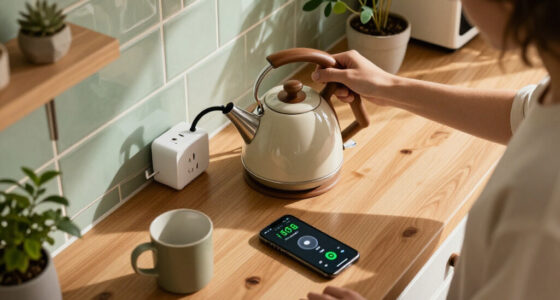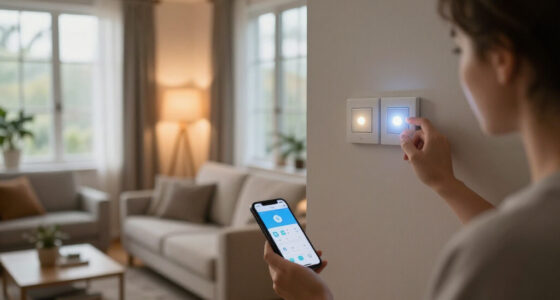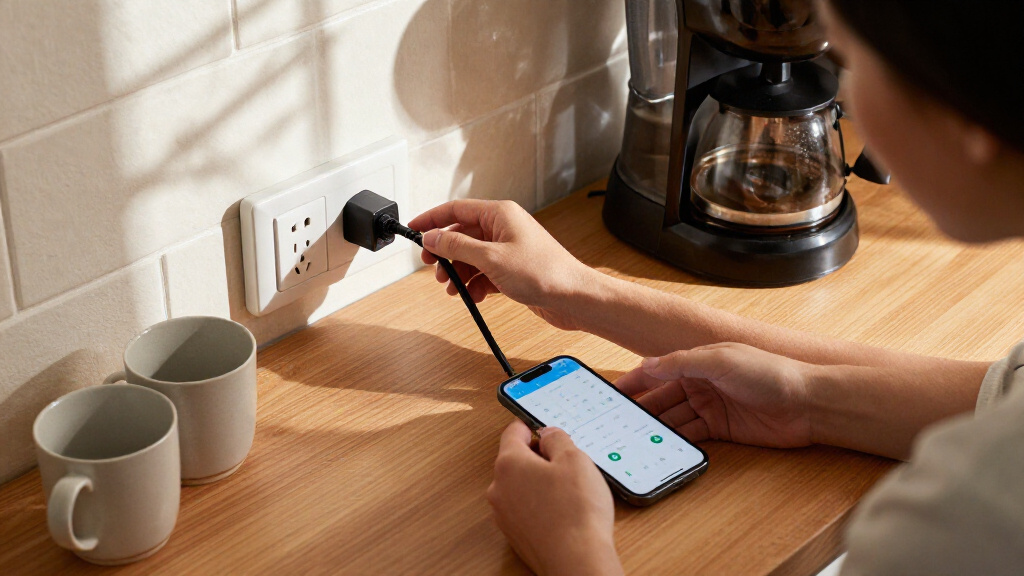
Among these smart plug energy monitors, I rank the Kasa KP125M 4-Pack best overall for its Matter support and practical multi-plug setup. The Tapo P110M 4-Pack is a strong alternative for shoppers who want Matter across several outlets, while the Eve Energy Strip suits a desk or media center where one device needs to monitor multiple connected items. The main tradeoffs are smart-home compatibility, outlet capacity, form factor, and how many plugs you need; a low-cost multi-pack may not offer the same platform flexibility as a Matter model or the tidy installation of a wall outlet. I compare all 14 options by their energy-monitoring use, control features, and fit for different rooms and setups. Read on for the full breakdown and buying advice.

Get home appliances delivered free with Prime
- Fast, free delivery on millions of items
- Prime Video, Amazon Music and more included
- Member-only deals all year
Complete the kit


Key Takeaways
- Kasa KP125M 4-Pack leads for broad household coverage: its Matter support and four-plug format make it a flexible starting point, while the two-pack KP125MP2 serves smaller setups.
- Matter appears across several distinct designs: Kasa, Tapo, Eve, D-Link, and Square D offer different routes to cross-platform control, but plug-in devices and an installed wall outlet are not interchangeable choices.
- Tapo offers several pack and model choices: the P110M 4-Pack emphasizes Matter, while the P115 comes in two- and four-pack versions; buyers should match the exact model and quantity to their setup.
- Eve Energy Strip fills a different monitoring role: its three outlets suit a concentrated desk or entertainment setup better than buying several separate plug monitors.
- Product format matters as much as app features: standard plug-in models are easier to move, while the Square D duplex outlet requires installation and makes more sense for a permanent, integrated setup.


| smart plug energy monitor | Connectivity | Operating voltage | Pack size |
|---|---|---|---|
| Kasa Matter Smart Plug with En | Matter, SmartThings, Wi-Fi | 120 V | 4 plugs |
| AiSeek Smart Plug with Energy | 2.4 GHz Wi-Fi, Bluetooth | 120 V | — |
| Emporia Energy Monitoring Smar | 2.4 GHz Wi-Fi; 5 GHz not supported | 120 V | 4 plugs |
| Tapo P115 Smart Wi-Fi Plug wit | 2.4 GHz Wi-Fi | 125 V | — |
| Kasa Matter Smart Plug with En | Matter, Wi-Fi, SmartThings | 120 V | 2 plugs |
| Eve Energy Outlet Matter Smart | Matter, Thread | — | — |
| THIRDREALITY Smart Plug Gen3 | — | 110 V | 4 |
| Govee Smart Plug with Energy M | Wi-Fi and Bluetooth | — | 4 |
| Eve Energy Outlet | Matter, Thread | 120 V AC | — |
| D-Link PM-01M Matter-Certified | Wi-Fi, Bluetooth, Matter | — | — |
| Tapo P110M Matter-Certified Sm | Matter and 2.4 GHz Wi-Fi | — | 4 plugs |
| Tapo P115 Smart Wi-Fi Plug wit | 2.4 GHz Wi-Fi | 110 V AC | 4 plugs |
| Eve Energy Strip Smart Power S | Direct Wi-Fi connection; no bridge or gateway required | — | — |
| Square D X Series 15A Wi-Fi En | Wi-Fi | — | — |
More Details on Our Top Picks
Kasa Matter Smart Plug with Energy Monitoring, KP125M (4-Pack)
The Kasa KP125M 4-pack is my strongest all-around pick for households that want energy tracking without tying themselves to one smart-home ecosystem. Matter support connects it with Apple Home, Alexa, Google Home, and SmartThings, while local-network control can keep commands working when internet service drops. That flexibility gives it an advantage over the AiSeek Smart Plug, which relies on SmartLife-linked Alexa or Google control and does not list Matter support. Its 15 A, 1800 W rating also suits many ordinary household devices, and the four-plug bundle makes it easier to monitor several loads. The tradeoff is a required 2.4 GHz Wi-Fi network; buyers who only need two monitored outlets may prefer the Kasa 2-pack instead.
Pros:- Matter compatibility spans Apple Home, Alexa, Google Home, and SmartThings.
- Energy monitoring helps track connected devices’ consumption over time.
- Local-network control can remain available when internet service is down.
- Four compact, UL-certified plugs support loads up to 15 A and 1800 W each.
Cons:- Wi-Fi connectivity requires a 2.4 GHz network.
- A four-pack may be more than needed for buyers monitoring just one or two devices.
Best for: Households using different smart-home platforms that want to monitor several devices and retain local control during internet outages.
Not ideal for: Buyers who need only one or two plugs, or whose Wi-Fi setup does not provide a 2.4 GHz network.
- Model:KP125M
- Pack size:4 plugs
- Maximum current:15 A
- Maximum wattage:1800 W
- Operating voltage:120 V
- Wi-Fi:2.4 GHz
- Connectivity:Matter, SmartThings, Wi-Fi
- Compatible platforms:Apple Home, Amazon Alexa, Google Home, Samsung SmartThings
- Warranty:2-year limited
Our verdict“Choose the KP125M 4-pack if you want broad Matter compatibility, energy tracking, and four plugs with local control.”
AiSeek Smart Plug with Energy Monitoring, 15A, 2.4 GHz Wi-Fi, 4-Pack
The AiSeek 4-pack suits buyers who want real-time energy readings and routine controls across several devices, without adding a hub. Its SmartLife app supports schedules, timers, and group control, making it a practical fit for setting recurring shutoff times or managing multiple plugs together. Compared with the Kasa KP125M, AiSeek lacks Matter and local-network control, so it is less adaptable for mixed-platform homes or internet outages. In return, it offers a straightforward Wi-Fi route for Alexa and Google Assistant users and matches Kasa’s stated 15 A and 1800 W capacity. Voice control requires linking through SmartLife, and the plugs depend on 2.4 GHz Wi-Fi, so this is best for buyers comfortable managing devices through that app rather than seeking platform-independent integration.
Pros:- Real-time power and energy monitoring helps reveal how connected devices use electricity.
- SmartLife supports schedules, timers, and group control.
- No hub is required for setup.
- Each plug supports up to 15 A and 1800 W.
Cons:- Alexa and Google Assistant voice control requires linking through the SmartLife app.
- Requires 2.4 GHz Wi-Fi and does not list Matter or offline local control.
Best for: Alexa or Google Assistant households that want four plugs with real-time energy tracking, schedules, and group control through SmartLife.
Not ideal for: Matter users, households seeking local control during internet outages, or anyone without a 2.4 GHz Wi-Fi network.
- Model:KT-US-EM-15AP
- Pack count:4
- Maximum power:1800 W
- Operating voltage:120 V
- Connectivity:2.4 GHz Wi-Fi, Bluetooth
- Hub required:No
- App compatibility:SmartLife, Tuya
- Voice assistants:Amazon Alexa, Google Assistant
- Warranty:2 years
Our verdict“Pick AiSeek if SmartLife suits your setup and you want four energy-monitoring plugs with scheduling and group control.”
Emporia Energy Monitoring Smart Plugs with Wi-Fi, App Control, Scheduling, and Alexa and Google Home Compatibility (4-Pack)
The Emporia four-pack is best suited to monitoring and scheduling everyday lower-load devices, such as lights and fans. Its energy tracking can help identify standby consumption, while app and voice controls make it possible to switch connected equipment off without reaching the outlet. The key distinction is capacity: Emporia allows a 10 A continuous load, below the 15 A rating of the Kasa KP125M and Tapo P115. That limit makes the Emporia a narrower choice for energy monitoring, despite its useful four-plug bundle and Alexa and Google Assistant support. It also requires 2.4 GHz Wi-Fi and has a one-year warranty. I would choose it for modest loads and scheduling, not for appliances whose sustained draw approaches the plug’s limit.
Pros:- Energy tracking can help identify waste from standby power.
- App control and scheduling support remote, automated operation.
- Works with Amazon Alexa and Google Assistant.
- Four plugs are included for monitoring multiple devices.
Cons:- The 10 A continuous-load limit is lower than the 15 A capacity of the Kasa KP125M and Tapo P115.
- Requires 2.4 GHz Wi-Fi and does not support 5 GHz networks.
- The stated warranty is one year.
Best for: People monitoring standby power or scheduling lights, fans, and other devices that remain within a 10 A continuous load.
Not ideal for: Buyers monitoring higher-draw appliances, those with only 5 GHz Wi-Fi, or shoppers who want a longer stated warranty.
- Model:EMSO1-4
- Pack size:4 plugs
- Operating voltage:120 V
- Wattage:1200 W
- Continuous load:10 A
- Peak load:15 A for up to one hour per day
- Connectivity:2.4 GHz Wi-Fi; 5 GHz not supported
- Compatible assistants:Amazon Alexa, Google Assistant
- Warranty:1 year
Our verdict“Choose Emporia for tracking and scheduling lower-load devices, but select a 15 A model for heavier continuous loads.”
Tapo P115 Smart Wi-Fi Plug with Energy Monitoring, 15A, 2-Pack
The Tapo P115 2-pack makes sense when outlet space matters more than broad smart-home compatibility or a large bundle. Its compact shape is designed to leave adjacent outlets accessible, while energy statistics and charts give buyers a way to review consumption rather than just switch a device remotely. Overload shutoff adds a layer of protection, and its stated 15 A, 1800 W capacity puts it ahead of the Emporia plugs for buyers who need a higher continuous-load rating. Unlike the Kasa KP125M, the Tapo does not list Matter support or local-network control; its controls run through the Tapo app, Alexa, or Google Assistant. The two-plug quantity also makes this a focused choice, not the best fit for monitoring a whole home’s collection of devices.
Pros:- Compact design helps keep adjacent outlets available.
- Energy statistics and charts make consumption easier to review.
- Scheduling, remote control, and overload shutoff are included.
- Rated for up to 15 A and 1800 W.
Cons:- Works with 2.4 GHz Wi-Fi only.
- Does not list Matter support or local-network control.
- Cost visualization for energy bills may require billing-system integration.
Best for: Apartment dwellers or small households who need energy charts and scheduling for one or two devices without blocking neighboring outlets.
Not ideal for: Buyers needing Matter or offline local control, more than two monitored devices, or 5 GHz Wi-Fi support.
- Model:P115
- Quantity:2
- Operating voltage:125 V
- Maximum wattage:1800 W
- Connectivity:2.4 GHz Wi-Fi
- Control:Tapo app, voice, remote
- Voice assistants:Amazon Alexa, Google Assistant
- Certifications:ETL, FCC, RoHS
- Material:Polycarbonate
Our verdict“Choose the Tapo P115 2-pack for compact, chart-based energy monitoring and overload shutoff at a couple of outlets.”
Kasa Matter Smart Plug with Energy Monitoring, KP125MP2, 2-Pack
The Kasa KP125MP2 2-pack brings the same useful Matter flexibility as the KP125M four-pack, but in a smaller bundle for buyers monitoring only a couple of devices. It supports Apple Home, Alexa, Google Home, and SmartThings, and local-network control can keep the plugs responsive when internet service is unavailable. Compared with the Tapo P115 2-pack, the Kasa is the better fit for a mixed-platform home; Tapo instead emphasizes compact outlet access, energy charts, and overload shutoff. The Kasa also offers energy monitoring and a 15 A, 1800 W rating, but requires 2.4 GHz Wi-Fi and does not list Tapo’s overload shutoff feature. Its two-plug quantity is convenient for a targeted setup, though buyers expanding across several rooms may prefer the Kasa four-pack.
Pros:- Matter support works across Apple Home, Alexa, Google Home, and SmartThings.
- Local-network control can continue when the internet is offline.
- Energy monitoring tracks connected device consumption.
- Compact, UL-certified flame-retardant design supports up to 15 A and 1800 W.
Cons:- Requires a 2.4 GHz Wi-Fi network.
- Includes only two plugs, while the KP125M four-pack suits broader monitoring.
- Does not list the Tapo P115’s overload shutoff feature.
Best for: People using Matter-compatible smart-home platforms who want energy monitoring for two appliances and local control during internet outages.
Not ideal for: Buyers who need several plugs in one purchase, want documented overload shutoff, or lack 2.4 GHz Wi-Fi.
- Model:KP125MP2
- Pack size:2 plugs
- Maximum current:15 A
- Maximum power:1800 W
- Operating voltage:120 V
- Connectivity:Matter, Wi-Fi, SmartThings
- Wi-Fi band:2.4 GHz
- Compatible platforms:Apple Home, Amazon Alexa, Google Home, Samsung SmartThings
- Warranty:2-year limited
Our verdict“Choose the KP125MP2 if you want Matter-based energy monitoring and local control at two outlets rather than a larger bundle.”
Eve Energy Outlet Matter Smart Plug with Power Meter
The Eve Energy Outlet suits buyers who want energy monitoring in a built-in outlet rather than a plug-in adapter. Its Matter and Thread support opens access to Apple Home, Alexa, Google Home, and SmartThings, while local communication avoids an Eve cloud account and tracking. That makes it a stronger privacy-oriented fit than the Govee Smart Plug, which relies on its app and Wi-Fi. The tradeoff is setup: this outlet needs a compatible hub or Thread border router, so it is not the easiest choice for someone starting from scratch. It controls connected appliances individually and supports scheduling and voice control, but its single outlet offers less flexibility than the two-outlet Eve Energy Outlet (Matter). Choose it for a privacy-conscious, hub-equipped home; skip it if you want a plug-and-play monitor.
Pros:- Matter and Thread support works across several major smart-home platforms.
- Local communication does not require an Eve cloud account, registration, or tracking.
- Power metering pairs with scheduling, automation, app, and voice control.
- UL-certified outlet supports connected loads up to 1800 W.
Cons:- Requires a compatible hub or Thread border router.
- Platform access and features depend on having a supported hub.
- Provides one controlled outlet, unlike the two-outlet Eve Energy Outlet (Matter).
Best for: Smart-home owners with a compatible Matter hub or Thread border router who want local energy monitoring and control without cloud tracking.
Not ideal for: First-time smart-home buyers without a compatible hub, or anyone seeking two independently controlled outlets in one device.
- Connectivity:Matter, Thread
- Maximum wattage:1800 W
- Control methods:App, remote, touch, voice
- Safety certification:UL-certified
- Hub requirement:Compatible hub or Thread border router required
- Privacy:Local communication; no Eve cloud, registration, or tracking
- Dimensions:4.7 × 1.7 × 2.93 in
- Material:Polycarbonate
Our verdict“Choose this Eve outlet if privacy and local Matter control matter more to you than hub-free setup or multiple outlets.”
THIRDREALITY Smart Plug Gen3, 4-Pack with Power Monitoring
The THIRDREALITY Smart Plug Gen3 makes the most sense when energy readings are only part of the goal: each plug can also act as a Zigbee repeater, helping extend a compatible mesh network. Its stated ±1% monitoring accuracy offers a specific measurement claim, while the four-pack lets buyers track several appliances at once. Compared with the Govee Smart Plug, this set needs a hub but can contribute to Zigbee coverage rather than relying on Wi-Fi. It supports Home Assistant, SmartThings, Hubitat, and select Echo devices, though some functions, including power-on status restoration and over-the-air updates, depend on platform support. That hub and feature dependence makes it a poor fit for a simple standalone setup. Pick it when you already use Zigbee and want monitoring plus network reach.
Pros:- Four plugs provide monitoring for several devices in one purchase.
- Stated power-monitoring accuracy is ±1%.
- Each plug can serve as a Zigbee repeater to extend mesh coverage.
- Compatible with Home Assistant, SmartThings, Hubitat, and select Echo devices.
Cons:- A compatible Zigbee hub is required.
- Power-on restoration and OTA update support vary by platform.
- The provided data does not specify an energy-history period or voltage and current tracking.
Best for: Home Assistant, SmartThings, or Hubitat users who want to monitor several appliances while adding Zigbee mesh repeaters.
Not ideal for: Buyers without a compatible Zigbee hub, or those who want energy history and straightforward Wi-Fi app setup without platform dependencies.
- Pack size:4
- Protocol:Zigbee 3.0
- Operating voltage:110 V
- Monitoring accuracy:±1%
- Hub requirement:Compatible Zigbee hub required
- Compatible platforms:Home Assistant (ZHA and Z2M), SmartThings, Hubitat, select Echo devices, and others
- Certification:ETL certified (as stated in title)
- Warranty:1 year
Our verdict“Choose this four-pack if you already run a compatible Zigbee system and value mesh expansion alongside appliance monitoring.”
Govee Smart Plug with Energy Monitoring, Wi-Fi and Bluetooth, 4-Pack
For buyers who want to review past consumption rather than just check a live reading, the Govee Smart Plug offers up to one year of energy history in its app, alongside power, current, and voltage readings. The four-pack and hub-free Wi-Fi setup are simpler than the THIRDREALITY Zigbee plugs, which require a compatible hub, and the Govee set supports remote control, schedules, group control, Alexa, and Google Assistant. That convenience comes with an app commitment: setup and control run through Govee Home, and the plugs only support 2.4 GHz Wi-Fi. Compared with the Matter-based D-Link PM-01M, Govee’s appeal is its stated long history and multi-plug pack, not broad Matter integration. Choose it for app-based tracking; skip it if you want local hub-based control.
Pros:- Tracks power, current, and voltage, with energy history available for up to one year.
- Four plugs support monitoring and group control across multiple devices.
- No hub is required for setup.
- Supports remote control, schedules, Alexa, and Google Assistant.
Cons:- Does not support 5 GHz Wi-Fi.
- Setup and control require the Govee Home app.
- Compared with the D-Link PM-01M, it does not list Matter support.
Best for: Alexa or Google Assistant households that want to track several devices and compare energy history in a dedicated phone app.
Not ideal for: Buyers whose Wi-Fi network is 5 GHz-only, or those who want Matter integration or control without the Govee Home app.
- Pack size:4
- Connectivity:Wi-Fi and Bluetooth
- Wi-Fi band:2.4 GHz; 5 GHz not supported
- Energy monitoring:Power, current, and voltage; history up to 1 year
- Maximum amperage:15 A
- Voltage:110 V
- Voice assistants:Amazon Alexa, Google Assistant
- Certifications:ETL, FCC
Our verdict“Choose the Govee four-pack if app-based, long-term energy tracking matters more than Matter support or app independence.”
Eve Energy Outlet (Matter) Smart Outlet with Power Meter
This two-outlet Eve Energy is the pick for replacing an outlet while monitoring and controlling two connected appliances separately. Its Matter and Thread support spans Apple Home, Alexa, Google Home, and SmartThings, and local communication avoids an Eve cloud account or tracking. Compared with the single-outlet Eve Energy Outlet Matter Smart Plug, the second independently controlled socket can reduce the need for another device when two appliances share a location. The compromise is the same hub-dependent setup, plus requirements for a compatible platform hub and Thread router; it is less accessible than the hub-free Govee Smart Plug. Buyers should also check their phone operating system against the listed minimum versions. Choose this for a multi-platform home that values local control and two separate outlet controls.
Pros:- Two outlets can be controlled individually.
- Matter and Thread support major smart-home platforms.
- Local communication works without an Eve cloud account, registration, or tracking.
- Supports app, voice, and remote control.
Cons:- Requires both a compatible smart-home hub and a Thread router.
- Requires iOS/iPadOS 16.4 or later or Android 8.1 or later.
- More setup-dependent than the hub-free Govee Smart Plug.
Best for: Matter-equipped households that want to monitor and control two appliances independently from one outlet device.
Not ideal for: People without a compatible hub and Thread router, or buyers who want a simple Wi-Fi plug that works without platform setup.
- Number of outlets:2, individually controlled
- Connectivity:Matter, Thread
- Operating voltage:120 V AC
- Maximum wattage:1800 W
- Compatible platforms:Apple Home, Amazon Alexa, Google Home, Samsung SmartThings
- Requirements:Compatible hub and Thread router; iOS/iPadOS 16.4 or later, or Android 8.1 or later
- Certification:UL-certified
- Dimensions:1.7 × 2.93 × 4.7 in
Our verdict“Choose this Eve model if you need two independently controlled outlets and already have the required Matter and Thread equipment.”
D-Link PM-01M Matter-Certified Wi-Fi Smart Plug with Energy Monitoring
The D-Link PM-01M stands out for pairing energy monitoring with over-usage alerts, giving buyers a way to flag a connected appliance’s consumption rather than just view readings. Its compact dimensions are designed to leave neighboring outlet space available, a practical advantage over the larger built-in Eve outlet formats. Unlike the Govee Smart Plug, D-Link supports Matter alongside Wi-Fi and Bluetooth, with Alexa, Google Assistant, and Apple Home compatibility. It also offers schedules and timers through the AQUILA PRO AI app. The tradeoff is that remote control requires an internet connection, and the listing does not specify an energy-history period like Govee’s one-year record. A Matter controller and voice assistant are not included. Choose D-Link for a compact, alert-focused plug; look elsewhere if long-term history is your priority.
Pros:- Energy monitoring includes configurable over-usage alerts.
- Matter, Wi-Fi, and Bluetooth connectivity support several setup options.
- Compact dimensions are intended to avoid blocking adjacent outlets.
- UL94-V0 flame-retardant material and built-in surge protection are specified.
Cons:- Remote control requires an internet connection.
- A Matter controller and voice assistant are not included.
- The provided data does not state an energy-history period, unlike the Govee Smart Plug.
Best for: Smart-home users who want a compact Matter-compatible monitor with configurable over-usage alerts for appliances.
Not ideal for: Buyers who need a stated long-term energy history, offline remote access, or a Matter controller included in the box.
- Connectivity:Wi-Fi, Bluetooth, Matter
- Voltage:120 V
- Amperage:15 A
- Maximum power:1800 W
- Compatibility:Alexa, Google Assistant, Apple Home
- Safety features:UL94-V0 flame-retardant material, built-in surge protection
- Certifications:FCC, RoHS, UL, cUL
- Dimensions:1.5 × 2.75 × 1.38 in
Our verdict“Choose the D-Link if compact fit and over-usage alerts are more useful to you than a documented year of energy history.”
Tapo P110M Matter-Certified Smart Plug with Energy Monitoring, 15A, 4-Pack
Matter support is the P110M’s main advantage: it can fit into a compatible smart-home platform rather than limiting control to one app ecosystem. Its energy tracking, cost estimates, and power thresholds add practical monitoring tools, while the four-pack makes it easier to cover several individual appliances than a single outlet device. Compared with the Tapo P115, this model foregrounds Matter compatibility, while the P115 emphasizes features such as overload shutoff and smart charging. The tradeoff is 2.4 GHz-only Wi-Fi, and cost estimates are only as useful as the billing information entered. Choose the P110M when broad platform flexibility matters; skip it if your setup cannot use Matter or you mainly want the P115’s charging protections.
Pros:- Matter compatibility supports integration with compatible smart-home platforms
- Tracks energy use and provides electricity cost estimates
- Power thresholds can help manage consumption and reduce overcharging risk
- Four plugs support monitoring and control across multiple devices
Cons:- Connects only to 2.4 GHz Wi-Fi
- Cost estimates depend on correctly configured billing information
Best for: Households with Matter-compatible smart-home equipment that want energy monitoring on several plug-in appliances.
Not ideal for: Buyers with only 5 GHz Wi-Fi or those who specifically want the Tapo P115’s stated overload shutoff and smart-charging features.
- Model:P110M
- Pack size:4 plugs
- Maximum wattage:1800 W
- Connectivity:Matter and 2.4 GHz Wi-Fi
- Control:App, voice, and scheduling
- Energy features:Usage tracking, cost estimates, and power thresholds
- Certification:UL certified
Our verdict“Choose the P110M if you want a four-plug energy-monitoring set with Matter support and can use a 2.4 GHz network.”
Tapo P115 Smart Wi-Fi Plug with Energy Monitoring, 4-Pack, 15A
The P115 pairs energy statistics and cost estimates with smart charging and overload shutoff, giving it a more protection-focused feature set than the Matter-centered Tapo P110M. That makes this four-pack a strong fit for people monitoring devices that benefit from charging limits, as well as everyday appliances they want to schedule or switch remotely. It works with Alexa, Google Assistant, and SmartThings through 2.4 GHz Wi-Fi. Compared with the Kasa Matter Smart Plug KP125M, the P115’s described strengths are its Tapo app controls and charging safeguards rather than Matter support. Its key limitation is platform dependence on Wi-Fi and its listed assistant ecosystem; buyers prioritizing Matter should look elsewhere.
Pros:- Combines energy statistics with electricity cost estimates
- Smart charging and overload shutoff add protection-oriented controls
- Supports app control, voice control, and scheduling
- Four-plug set works with Alexa, Google Assistant, and SmartThings
Cons:- Requires a 2.4 GHz Wi-Fi network
- Matter compatibility is not listed
- Cost estimates rely on entered electricity billing information
Best for: People who want several monitored outlets and plan to use charging limits, schedules, or overload protection with Alexa, Google Assistant, or SmartThings.
Not ideal for: Matter-first households or buyers without a 2.4 GHz Wi-Fi network.
- Pack size:4 plugs
- Maximum wattage:1800 W per plug
- Operating voltage:110 V AC
- Connectivity:2.4 GHz Wi-Fi
- Compatible assistants:Amazon Alexa, Google Assistant, and SmartThings
- Energy features:Usage statistics and cost estimates
- Protection and charging:Smart charging and overload shutoff
- Certification:ETL, FCC, and RoHS
Our verdict“Pick the P115 if charging controls and overload shutoff matter more to you than Matter integration.”
Eve Energy Strip Smart Power Strip with 3 Outlets and Energy Meter
Unlike the individual plug-in monitors in the Tapo P110M four-pack, the Eve Energy Strip puts three independently controlled outlets on one cord. That layout suits a desk or media area where several devices share a wall outlet, and its energy meter lets you track consumption while scheduling each outlet. Surge, overcurrent, and overvoltage protection add a layer of electrical protection that the listed Tapo plug features do not emphasize. The tradeoff is a firm commitment to Apple: setup requires an iPhone or iPad with the latest iOS or iPadOS, and the product is designed for Apple Home. Its 6.3-foot cable also limits placement. Choose this over the Tapo options for a centralized Apple setup, not for broader platform flexibility.
Pros:- Controls three outlets independently
- Tracks energy use and supports schedules
- Includes surge, overcurrent, and overvoltage protection
- Offers app, Siri, and onboard-button control
Cons:- Requires an iPhone or iPad with the latest iOS or iPadOS
- Apple Home-focused compatibility is less flexible than the Matter-enabled Tapo P110M
- A power strip cannot place its monitored outlets at separate locations
Best for: Apple Home users who want independently controlled, energy-monitored outlets for a desk, entertainment center, or other clustered devices.
Not ideal for: Android-only households, buyers seeking Matter-based flexibility, or anyone needing monitors placed at separate wall outlets.
- Outlets:3 independently controlled
- Maximum current:15 A
- Maximum power:1800 W
- Voltage:120 V
- Cable length:6.3 ft
- Connectivity:Direct Wi-Fi connection; no bridge or gateway required
- Compatibility:Apple Home; requires a current iPhone or iPad
- Warranty:2 years
Our verdict“Choose the Eve Energy Strip if you use Apple Home and want three monitored, independently controlled outlets together.”
Square D X Series 15A Wi-Fi Energy Monitoring Duplex Outlet, Matter Certified, Tamper Resistant, Matte Black
The Square D X Series takes a different approach from plug-in monitors such as the Tapo P110M: it replaces a wall outlet with a two-receptacle smart outlet, so there is no smart plug body occupying the socket. Its Matter certification and hub-free Wi-Fi setup offer a route into compatible smart-home systems, while tamper resistance and the included screwless cover plate give it a more finished, built-in look. This is a better fit for a planned outlet upgrade than for renters or anyone wanting to move monitoring between rooms. The product data lists 600 W, so buyers should check that limit against their intended devices rather than assume the 15 A rating means every load is suitable. Schneider Home app and Wi-Fi are required for smart features.
Pros:- Built-in duplex design avoids a plug-in adapter at the wall
- Matter certification supports compatible smart-home platforms
- Works without a separate hub
- Tamper-resistant design and screwless cover plate provide a finished installation
Cons:- Requires Wi-Fi and the Schneider Home app for smart features
- Listed voice integrations include Alexa and Google Assistant; compatibility beyond these may vary
- Listed maximum wattage is 600 W, requiring buyers to check appliance loads
Best for: Homeowners planning a permanent, Matter-compatible outlet upgrade who want energy monitoring without a plug-in adapter.
Not ideal for: Renters, people who need portable monitoring, or buyers whose intended devices exceed the listed 600 W rating.
- Outlets:2
- Voltage:125 V
- Amperage:15 A
- Listed wattage:600 W
- Connectivity:Wi-Fi
- Smart-home standard:Matter certified
- Hub requirement:No hub required
- Features:Energy monitoring and tamper resistance
- Included:Screwless cover plate
Our verdict“Choose the Square D if you want a permanent Matter-compatible monitored outlet and its listed 600 W limit suits your devices.”
How We Picked
I ranked these products by how well their energy monitoring, smart-home compatibility, and physical design fit common household jobs. I gave more weight to clear use cases and flexibility than to pack size alone: a four-pack is useful only if buyers need multiple monitored outlets, and Matter support matters most to people building around compatible platforms. I also distinguished plug-in models, a three-outlet power strip, and a hardwired duplex outlet because they solve different placement and installation problems.
The order reflects those tradeoffs rather than a claim that one model is best for every home. The Kasa KP125M leads as a broadly useful combination of Matter support and multi-room coverage; Tapo’s Matter and Wi-Fi options follow for buyers with more specific platform or pack needs. Specialist choices such as Eve’s strip, the THIRDREALITY four-pack, and Square D’s installed outlet rank for particular setups, not as universal replacements. I also weighed usability, outlet count, and the practical commitment involved in setup, while avoiding assumptions about accuracy or performance that product details alone cannot establish.
Factors to Consider When Choosing Smart Plug Energy Monitors
Before choosing among smart plug energy monitors, I would start with the appliance and room, then work backward to platform and pack size. These factors help avoid buying a plug that fits the app ecosystem but not the physical setup or monitoring task.
Match Monitoring to the Appliance
Decide what you want to learn before choosing a monitor. Tracking a lamp or a small office device is a different job from monitoring a higher-load appliance, so check the specific model’s rated capacity and the appliance’s requirements rather than relying on the phrase 15A alone. A smart plug is not a substitute for an appliance’s safety instructions or a dedicated circuit when one is required. Also think about whether you need a snapshot of current use, accumulated energy data, or schedules that help control operating hours. If the plug will monitor equipment that must remain powered, ask whether automated shutoff is appropriate. Buying for the actual device prevents a feature-rich plug from becoming a poor fit.
Choose a Platform Before Buying a Multipack
Smart-home compatibility can shape daily use more than the energy screen itself. Matter models can be appealing if you want to connect compatible devices through a supported ecosystem, but Matter branding does not make every feature identical across every app or controller. Check which platform you plan to use and whether energy readings, routines, and scheduling are exposed there. A manufacturer app may offer controls or history that a third-party platform does not show in the same way. For a single outlet, trying one plug before outfitting several rooms can limit frustration. For a larger setup, confirm ecosystem support first, then choose the pack size.
Treat Pack Size as a Deployment Decision
A four-pack can reduce the friction of monitoring several appliances, but it is not automatically better value if only one device needs tracking. Map the outlets you want to monitor and check whether adjacent sockets will remain accessible once a plug is inserted. Multi-packs from Kasa, Tapo, Emporia, Govee, AiSeek, and THIRDREALITY differ in platform features, so compare the model and compatibility rather than the quantity alone. A two-pack can be a sensible way to test an app and data workflow before expanding. Avoid buying multiple plugs simply because the package count is larger; unused monitors add clutter, not useful insight.
Pick the Right Physical Form
Most products here are plug-in monitors, but the Eve Energy Strip and Square D duplex outlet address different spaces. A strip can consolidate several devices around a desk or media center, although its shared form may be less convenient when you want to move monitoring between rooms. A wall outlet such as Square D’s offers a more integrated appearance, but installation makes it a less flexible choice than a plug-in unit. Check outlet orientation, available clearance, and whether a bulky adapter or furniture will obstruct the socket. Renters and people who want a reversible setup will usually prefer plug-in models. Permanent installations make more sense when clean integration is a higher priority than portability.
Decide What Energy Data Will Change
Energy monitoring is useful when the information can guide a decision, such as identifying standby draw or comparing how often a device runs. Before buying, consider how often you will check the data and whether you need historical reporting, simple live readings, or alerts and schedules. Product listings can identify monitoring features without making every model’s data presentation equivalent. A detailed app is of little help if you will not review it, while a simple view may be enough for occasional checks. Think through one specific question you want answered and select a monitor whose app and controls support that task. This keeps energy tracking tied to a practical household goal.
Know When to Pay for Integration
Extra platform support and a built-in outlet can be worthwhile when they reduce work across a larger smart home or create a cleaner permanent installation. They may be unnecessary if your goal is simply to monitor one plug-in appliance with a basic app. Compare the cost of expanding a compatible system with the value of its routines, shared controls, and energy reporting, without assuming that a higher-end form gives better readings. The Square D outlet asks for a more involved installation than a standard plug, while Matter products may offer more platform flexibility if the rest of your setup supports it. I would pay for integration only when it solves a real setup or management problem. Otherwise, a straightforward plug-in monitor is easier to relocate and replace.
Frequently Asked Questions
Should I choose a Matter smart plug if my current smart-home system does not use Matter?
Not automatically. A Matter model can leave room to connect with compatible platforms later, but its benefits depend on the controller, app, and features you intend to use. Check whether the plug’s energy data and scheduling are available through your preferred setup, rather than assuming every function carries across platforms. If you plan to use only one manufacturer’s app, a non-Matter option may still meet the need. Choose Matter when cross-platform flexibility is useful to your household, not simply because the label appears on the box.
Is a four-pack a better choice than buying one or two energy-monitoring plugs?
A four-pack makes sense when you already have several appliances to monitor and they are compatible with the same setup. If you are unsure whether energy reports will change your habits, starting with one or two lets you learn the app and data before outfitting more rooms. Pack size does not determine whether the plugs work together with your preferred platform, so confirm model-specific compatibility first. Also count usable sockets and check for clearance around each outlet. The right quantity is the number of appliances you have a reason to track, not the largest pack available.
Can a smart plug energy monitor be used with any appliance?
No. Check the product’s electrical rating against the appliance’s requirements and follow both manufacturers’ instructions. A stated 15A rating should not be treated as permission to connect every high-load device, and some appliances may require a dedicated outlet or have their own restrictions on switching power. Smart plugs are generally most straightforward for compatible plug-in devices, but the precise use depends on the device and local electrical guidance. If a mismatch or safety question is unclear, do not use the plug for that appliance. Monitoring features do not change the electrical limits of the hardware.
Will I get the same energy-monitoring features in every smart-home app?
Not necessarily. A plug may expose basic on-and-off control through one platform while keeping energy history or other controls in its own app. Matter compatibility can improve device connection across supported systems, but it does not guarantee that every app presents the same readings or tools. Before buying, check which app you expect to use for monitoring and whether the product supports the specific information you want there. If detailed energy use is your main reason for buying, the manufacturer’s app may be part of the decision. This is a useful check before committing to a multi-pack.
When should I choose a smart outlet or power strip instead of a single smart plug?
Choose a single plug when you want a portable monitor for one appliance and may move it between rooms. A power strip can suit a cluster of devices in one place, but check how its monitoring and outlet controls apply to the connected equipment. A wall outlet is better suited to a permanent, integrated installation than a temporary or renter-friendly setup. The Square D duplex outlet requires a different installation commitment from a plug-in monitor, while the Eve Energy Strip takes more desk or media-center space than one plug. Base the choice on installation, placement, and the number of devices you actually want to manage.
Conclusion
For most households, I would start with the Kasa KP125M 4-Pack: it earns the best overall spot by pairing Matter support with enough plugs to monitor several locations. The AiSeek four-pack is the best value-style choice for shoppers focused on a straightforward multi-plug setup, while the Tapo P115 two-pack is a more measured option for buyers who do not need four monitors. For beginners, the Emporia four-pack is worth a look for its app control and scheduling; compare its platform fit with Kasa and Tapo before choosing. I would call the Eve Energy Strip the best premium-style pick for a concentrated three-device area, and the Square D duplex outlet the best specific choice for a permanent, integrated installation. If cross-platform control is your priority, focus on the Matter models; if portability matters more, choose a plug-in unit over the wall outlet.