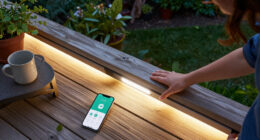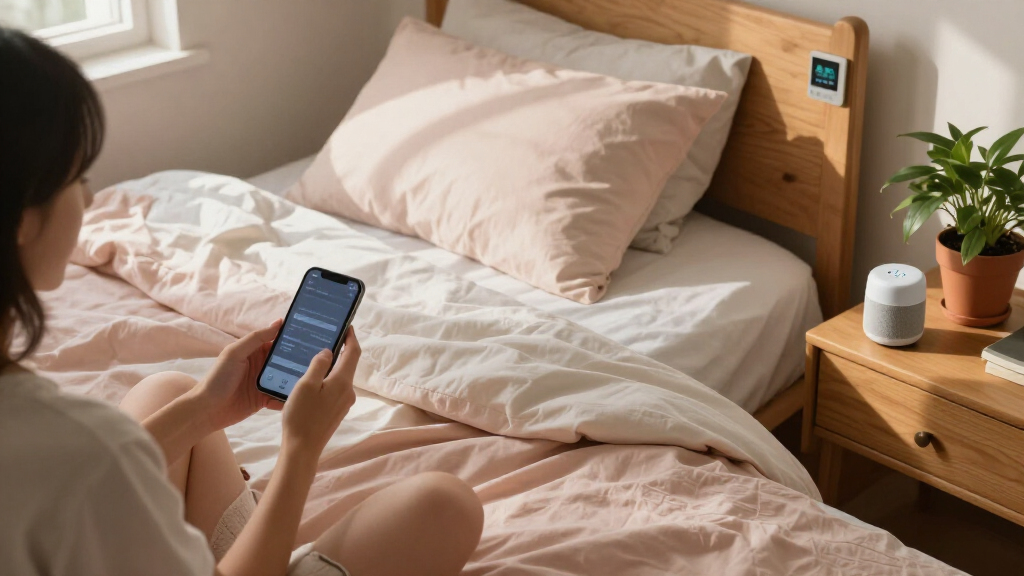

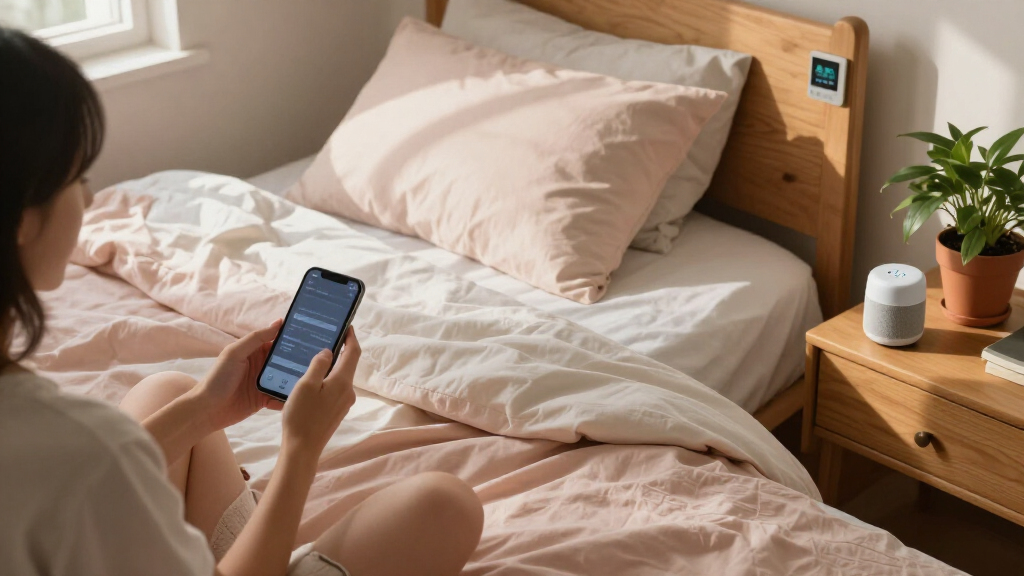
Smart home dorm room gadgets let you add voice control, color lighting, and app automation to a tiny space without rewiring anything — but the category is crowded with near-identical plugs and lamps that differ more than their listings suggest. My top pick is the Linkind Matter Smart Plug, because Matter support means it works cleanly with Apple Home, Alexa, Siri, and Google Home, so it survives whatever ecosystem your roommates use. The Amazon Echo Spot stands out as the best command center for Alexa households, while the Govee RGBIC Smart Table Lamp 2 wins on lighting quality and effects. The main tradeoff you’ll face is ecosystem lock-in versus price: Matter-certified gear costs a bit more but won’t strand you if you switch assistants. Read on for the full breakdown of all nine picks.

Get home appliances delivered free with Prime
- Fast, free delivery on millions of items
- Prime Video, Amazon Music and more included
- Member-only deals all year
Complete the kit


Key Takeaways
- Matter certification is the single biggest differentiator in this lineup — the amazon.com/dp/B0C36WXGP1?tag=autohomebots-20&ascsubtag=dc-673975″ target=”_blank” rel=”nofollow sponsored noopener”>Linkind plug works across all four major ecosystems, while the GHome plug locks you into Alexa or Google only.
- Three of the four lamps overlap heavily on RGB color and app control; the Govee RGBIC lamp separates itself with multi-zone segmented lighting, while the budget Hifree lamp makes sense only if price is the deciding factor.
- Dorm rooms have scarce outlets, so power-stripping gadgets (the Kasa KP303 and the LED desk lamp with built-in 3-outlet strip) deliver more practical value than single smart plugs.
- The Echo Spot is the only pick that replaces an existing dorm staple (the alarm clock), which makes it the easiest upgrade to justify to a skeptical parent or RA.
- Music sync and scene effects turned out to be the most fun-but-optional feature — worth paying up for on the Govee, easy to skip on the cheaper lamps where it performs poorly.
| Linkind Matter Smart Plug with Apple Home, Alexa, Siri, Google Home Compatibility |  | Best Overall | Power Capacity: 1800W / 15A | WiFi Support: 2.4GHz only | Compatibility: Apple HomeKit, Alexa, Google Assistant, SmartThings, AiDot | VIEW LATEST PRICE | See Our Full Breakdown |
| Bedroom Lamp with Smart RGB LED Bulb, Multicolor Changing Table Lamp with 2 USB Ports, Dimmable, Voice Control, and Music Sync |  | Best for Ambiance | Connectivity: Wi-Fi 2.4GHz only | Color Temperature: 2700-6500K plus multicolor RGB | Dimming Range: 1%-100% | VIEW LATEST PRICE | See Our Full Breakdown |
| LED Desk Lamp with Power Strip, 3 AC Outlets, 4 USB Ports, Stepless Dimming |  | Best Space Saver | AC Outlets: 3 | USB Ports: 4 (2 USB-C, 2 USB-A) | Color Temperature: 2800K to 6500K | VIEW LATEST PRICE | See Our Full Breakdown |
| GHome Smart Plug, WiFi Smart Outlet Compatible with Alexa and Google Assistant |  | Best Value | Current Rating: 10A | Wattage: 1200 watts | Operating Voltage: 120 volts | VIEW LATEST PRICE | See Our Full Breakdown |
| Amazon Echo Spot (newest model), Smart Alarm Clock with Alexa, Glacier White |  | Best Smart Hub | Display: 2.83-inch touchscreen (240x320px) | Speaker: 1.73-inch full-range driver | WiFi: Dual-band 802.11a/b/g/n/ac (2.4 and 5 GHz) | VIEW LATEST PRICE | See Our Full Breakdown |
| Kasa Smart Plug Power Strip, KP303 |  | Best Power Multiplier | Smart Outlets: 3 independently controllable | USB Ports: 2 | Voltage: 125 volts | VIEW LATEST PRICE | See Our Full Breakdown |
| Smart RGB Dimmable Table Lamp with Charging Ports, Gray |  | Best Desk Command Center | Control Options: Voice, Alexa, APP, Remote, Touch | Color Range: 16 million colors | Color Temperature: 2700K-6500K | VIEW LATEST PRICE | See Our Full Breakdown |
| Hifree Smart Table Lamp, Dimmable RGB Desk Lamp |  | Best Budget Bedside Pick | Control Modes: App, Voice, Touch | Color Options: RGB with adjustable color temperature | Scene Modes: 8 built-in modes | VIEW LATEST PRICE | See Our Full Breakdown |
| Govee RGBIC Smart Table Lamp 2 |  | Best Premium Ambience | Brightness: 500 lumens | Color Technology: RGBICWW multi-color | Color Temperature: 2700K-6500K | VIEW LATEST PRICE | See Our Full Breakdown |
More Details on Our Top Picks
Linkind Matter Smart Plug with Apple Home, Alexa, Siri, Google Home Compatibility
The Linkind Matter Smart Plug earns the top spot because it solves the one problem that ruins most dorm smart home setups: platform lock-in. With Matter certification, it works natively across Apple HomeKit, Alexa, Google Home, and SmartThings, which matters when your roommate runs a different ecosystem than you do. The GHome Smart Plug costs less but locks you into Alexa or Google only — fine until someone shows up with an iPhone. Offline LAN control means a dorm’s spotty Wi-Fi won’t cut off your lights at midnight. The tradeoff is that full multi-platform support requires a Matter-certified hub, and it’s limited to 15A, so no space heaters or hair tools on this outlet.
Pros:- Matter protocol works across Apple Home, Alexa, Google Home, and SmartThings without ecosystem lock-in
- Offline LAN communication keeps control working even when dorm Wi-Fi drops
- Fire-resistant housing with FCC certification adds peace of mind in older dorms
- Compact body leaves the second outlet free
Cons:- Only connects to 2.4GHz networks, which can be tricky on congested campus Wi-Fi
- Full cross-platform compatibility requires a Matter-certified hub
- 15A / 1800W ceiling limits what appliances you can safely run through it
Best for: Dorm residents sharing a room with mixed ecosystems (iPhone and Android users) who want one plug that works for everyone
Not ideal for: Students hoping to control high-wattage appliances like microwaves or space heaters — the 15A cap rules those out
- Power Capacity:1800W / 15A
- WiFi Support:2.4GHz only
- Compatibility:Apple HomeKit, Alexa, Google Assistant, SmartThings, AiDot
- Protocol:Matter with offline LAN control
- Certifications:FCC certified
- Material:Fire-resistant
- Control Methods:App, voice, scheduling
Our verdict“If you’re buying one smart plug that needs to survive four years and multiple roommates with different phones, this is the one to get.”
Bedroom Lamp with Smart RGB LED Bulb, Multicolor Changing Table Lamp with 2 USB Ports, Dimmable, Voice Control, and Music Sync
Where the LED Desk Lamp with Power Strip prioritizes function, this bedroom lamp is all about mood. Music sync mode pulses the multicolor light along with whatever’s playing — the feature that makes it the obvious pick for movie nights and parties, and something no work-focused desk lamp in this lineup offers. The dual USB charging ports in the base double as a bedside charging station, saving a wall outlet in a room where outlets are precious real estate. Compared with the Govee RGBIC Smart Table Lamp 2, this one leans softer and more diffuse rather than punchy and saturated. Be aware it’s Alexa-only for voice control and 2.4GHz Wi-Fi only — Apple Home users get nothing here.
Pros:- Music sync creates dynamic lighting effects for music and movies
- Built-in dual USB ports charge devices without using a wall outlet
- Full dimming range from 1% to 100% with adjustable 2700-6500K color temperature
- Multiple scene modes for studying, relaxing, or entertaining
Cons:- Voice control limited to Alexa — no Google or Apple Home support
- Requires app setup before any smart features work
- 2.4GHz-only Wi-Fi can struggle on crowded campus networks
Best for: Students who want their room to be the hangout spot and value party-ready lighting over pure task performance
Not ideal for: Anyone needing serious task lighting for late-night study sessions — this lamp prioritizes color effects over focused brightness
- Connectivity:Wi-Fi 2.4GHz only
- Color Temperature:2700-6500K plus multicolor RGB
- Dimming Range:1%-100%
- USB Ports:2 (5V/2A)
- Voice Control:Alexa compatible
- Music Sync:Yes
- Control Methods:App and voice
- Scene Modes:Multiple presets
Our verdict“This is the pick when your dorm room doubles as the social hub and the lighting needs to keep up.”
LED Desk Lamp with Power Strip, 3 AC Outlets, 4 USB Ports, Stepless Dimming
Dorm desks are tiny, and this lamp’s pitch is simple: replace three devices with one. The base packs 3 AC outlets and 4 USB ports (2 USB-C, 2 USB-A), effectively giving you a mini power strip built into your task light — meaning the Kasa Smart Plug Power Strip becomes optional rather than mandatory. The stepless dimming and 2800K-6500K range cover everything from early-morning warm light to cool late-night cramming brightness, and the foldable arm tucks away over breaks. Compared with the Bedroom Lamp with Smart RGB LED Bulb, this one skips voice control and color effects entirely in favor of utility. The real limitation is the 1200W/10A ceiling — that’s not enough for a microwave or gaming PC plus peripherals.
Pros:- Combines lamp, power strip, and charging hub into one device
- Both USB-C and USB-A ports handle modern and older devices
- Stepless 1%-100% dimming across a wide 2800K-6500K range
- Foldable design with timer and memory function for tiny desks
Cons:- 1200W/10A maximum limits high-power devices like gaming PCs or heaters
- No smart features — no voice control or app integration unlike the Linkind plug or RGB lamp
- Button-heavy controls can feel cluttered if you just want light on and off
Best for: Students with small desks who need to consolidate a lamp, charger, and power strip into a single footprint
Not ideal for: Anyone hoping to power a gaming rig or mini fridge through it — the 1200W/10A cap rules out demanding setups
- AC Outlets:3
- USB Ports:4 (2 USB-C, 2 USB-A)
- Color Temperature:2800K to 6500K
- Dimming:Stepless 1% to 100%
- Maximum Power:1200W / 10A
- Cord Length:5 ft with flat plug
- Additional Features:Timer, memory function, foldable design
Our verdict“The smartest purchase here isn’t smart at all — it’s the one device that eliminates the need to buy three others.”
GHome Smart Plug, WiFi Smart Outlet Compatible with Alexa and Google Assistant
Sometimes you just need a plug that turns a fan on and off from bed, and the GHome Smart Plug does that for less than the Linkind Matter Smart Plug. Setup is genuinely simple: connect to the GHome app, link Alexa or Google, done — no hub required, which keeps the true cost down versus Matter alternatives. Scheduling and group control let you automate a coffee maker or multiple lamps at once. The catch is ecosystem ceiling: it works with Alexa and Google Assistant and nothing else, so Apple Home users should pay the extra for the Linkind instead. It’s also rated at 10A / 1200W, a step below the Linkind’s 15A, so reserve it for lamps, fans, and chargers rather than anything power-hungry.
Pros:- Lower price than Matter-certified alternatives with no hub required
- Quick Bluetooth-assisted Wi-Fi setup with stable 2.4GHz connection
- Group control lets multiple plugs respond to a single command
- Scheduling and timer functions help cut phantom energy draw
Cons:- Requires GHome app setup before Alexa or Google voice control will work
- 10A / 1200W rating is lower than the Linkind’s 15A capacity
- No Apple HomeKit or SmartThings support at any price
Best for: Budget-minded students on Alexa or Google who want reliable app scheduling without paying for multi-platform support they won’t use
Not ideal for: Apple Home users and anyone powering devices above 1200W — the Linkind Matter plug covers both cases better
- Current Rating:10A
- Wattage:1200 watts
- Operating Voltage:120 volts
- Connectivity:Bluetooth + Wi-Fi (2.4GHz)
- Compatible Devices:Amazon Alexa, Google Assistant
- Control Methods:App, remote, touch, voice
- Mounting Type:Wall mount plug-in
Our verdict“The cheapest credible entry into dorm automation — as long as your household speaks Alexa or Google exclusively.”
Amazon Echo Spot (newest model), Smart Alarm Clock with Alexa, Glacier White
The Echo Spot is the only product in this lineup that controls the others. Every lamp and plug here — the Linkind, the GHome, the RGB bedroom lamp — becomes more useful with an Alexa command center on your nightstand. The 2.83-inch touchscreen shows weather, timers, and morning routines at a glance, and the speaker punches well above its size for alarm-clock duty. Its sleeper feature is built-in eero mesh extension covering up to 1,000 sq ft, which can fix the dead Wi-Fi corner of a concrete-walled dorm — though only if you already run an eero router. Compared with a basic smart plug, the price stings, and the small screen limits it to glanceable info, not video calls (there’s no camera at all).
Pros:- Acts as the control hub for every Alexa-compatible device in this roundup
- Built-in eero extension adds up to 1,000 sq ft of Wi-Fi coverage
- Customizable display with morning routines for weather, alarms, and schedules
- Physical mic-off button and no camera keep privacy simple in shared rooms
Cons:- Pricier than any single plug or lamp — it’s an investment, not an impulse buy
- Wi-Fi extender feature requires a compatible eero router to function
- Small 240x320px screen and no camera limit it to glanceable use
Best for: Students building an Alexa-based dorm setup who want one bedside device to control their plugs, lamps, alarms, and music
Not ideal for: Apple-centric users and anyone without an eero router — the Wi-Fi extension headline feature won’t apply
- Display:2.83-inch touchscreen (240x320px)
- Speaker:1.73-inch full-range driver
- WiFi:Dual-band 802.11a/b/g/n/ac (2.4 and 5 GHz)
- eero Built-in:Extends coverage up to 1,000 sq ft
- Camera:None
- Dimensions:4.5″W x 4.1″D x 4.4″H, 14.3 oz
- Materials:36% recycled materials
Our verdict“Buy this first if you’re serious about a connected dorm — it’s the command center that makes every other gadget here work better.”
Kasa Smart Plug Power Strip, KP303
Dorm rooms are notoriously short on outlets, and this option solves that problem while making three of them individually smart. The three independently controllable outlets mean you can kill power to your gaming monitor without shutting off your phone charger, something a single smart plug like the GHome Smart Plug simply can’t do. Kasa’s app is also the most polished scheduling experience among budget smart home brands, so sunrise wake-ups for a coffee maker or auto-off timers for a fan take minutes to configure. The built-in surge protection adds real value in older dorm wiring where power fluctuations aren’t uncommon. The tradeoff: no energy monitoring, so you can’t track what your mini fridge is costing you, and everything depends on a stable dorm WiFi network.
Pros:- Three outlets controlled independently from one app
- Surge protection guards electronics against dorm wiring quirks
- Reliable Kasa app with scheduling and timers, no hub required
- Voice control via Alexa and Google Assistant
Cons:- No energy monitoring to track power consumption
- Requires consistent WiFi for remote features to work
- North American plug type only, useless for international students at home
Best for: Students with more devices than wall outlets who want independent control over each one
Not ideal for: Anyone hoping to track energy usage, since this strip lacks monitoring features entirely
- Smart Outlets:3 independently controllable
- USB Ports:2
- Voltage:125 volts
- Plug Type:Type B – 3 pin (North American)
- Surge Protection:Yes
- Voice Assistants:Alexa, Google Assistant
- Hub Required:No
Our verdict“If outlet scarcity is your dorm’s biggest problem, this one strip smartens up three devices for the price of one hub-free setup.”
Smart RGB Dimmable Table Lamp with Charging Ports, Gray
This pick stands out for treating the lamp as a desk hub rather than just a light. Built-in USB-C and USB-A ports plus an AC outlet and phone stands mean it clears cable clutter off a cramped dorm desk, something neither the Hifree lamp nor the Govee can match. Compared with the Hifree Smart Table Lamp, you get the same 16-million-color range and 2700K-6500K white tuning, but the added charging hardware justifies its spot for workstations. The four control methods, including a physical remote, are a genuine relief when WiFi drops mid-study session. The compromise: setup takes longer than a basic bulb swap like the RGB LED Bulb Lamp, and long-term durability is less documented than established brands like Kasa or Govee.
Pros:- USB-C, USB-A, and AC charging built into the base
- Integrated phone stands free up desk space
- Full color range with 0-100% dimming
- Four control options including a physical remote that works without WiFi
Cons:- More complex setup than simpler lamps in this roundup
- Less brand track record on long-term reliability
- Charging ports add bulk to a small bedside setup
Best for: Students who want one desk device to handle lighting, phone charging, and stand duty simultaneously
Not ideal for: Buyers who want a set-and-forget lamp, since the extra features mean more setup steps and more to potentially malfunction
- Control Options:Voice, Alexa, APP, Remote, Touch
- Color Range:16 million colors
- Color Temperature:2700K-6500K
- Dimming:0-100%
- Charging Ports:USB-C 5V/2.1A, USB-A 5V/2.1A, AC outlet
- Setup:4-step installation
Our verdict“This is the pick when your desk, not your bedside, needs the smart upgrade, combining light, power, and phone storage in one footprint.”
Hifree Smart Table Lamp, Dimmable RGB Desk Lamp
For straightforward mood lighting at a lower price, this model covers the fundamentals without padding. The 8 built-in scene modes let you skip tedious color tweaking, and the flicker-free, eye-friendly LED makes it a safer choice for late-night reading than cheaper RGB options. Compared with the Govee RGBIC Smart Table Lamp 2, you lose the multi-color segments and 64-scene library, but you also skip the steeper learning curve, making this the better fit for first-time smart home buyers. The dual USB or AC power option adds placement flexibility the corded Govee can’t offer. Drawbacks are real, though: full customization lives entirely in the app, and the touch controls can confuse anyone who just wants a normal lamp with a switch.
Pros:- 8 preset scene modes for instant ambiance
- Flicker-free LED that’s gentle for nighttime reading
- Flexible power via USB or AC adapter
- Over 10,000 hours of LED lifespan
Cons:- Full customization requires the smartphone app
- Touch controls have a learning curve for less technical users
- Fewer effects and scenes than premium rivals like the Govee
Best for: Smart home beginners who want affordable ambient lighting without a complicated feature set
Not ideal for: Non-tech-savvy users or anyone who dislikes app dependence, since core functions require the smartphone app
- Control Modes:App, Voice, Touch
- Color Options:RGB with adjustable color temperature
- Scene Modes:8 built-in modes
- Compatibility:Alexa, Google Assistant
- Lifespan:Over 10,000 hours
- Power Source:USB or AC adapter
- Housing Material:ABS and PC
Our verdict“A sensible entry point for students who want smart color lighting without paying for effects they’ll never configure.”
Govee RGBIC Smart Table Lamp 2
This is the lamp for students who treat their room’s vibe as a personality statement. RGBICWW technology displays multiple colors simultaneously, a visual step beyond the single-tone output of the Hifree lamp, and the 64+ preset scenes with 8 music sync modes turn study playlists into a light show. Its Matter support is the real long-term play: unlike the Kasa strip or the Smart RGB Dimmable Lamp, it plays natively with Apple Home, SmartThings, Alexa, and Google, so it survives whatever ecosystem your future apartment uses. The tradeoffs are placement and convenience. It’s corded only, locking you near an outlet, and the pat-to-wake gesture just turns the lamp on, so don’t expect snooze-button functionality like the Amazon Echo Spot delivers.
Pros:- RGBICWW displays multiple colors at once for dynamic scenes
- 64+ preset scenes and 8 music sync modes
- Matter support for future-proof multi-platform compatibility
- 2700K-6500K tunable white at 500 lumens for practical use
Cons:- Corded power limits where you can place it
- Wake-up mode and advanced features require app setup
- Pat-to-wake only powers on, not off
Best for: Design-minded students building a multi-platform smart setup who want the richest lighting effects available
Not ideal for: Minimalists who want a simple bedside light, since the app setup and effect library are overkill for basic illumination
- Brightness:500 lumens
- Color Technology:RGBICWW multi-color
- Color Temperature:2700K-6500K
- Preset Scenes:64+
- Music Sync Modes:8
- Supported Platforms:Alexa, Google Home, SmartThings, Matter
- Power Source:Corded electric
Our verdict“The splurge pick for students who want dorm lighting that doubles as entertainment and will still fit their smart home years from now.”
How We Picked
I evaluated each gadget against the realities of dorm life rather than generic smart home benchmarks. The criteria that mattered most: ecosystem compatibility (does it work with more than one assistant, and does it support Matter?), outlet efficiency (does the gadget give back outlets instead of just consuming them?), setup friction (no hub required, no tools, works on shared campus Wi-Fi patterns), and dollar-for-dollar value for students on tight budgets. Build quality and app polish broke ties.
The ranking order reflects versatility first. Gadgets that solve the dorm power-outlet shortage while adding smarts (the Kasa power strip, the desk lamp with built-in strip) and cross-ecosystem devices (the Linkind Matter plug, the Echo Spot) ranked above single-purpose or locked-in alternatives. Lamps were ordered by lighting quality and effect capability, with the Govee leading and the near-duplicate budget lamps filling value slots at the bottom.
Factors to Consider When Choosing Smart Home Dorm Room Gadgets
Before clicking buy on any of these gadgets, think through how a dorm differs from a normal smart home setup. Shared spaces, limited outlets, strict rules, and roommate dynamics change which features actually matter.Match Your Ecosystem Before You Match Your Budget
The most common mistake students make is buying a cheap plug that only supports one assistant, then discovering their roommate or future self uses a different one. Alexa gear is the most affordable to build around, but if you own an iPhone, devices without Apple Home support will feel crippled. Matter certification is the safest bet because it works with all four major platforms and won’t become obsolete when you move out and change setups. That said, Matter devices sometimes cost a few dollars more, so if you’re certain about your ecosystem, the cheaper locked-in plugs are a legitimate way to save.
Count Your Outlets Before You Shop
A typical dorm room gives you two to four reachable outlets, and every smart gadget you add consumes one. This flips the usual buying logic: a smart power strip that turns one outlet into three controllable ones is often smarter than buying three individual plugs. Devices that combine functions — a lamp with USB ports, a desk lamp with an integrated power strip — earn their footprint back. Before checkout, sketch out where everything will plug in; if a gadget leaves you with fewer outlets than you started with, it had better earn that trade somewhere else.
Understand Your Dorm’s Wi-Fi Reality
Campus Wi-Fi frequently uses enterprise security (like WPA2-Enterprise or captive portals) that many budget smart devices can’t handle during setup. Some students solve this with a travel router or by setting devices up on a phone hotspot first. Devices that support Bluetooth setup sidestep this problem entirely, which is worth checking in the spec sheet. Also verify whether your school even permits smart devices on the network — some ban them outright, and a gadget that can’t connect is just an expensive regular plug. When in doubt, choose devices known for hotspot-based setup.
Where Smart Lighting Is Worth Paying Up
RGB lamps span an enormous price range, and the difference is mostly invisible until you compare them side by side. Cheap lamps light a single zone in one color at a time; premium segmented lamps like RGBIC models can display multiple colors simultaneously, which is what actually creates the gradient effect you see in dorm aesthetic videos. Music sync quality also varies wildly — budget versions flash crudely while better models respond smoothly to rhythm. If lighting is your room’s centerpiece, spend more. If you just want a dimmable bedside light you can control without getting out of bed, the cheapest option does that job fine.
Noise, Screens, and Roommate courtesy
An alarm clock with a screen like the Echo Spot adds a glowing display to a shared sleeping space — check whether it dims automatically at night. Smart plugs with loud mechanical relays can click audibly in a quiet room, which matters more in a dorm than anywhere else. Voice control is fantastic until your roommate is sleeping and you’re shouting at Alexa; every pick here should also work from a phone app or physical button. Think about who else shares the room, because the best dorm gadget is one your roommate can also live with.
Spend Smart at Checkout Time
Dorm gadgets live hard lives — they get moved in, moved out, stuffed in bins, and bumped constantly. That argues against your most expensive option being something fragile, and for spreading a budget across several cheap items rather than one showpiece. Sales events matter here: plugs and strips routinely drop to a few dollars each around back-to-school season, so buying a multi-pack late August often beats buying singles year-round. Also budget for the hidden cost of the ecosystem itself — an Echo Spot assumes you’ll use Alexa, which is fine, but it means your cheapest lamp picks should be Alexa-compatible to match.
Frequently Asked Questions
Can I use smart plugs in a dorm room if the outlet is shared with my roommate?
Yes, and this is one of the best uses for them. A smart power strip like the Kasa KP303 lets you and your roommate share one wall outlet while each controlling your own devices independently through the app. The trick is naming each outlet clearly in the app (desk lamp, fan, charger) so neither of you accidentally kills the other’s devices with a voice command. One caveat: if your roommate controls devices from their account, make sure you set up shared home access rather than one person owning everything, or you’ll be texting each other to toggle the lights.
Is the Amazon Echo Spot worth it if I already have my phone for alarms?
It depends on whether you want a hub or just an alarm. The Echo Spot earns its price as a bedside command center — it controls every Alexa-compatible gadget in this roundup, shows weather and timers at a glance, and doubles as a small speaker. If you only need to wake up on time, a $10 smart bulb plus your phone alarm does the same job for far less. Where the Spot makes sense is when you’re building around Alexa anyway: it replaces an alarm clock, a speaker, and a smart home remote in one device, which justifies the premium for many students.
Do Matter-certified smart plugs like the Linkind actually matter for a dorm?
More than in a permanent home, actually. Dorm setups are temporary by design, and Matter means your plug works whether next year’s room runs on Alexa, Google Home, or Apple Home. You’ll move apartments four or more times in a college career, and ecosystem-locked plugs become e-waste the moment you switch platforms. The downside: Matter plugs cost slightly more than basic models like the GHome, and setup occasionally has quirks on older phone operating systems. If you’re confident you’ll stay in one ecosystem through graduation, the cheaper locked plugs are a reasonable way to save a few dollars.
Are cheap RGB lamps like the Hifree good enough, or should I pay more for the Govee?
The honest answer is that it depends on what you’re using the color for. If you want a dimmable bedside light with the option of color for movie nights, the budget lamps handle that fine and save you real money. If you’re chasing the multi-color gradient looks from social media, only segmented RGBIC lamps like the Govee can display multiple colors at once — single-zone budget lamps show one color at a time, and the difference is visible from across the room. Music sync is another divider: it works smoothly on the Govee and is noticeably crude on sub-$25 lamps. My rule: buy cheap for function, pay up for the effect you’ve actually seen and want.
What if my dorm’s Wi-Fi blocks smart home devices?
This happens more often than retailers admit, and it’s worth checking before you buy anything. Many campuses use enterprise network security that consumer smart devices can’t join, and a few ban smart devices entirely for bandwidth reasons. Workarounds exist: set devices up on a phone hotspot before moving to campus Wi-Fi, use a small travel router to create your own network, or lean on devices with Bluetooth control that don’t need Wi-Fi for basic functions. If your school is strict, prioritize Bluetooth-capable lamps and keep receipts — returning a smart plug that can’t connect is far easier in the first two weeks.
Conclusion
For best overall, the Linkind Matter Smart Plug wins because cross-ecosystem compatibility means it survives every move, roommate, and platform switch a college career throws at it. For best value, the GHome Smart Plug delivers the core smart-outlet experience at the lowest price, and the Kasa KP303 power strip triples your outlets while it’s at it — buy whichever solves your outlet shortage. The Amazon Echo Spot is the best premium pick and the best choice for beginners building an Alexa setup, since it gives you a voice assistant, alarm clock, and control hub in a single purchase. For specific needs: grab the Govee RGBIC lamp if ambient lighting is your priority, the desk lamp with built-in power strip if desk space is your bottleneck, and the Hifree or gray RGB table lamp if you just want a cheap, controllable light. Whichever route you take, start with one or two gadgets, confirm they work on your dorm’s network, and build from there — the best smart dorm is the one that actually fits your room.
Fall yard work Picks
leaf blowers
As an affiliate, we earn on qualifying purchases.