
TL;DR

Get home appliances delivered free with Prime
- Fast, free delivery on millions of items
- Prime Video, Amazon Music and more included
- Member-only deals all year
In 2026, buying a prebuilt AI workstation often saves time and can be cheaper due to component shortages. Building offers control but requires expertise and longer timelines. A hybrid approach balances speed and customization.
Deciding whether to build or buy your AI workstation feels like choosing between a custom suit and a ready-made outfit. You want it fast, reliable, and tailored enough to handle complex AI workloads. Build vs Buy a Prebuilt AI Workstation. But with the current market turbulence, that choice isn’t as straightforward as it once was.
In 2026, the old rule — build cheaper, buy faster — no longer holds. Component shortages and bulk-buying have turned the tables. Now, the decision hinges on your priorities: speed, control, support, or cost. Let’s walk through what’s really at stake and how to pick the right path for your AI ambitions.
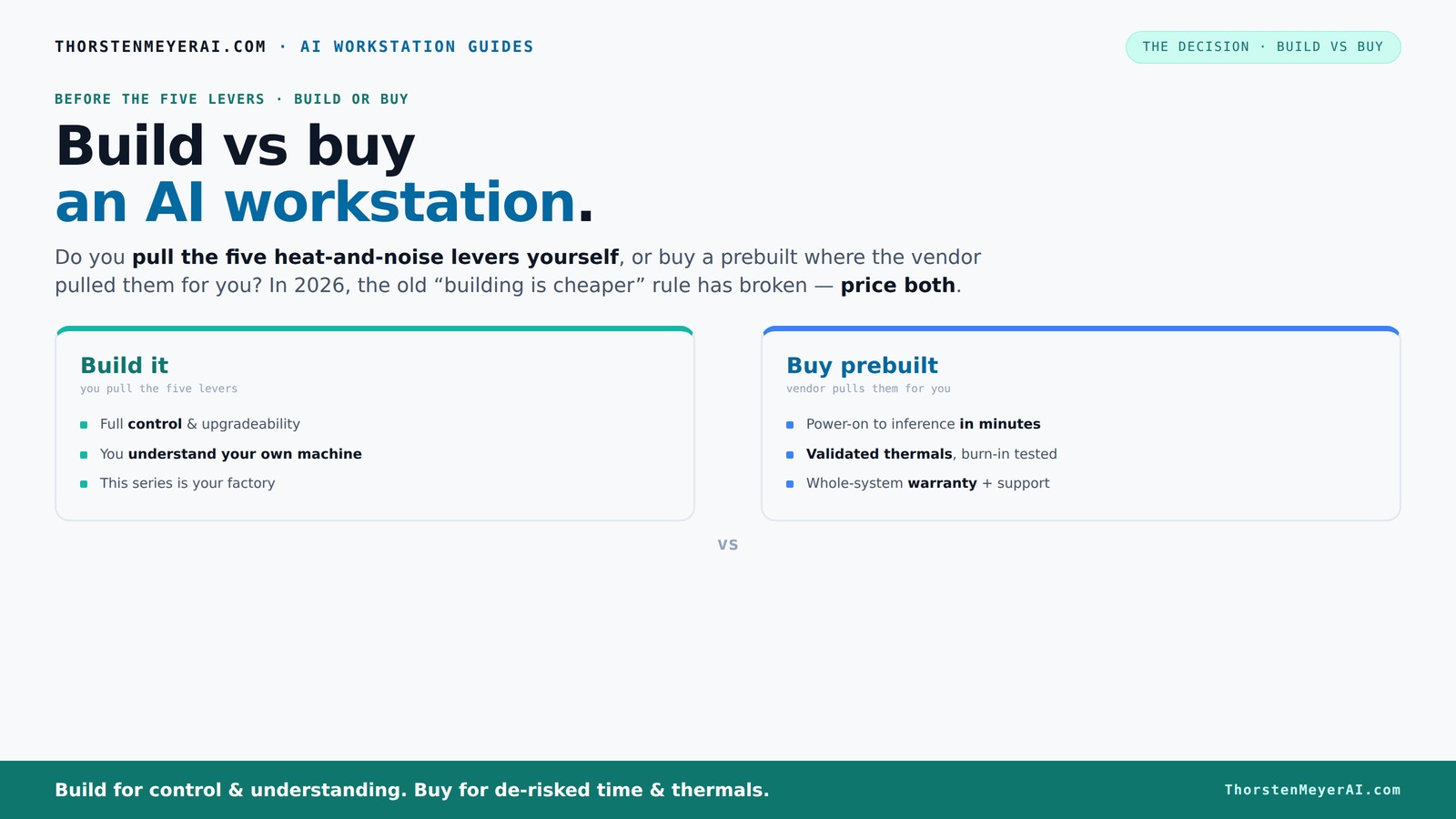
Build vs buy
an AI workstation.
The real question behind this whole series: do you pull the five heat-and-noise levers yourself, or buy a prebuilt where the vendor pulled them for you? And in 2026, the old “building is cheaper” rule has broken. Match your situation in Part 3.
Key Takeaways
- Component shortages in 2026 make prebuilt AI workstations competitively priced or cheaper than DIY builds.
- Buying saves time and reduces operational risk thanks to validated thermals and support.
- Building offers control, upgrade flexibility, and is ideal for those with thermal expertise or specific customization needs.
- A hybrid approach balances quick deployment with tailored upgrades — a smart middle ground.
- Always compare exact configurations and long-term costs before deciding — don’t assume traditional rules still apply.
As an affiliate, we earn on qualifying purchases.
What a prebuilt AI workstation really is (and why it might surprise you)
A prebuilt AI workstation is a system assembled, tested, and ready to run by a vendor. It includes hardware, software, and thermal tuning, all validated for heavy workloads. Think of it like buying a car that’s already tuned for speed and comfort — no need to source parts or mess with BIOS settings.
For example, companies like Lambda or Puget Systems ship systems with custom cooling, tested under load, and backed by warranties. They often include the latest GPUs, CPUs, and enterprise-grade cooling that would take you weeks or months to assemble and tune yourself. Build vs Buy a Prebuilt AI Workstation.
This isn’t just convenience; it’s peace of mind. When you power it on, you’re getting a system ready for AI training or inference, without the guesswork or trial-and-error. Build vs Buy a Prebuilt AI Workstation.
Deeply understanding what these vendors do reveals why their offerings are valuable. They optimize thermal configurations to prevent overheating during sustained workloads, which is critical for maintaining performance and hardware longevity. They also validate the entire system for compatibility, reducing the risk of hardware conflicts that can cause downtime or performance issues. This level of testing often exceeds what individual builders can achieve without significant expertise. The tradeoff is cost — but the stability and reliability gained can be worth it for production environments or critical research.
As an affiliate, we earn on qualifying purchases.
Is building your own AI workstation still cheaper? Not always in 2026
Traditionally, building your own system saved money. But in 2026, the landscape shifted. Component prices for GPUs, DDR5 RAM, and SSDs spiked due to shortages, pushing DIY builds above $1,250 for a decent AI rig. Meanwhile, bulk-buying prebuilt systems can match or beat those prices.
For instance, a popular AI workstation with a high-end RTX 4090 GPU, 64GB RAM, and fast storage now costs around $3,000 at a top-tier vendor — often comparable to sourcing parts individually. And that includes validation, warranty, and support, which DIY lacks.
Understanding these price dynamics is crucial because it directly impacts your decision. If DIY seems cheaper initially, consider the hidden costs: time spent troubleshooting, thermal management, and the risk of hardware incompatibility. These factors can erode the apparent savings and introduce delays or failures that set your project back. Conversely, prebuilt systems, while seemingly more expensive upfront, often include support and tested stability, which can translate into lower long-term costs and less downtime. The key takeaway: Always compare the total cost of ownership, including time and risk, before choosing. Build vs Buy a Prebuilt AI Workstation.
As an affiliate, we earn on qualifying purchases.
How to decide: build or buy? The decision framework
Choosing between build and buy boils down to five key factors: homefixfit.com.
- Time to deployment: How fast do you need it ready? Prebuilts often ship in days, DIY can take weeks or months.
- Performance and customization: Do you need tailored cooling, specific hardware, or future upgrade plans? Building offers control, but at the cost of complexity and time.
- Support and reliability: Do you want vendor support, warranties, and tested thermals? Prebuilts excel here, reducing operational risk.
- Cost: Is your budget tight, or can you invest in a custom setup that fits niche needs? Remember, the cheapest initial cost may not be the cheapest over time.
- Long-term maintenance: Are you prepared to handle upgrades and troubleshooting, or do you prefer a turnkey solution? Building your own can mean more maintenance, but also more control.
To make an informed decision, create a simple decision matrix: list your priorities, assign weights based on importance, and score each option accordingly. For example, if quick deployment is critical, prebuilts score higher; if customization is essential, building might win. This approach clarifies tradeoffs and helps you align your choice with your strategic goals.
As an affiliate, we earn on qualifying purchases.
Cost comparison: upfront cost vs. three-year total ownership
Let’s break down what you really pay over three years. A DIY build might start cheaper, around $1,200 for core components, but that doesn’t include your time, troubleshooting, or potential hardware failures. These hidden costs — including thermal management, troubleshooting, and upgrades — can escalate costs significantly. For example, if thermal issues cause hardware failures or require costly cooling upgrades, your expenses grow, and your downtime increases, impacting productivity.
Prebuilt systems often come with a 3-year warranty, support, and validated thermals. Their initial price might be slightly higher, say $2,800, but the TCO (Total Cost of Ownership) evens out or favors prebuilt when factoring in downtime, support, and ease of upgrade. For instance, avoiding hardware failures or thermal issues can save hundreds or thousands of dollars and prevent project delays. The practical takeaway: evaluate not just sticker price but also the costs of potential failures, support, and your own time investment over the system’s lifespan.
Performance factors: CPU, GPU, thermals, and future-proofing
Performance in AI depends on GPU power, CPU speed, RAM, and cooling. A prebuilt system often ships with enterprise-grade cooling, validated for sustained loads — think of a sports car tuned for long races. DIY builds can match this but require tuning and expertise. The significance lies in thermal management: poor cooling can cause thermal throttling, reducing performance during prolonged workloads, which is detrimental for training large models or running inference at scale. solarpowersavvy.com.
For example, a system with a top-tier RTX 4090 GPU can handle multi-GPU tasks, but only if cooled properly. Vendors like Lambda optimize airflow and water cooling to prevent throttling, which DIYers might struggle with without deep thermal knowledge. Future-proofing is also about expandability: Can you upgrade your GPU or add RAM later? Many prebuilts offer expansion options, but some custom cases limit that flexibility. Choosing a system with accessible expansion slots and modular components can extend its useful life, but be cautious of proprietary parts that hinder upgrades. The key is balancing current needs with potential future expansion, and understanding that thermal management directly impacts sustained performance and upgradeability.
Support, warranty, and risk of downtime
When your AI system is running a critical model, downtime isn’t an option. Prebuilts come with warranties, support lines, and validated thermals. If something breaks, you call support, and they fix it — often within hours. This operational certainty reduces risk and allows you to focus on your core work, especially in production environments where reliability is paramount.
Building your own system shifts that risk onto you. You’ll troubleshoot, replace parts, and deal with thermal issues yourself. If you’re not comfortable with hardware or thermal management, this can turn into a costly, time-consuming headache. The tradeoff is control: you can choose your support plan, but it requires expertise and effort. For example, a vendor offering 3-5 year support gives peace of mind and reduces operational risk — a huge advantage for mission-critical workloads. Recognizing the value of support and warranties is essential for planning your infrastructure and avoiding costly downtime.
Upgrade paths and obsolescence: staying current
Technology evolves fast. Prebuilt systems often have limited upgrade options — maybe a second RAM slot or a PCIe expansion. Some vendors design with future upgrades in mind, but proprietary cooling or motherboard layouts can restrict modifications. This means your system may become obsolete faster if upgrade paths are limited, forcing costly replacements sooner than expected.
DIY builds, on the other hand, can be upgraded more freely if you choose a case and motherboard supporting future components. Planning ahead for upgradeability involves selecting modular, standard parts and ensuring compatibility. For example, choosing a motherboard with multiple PCIe slots and accessible RAM slots allows you to add or replace components over time, extending the system’s relevance. Conversely, some prebuilt systems with proprietary cooling or custom cases limit these options, increasing the risk of obsolescence. The practical implication: evaluate upgradeability as part of your initial investment to maximize lifespan and avoid premature obsolescence.
When a hybrid approach makes sense
The sweet spot often is combining both worlds. Buy a prebuilt base with validated thermals and support, then customize the GPU, RAM, or add cooling to suit your needs. This way, you get speed, reliability, and control. It allows you to deploy quickly while tailoring specific components for performance or noise reduction, which is especially useful if you need immediate results but want to refine your system over time.
For example, purchase a preconfigured system from Lambda, then upgrade the GPU or add noise-reduction mods. This approach is ideal if you need quick deployment but want some customization for performance or noise. It’s a strategic compromise that minimizes setup complexity while giving you control over critical components, making it suitable for teams balancing time constraints with performance demands.
In practice, this means selecting a prebuilt with modular design and then planning incremental upgrades aligned with your project milestones or budget cycles. This flexibility can extend your system’s relevance and performance, combining the reliability of prebuilt with the control of custom upgrades.
Frequently Asked Questions
Is it really cheaper to build my own AI workstation in 2026?
Not always. Due to component shortages and bulk buying, prebuilt systems can now match or beat DIY costs for similar specs. Always compare current prices for your exact configuration before deciding.How long does it take to deploy a prebuilt versus a custom build?
A prebuilt system ships in days to weeks, ready to run. Building your own can take several months, especially if you’re tuning thermals and troubleshooting hardware issues.What hidden costs should I watch out for when building?
Expect to spend extra on troubleshooting, thermal management, upgrades, and your time. These can add up to more than the initial component costs over three years.When is a prebuilt system the smarter choice?
When speed to deployment, operational support, and reliability matter most — especially for critical workloads or if you lack the thermal engineering skills.Can I upgrade a prebuilt AI workstation later?
Yes, but upgrade options depend on the system’s design. Some prebuilts limit expansion, so check the motherboard and case for future-proofing before buying.Conclusion
Deciding whether to build or buy your AI workstation isn’t just about dollars. It’s about your timeline, expertise, and how much you value support and customization. In 2026, the best choice often blends the two: buy the foundation, build the differentiator.
Picture your perfect AI rig — fast, reliable, tailored to your needs. Now, choose the path that gets you there without wasting time or money. The future belongs to those who pick wisely — are you ready to make that call?
Halloween Picks
halloween
As an affiliate, we earn on qualifying purchases.