TL;DR

Get home appliances delivered free — and shop member deals
- Fast, free delivery on millions of items
- Access to Prime Big Deal Days deals on October 6–7
- Prime Video, Amazon Music and more included
Smart home security cameras deter most opportunistic burglars — a UNC Charlotte study found about 60% of convicted burglars said they’d avoid homes with visible cameras. Video doorbells are the most popular entry point, but the real decision is storage: cloud subscriptions cost $3–$10 per camera monthly, while local storage (SD cards, hubs) costs nothing ongoing. Prioritize 2K resolution, color night vision, AI person detection, and two-factor authentication regardless of brand.
A burglar casing your street is making a 30-second calculation: easy target or not. According to a University of North Carolina at Charlotte study of convicted burglars, roughly 60% said a visible camera would make them skip the house entirely. That’s deterrence working before a single clip gets recorded.
But buying a smart camera in 2025 is weirdly complicated. Doorbell or floodlight? Battery or wired? Cloud subscription or local SD card? A wrong choice can cost you $200 a year in fees you didn’t need to pay — or leave your footage sitting on a server you don’t control.
This guide walks through the camera types, the features that actually matter, the true cost of ownership, and the privacy fine print. By the end, you’ll know exactly which camera fits your home and your budget.
A visible camera alone deters most opportunistic burglars — about 60% of convicted burglars in the UNC Charlotte study said they’d avoid homes with cameras.
Budget for total cost of ownership: cloud fees of $3–$10 per camera per month can exceed the hardware cost within two years on a multi-camera setup.
Prioritize 2K resolution, color night vision, and AI person/vehicle detection over gimmicks like facial recognition and unnecessary 4K.
Turn on two-factor authentication and enable auto-updates on day one — most camera hacks exploit default passwords and old firmware.
Check audio recording consent laws in your state and angle cameras at your own property only; Ring ended its police footage portal in 2024, so police requests…
Which Camera Type Fits Your Home (and Who Each One Is For)
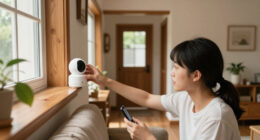
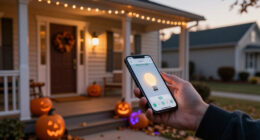
Smart home security cameras fall into six main types, and the most popular entry point is the video doorbell — Ring dominates that segment in North America for a reason. It answers the door from your couch, catches package thieves, and takes 20 minutes to install. For most people, that’s the smart first purchase.
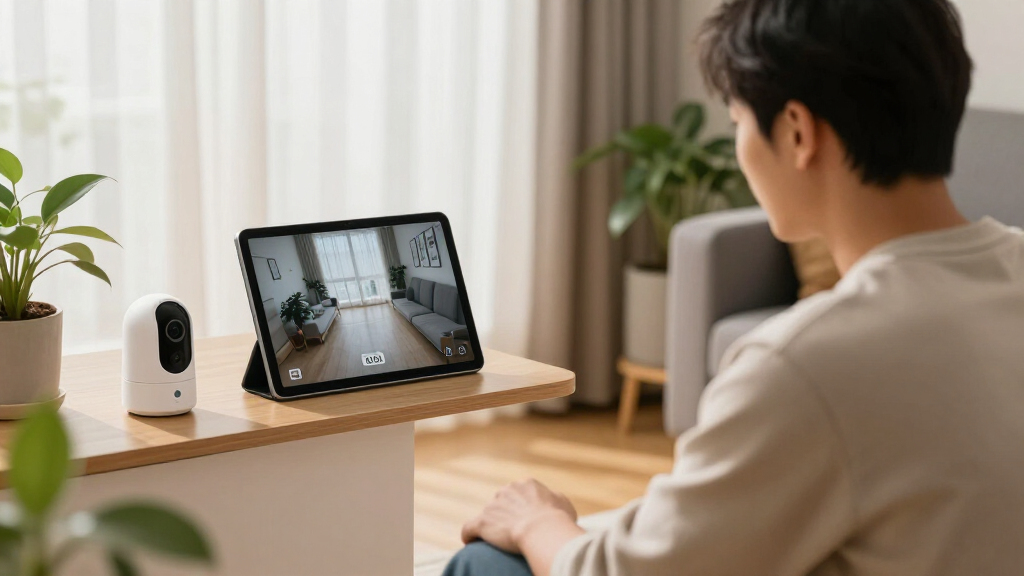
Indoor cameras handle pets, babies, and that weird noise at 2 a.m. Outdoor wired cameras give you 24/7 continuous recording because they never run out of power. Battery cameras go anywhere — fence posts, sheds, trees — but need recharging every 1–6 months depending on traffic. Floodlight cameras combine lighting with surveillance, which is brilliant over a dark driveway. Pan-tilt-zoom models cover a whole room from one corner.
| Camera Type | Best For | Watch Out For |
|---|---|---|
| Video doorbell | Front door, packages | Won’t see side yards |
| Indoor | Pets, kids, interior check-ins | Privacy when you’re home |
| Outdoor wired | Continuous 24/7 recording | Needs a power source, often an electrician |
| Battery/wireless | Renters, fences, sheds | Recharging every 1–6 months |
| Floodlight cam | Dark driveways, backyards | Wiring required for full power |
| Pan-tilt-zoom | Large rooms, warehouses | Mechanical parts can wear out |
Scenario: You live in a rental. A battery doorbell plus one wireless backyard cam covers your two riskiest entry points — no drilling, no wiring, and you take everything when you move.
5 Features Worth Paying For (and 3 You Can Skip)
The core features that separate a useful smart camera from a noisy paperweight are resolution, night vision quality, and smart motion detection. Everything else is negotiable.
- 2K resolution minimum. 1080p is the budget standard, but 2K and even 4K are now common in mid-range pricing. The difference matters when you need to read a license plate or a face at 30 feet.
- Color night vision. Infrared gives you grainy black-and-white. Starlight sensors with color night vision keep the green lawn green and the red hoodie red — often the detail that identifies a suspect.
- AI person/vehicle detection. Without it, every passing cat and swaying branch pings your phone. With it, you get alerted for people and cars only.
- Two-way audio. Telling a delivery driver where to leave the box — or a stranger that they’re on camera — from your desk at work.
- Wide field of view. Most cameras run 130–180°. For a front porch, 180° means one camera covers the whole approach.
What you can skip: facial recognition (convenient but a privacy minefield), 4K on a small porch (overkill at 8 feet), and continuous pan-tilt motors unless you genuinely need room coverage.
Rule of thumb: a $60 camera with AI person detection beats a $250 camera that alerts you to every squirrel.
The Subscription Trap: What Cloud Storage Really Costs You Over 3 Years
Cloud subscriptions typically run $3–$10 per month per camera for Ring Protect, Nest Aware, or Arlo Secure. Run the math on a three-camera home and you’re paying $108–$360 every year — forever. Over three years, that’s up to $1,080, which is often more than the cameras themselves.
The alternative is local storage: an SD card in the camera or a base station/hub that records to your network. Eufy, Reolink, and TP-Link Tapo are the best-known local-storage brands, and Apple’s HomeKit Secure Video processes its AI locally on your hub. You buy hardware once and pay nothing monthly.
The tradeoff is honest, though. Cloud storage survives a thief stealing or smashing the camera. A stolen SD card goes with the thief. That’s why many people run a hybrid: local recording for daily use, a cheap cloud tier on the one camera covering the most important entry.
Ask before buying: “Can this camera record anything without a subscription?” If the answer is no, you don’t own the camera — you’re renting it.
How to Keep Hackers (and Nosy Neighbors) Out of Your Footage
Smart cameras get hacked because owners skip basics, not because the devices are doomed. Security researchers and the FTC have repeatedly warned about weak passwords and outdated firmware on cheap cameras — and the 2023 Eufy controversy, where local footage surfaced exposed via cloud endpoints, showed even trusted brands can stumble.
Your five-minute security checklist:
- Turn on two-factor authentication the moment you set up the account.
- Use a unique password — not one recycled from your email.
- Update firmware monthly; enable auto-updates if offered.
- Prefer brands offering end-to-end encryption.
- Point cameras at your property only. Recording a neighbor’s yard invites complaints and, in some places, legal trouble.
Two legal notes people miss: audio recording is governed by two-party consent laws in several states (including California and Florida), and police access varies by brand. Ring actually ended its police footage-request portal program in 2024 — police now have to go through you or a warrant, which is a meaningful privacy improvement worth knowing when you compare brands.
What’s New: Local AI, Matter, and Cameras That Don’t Need the Internet
The biggest shift in smart home security cameras is the move toward local processing — cameras that run AI on-device instead of shipping your video to a data center. Apple’s Secure Video and Eufy’s local AI lead here. Your face detection happens inside your house, and nothing leaves it.
The Matter standard (camera support arrived with Matter 1.2 and later versions) is slowly killing the walled-garden problem, where a Nest camera wouldn’t talk to an Alexa routine. Adoption is still uneven, so check compatibility before assuming your devices will play nice. Meanwhile, Ring and Nest are selling AI-generated event summaries — “A person delivered a package at 2:14 p.m.” instead of a raw clip — and solar panels are making battery cameras genuinely low-maintenance for gates and far corners.
Practical payoff: a solar-powered camera with local SD storage and on-device AI gives you a fully off-cloud security system that works even when your internet doesn’t. During an outage, that’s the difference between a working camera and an expensive ornament.
Before You Drill Anything: Placement and Practical Details
Camera placement matters as much as camera quality. Cover entry points first — the front door, back door, and first-floor windows account for the most popular entry routes for burglars. Mount cameras at 8–10 feet: high enough to avoid tampering, low enough to capture faces instead of hats.
- Check the IP rating for outdoor cameras — IP65 or IP66 handles rain and dust.
- Verify cold-weather specs; battery models lose capacity fast below freezing.
- Each streaming camera uses about 1–4 Mbps of upload bandwidth — four cameras can strain a slow rural connection.
- Plan for outages: look for battery backup or cellular backup if 24/7 coverage matters.
Safety note:If your outdoor camera needs new wiring or a floodlight installation involves your home’s electrical circuits, hire a licensed electrician and check local permit requirements — DIY electrical work on exterior walls carries real shock and fire risks, and unpermitted work can complicate a future insurance claim.
Frequently Asked Questions
Do I need a subscription for a smart security camera to work?
No. Brands like Eufy, Reolink, and TP-Link Tapo record to SD cards or base stations with no monthly fee, and Apple HomeKit Secure Video is included with an iCloud+ plan. Subscriptions ($3–$10/month per camera) mainly buy cloud storage, richer AI alerts, and longer clip history.
Are smart security cameras easy to hack?
Most compromised cameras were hacked through weak, reused passwords and outdated firmware — not sophisticated attacks. Turn on two-factor authentication, use a unique password, and keep firmware updated, and your risk drops dramatically. Brands with end-to-end encryption add another layer.
Wired or wireless cameras — which is better?
Wired cameras deliver continuous 24/7 recording and never need recharging, making them best for main entry points with available power. Wireless cameras win for placement flexibility — sheds, fences, rentals — but need recharging every 1–6 months and record events rather than continuously.
How much internet bandwidth do security cameras use?
A streaming camera typically uses about 1–4 Mbps of upload bandwidth. A three- or four-camera system on a slow connection can cause buffering and lag, so check your upload speed (not download) before buying multiple cloud-dependent cameras.
Is it legal to record my yard and the street?
Recording video of your own property and areas with no expectation of privacy is generally legal in the U.S., but pointing cameras into a neighbor’s yard or windows invites complaints. Audio recording is stricter — several states have two-party consent laws, so mute audio unless you know your state’s rules.
Conclusion
Buy the camera that matches your blind spot, not the one with the loudest marketing: a doorbell for packages, a wired cam for the driveway, a solar battery cam for the far fence. Then refuse the subscription unless you genuinely need off-site backups — local storage keeps your footage yours and your yearly cost at zero.
The best camera is the one that’s mounted, updated, and watching before someone tests your door. Pick your entry point this week and get it installed.
NFL season / tailgating Picks
team gear
As an affiliate, we earn on qualifying purchases.