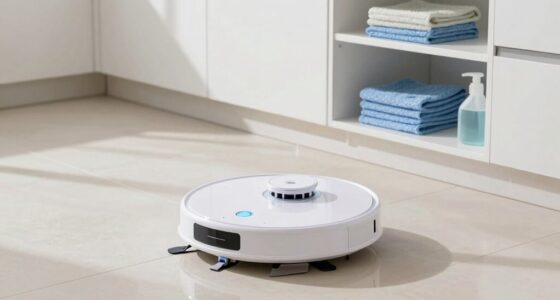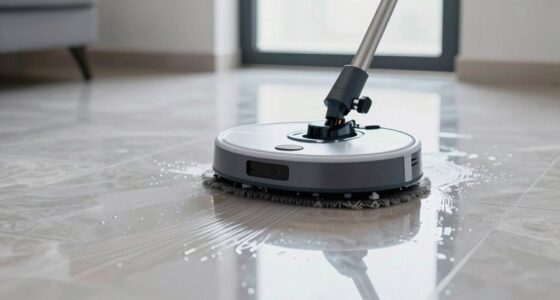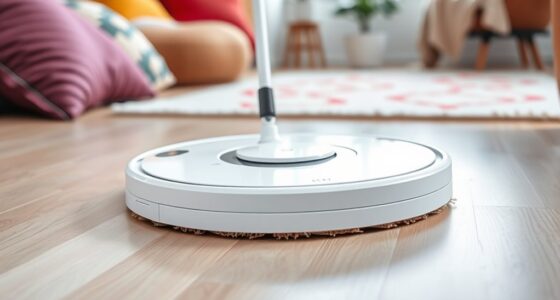
Your robot mop’s battery typically lasts between 60 to 120 minutes per charge, depending on the model and cleaning settings. To extend its lifespan, avoid letting the battery fully drain and keep it charged in cool, dry areas. Regularly maintain contacts and update firmware if possible. Using automatic docking stations and optimizing cleaning routines also help preserve battery health. Keep exploring to discover more ways to maximize your device’s battery life and performance.

Get home appliances delivered free with Prime
- Fast, free delivery on millions of items
- Prime Video, Amazon Music and more included
- Member-only deals all year
Key Takeaways
- Higher battery capacity extends cleaning time but may increase device weight and size.
- Avoid fully draining the battery; recharge before it drops too low to preserve lifespan.
- Use auto-dock stations and scheduled charging to optimize battery cycles and lifespan.
- Keep charging contacts clean and store the device in a cool, dry environment to prevent damage.
- Adjust cleaning settings like lower suction modes and reduce unnecessary navigation to save battery.

If you’re relying on a robot mop to keep your floors clean, understanding its battery life is essential. Knowing how long it can operate before needing a recharge helps you plan cleaning schedules more effectively and prevents interruptions mid-clean. One key factor that influences battery life is the battery capacity. This refers to how much energy the battery can store, typically measured in milliamp-hours (mAh) or watt-hours (Wh). A higher battery capacity usually means your robot mop can clean for longer periods without needing a recharge, making it more efficient for larger spaces or frequent use. However, keep in mind that a bigger battery might also add weight or size to the device, which could impact maneuverability or storage.
Another important aspect to consider is the number of charging cycles your robot mop’s battery can endure. A charging cycle occurs each time you fully charge and discharge the battery, and most lithium-ion batteries are rated for a specific number of these cycles—often between 300 and 500. Over time, with repeated charging cycles, the battery’s capacity diminishes, leading to shorter cleaning sessions and the need for more frequent recharges. This gradual decline is normal, but if you notice your robot mop isn’t lasting as long as it used to, it might be nearing the end of its battery lifespan, and replacement could be necessary.
Charging cycles wear out robot mop batteries over time, reducing cleaning time and necessitating eventual replacement.
To extend your robot mop’s battery life, it’s best to avoid letting the battery completely drain before recharging. Shallow discharges and regular charging help preserve battery health over the long term. Additionally, charging your device in a cool, dry environment prevents overheating, which can degrade the battery faster. Many robot mops come with automatic dock stations that help maintain optimal charging cycles, but manual oversight can also make a difference. For example, if your robot mop isn’t used frequently, charging it periodically even when not in use can keep the battery in good shape.
Proper navigation and mapping of your robot mop can also reduce unnecessary battery consumption by optimizing cleaning paths and avoiding redundant coverage. Furthermore, some models allow you to adjust cleaning settings to maximize battery consumption. Using lower suction modes or reducing cleaning frequency can help extend the runtime per charge. Regular maintenance, such as cleaning the charging contacts and ensuring the battery compartment is free of dust and debris, also supports longer battery life. Ultimately, understanding your robot mop’s battery capacity and how many charging cycles it can handle lets you maximize its efficiency, ensuring your floors stay spotless without constantly worrying about power.
As an affiliate, we earn on qualifying purchases.
Frequently Asked Questions
Can Robot Mop Batteries Be Replaced or Upgraded?
Yes, you can replace or upgrade your robot mop’s battery. Battery replacement is often straightforward, and many models allow you to buy compatible spare batteries. Upgrade options include choosing higher-capacity batteries for longer cleaning sessions or brand-specific replacements that improve performance. Check your robot mop’s user manual or manufacturer’s website for compatible battery replacement parts and upgrade options to guarantee you’re upgrading safely and effectively.
How Does Temperature Affect Robot Mop Battery Performance?
Ever wonder how temperature impact affects your robot mop’s battery efficiency? Cooler temperatures can slow down chemical reactions inside the battery, reducing its performance and runtime. Conversely, high temperatures may cause overheating and damage, shortening its lifespan. To get the best out of your device, keep it in a moderate environment. Isn’t it smart to guarantee ideal temperature conditions so your robot mop works efficiently and lasts longer?
Are There Specific Charging Habits That Extend Battery Lifespan?
You can extend your robot mop’s battery lifespan by adopting good charging habits. Avoid frequent full discharge cycles and try to keep the battery between 20% and 80%. Perform regular battery calibration by letting it fully charge and then fully discharge once a month. This helps the battery’s internal management system stay accurate, prolonging its overall health and performance over time.
What Are Signs of a Failing Robot Mop Battery?
Like a fading lighthouse, a failing robot mop battery shows dimming power indicators and shorter run times. You’ll notice battery degradation when your device struggles to complete cleaning cycles or needs frequent recharges. If your mop’s performance drops unexpectedly or the power indicator flickers or stays low, it’s a clear sign. Address these signs promptly to prevent complete failure and maximize your robot’s lifespan.
Is It Safe to Leave the Robot Mop Charging Overnight?
It’s generally safe to leave your robot mop charging overnight if you follow proper charging safety guidelines. Make sure to use the recommended charger and avoid damaging the cord. Once fully charged, unplug it to prevent overcharging, which can harm the battery. When disposing of or recycling the battery, follow proper battery recycling procedures. This helps protect the environment and guarantees safe disposal of the battery after its lifespan ends.
automatic robot mop docking station
As an affiliate, we earn on qualifying purchases.
As an affiliate, we earn on qualifying purchases.
Conclusion
A long-lasting robot mop battery keeps your floors spotless, but a quick drain can leave you scrubbing by hand. While advanced tech offers extended runtime, neglecting regular care shortens its lifespan. Ultimately, your device’s efficiency hinges on both its design and your maintenance. Think of it as a partnership: the better you care for the battery, the longer it works, turning a simple cleaning tool into a reliable partner in your daily routine.
As an affiliate, we earn on qualifying purchases.
As an affiliate, we earn on qualifying purchases.
Fall yard work Picks
leaf blowers
As an affiliate, we earn on qualifying purchases.