If your robot mop no longer cleans well, gets stuck, or misses spots, it’s time to contemplate an upgrade. Signs like reduced suction, longer charging times, or frequent errors indicate battery or navigation issues. When you find yourself constantly troubleshooting or needing manual intervention, a newer model can save you time and frustration. Keep an eye out for more tips to know exactly when it’s time to retire your current device.

Get home appliances delivered free — and shop member deals
- Fast, free delivery on millions of items
- Access to Prime Big Deal Days deals on October 6–7
- Prime Video, Amazon Music and more included
Key Takeaways
- Reduced cleaning effectiveness and inability to cover entire spaces signal declining performance.
- Shorter battery life and longer charging times indicate battery degradation.
- Frequent navigation errors or getting stuck suggest sensor or mapping failures.
- Persistent issues despite maintenance and firmware updates point to end-of-life.
- Upgrading to newer models offers better efficiency, reliability, and cleaning capabilities.
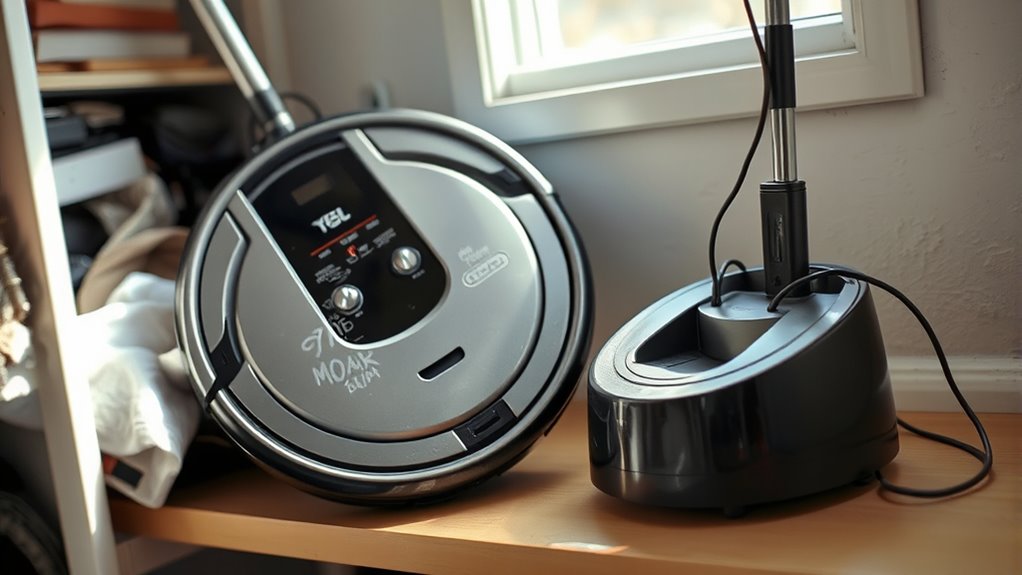
After years of reliable service, it’s time to retire your robot mop and consider newer options. Over time, you might notice it no longer performs as well as it used to. One of the main signs is battery degradation. As your robot ages, its battery loses capacity, causing shorter cleaning cycles and longer charging times. If your device used to clean your entire space on a single charge but now struggles to finish even a small area, it’s a clear indicator that the battery no longer holds a charge effectively. Replacing the battery might be an option, but if you’ve already done that or it’s not enough, it’s probably time to think about retiring your robot mop altogether.
Navigation errors are another common sign that your robot is past its prime. When your device starts getting lost, repeatedly bumping into obstacles, or missing entire sections of your floors, it’s a sign that its sensors or mapping capabilities are failing. Modern robot mops come equipped with advanced navigation systems that map your home accurately and plan efficient cleaning routes. If your current model can’t keep up with these features or begins to make frequent errors, it hampers its effectiveness. You might notice it gets stuck in the same spot or fails to recognize areas it previously cleaned without issue. These navigation errors not only reduce cleaning efficiency but can also cause frustration as you find yourself repeatedly intervening to guide it. Additionally, navigation technology has significantly improved in recent models, making older devices less capable of adapting to dynamic home environments.
Furthermore, if your robot mop’s cleaning performance has declined despite regular maintenance, it’s worth considering an upgrade. For example, if it no longer picks up dirt and debris as effectively, or if the mopping function leaves streaks or missed spots, it indicates outdated technology. In such cases, newer models incorporate better suction, smarter navigation, and more advanced mopping features that deliver a noticeably cleaner home.
While some issues can be resolved with maintenance or firmware updates, persistent battery degradation and navigation errors suggest your robot mop has simply reached the end of its lifespan. Investing in a newer model with improved batteries, smarter mapping, and enhanced cleaning capabilities can save you time and effort down the line. Ultimately, if your current device no longer meets your cleaning needs or becomes more of a hassle than a help, it’s a sign to retire it and explore the latest options on the market. Keeping your home clean is easier when you use a device that works efficiently and reliably—so don’t delay upgrading when your old robot can’t keep up anymore.
As an affiliate, we earn on qualifying purchases.
Frequently Asked Questions
Can I Repair My Robot Mop Instead of Replacing It?
Yes, you can often repair your robot mop instead of replacing it. Try DIY repairs by cleaning brushes, sensors, and filters first. If needed, order replacement parts like batteries or brushes from the manufacturer or third-party suppliers. However, if the motor or main circuit board is damaged, repairs might be costly or ineffective. In that case, consider replacing your robot mop for better performance and longevity.
How Often Should I Replace the Batteries in My Robot Mop?
Think of your robot mop’s battery lifespan like a car’s tires—eventually, they wear out. Typically, you should replace the batteries every 1-2 years, depending on usage and how often you run the device. Keep an eye on replacement frequency, and if your mop starts losing power quickly or runs shorter cycles, it’s time for new batteries. Regular replacements guarantee your mop stays efficient and reliable.
Are There Eco-Friendly Reasons to Retire My Robot Mop?
Yes, there are eco-friendly reasons to retire your robot mop. You can participate in recycling programs that safely dispose of electronic waste, preventing harmful materials from polluting the environment. Proper eco-friendly disposal guarantees your old device doesn’t end up in landfills, reducing pollution. Retiring your robot mop responsibly helps conserve resources and supports sustainability efforts, making sure you’re doing your part to protect the planet while upgrading to a more efficient model.
What Safety Concerns Should I Consider When Disposing of a Robot Mop?
When disposing of your robot mop, prioritize battery safety by ensuring the battery is fully drained and disconnected. Follow disposal guidelines, such as recycling at designated electronic waste facilities and avoiding landfill dumping. Handle the device carefully to prevent leaks or damage, and check local regulations for proper disposal methods. This approach helps protect the environment and reduces risks associated with hazardous materials in your robot mop.
Can I Upgrade My Current Robot Mop Model Instead of Retiring It?
You can absolutely upgrade your current robot mop, but it’s like fitting a rocket engine into a bicycle—you need to check model compatibility first. Explore upgrade options that match your device’s make and model to boost features without replacing it entirely. Sometimes, a firmware update or new accessories can extend your mop’s life and performance, saving you money and hassle while keeping your cleaning game strong.
As an affiliate, we earn on qualifying purchases.
Conclusion
So, while your robot mop might seem like a trusty sidekick, sometimes even the best tools get tired. When it starts missing spots or struggling with the mess, it’s clear it’s time for an upgrade. Ironically, your loyal robot might be the first to remind you it’s time to say goodbye—by just not doing its job. Embrace the change; after all, a cleaner home deserves a smarter mop!
As an affiliate, we earn on qualifying purchases.
As an affiliate, we earn on qualifying purchases.
NFL season / tailgating Picks
team gear
As an affiliate, we earn on qualifying purchases.