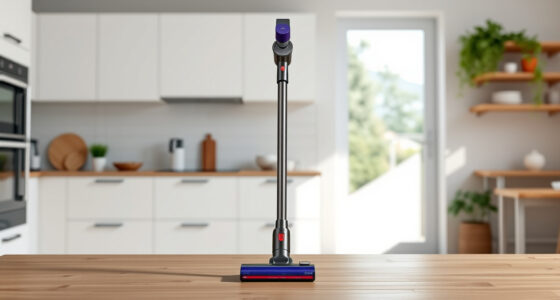
If your Dyson V15 Detect™ Origin Cordless Vacuum keeps pulsing on and off during use, it can be frustrating and hinder your cleaning routine. This issue often indicates a problem with filters, battery, or blockages. Fortunately, most causes are simple to diagnose and fix with some basic tools and maintenance steps. In this guide, we’ll walk you through safe, effective troubleshooting methods to restore your vacuum’s performance and get it running smoothly again.

Get home appliances delivered free with Prime
- Fast, free delivery on millions of items
- Prime Video, Amazon Music and more included
- Member-only deals all year
Before you start, ensure your vacuum is turned off and unplugged from charging. Gather any replacement filters or attachments you might need, and follow the steps carefully to avoid damage or injury.
Key Takeaways
| Check for blockages | Clear any obstructions in the wand, brush bar, or nozzle. |
| Inspect and clean filters | Dirty filters cause airflow issues, leading to pulsing. |
| Examine the battery | Ensure it’s properly charged and not overheating. |
| Reset the vacuum | Perform a power cycle to reset electronic components. |
| Seek professional help if needed | Persistent issues may require servicing or replacement parts. |
Step 1: Turn Off and Unplug Your Vacuum
Before attempting any troubleshooting, ensure your Dyson V15 Detect is turned off and unplugged from the charger or power source. This prevents accidental activation or electrical hazards during inspection. Remove the vacuum from the charging dock if connected, and detach any accessories or attachments to get full access to the main body and wand.
Step 2: Check for Blockages in the Wand and Nozzle
- Inspect the wand, brush head, and nozzle for debris or obstructions.
- Remove any visible hair, dust, or objects that might be clogging airflow.
- Use a flashlight if needed to check inside tight spaces.
- If you find a blockage, clear it carefully using the crevice tool or a long, flexible brush.
Blockages can cause inconsistent suction, prompting the vacuum to pulse. Ensuring unobstructed airflow is essential for proper operation.
Step 3: Clean or Replace the Filters
The Dyson V15 Detect™ uses advanced filters to trap dust and debris. Dirty or clogged filters reduce airflow, leading to pulsing or loss of power. Refer to the filter components—these are typically located near the cyclone assembly or inside the motor housing.
Cleaning the filters: Remove the filters and rinse them under cold water. Do not use soap or detergents. Shake off excess water and let them air dry completely (at least 24 hours) before reinstalling.
Replacement: If filters are damaged or very dirty after cleaning, consider replacing them with new ones. Using high-quality replacement filters like the 3Pack Pre Filters or V10 Filters ensures optimal performance.
Step 4: Examine the Battery and Charging System
Battery issues can also cause pulsing, especially if the vacuum is overheating or not charging properly. Ensure your vacuum is fully charged—check the LCD screen for remaining run time or alerts.
If your vacuum heats up quickly or fails to hold charge, try the following:
- Remove the vacuum from the charger and let it cool down for 30 minutes.
- Ensure the charging contacts are clean and free of dust or debris.
- Connect the charger securely and verify the charging indicator lights up.
If problems persist, the battery may need replacement or servicing by a professional.
Step 5: Reset the Vacuum and Perform a Test Run
After completing the above steps, reset your Dyson V15 Detect™:
- Turn off the vacuum, then press and hold the power trigger for 10 seconds to drain residual power.
- Release the trigger and turn the vacuum back on.
Perform a test cleaning session on a hard floor or carpet to check if pulsing persists. If the issue is resolved, you can resume normal use.
If pulsing continues, proceed with further troubleshooting or contact Dyson support.
The Products in This Guide

Dyson V15 Detect™ Origin Cordless Vacuum
- ✔ Weight: 6.8 lbs
- ✔ Max Runtime: 60 min
- ✔ Filter Type: Pre & post

LANMU Crevice Tool Vacuum Attachments Compatible
- ✔ Compatibility: Multiple Dyson models
- ✔ Material: Plastic
- ✔ Design: Narrow, flexible
Dyson V15 Detect™ Origin Cordless Vacuum
The Dyson V15 Detect™ Origin is a powerful, intelligent cordless vacuum that adapts to debris and floor types, revealing invisible dust and offering up to 60 minutes of runtime. Its advanced features make it ideal for thorough cleaning, but like any device, it requires regular maintenance to prevent issues like pulsing.
Pros:
- Powerful suction with adaptive technology
- Long battery life of 60 minutes
- Smart LCD screen with real-time data
- Versatile cleaning heads for all surfaces
Cons:
- Requires regular filter cleaning
- Can be heavy for some users
- Filter replacements add ongoing cost
Best for: Whole-home deep cleaning, pet owners, allergy sufferers
Not ideal for: Light, quick cleanups or minimal maintenance environments
Bottom line: The Dyson V15 Detect™ Origin is a top-tier cordless vacuum that combines power, intelligence, and versatility—regular maintenance helps prevent pulsing issues.
LANMU Crevice Tool Vacuum Attachments Compatible
The LANMU Crevice Tool Vacuum Attachments are a versatile addition for your Dyson V15. They help reach into small, tricky areas like corners, upholstery, and car interiors, making your cleaning more effective and easier.
Pros:
- Narrow nozzle for tight spaces
- Compatible with multiple Dyson models
- Flexible and slim design
- Easy to attach and use
Cons:
- Might be too narrow for larger debris
- Additional attachment to keep track of
- Not suitable for heavy-duty cleaning
Best for: Cleaning hard-to-reach spots, car interiors, detailed dust removal
Not ideal for: Large debris removal or heavy-duty tasks
Bottom line: The LANMU crevice tool enhances your Dyson’s reach, making detailed cleaning easier and more efficient.
Frequently Asked Questions
Why does my Dyson pulsing vacuum keep turning on and off?
This typically indicates airflow blockages, dirty filters, or battery issues. Follow the troubleshooting steps to identify and fix the problem.
How often should I clean or replace the filters?
Clean the filters every 1-3 months, depending on usage. Replace them if they are damaged or heavily clogged to maintain optimal performance.
Can I fix the pulsing issue myself?
Yes, most causes are related to blockages, dirty filters, or battery overheating, which can often be resolved through the steps outlined here.
What should I do if cleaning the filters and checking blockages doesn’t work?
If issues persist after maintenance, contact Dyson customer service or a professional repair service to diagnose potential electronic or battery problems.
Is it safe to rinse the filters with water?
Yes, if the filters are designed for wet cleaning. Make sure they are completely dry before reinstallation to prevent damage or mold growth.
Keep Your Dyson Performing at Its Best
Regular maintenance and careful troubleshooting are key to preventing issues like pulsing. By keeping filters clean, checking for obstructions, and monitoring the battery, you can ensure your Dyson V15 Detect™ remains a powerful and reliable cleaning tool. If problems persist despite these steps, professional servicing is recommended to safeguard your investment and maintain peak performance.
Affiliate disclosure: As an Amazon Associate we earn from qualifying purchases. Prices and availability are accurate as of the time of publishing.
Fall yard work Picks
leaf blowers
As an affiliate, we earn on qualifying purchases.