Getting your new Roborock Q7 M5+ robot vacuum ready for use is straightforward, but proper setup ensures the best cleaning results and longevity of the device. This guide provides clear, practical steps to set up your robot safely, connect it to the app, and start cleaning confidently.
Additionally, you’ll find troubleshooting tips and maintenance advice to keep your Roborock operating at peak performance. Let’s walk through the process to make your setup smooth and hassle-free.
Key Takeaways
| Easy setup process | Step-by-step instructions for unboxing, charging, and connecting. |
| App control tips | How to connect your device to the Roborock app for remote control. |
| Maintenance essentials | Tips on replacing filters and mop pads for optimal cleaning. |
| Troubleshooting basics | Common issues and quick fixes to ensure smooth operation. |

roborock Q7 M5+ Robot Vacuum and Mop, Up to 7-9 Weeks Self-Empty, 10000Pa
- Long-Lasting Cleaning Cycles: Up to 7-9 weeks with large dust bag
- Powerful Suction: 10000Pa for deep cleaning
- Tangle-Resistant Brushes: Dual anti-tangle design for pet hair
As an affiliate, we earn on qualifying purchases.
Unboxing and Initial Inspection
- Carefully unpack your Roborock Q7 M5+ vacuum and check all components listed in the package. Ensure that the vacuum, charging dock, power adapter, and accessories like mop pads are present.
- Inspect the device for any visible damage during transit. Look for cracks or loose parts.
- Familiarize yourself with the main parts: the dust bag compartment, mop attachment area, and control buttons.
Charging Your Roborock Q7 M5+
- Place the charging dock against a wall in an open area, ensuring at least 1.5 meters of clearance on each side and 2 meters in front.
- Connect the power adapter and plug it into an outlet.
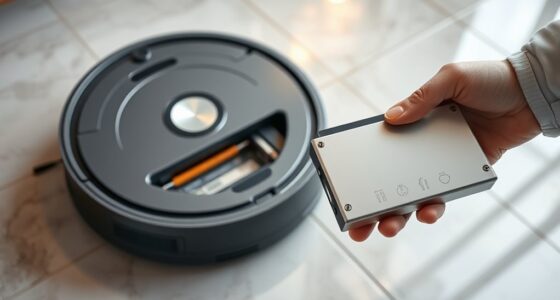
- Align the robot with the charging dock’s charging pins and gently place it onto the dock. The device should automatically connect and begin charging.
- Charge the vacuum fully before first use, which typically takes about 4-5 hours. The indicator light will confirm when charging is complete.
Connecting to the Roborock App
- Download the Roborock app from your device’s app store.
- Create or log into your Roborock account.
- Follow the in-app instructions to connect your vacuum to Wi-Fi. Make sure your phone is connected to 2.4GHz Wi-Fi, as many robots don’t support 5GHz networks.
- Press the power button on the vacuum to turn it on, then select your device in the app to complete the pairing process.
Setting Up Cleaning Preferences and Maps
Once connected, use the app to customize your cleaning schedules, select cleaning modes (vacuum only or vacuum & mop), and map your home. The PreciSense LiDAR Navigation system ensures precise mapping, allowing you to designate specific rooms or areas for targeted cleaning.
Take time to review the map and adjust no-go zones or virtual boundaries to protect delicate items or avoid restricted areas.
Loading and Replacing Consumables
Ensure the dust bag is properly installed in the sealed dust compartment. The Q7 M5+ features a 2.7L sealed dust bag that reduces the frequency of emptying, supporting up to 7-9 weeks of cleaning.
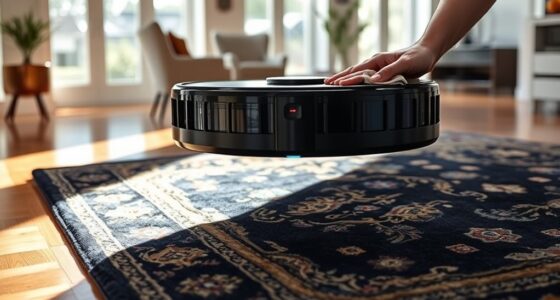
For mop functions, attach the microfiber mop pad securely and fill the water tank if using the mop feature. Remember to replace or wash mop pads regularly for effective cleaning.
Check the filter periodically—consider replacing it with a washable filter pack to maintain suction power and air quality.
Running Your First Cleaning Cycle
- Press the start button on the device or in the app to begin cleaning.
- Observe the robot as it navigates your space. Use the app to monitor progress remotely.
- After the cycle, check the dust bag and mop pads, and clean or replace as needed.
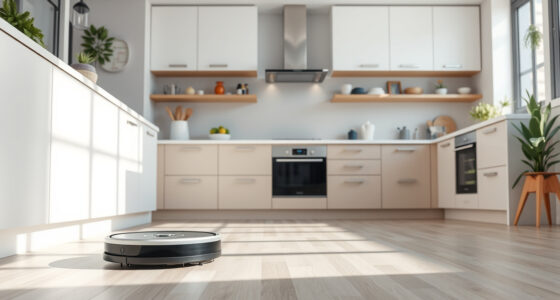
Ensure the robot is returning to the dock properly to recharge and prepare for future cleaning cycles.
The Products in This Guide

roborock Q7 M5+ Robot Vacuum and Mop
- ✔ Battery Life: up to 9 weeks
- ✔ Max Suction: 10000Pa
- ✔ Navigation Type: PreciSense LiDAR

4 Pack Washable Filter
- ✔ Pack Size: 4 filters
- ✔ Material: HEPA
- ✔ Compatibility: Multiple Roborock models
roborock Q7 M5+ Robot Vacuum and Mop
The Roborock Q7 M5+ offers powerful suction, up to 7-9 weeks of self-emptying, and advanced navigation. It is ideal for pet owners and busy households seeking a reliable, low-maintenance robot vacuum and mop.
Pros:
- Powerful 10000Pa suction
- Long-lasting self-emptying dust bag
- PreciSense LiDAR navigation
- Dual anti-tangle system
- App control for customization
Cons:
- Higher price point
- Requires Wi-Fi setup
- Mop pads need regular cleaning
Best for: Pet owners, large homes, busy households
Not ideal for: Small spaces or minimal mess households
Bottom line: A high-performance robot vacuum with long-lasting self-emptying for busy households.
4 Pack Washable Filter
This 4-pack washable HEPA filters ensures your Roborock Q7 series maintains optimal suction and air quality. Easy to install and clean, they are a cost-effective way to prolong your vacuum’s lifespan.
Pros:
- Compatible with multiple models
- Washable and reusable
- Maintains suction power
- Simple to install
Cons:
- Must be regularly cleaned
- Not OEM, but high quality
Best for: Maintaining filter efficiency, allergy sufferers
Not ideal for: Using original OEM filters for those preferring brand-specific parts
Bottom line: Reliable washable filters to keep your vacuum performing at its best.
Frequently Asked Questions
How often should I empty the dust bag?
The Roborock Q7 M5+ features a sealed 2.7L dust bag that can last up to 7-9 weeks before needing to be emptied, depending on usage and household dust levels.
Can I use the robot without the mop function?
Yes, you can run the Roborock Q7 M5+ as a vacuum-only device by detaching or not attaching the mop pad. You can select this setting in the app.
How do I update the robot’s firmware?
Connect your device through the Roborock app, and if a firmware update is available, you’ll receive a prompt to update automatically.
Is the robot suitable for pet hair?
Absolutely. The dual anti-tangle system and 10000Pa suction power are specifically designed to handle pet hair effectively.
What should I do if the robot gets stuck or stops mid-clean?
Check for obstacles or tangled brushes. Use the app to locate the robot and manually assist it if necessary. Regular maintenance reduces these issues.
Your Path to a Cleaner Home Starts Here
Setting up your Roborock Q7 M5+ is a simple process that, when done correctly, ensures effective and trouble-free cleaning. Regular maintenance, like replacing filters and mop pads, will keep your device operating at peak performance. With your robot ready, enjoy a cleaner, more comfortable home with minimal effort.
Affiliate disclosure: As an Amazon Associate we earn from qualifying purchases. Prices and availability are accurate as of the time of publishing.