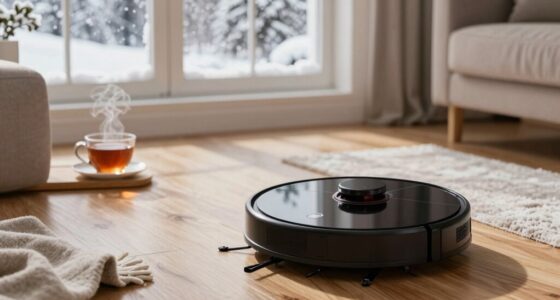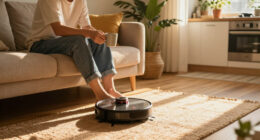
Roborock robot vacuums, like the Q7 M5+ model, are powerful and efficient cleaning devices, but like any technology, they can sometimes encounter issues. Proper troubleshooting and routine care are essential for maintaining optimal performance and extending the lifespan of your robot. This guide provides clear, step-by-step instructions to diagnose common problems and offers practical maintenance tips to keep your Roborock in top shape.

Get home appliances delivered free with Prime
- Fast, free delivery on millions of items
- Prime Video, Amazon Music and more included
- Member-only deals all year
Whether your vacuum is not charging, getting tangled, or not cleaning effectively, this guide will help you identify the root cause and resolve issues safely and efficiently. Regular care, including cleaning filters and brushes, updating firmware, and managing the dustbin, will ensure your device stays reliable and efficient for up to 9 weeks between self-emptying cycles.
Key Takeaways
| Routine Maintenance | Regularly clean filters, brushes, and sensors for optimal performance. |
| Troubleshooting Basics | Identify common issues like charging problems or navigation errors with simple checks. |
| System Updates | Keep the firmware up-to-date to benefit from bug fixes and new features. |
| Self-Emptying System | Ensure the dust bag is not overfilled for continuous cleaning. |
| Pet Hair Handling | Use the dual anti-tangle system and clean brushes regularly to prevent hair jams. |
Initial Troubleshooting Steps
- Check the power connection and ensure the charging dock is plugged in properly. Verify that the dock’s indicator lights are active.
- Make sure the robot is correctly placed on the charging dock, with contacts aligned. If not charging, clean the charging contacts on both the robot and dock with a dry cloth.
- Inspect the dustbin and empty it if full. The 2.7L sealed dust bag supports up to 7-9 weeks of cleaning, so check if it needs replacing or emptying.
- Review the app for error messages or alerts. Reset the device by turning it off and on again, or perform a soft reset via the app or hardware button.
- Ensure the firmware is up to date through the Roborock app to fix known bugs and improve navigation.
Cleaning and Maintenance Procedures
- Regularly clean the main brush and side brushes to remove pet hair and debris. The dual anti-tangle system helps, but manual cleaning prevents jams.
- Remove and wash the washable filters from the optional 4-pack to maintain suction power. Let them dry completely before reinstalling.
- Check the sensors and navigation cameras for dust or dirt, gently wiping with a soft cloth to preserve PreciseSense LiDAR navigation.
- Inspect the mop pads (if used) for dirt buildup. Wash or replace them every 1-3 months to ensure effective mopping.
- Clear any obstructions from the vacuum’s intake or wheel areas to prevent poor movement or stuck issues.
Dealing with Connectivity and App Issues
- Ensure your Wi-Fi network is stable and within the recommended range. Restart your router if needed.
- Check that your smartphone’s Bluetooth and Wi-Fi are enabled, and the app has the necessary permissions.
- If the device is not appearing in the app, try reconnecting it by removing and re-adding the vacuum within the app.
- Update the Roborock app to the latest version for compatibility and feature improvements.
- Reset the device’s network settings via the app if persistent connectivity issues occur, then reconfigure the connection.
Handling Common Navigation and Performance Problems
- If your Roborock is not navigating properly, clean the LiDAR sensor and ensure the navigation path is clear of obstacles.
- For poor cleaning performance, check that the brushes and filters are clean and the suction power is set correctly in the app.
- If the vacuum gets stuck frequently, review the placement of furniture or objects that may block its path.
- Perform a map reset and reconfigure the cleaning zones if the navigation map becomes corrupted or inaccurate.
- Ensure the self-emptying dock is functioning correctly, with no obstructions around the dust port.
Tips for Prolonging Your Roborock’s Life
Consistent cleaning of brushes, filters, and sensors prevents buildup and mechanical issues. Regularly updating firmware ensures your device benefits from improvements and bug fixes. Store your robot in a cool, dry place when not in use for extended periods. Use quality replacement parts, like the recommended washable filters, to maintain suction and filtration efficiency.
Always follow safety warnings when performing maintenance, and unplug the device before cleaning internal parts. Avoid using harsh chemicals on sensors or brushes to prevent damage.
The Products in This Guide

roborock Q7 M5+ Robot Vacuum and Mop
- ✔ Weight: 7.5 kg
- ✔ Dimensions: 35 x 35 x 9.5 cm
- ✔ Warranty: 1 year

4 Pack Washable Filter
- ✔ Pack Size: 4 filters
- ✔ Material: HEPA
- ✔ Washable: Yes
roborock Q7 M5+ Robot Vacuum and Mop
The Roborock Q7 M5+ Robot Vacuum and Mop offers powerful suction of 10,000Pa and up to 9 weeks of self-emptying with its 2.7L dust bag. Its PreciseSense LiDAR navigation ensures accurate mapping, making it ideal for pet owners and busy households.
Pros:
- High suction power (10,000Pa)
- Up to 9-week self-emptying
- Dual anti-tangle system
- App control and smart navigation
Cons:
- May require regular filter cleaning
- Relies on Wi-Fi for full features
- Self-emptying dock can get blocked if not maintained
Best for: Large homes with pets or heavy debris
Not ideal for: Homes with very narrow or cluttered spaces without clearance for navigation
Bottom line: A high-performance robot vacuum with long-lasting self-emptying and advanced navigation.
4 Pack Washable Filter
The 4-pack washable filters are compatible with several Roborock models, including the Q7 and Q5 Pro, ensuring maintained suction and filtration. Easy to install and wash, they are a cost-effective choice for ongoing maintenance.
Pros:
- Reusable and washable
- Compatible with many models
- Maintains high filtration performance
- Easy to install
Cons:
- Requires regular washing
- Not OEM, but performs similarly
- Limited to specific models
Best for: Homeowners wanting cost-effective filter replacements
Not ideal for: Owners of non-compatible models or those seeking OEM parts
Bottom line: Cost-effective, reusable HEPA filters for sustained vacuum performance.
Frequently Asked Questions
Why is my Roborock not charging?
Ensure the robot is properly aligned on the charging dock, the contacts are clean, and the dock is plugged in. Reset the device and check for firmware updates if needed.
How often should I clean the filters?
Wash the washable filters every 1 to 3 months, depending on usage. Replace non-washable filters as recommended by the manufacturer.
My Roborock gets stuck frequently. What can I do?
Clear the navigation path of obstacles, clean the LiDAR sensor, and check the wheels for debris. Reset the map if navigation errors persist.
How do I update the firmware?
Open the Roborock app, connect to your device, and check for firmware updates in the device settings. Follow prompts to install updates.
Can I use the robot without the self-emptying dock?
Yes, but you will need to manually empty the dustbin regularly. The self-emptying system is designed to reduce maintenance frequency.
Keep Your Roborock Running Like New
Routine cleaning, timely filter replacement, and software updates are key to maintaining your Roborock’s peak performance. By following these troubleshooting steps and maintenance tips, you can enjoy consistent, hassle-free cleaning. Remember, a well-maintained robot not only lasts longer but also performs more effectively, saving you time and effort in your cleaning routine.
Affiliate disclosure: As an Amazon Associate we earn from qualifying purchases. Prices and availability are accurate as of the time of publishing.
Fall yard work Picks
leaf blowers
As an affiliate, we earn on qualifying purchases.