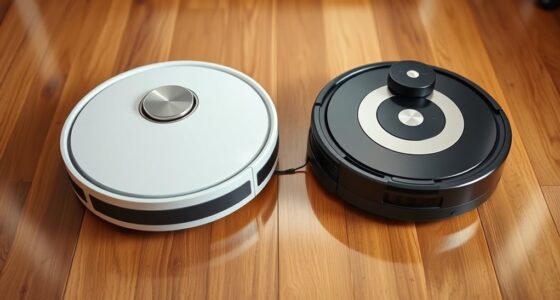
To maximize your robot vacuum’s battery life, follow proper charging habits like fully charging and discharging periodically, and unplug after reaching 100%. Schedule cleanings during low-traffic times and use eco mode for light tasks. Regularly maintain your vacuum by cleaning filters, brushes, and keeping firmware updated. Store it in a cool, dry place with a partial charge for long-term storage. Address performance issues promptly, and you’ll enjoy longer battery life and better cleaning results. Keep exploring for more tips.
Key Takeaways
- Fully charge and discharge the battery periodically for calibration and to maintain accurate power readings.
- Schedule cleaning during low-traffic times and use eco or quiet mode to conserve battery life.
- Regularly clean filters, brushes, and charging contacts to prevent performance issues and optimize efficiency.
- Store the vacuum in a cool, dry place with a partial charge (~50%) for long-term battery preservation.
- Update firmware and recalibrate the battery when experiencing reduced runtime or power drops.
Proper Charging Habits for Longevity

To extend your robot vacuum’s battery life, adopting proper charging habits is essential. Begin with regular battery calibration by fully charging and discharging the battery periodically. This helps your device accurately gauge its remaining power, preventing premature battery wear. Avoid constant partial charges; instead, aim for complete charging cycles when possible. Frequent shallow charges can negatively impact the battery’s capacity over time. Also, don’t leave your vacuum plugged in after it’s fully charged, as overcharging can degrade the battery’s health. Instead, unplug it once it reaches 100%. Keeping these habits in mind ensures your robot vacuum maintains ideal battery performance, reducing the need for early replacements and maximizing its operational lifespan. Proper charging cycles are key to preserving battery longevity.
Optimizing Cleaning Schedules and Settings

Adjusting your robot vacuum’s cleaning schedules and settings can considerably boost battery life and overall efficiency. By optimizing your scheduling routines and power management, you can prevent unnecessary battery drain. Here are three tips:
- Set cleaning routines during times when the vacuum isn’t needed elsewhere, reducing overlap and conserving power.
- Use eco or quiet mode for light cleaning tasks, which minimizes energy consumption.
- Limit the cleaning area by selecting specific zones, avoiding full-area runs that deplete the battery faster.
Implementing these strategies helps your robot vacuum operate more efficiently, extends battery life between charges, and ensures it’s ready when you need it most. Fine-tuning your schedules and settings is a simple yet effective way to maximize your vacuum’s performance.
Maintaining and Cleaning Your Robot Vacuum

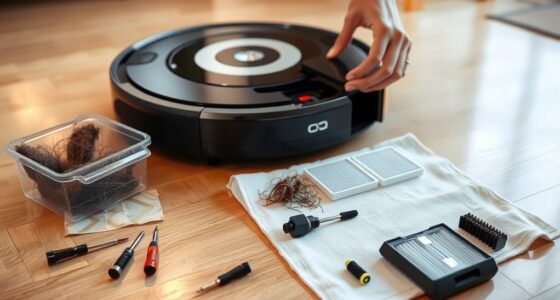
Regular maintenance and cleaning are essential for guaranteeing your robot vacuum performs at its best and prolongs its battery life. Start by regularly emptying the dustbin and cleaning the filters to prevent clogging, which can strain the motor and drain the battery faster. Check brushes and wheels for debris and clean them thoroughly. Keep firmware updates in mind—installing the latest firmware enhances performance, fixes bugs, and can improve battery efficiency. If your battery shows signs of reduced capacity despite proper upkeep, consider battery replacement to restore ideal runtime. Maintaining your vacuum consistently ensures all components work efficiently, reducing unnecessary energy use. Proper cleaning and updates not only extend your device’s lifespan but also maximize your robot vacuum’s battery life, keeping it running smoothly for longer periods.
Choosing the Right Storage Conditions

Did you know that proper storage conditions can considerably impact your robot vacuum’s battery life? To preserve battery health, pay attention to your storage environment. Keep your vacuum in a cool, dry place away from direct sunlight and extreme temperatures. Proper storage helps maintain ideal battery temperature, preventing damage from overheating or freezing.
Here are three key tips:
- Store your vacuum in a location with a stable, moderate temperature.
- Avoid leaving it in hot garages or cold basements.
- Ensure the battery is partially charged (around 50%) if storing for an extended period.
Troubleshooting Battery Performance Issues

Even with proper storage, battery performance can sometimes decline over time or due to other factors. If your robot vacuum’s battery isn’t holding a charge, try recalibrating it. Proper battery calibration guarantees accurate power readings, helping your vacuum optimize cleaning cycles. Also, review your power management settings to extend battery life.
| Issue | Solution |
|---|---|
| Shorter runtime | Perform battery calibration regularly. |
| Sudden power drops | Check and adjust power management settings. |
| Inconsistent performance | Clean charging contacts and update firmware. |
Frequently Asked Questions
How Does the Battery Type Affect Longevity?
Your robot vacuum’s battery chemistry greatly impacts its longevity. Lithium-ion batteries, for example, handle more charging cycles and resist memory effect better than nickel-based ones, meaning they last longer. Properly managing charging cycles—avoiding overcharging and deep discharges—also helps extend battery life. So, understanding your battery type and maintaining good charging habits ensures your vacuum’s battery remains healthy and efficient over time.
Can Using Certain Cleaning Solutions Harm the Battery?
Using incompatible cleaning solutions can harm your robot vacuum’s battery. Choose cleaning solutions that are compatible with your device to prevent damage. Some solutions may cause battery corrosion, reducing its lifespan or causing malfunctions. Always follow the manufacturer’s recommendations for cleaning and maintenance. Proper cleaning solution compatibility is essential for battery corrosion prevention, ensuring your vacuum’s battery stays healthy and lasts longer, saving you money and hassle.
Does the Robot’s Age Impact Battery Capacity?
Yes, your robot’s age impacts battery capacity. As it ages, battery degradation occurs, reducing its ability to hold a full charge. This age-related capacity decline means your vacuum might run shorter and need more frequent charges. To extend battery life, consider regular maintenance, avoiding overcharging, and replacing the battery when performance drops markedly. Keeping your robot in good condition helps mitigate the effects of age-related capacity loss.
Are There Software Updates That Improve Battery Life?
Yes, there are software updates that can improve your robot vacuum’s battery life. While hardware ages, software optimization and advanced power management techniques can extend runtime considerably. Manufacturers often release updates to enhance efficiency, fix bugs, and improve navigation. Keep your device’s firmware current, and you’ll benefit from better power management, ensuring your vacuum runs longer between charges and maintains peak performance.
How Do Environmental Temperatures Influence Battery Performance?
Environmental temperatures substantially influence your robot vacuum’s battery performance. Extreme heat causes temperature effects that can degrade battery capacity over time, while cold temperatures reduce efficiency and runtime. To protect your battery, follow proper storage conditions: avoid exposing it to high heat or freezing conditions, and keep it in a cool, dry place when not in use. Maintaining ideal temperature conditions helps preserve your battery’s health and prolongs its lifespan.
Conclusion
By following these tips, you’re fundamentally giving your robot vacuum a nurturing dance, ensuring its battery remains a lively performer for years to come. Proper habits and care act as the steady rhythm that keeps its energy flowing smoothly. Treat it with patience and attention, and your device will glide effortlessly through your home, a tireless ballet dancer on a stage of well-maintained batteries, ready to perform at its best whenever you need it most.