To get the most out of your robot vacuum, avoid common mistakes like forgetting to clear clutter, ignoring sensor maintenance, and placing the dock in tight spots. Don’t neglect scheduling regular cleanings or using virtual boundaries to prevent getting stuck. Make sure to empty the dustbin often and inspect brushes and wheels for debris. Staying aware of these pitfalls helps ensure better cleaning results and longer device life—keep going to discover more tips!
Key Takeaways
- Ensure the vacuum is properly set up and free of obstacles to prevent navigation errors and stuck instances.
- Regularly clean sensors, brushes, and filters to maintain optimal suction and prevent debris buildup.
- Place the charging dock in accessible, clutter-free areas and avoid tight spaces for better device charging and routing.
- Use virtual boundaries or no-go zones to avoid common obstacles and reduce the risk of getting stuck.
- Establish consistent cleaning schedules and clear floors of clutter to maximize efficiency and coverage.

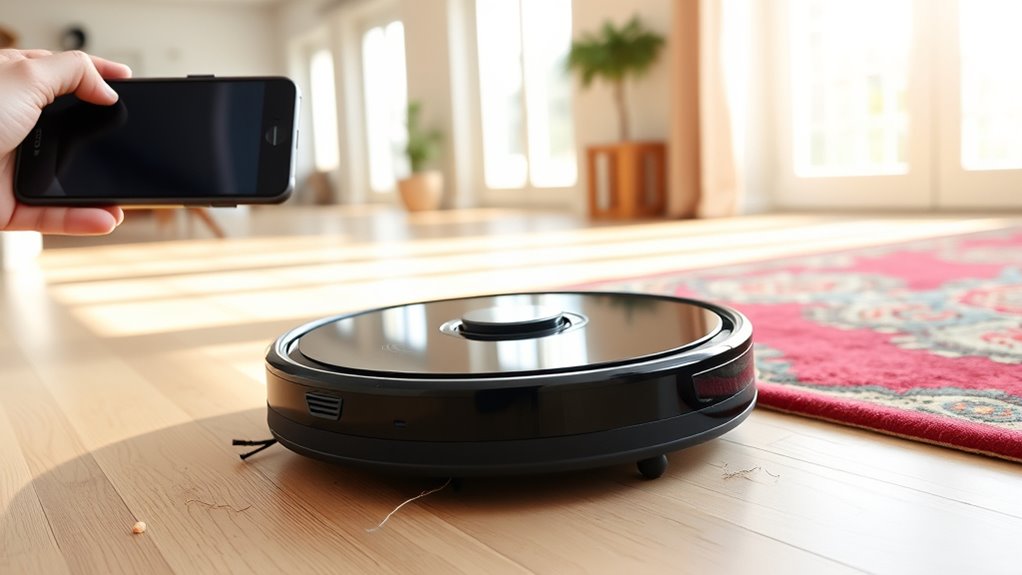
Robot vacuums can be incredibly convenient, but many users make common mistakes that reduce their effectiveness. One of the most frequent issues involves navigation errors. When you don’t set up your robot vacuum properly or ignore obstacles, it can struggle to clean efficiently. For example, leaving clutter on the floor, such as cords, shoes, or small objects, can confuse the sensors and cause the vacuum to bump into things repeatedly or get stuck. Over time, this hampers its ability to cover every inch of your space and can even damage the device. To avoid this, you should clear the floors of unnecessary items before starting a clean cycle and periodically check that the sensors are clean and unobstructed. Some models also have mapping features; taking the time to set up virtual boundaries or designate no-go zones can prevent navigation errors and ensure your vacuum doesn’t waste time in areas you don’t want it to clean.
Another common mistake revolves around maintenance pitfalls. Many users neglect regular upkeep, which can lead to decreased suction power and mechanical issues. For instance, forgetting to empty the dustbin regularly causes it to fill up quickly, reducing cleaning efficiency. Similarly, neglecting to clean the brushes and filters allows dust and hair to accumulate, impairing the vacuum’s ability to pick up debris. You should establish a routine to check and empty the dustbin after each use and clean the brushes and filters at least once a week, depending on usage. Also, inspecting the wheels and sensors for dirt or hair buildup can prevent mechanical hiccups. Regularly monitoring device health and addressing issues early can extend the lifespan of your robot vacuum. If you ignore these maintenance tasks, your robot vacuum may not perform at its best, and costly repairs could be on the horizon.
In addition to navigation errors and maintenance pitfalls, many people overlook the importance of proper placement and scheduling. For example, placing the charging dock in a cluttered or tight area can hinder your vacuum’s ability to dock and recharge properly. Also, running your robot during busy times or when pets are active can lead to more entanglements or missed spots. Scheduling regular cleaning times and ensuring the docking station is in an open, accessible spot helps keep the device working smoothly. By paying attention to these details, you optimize your robot’s cleaning performance and prolong its lifespan.
Ultimately, avoiding these common mistakes—be it navigation errors, maintenance pitfalls, or poor placement—ensures your robot vacuum remains an effective, reliable cleaning companion. Taking a little time to set up, maintain, and schedule your device properly will save you effort and keep your floors spotless.

Robot Vacuum Cleaning Kit, Cleaning Tool with Brush, Cloth, Hair Cutter
- Complete Cleaning Kit: Includes brushes, tools, and cloths
- Effective Hair Removal: Hooks and cutters for hair in rollers
- Multiple Cleaning Tools: Soft brush, nylon brush, long dust brush
As an affiliate, we earn on qualifying purchases.
As an affiliate, we earn on qualifying purchases.
Frequently Asked Questions
How Often Should I Replace the Robot Vacuum’s Filters?
You should replace your robot vacuum’s filters every 2 to 3 months, depending on your usage and environment. Follow the maintenance schedule provided by the manufacturer to keep your vacuum running efficiently. Regular filter replacement guarantees peak suction and air quality. If you notice decreased performance or increased dust, it’s a sign to change the filter sooner. Staying on top of filter maintenance helps extend your vacuum’s lifespan and maintains cleaning effectiveness.
Can Robot Vacuums Clean Carpets Effectively?
You bet, robot vacuums can handle carpet cleaning with impressive suction power. Think of them as tiny, diligent dirt detectives, weaving through fibers to lift debris. For ideal results, make sure your device has strong suction power and to clear clutter beforehand. Regular maintenance keeps it running smoothly. While they might not replace deep cleaning, they’re excellent for daily upkeep, keeping your carpets fresh and spotless without you lifting a finger.
What Is the Best Way to Schedule Cleaning Times?
To schedule cleaning times effectively, focus on timing optimization by choosing consistent times when your home is least busy. Set your robot vacuum to clean daily or multiple times a week at the same time to guarantee scheduling consistency. Avoid random scheduling, which can lead to missed spots or battery issues. Regularly update the schedule based on your routine changes, and you’ll keep your floors spotless effortlessly.
Are Robot Vacuums Safe Around Pets and Children?
Robot vacuums are generally safe around pets and children if you take proper precautions. You should guarantee pet safety by keeping pets away during cleaning and child proofing the area by securing small objects and cords. Always supervise your robot vacuum’s initial runs to monitor its interactions with kids and pets. Regularly check for any hazards, and choose models with safety features like obstacle detection to keep everyone safe and stress-free.
How Do I Troubleshoot Connectivity Issues With My Robot Vacuum?
When troubleshooting your robot vacuum’s connectivity issues, remember that “a chain is only as strong as its weakest link.” First, try a Wi-Fi reset on your device and router. Make certain your vacuum is within range and reconnect via Bluetooth pairing if needed. Restart your Wi-Fi and update the app. These simple steps can often restore seamless connection, keeping your vacuum running smoothly and efficiently.

MONSGA Robot Vacuum and Mop, 90 Days Self-Emptying with 8000Pa Suction
- High Suction Power: 8000Pa max suction for deep cleaning
- Anti-Tangle Brush System: Reduces knots with dual anti-tangle design
- Automatic Carpet Boost: Increases suction on carpets for embedded debris
As an affiliate, we earn on qualifying purchases.
As an affiliate, we earn on qualifying purchases.
Conclusion
Avoiding these common robot vacuum mistakes can keep your device running smoothly and your floors spotless. By staying attentive to charging, cleaning sensors, and managing obstacles, you’ll get the most out of your investment. Remember, isn’t it worth taking a few extra steps to make your cleaning routine easier and more efficient? With a little effort, you’ll enjoy cleaner floors and fewer frustrations. So why not give these tips a try and see the difference yourself?

Usoway Robot Vacuum Replacements Parts Fit For Lefant M210/M213/M210b, For Okp K2 K2p K3 K4 K5 L1 K2p Robot Vacuum Cleaner, Vacuum Dust Pan, Side Sweep Edge Brush HEPA Filter (Dustbin-1pc), JCH-1546
- Model Compatibility: Fits OKP and Lefant models
- Not Compatible With: Excludes K7, L1, K8, M201, M210 Pro, and others
- High-Strength Material: Durable construction for optimal performance
As an affiliate, we earn on qualifying purchases.
As an affiliate, we earn on qualifying purchases.

Replacement Parts Kit for irobot Roomba 600 Series 694 676 675 692 695 677 671 655 645 690 680 660 650 620 614 & 500 Series 595 585 564 robot, 2 Bristle & 2 Beater Brush, 6 Filter, 6 Side Brush
- Compatible with iRobot Roomba: Fits 600 and 500 series models
- Includes multiple brushes and filters: 2 bristle, 2 beater brushes, 6 filters, 6 side brushes
- Durable construction: Made of sturdy PC material for repeated use
As an affiliate, we earn on qualifying purchases.
As an affiliate, we earn on qualifying purchases.