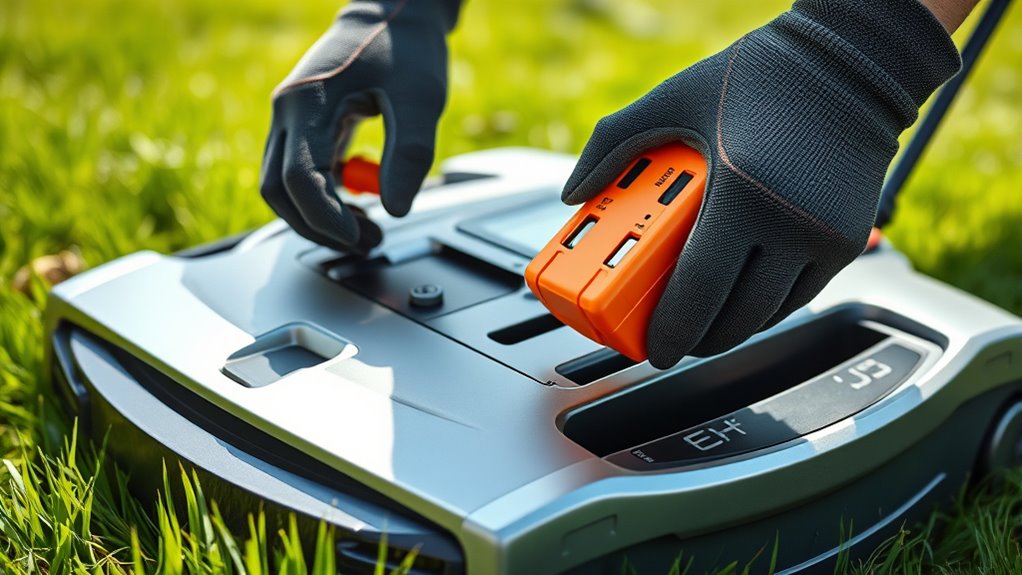

When your robot mower shows signs of reduced performance, longer charging times, or struggles to return to the charging station, it’s time to contemplate replacing the battery. To do this, turn off the mower, carefully remove the old battery following the manufacturer’s instructions, and install a genuine replacement. Proper disposal of the old battery at a recycling center is essential. Keep in mind, correct maintenance can extend your battery’s lifespan—stay tuned to learn more about keeping your mower in top shape.
Key Takeaways
- Identify signs of battery wear, such as shorter runtime and longer charging times, to determine if replacement is needed.
- Use only genuine replacement batteries compatible with your mower model for proper fit and performance.
- Follow manufacturer instructions carefully during installation to ensure safe and correct battery replacement.
- Properly dispose of old batteries at certified recycling centers to prevent environmental harm.
- Replace the battery promptly when capacity diminishes significantly to maintain optimal mower performance.
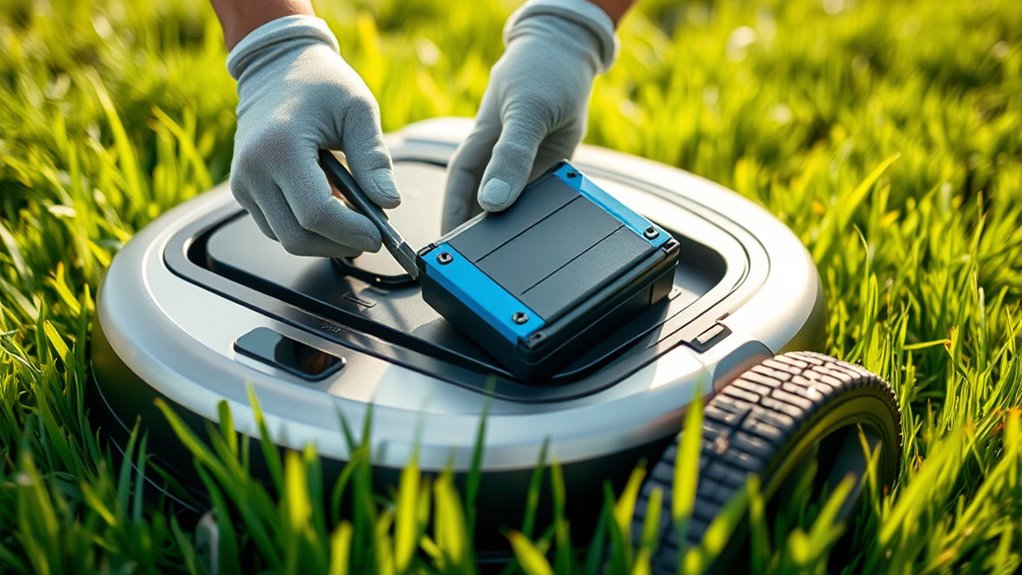
If your robot mower isn’t cutting as efficiently as it used to, a worn-out battery might be the culprit. Over time, batteries lose their ability to hold a charge, which directly impacts how well your mower performs. Understanding the battery lifespan is key—most lithium-ion batteries last between 1.5 to 3 years, depending on usage and maintenance. When you notice longer charging times, shorter mowing sessions, or the mower struggling to return to its charging station, it’s a strong sign that your battery might be nearing the end of its life.
To extend your battery’s lifespan, you should adopt proper charging tips. Always use the charger provided by the manufacturer, as incompatible chargers can damage the battery or reduce its efficiency. Avoid letting the battery discharge completely before recharging; instead, plug it in when it’s around 20-30% capacity to prevent deep discharges that can shorten lifespan. Keep the battery and charger in a cool, dry place, avoiding extreme temperatures, which can accelerate battery degradation. Regularly cleaning the battery contacts and ensuring they’re free of dirt or corrosion also helps maintain crucial charging performance.
When it’s time to replace your battery, it’s best to do so sooner rather than later. Waiting too long can cause your mower to operate poorly or not at all, especially as the battery’s capacity diminishes considerably over time. Check your manufacturer’s recommendations for replacement intervals, but keep an eye on performance indicators like reduced runtime or increased charging times. If you notice these issues, it’s a good idea to replace the battery to restore your mower’s efficiency.
Replacing the battery isn’t complicated, but it’s important to choose the right one. Use genuine replacement batteries compatible with your mower model to guarantee proper fit and performance. Follow the manufacturer’s instructions carefully when installing the new battery, and always handle it with care. Proper disposal of the old battery is essential—take it to a certified recycling center to prevent environmental harm. After replacing the battery, follow the recommended charging tips to maximize its lifespan and get the most out of your mower. Maintaining the correct battery technology can significantly impact performance and longevity. With a fresh battery and proper maintenance, your robot mower will continue to keep your lawn neatly trimmed for many seasons to come.
Frequently Asked Questions
Can I Upgrade to a Higher-Capacity Battery?
Yes, you can upgrade to a higher-capacity battery for your robot mower to enhance its performance. A battery upgrade allows for longer mowing sessions and better efficiency. Before proceeding, check if your mower supports capacity enhancement and confirm compatibility with the new battery. Keep in mind that a higher-capacity battery might be larger or heavier, so verify it fits securely and maintains balance for ideal operation.
How Do I Dispose of the Old Battery Properly?
You should take your old robot mower battery to a certified battery recycling center. Don’t throw it in the trash, as it contains hazardous waste that can harm the environment. Proper disposal involves handling, transporting, and recycling the battery safely. By doing so, you protect the planet, prevent pollution, and ensure hazardous waste gets managed responsibly. Always follow local regulations and never dispose of batteries in regular waste.
Will Replacing the Battery Improve Mowing Time?
Yes, replacing the battery can improve your robot mower’s mowing efficiency, especially if your current battery’s lifespan is declining. A fresh battery provides more power, enabling the mower to operate at ideal performance and complete tasks faster. If you notice your mower struggling or taking longer to finish, a new battery could greatly boost its mowing time, ensuring a cleaner, more efficient yard maintenance.
Are There Compatible Batteries for Older Mower Models?
Yes, there are compatible batteries for older mower models, but you need to check battery compatibility carefully. Using a compatible battery guarantees peak performance and extends battery lifespan. Before replacing, verify the voltage, size, and connector type to avoid compatibility issues. If you select the right battery, your mower will run smoothly, and you’ll enjoy better mowing efficiency and longer battery lifespan. Always consult your mower’s manual or manufacturer for guidance.
How Often Should I Check the Battery’s Health?
You should check your battery’s health every few months to maximize its lifespan. Regular maintenance tips include cleaning the contacts, avoiding deep discharges, and storing the mower properly. Keep an eye on performance issues like shorter run times or difficulty starting, as these can signal declining battery health. By monitoring and caring for your battery consistently, you’ll guarantee it performs well and lasts longer, saving you money in the long run.
Conclusion
Replacing your robot mower battery might seem intimidating at first, but it’s pretty straightforward once you know what to do. Keep an eye on signs like reduced runtime or difficulty charging, and don’t wait too long to swap it out. Remember, a stitch in time saves nine—addressing issues early prevents bigger problems down the road. With a little effort, your mower will run smoothly again, proving that sometimes, it’s just a matter of knowing when to act.