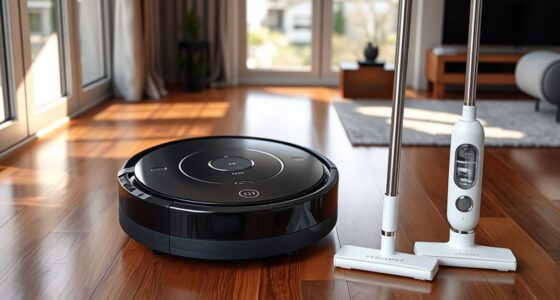
Running your robot vacuum and mop together saves time and helps you clean more thoroughly by tackling dust and stains at once. It’s convenient for busy schedules and can focus on dirtier spots with smart sensors. However, operating both together can drain the battery faster and might require more frequent recharging. If you prefer longer, more controlled cleanings, running them separately works best. Keep exploring to discover which method suits your home best.
Key Takeaways
- Running both simultaneously saves time but may drain the battery faster, requiring recharging or multiple passes.
- Separating tasks allows each device to operate optimally, ensuring thorough cleaning and longer session durations.
- Dirt detection sensors in vacuums prioritize heavily soiled areas, whether cleaning together or separately.
- Operating devices separately provides flexibility to target specific areas and manage cleaning schedules effectively.
- The choice depends on priorities like convenience, thoroughness, and battery management for optimal home maintenance.

With busy schedules and the desire for a spotless home, combining a robot vacuum and mop offers a convenient solution that saves time and effort. When you’re choosing how to run these devices, one key factor to contemplate is whether to operate them together or separately. If you opt to run them simultaneously, you’ll want to understand how their features, like dirt detection and battery life, interact. Many modern robot vacuums are equipped with advanced dirt detection sensors that identify heavily soiled areas, allowing the device to focus more cleaning power where it’s needed most. This feature ensures you get a thorough cleaning without wasting energy on already clean spots. When you run the vacuum and mop at the same time, dirt detection becomes especially valuable because it helps the vacuum recognize stubborn dirt, ensuring those areas get extra attention before the mop begins its work. However, keep in mind that operating both devices simultaneously can drain the battery more quickly. Battery life is critical here; running the vacuum and mop together may mean shorter cleaning cycles, requiring recharging or multiple passes. If your device’s battery life isn’t robust, you might find that the vacuum runs out mid-clean, leaving some areas untouched or forcing you to restart the process later. Additionally, considering battery management can help optimize the use of both devices for longer cleaning sessions. Running the vacuum and mop separately can mitigate these issues. When you clean with the vacuum first, it gets rid of loose dirt, dust, and debris efficiently, creating a cleaner surface for the mop to handle. This approach allows each device to work at prime levels without overtaxing the battery. Plus, you can schedule each for different times—vacuuming during the day and mopping at night—so your home stays spotless without overlapping demands on the battery. It also gives you more control over the cleaning process, allowing you to pause or adjust each device based on specific needs, such as focusing on high-traffic areas or delicate surfaces. Ultimately, whether you choose to run your robot vacuum and mop together or separately depends on your priorities. If convenience and saving time matter most, running them simultaneously can work well—just be mindful of their battery limits and dirt detection capabilities. If you prefer thoroughness and longer cleaning sessions without interruptions, splitting the tasks makes more sense. Either way, understanding how dirt detection and battery life influence their performance helps you make smarter decisions, ensuring your home stays clean without unnecessary hassle.
Frequently Asked Questions
Can a Robot Vacuum and Mop Be Used on All Floor Types?
You can use a robot vacuum and mop on most floor types, but check the device’s floor compatibility first. Hardwood, tile, and laminate usually work well, but carpets and uneven surfaces may cause device interference or poor cleaning results. Always verify your device’s specifications to avoid issues, and consider adjusting settings or using different tools for delicate or high-pile floors to ensure effective cleaning without damage or interference.
How Do I Prevent the Devices From Interfering With Each Other?
To prevent interference between your robot vacuum and mop, guarantee proper device synchronization. Use the app settings to set designated cleaning schedules and zones, so they don’t operate simultaneously in the same area. Avoid overlapping paths by adjusting boundary strips or virtual walls. Regularly update firmware to enhance interference prevention features. This way, you keep both devices working smoothly without interruption or conflicts, optimizing your cleaning routine efficiently.
What Safety Precautions Should I Take When Running Both Devices?
Stay safe by securing cords, ensuring they’re out of the way to prevent trips or tangles. Check battery compatibility to avoid overheating or malfunction. Keep pets and children clear of devices during operation. Always follow manufacturer instructions, and regularly inspect for damage. By being vigilant about cord safety and battery compatibility, you minimize risks, maintaining a safe, smooth cleaning session for both your robot vacuum and mop.
Do Robot Vacuums and Mops Require Different Maintenance Routines?
Yes, robot vacuums and mops need different maintenance routines. You should follow specific maintenance schedules for each device, like cleaning brushes and emptying dustbins regularly for vacuums, while mops need their pads washed and tanks refilled. Confirm device compatibility if you’re using combined units, and check manufacturer instructions to keep both functioning properly. Proper maintenance extends their lifespan and keeps your floors spotless.
How Long Does It Typically Take to Clean an Average-Sized Home?
It usually takes about 1 to 2 hours to clean an average-sized home, like a busy bee gathering nectar. Your cleaning efficiency depends on device compatibility and how well your robot navigates. If you run a vacuum and mop separately, they can work faster, but combining them might extend the process slightly. Keep your devices well-maintained, and you’ll enjoy a sparkling home without the wait.
Conclusion
So, whether you choose to run your robot vacuum and mop together or separately, it all comes down to your cleaning needs. Sometimes, it’s a coincidence that your schedule lines up perfectly for simultaneous cleaning, saving you time. Other days, you might prefer the flexibility of doing them separately for a more thorough job. Either way, you’ve got the tools to keep your home spotless—sometimes, it’s just about catching the right moment.