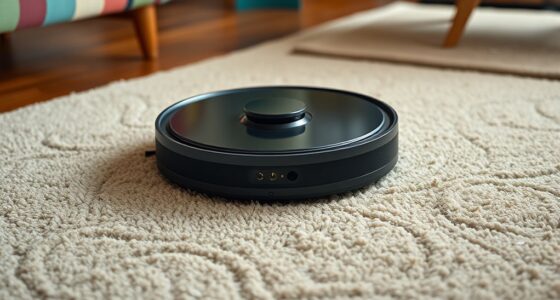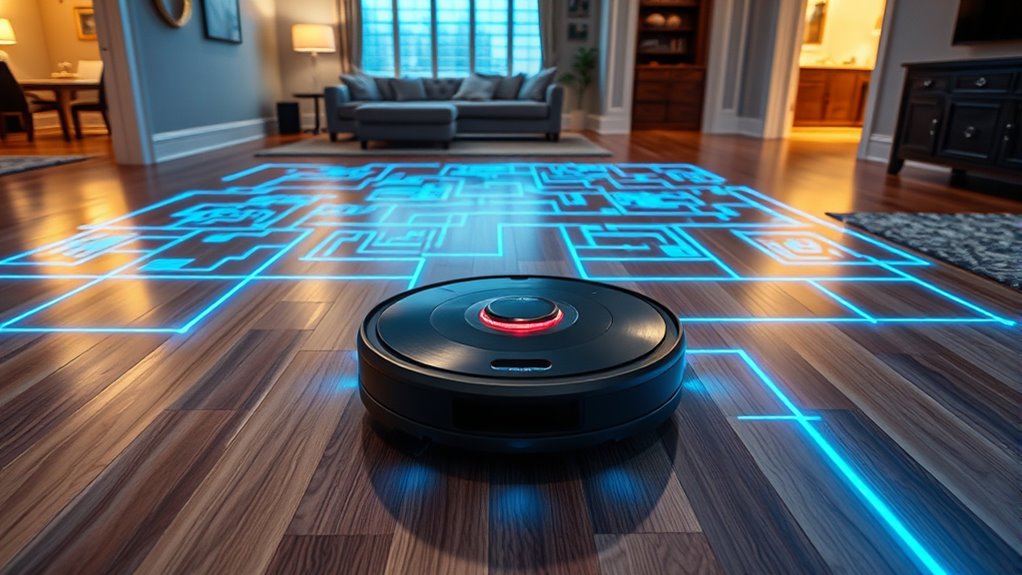

Multi-room mapping allows your robotic vacuum to create a detailed, real-time map of your entire home using sensors like Lidar, cameras, infrared, and ultrasonic devices. These sensors scan your space from different angles, collecting data that software processes to generate an accurate environment layout. This technology helps your vacuum navigate efficiently, avoid obstacles, and ensure thorough cleaning across all rooms. Keep exploring to discover how these advanced features work together to keep your home spotless.
Key Takeaways
- Multi-room mapping creates detailed, real-time maps of entire homes for robotic vacuums.
- It uses sensors like Lidar, cameras, infrared, and ultrasonic to detect environment features.
- Mapping enables efficient navigation by understanding room layouts, furniture, and obstacles.
- The technology allows vacuums to adapt to furniture changes and ensure thorough cleaning.
- Accurate multi-room maps improve cleaning speed, coverage, and prevent vacuum from getting stuck.

Ever wondered how robots and smart devices create detailed maps of entire buildings? It’s pretty fascinating. When it comes to multi-room mapping, especially with robotic vacuums, the process relies heavily on navigation accuracy and sensor technologies. These devices need to understand your home’s layout precisely to clean efficiently and avoid obstacles. That’s where advanced sensors come into play, working together to capture detailed spatial data. Using lidar, cameras, infrared sensors, and ultrasonic detectors, these vacuums scan their environment from different angles, creating a thorough 3D map. This map isn’t just a rough sketch; it’s an intricate representation of your home’s rooms, furniture, and even small objects. The key is that these sensors provide real-time feedback, allowing the robot to adapt its route on the fly and avoid collisions. This constant stream of data is processed by sophisticated algorithms that enhance navigation accuracy, ensuring the vacuum covers every corner without missing spots or wasting time retracing its steps.
The sensor technologies used in multi-room mapping are diverse and complementary. Lidar sensors emit laser beams that bounce off walls and objects, calculating distances with high precision. This creates a detailed topographical map of your entire home within seconds. Meanwhile, cameras help recognize specific features, such as doorways or furniture, and assist in localization. Infrared sensors detect nearby objects and prevent the vacuum from bumping into furniture or falling down stairs. Ultrasonic sensors measure distances similarly, providing additional layers of spatial awareness. When these sensor inputs are combined, the robot develops a highly precise, real-time representation of your environment. This integration allows it to plan ideal cleaning paths, adjust to obstacles unexpectedly appearing, and seamlessly navigate through multiple rooms. Sensor technologies play a crucial role in achieving these capabilities.
The importance of navigation accuracy cannot be overstated. It’s what makes multi-room mapping so effective. A highly precise map means fewer missed spots, reduced cleaning time, and less frustration. It also prevents the vacuum from getting stuck or repeatedly cleaning the same area. By continuously refining its understanding of the environment through sensor feedback, the device ensures thorough coverage. As your home’s layout may change — furniture moved, doors opened or closed — these sensors and algorithms work together to update the map dynamically. This adaptability ensures your vacuum always has an up-to-date understanding of your space, making multi-room cleaning smarter, faster, and more dependable. So, next time you see your robotic vacuum effortlessly glide through several rooms, remember that it’s all thanks to cutting-edge sensor technologies and incredible navigation accuracy working behind the scenes.
Frequently Asked Questions
Can Multi-Room Mapping Be Done With All Robot Vacuum Brands?
Not all robot vacuum brands support multi-room mapping, so compatibility varies. You need to check if your specific brand offers this feature, as some models provide advanced mapping accuracy for steering multiple rooms efficiently. Brands like iRobot, Roborock, and Ecovacs often include multi-room mapping, but lesser-known brands might not. Always verify brand compatibility and feature availability to make sure your vacuum can map your entire home effectively.
How Often Should I Update the Mapping Data?
Think of your vacuum’s mapping data as a delicate dance; it needs regular practice to stay in sync. You should update your mapping data whenever you notice changes in your home layout or if your vacuum’s mapping accuracy drops. Generally, every 3 to 6 months is ideal to maintain peak performance. Regular updates ensure your vacuum navigates efficiently, adapting to new obstacles and maintaining a seamless cleaning routine.
Does Multi-Room Mapping Work on Multi-Story Homes?
Multi-room mapping can work on multi-story homes, but there are some challenges. You might face multi-story challenges, like ensuring your vacuum moves smoothly between floors. Many models use floor transition navigation to detect when to change levels, but not all handle it seamlessly. You’ll need a vacuum with advanced sensors and multi-floor mapping capabilities for effective cleaning across multiple stories.
What Privacy Concerns Are Associated With Mapping My Home?
You might worry about privacy when your vacuum maps your home, but most models use data encryption to safeguard your information. While your home security is essential, these devices typically store mapping data locally or securely transmit it. To stay safe, check the manufacturer’s privacy policies and ensure your Wi-Fi network is secure. This way, you can enjoy the convenience of smart mapping without compromising your privacy.
Can I Customize Cleaning Zones After Mapping Is Complete?
Custom zone planning is like drawing a map for your vacuum’s route, giving you control over your cleaning. You can definitely customize cleaning zones after mapping is complete, allowing you to set specific areas to clean or skip. This helps you create a tailored cleaning schedule that fits your home’s layout. With this feature, you maximize efficiency, ensuring your vacuum works exactly where you want it, saving time and energy.
Conclusion
Now that you know how multi-room mapping works, you can see how it makes cleaning smarter and more efficient. Did you know that vacuums with multi-room mapping can cover up to 30% more area in a single run? That means less time cleaning and more time enjoying your home. With this technology, you’re truly getting a smarter, more thorough clean—making your life easier and your space spotless.