If your robot mop keeps missing spots, start by resetting or recalibrating its map through the app or device controls, and run a fresh mapping cycle in a clutter-free area. Make certain the environment is clear of obstacles, cords, and debris that might interfere with sensors. Clean the sensors gently and update the firmware or software for better navigation. Regular maintenance and environment adjustments can help it clean more thoroughly—learn more about fine-tuning your robot’s performance below.
Key Takeaways
- Reset or recalibrate the map via the app or device controls to ensure accurate navigation.
- Run a new mapping cycle in a clutter-free environment to update the robot’s layout.
- Check and clean sensors and wheels to eliminate dirt or debris that may cause missed spots.
- Remove obstacles, cords, and clutter that interfere with the robot’s path during cleaning.
- Update firmware or software and set virtual boundaries to improve obstacle detection and coverage.

Robot mops have become vital for maintaining clean floors, but navigation issues can hinder their effectiveness. If your robot isn’t covering all areas or keeps missing spots, the problem often lies in its mapping accuracy or obstacle detection capabilities. These two factors are essential for ensuring your robot cleans thoroughly and efficiently. When mapping accuracy falters, the robot may not recognize the layout of your space correctly, leading to missed areas or repeated cleaning in the same spot. Similarly, poor obstacle detection can cause the robot to get stuck or avoid certain zones altogether, leaving parts of your floor untouched.
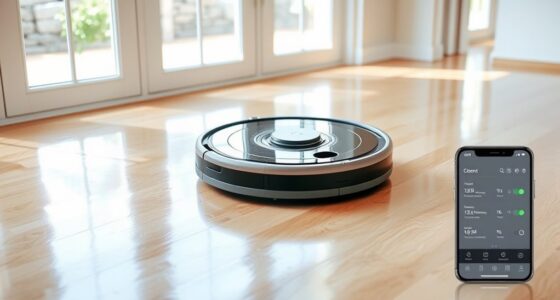
To fix this, start by checking the robot’s mapping accuracy. Most robot mops create a digital map of your home using sensors and cameras. If this map is outdated or inaccurate, the robot will struggle to navigate properly. You can try resetting or recalibrating the map through the app or device controls. Run a fresh mapping cycle, making sure the robot has a clear, unobstructed path to scan the entire area. Remove any temporary obstacles, such as clutter or cords, that might interfere with its sensors. Sometimes, furniture or objects moved after the last cleaning session can cause the robot to misjudge its environment, leading to missed spots.
Reset and recalibrate the map, clear obstacles, and ensure a fresh scanning cycle for better navigation.
Next, focus on obstacle detection. Modern robot mops use a variety of sensors—infrared, ultrasonic, or bump sensors—to identify obstacles and prevent collisions. If these sensors are dirty or obstructed, the robot might either stop prematurely or avoid certain areas altogether. Clean the sensors gently with a soft cloth and check for any debris blocking the sensors’ view. Additionally, consider adjusting the robot’s obstacle avoidance settings if your device allows it. Some models let you set virtual boundaries or define no-go zones, which can help the robot navigate more effectively and avoid areas where it tends to get stuck.
If your robot still misses spots after these adjustments, inspect the brushes and wheels. Sometimes, tangled hair or debris can impair movement and sensor function. Clearing out debris ensures smooth navigation and better obstacle detection. Also, update your robot’s firmware or software if updates are available. Manufacturers often release improvements that enhance mapping accuracy and obstacle detection, directly boosting your robot’s cleaning performance. Regular maintenance, including cleaning sensors and brushes, can also significantly improve its overall navigation and cleaning efficiency.
Frequently Asked Questions
Can I Update My Robot Mop’s Navigation Software Manually?
Yes, you can update your robot mop’s navigation software manually. Check your device’s app or manufacturer’s website for the latest software update, then follow the instructions to install it. After updating, perform a navigation calibration if needed to guarantee it covers all spots efficiently. Regular updates improve navigation accuracy, helping your robot clean thoroughly without missing areas. Always keep your software current for peak performance.
How Do Environmental Changes Affect the Robot Mop’s Navigation?
Environmental changes can notably impact your robot mop’s navigation by altering its floor plan and obstacle detection. When furniture moves or new objects appear, the robot might struggle to recognize the layout, causing missed spots. You should update its mapping, clear obstacles, and recalibrate sensors regularly. Ensuring a consistent environment helps your robot navigate efficiently, maintaining ideal cleaning coverage and preventing it from missing areas.
Is There a Way to Customize Cleaning Zones to Improve Coverage?
Yes, you can customize cleaning zones to boost your robot mop’s coverage. Use your app’s zone customization feature to designate specific areas for targeted cleaning, ensuring no spots are missed. By setting up these zones, you improve cleaning efficiency and avoid unnecessary overlaps. Regularly update your zones based on your home’s changing layout, helping your robot optimize its path and deliver more thorough results every time.
What Should I Do if the Robot Keeps Getting Stuck?
If your robot keeps getting stuck, first check its obstacle detection sensors for dirt or obstructions and clean them if needed. Adjust its cleaning patterns to avoid troublesome areas, and consider creating custom zones to guide its path. You can also reposition furniture or add virtual barriers to prevent it from repeatedly getting stuck. Regular maintenance and strategic zone setup help enhance navigation and guarantee thorough cleaning.
How Often Should I Perform Maintenance to Optimize Navigation?
You should perform routine calibration every few months to keep your robot mop’s navigation sharp. Regularly remove obstacles and clean sensors to prevent navigation issues. Check for updates and reset the device if needed. Keeping the floor clear of clutter and maintaining calibration helps your robot move efficiently, reducing missed spots. Consistent maintenance ensures peak performance and prolongs the lifespan of your robot mop.
Conclusion
To guarantee your robot mop cleans thoroughly, regularly update its software and check for obstructions. Keep its sensors clean and map the area properly. Did you know that over 60% of users report missed spots due to outdated navigation data? Staying proactive with maintenance and updates helps your robot navigate more accurately, reducing missed areas. With these simple steps, you’ll enjoy a spotless floor every time, making your cleaning routine easier and more efficient.